


IT teams need more than fast processors when they refresh employee laptops, especially as hybrid work and AI features add new demands to endpoint management. Models such as the HP EliteBook X G2i 14 and HP EliteBook 8 G2i combine centralized deployment, hardware security, remote recovery, and AI-ready hardware for different enterprise use cases. If your organization is planning a device refresh, these are the top enterprise laptops and the main strengths and tradeoffs IT buyers should consider.
- Enterprise laptops for secure, manageable device fleets compared
- 1. HP EliteBook X G2i 14 Next Gen AI PC: Best for premium AI-focused mobile executives
- 2. HP EliteBook 8 G2i: Best for large-scale enterprise fleet deployments
- 3. Lenovo ThinkPad X1 Carbon Gen 14 Aura Edition: Best for frequent business travelers
- 4. Dell Pro 14 Premium PA14260: Best for enterprise serviceability and support
- 5. Microsoft Surface Laptop for Business, 8th Edition: Best for Microsoft-managed environments
- 6. ASUS ExpertBook P5 G2: Best for memory expansion and wired office setups
- 7. Acer TravelMate P4 14 AI: Best for cost-conscious managed business fleets
- Key features of enterprise laptops
- What should businesses consider when refreshing employee devices?
- When does an AI PC make sense for an enterprise fleet?
- How should companies protect AI-enabled endpoints?
- FAQs
Enterprise laptops for secure, manageable device fleets compared
| Enterprise laptops | Best for | Processor and NPU | Graphics | Memory & storage | My rating |
|---|---|---|---|---|---|
| HP EliteBook X G2i 14 Next Gen AI PC | Premium AI-powered mobile work | Intel® Core™ Ultra X7 358H, up to 4.8 GHz Max Intel AI Boost, 50 NPU TOPS | Integrated Intel Arc B390 GPU | 32 GB RAM; 1 TB SSD | 4.91 out of 5 |
| HP EliteBook 8 G2i Next Gen AI PC | Best for large-scale enterprise fleet deployments | Up to Intel® Core™ Ultra 7 366H 4.8 GHz, Intel® AI Boost 50 NPU TOPS | Integrated Intel Graphics | Up to 64 GB RAM; 1 TB SSD | 4.46 out of 5 |
| Lenovo ThinkPad X1 Carbon Gen 14 Aura Edition | Best for frequent business travelers | Up to Intel® Core™ Ultra 7 365 vPro, up to 50 TOPS | Intel Arc B390 integrated graphics | Up to 64 GB RAM; up to 2 TB SSD | 3.84 out of 5 |
| Dell Pro 14 Premium PA14260 | Best for enterprise serviceability and support | Up to Intel® Core™ Ultra 7 366H vPro, up to 50 TOPS | Integrated Intel Graphics | Up to 64 GB RAM; 2 TB SSD | 3.81 out of 5 |
| Microsoft Surface Laptop for Business, 8th Edition | Best for Microsoft-managed environments | Up to Intel® Core™ Ultra X7 368H, up to 50 TOPS | Intel Arc Graphics | Up to 64 GB RAM; 1 TB SSD | 3.64 out of 5 |
| ASUS ExpertBook P5 G2 | Best for memory expansion and wired office setups | Up to Intel® Core™ Ultra 7 Series 3, up to 50 TOPS | Integrated Intel Graphics | Up to 64 GB RAM; 2 TB SSD | 3.14 out of 5 |
| Acer TravelMate P4 14 AI | Best for cost-conscious managed business fleets | Up to Intel® Core™ Ultra 7, up to 49 TOPS | Integrated Intel Graphics | Up to 64 GB RAM; 1 TB SSD | 3.03 out of 5 |
How I evaluated the best enterprise laptops for device fleets
I evaluated each enterprise laptop with a scoring rubric focused on what IT teams need to deploy, secure, manage, and support devices across an enterprise fleet. I also considered how well the model handles AI workloads along with long-term administration and hardware lifecycle requirements.
Pricing (20%): I compared starting prices, enterprise configurations, and the cost of moving to higher memory or storage options. I also considered whether the hardware offered enough serviceability and upgrade potential to support its cost over a typical business refresh cycle.
General features (25%): I assessed processor performance, memory and storage options, graphics, battery capacity, ports, and wireless connectivity. I also looked at everyday business requirements such as docking support, display options, portability, and available cellular connectivity.
Advanced and niche features (20%): I evaluated enterprise security and management capabilities, including Intel vPro, TPM 2.0, BIOS protections, remote administration, provisioning tools, and device recovery options. AI hardware also factored into this score through NPU performance, Copilot+ support, and the laptop’s ability to process supported AI workloads locally.
Ease of use (10%): I considered how easily IT teams can configure, deploy, maintain, and troubleshoot each device across a fleet. My evaluation also covered access to replaceable components, vendor management utilities, driver updates, and integration with common endpoint management platforms.
Support (10%): I compared warranty coverage, on-site service options, enterprise support plans, repair documentation, and access to replacement parts. I gave more credit to vendors that provide IT teams with escalation paths and tools for resolving hardware issues remotely or in the field.
Expert score (15%): I based my expert score on how each laptop meets the needs of secure, centrally managed enterprise environments rather than on specifications alone. I also considered whether its security, serviceability, AI capabilities, and management options justify its role in a business fleet.
1. HP EliteBook X G2i 14 Next Gen AI PC: Best for premium AI-focused mobile executives
My rating: 4.91 out of 5
Starting price: $2,499.00
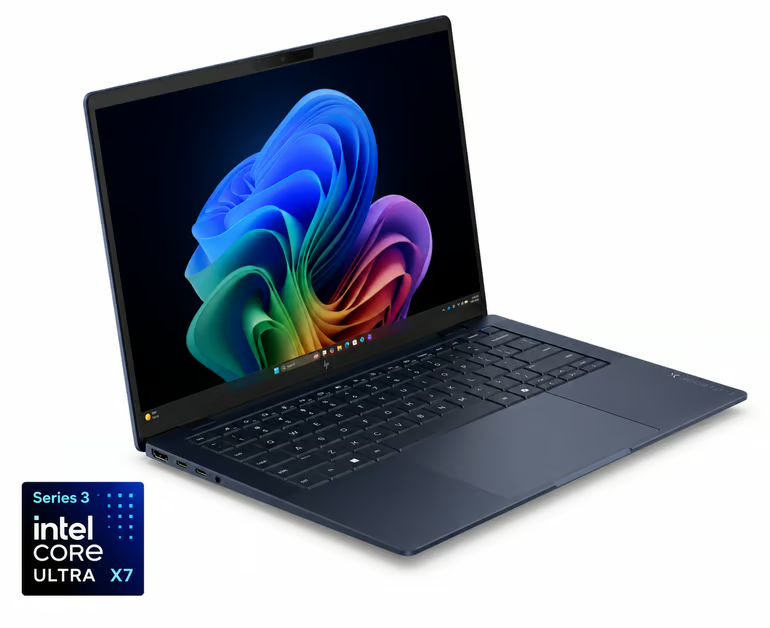
Why I chose HP EliteBook X G2i 14 Next Gen AI PC
The HP EliteBook X G2i 14 suits executives who travel often and need enterprise security with local AI processing. At 2.2 pounds, it is easy to carry, while the Intel Core Ultra X7 358H processor and 50-TOPS NPU support compatible on-device AI features. Its compact design also suits frequent travel and hybrid work.
The 14-inch 3K OLED display supports high-resolution presentations and content review, while Intel Arc B390 graphics add more graphics capability than standard Intel integrated graphics. HP also includes Wolf Security for Business, and IT teams can use HP Connect, Image Assistant, Manageability Integration Kit, and Cloud Recovery for deployment and maintenance.
Its main limitation is price, which can make fleet-wide deployment expensive when many employees do not need its premium display or higher-end AI hardware. The HP EliteBook 8 G2i is the better alternative for broader enterprise rollouts because it uses HP’s management ecosystem while targeting more general business use.
| Pros | Cons |
|---|---|
| Extensive HP fleet management and recovery tools | Onboard memory cannot be upgraded |
| HP Wolf Security covers BIOS through browser | Fan noise increases under demanding workloads |
| Excellent keyboard and premium chassis quality | Premium pricing raises fleet acquisition costs |
Specifications
| Processor: Intel® Core™ Ultra X7 358H, up to 4.8 GHz Max | Manageability: HP Connect for Microsoft Endpoint Manager, HP Image Assistant, HP Manageability Integration Kit, and HP Cloud Recovery. |
| NPU: Intel AI Boost, 50 NPU TOPS | Display: 14-inch diagonal 3K OLED, 2880 x 1800, 120 Hz, anti-glare, 500 nits, 100% DCI-P3, with HP Eye Ease |
| Graphics: Integrated Intel Arc B390 GPU | Weight: Starting at 2.2 lb |
| Memory & storage: 32 GB RAM; 1 TB SSD | Battery life: HP Long Life 6-cell, 68 Wh Li-ion polymer with fast charging to 50% in about 30 minutes |
2. HP EliteBook 8 G2i: Best for large-scale enterprise fleet deployments
My rating: 4.46 out of 5
Starting price: $2,199.00
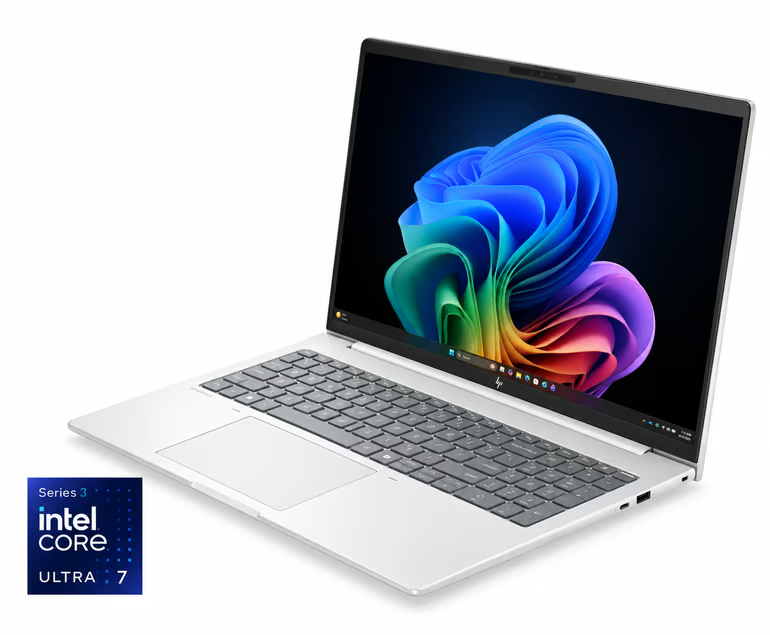
Why I chose HP EliteBook 8 G2i
The HP EliteBook 8 G2i suits organizations that need a standard business laptop they can deploy across a large number of employees. IT teams can manage devices through HP Connect for Microsoft Endpoint Manager, HP Image Assistant, HP Manageability Integration Kit, and HP Cloud Recovery, which supports centralized deployment plus ongoing maintenance across distributed fleets.
This enterprise laptop is designed for mainstream enterprise workloads, with an Intel Core Ultra 7 366H processor, 50-TOPS NPU, and 32 GB of RAM in the configuration reviewed. The 14-inch WUXGA display has lower power demands than higher-resolution OLED options, while the 68 Wh battery offers a larger battery capacity than many thin business laptops in this class.
The main tradeoff is that the display and integrated Intel graphics are less suited to employees who need higher-end visual performance or more demanding local AI workloads. For executives or other mobile users who need a higher-resolution OLED panel plus Intel Arc B390 graphics, the HP EliteBook X G2i 14 is the better alternative.
| Pros | Cons |
|---|---|
| HP tools support centralized fleet administration | Integrated graphics limit graphics-intensive AI workloads |
| Upgradeable DDR5 supports longer deployment cycles | WUXGA display has a lower resolution than premium alternatives |
| Three-year Wolf Pro Security coverage included | Heavier than premium enterprise ultraportables |
Specifications
| Processor: Up to Intel® Core™ Ultra 7 366H 4.8 GHz | Manageability: HP Connect for Microsoft Endpoint Manager, HP Image Assistant, HP Manageability Integration Kit, and HP Cloud Recovery |
| NPU: Intel® AI Boost (50 NPU TOPS) | Display: 14-inch WUXGA, 1920 x 1200, IPS, anti-glare, 400 nits, 100% sRGB |
| Graphics: Integrated Intel Graphics | Weight: Starts at 3.08 lb |
| Memory & storage: 32 GB RAM; 512 GB SSD | Battery life: HP Long Life 3-cell, 68 Wh Li-ion polymer |
3. Lenovo ThinkPad X1 Carbon Gen 14 Aura Edition: Best for frequent business travelers
My rating: 3.84 out of 5
Starting price: $2,407.30
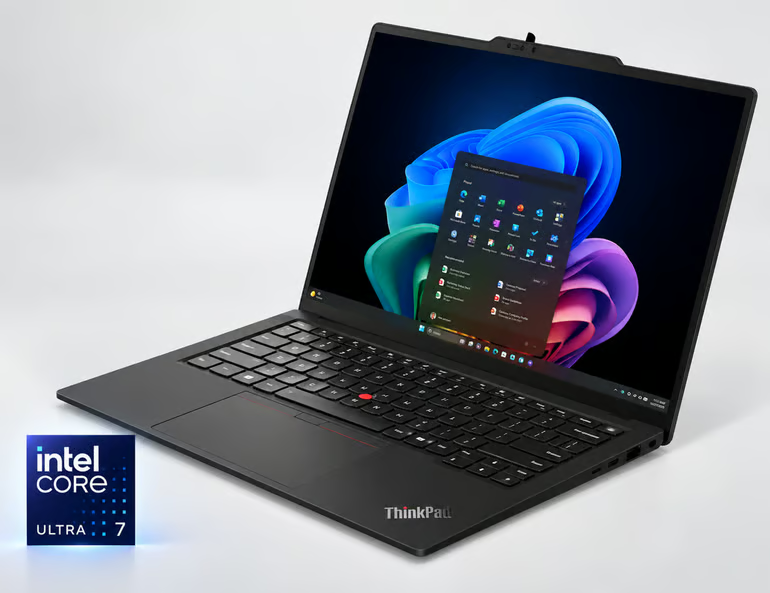
Why I chose Lenovo ThinkPad X1 Carbon Gen 14 Aura Edition
At about 2.15 pounds, the Lenovo ThinkPad X1 Carbon Gen 14 Aura Edition is one of the lightest laptops in this group. Its build suits employees who often move between offices or travel for client work. Optional WWAN keeps users connected when Wi-Fi is unavailable, while Intel vPro configurations support remote management across a distributed workforce.
Lenovo also gives IT departments more service access than many ultraportables provide. The battery and SSD are replaceable, and Lenovo publishes repair documentation for the device. Thunderbolt ports support docks and external displays, while the available 50-TOPS NPU supports Copilot+ and other local AI tasks.
The memory is soldered to the motherboard, so IT teams need to choose the required RAM capacity at purchase because it cannot be expanded later. Organizations that expect memory requirements to increase over a longer refresh cycle should consider the ASUS ExpertBook P5 G2, which supports up to 64 GB of RAM through two SO-DIMM slots.
| Pros | Cons |
|---|---|
| 2.15-pound chassis supports frequent business travel | Premium pricing increases large-fleet costs |
| Intel vPro configurations support enterprise administration | No built-in Ethernet for wired deployments |
| Battery and SSD are user-replaceable | Chassis bends slightly under pressure |
Specifications
| Processor: Up to Intel® Core™ Ultra 7 365 vPro | Manageability: Intel vPro support and Lenovo Commercial Vantage |
| NPU: Up to 50 TOPS | Display: Up to 14-inch 2.8K OLED, 500 nits, 100% DCI-P3; WUXGA IPS options are also available |
| Graphics: Up to Intel Arc B390 integrated graphics | Weight: Starts at 2.15 lb, depending on configuration |
| Memory & storage: Up to 64 GB RAM; up to 2 TB SSD | Battery life: 58 Wh |
4. Dell Pro 14 Premium PA14260: Best for enterprise serviceability and support
My rating: 3.81 out of 5
Starting price: $2,736.00
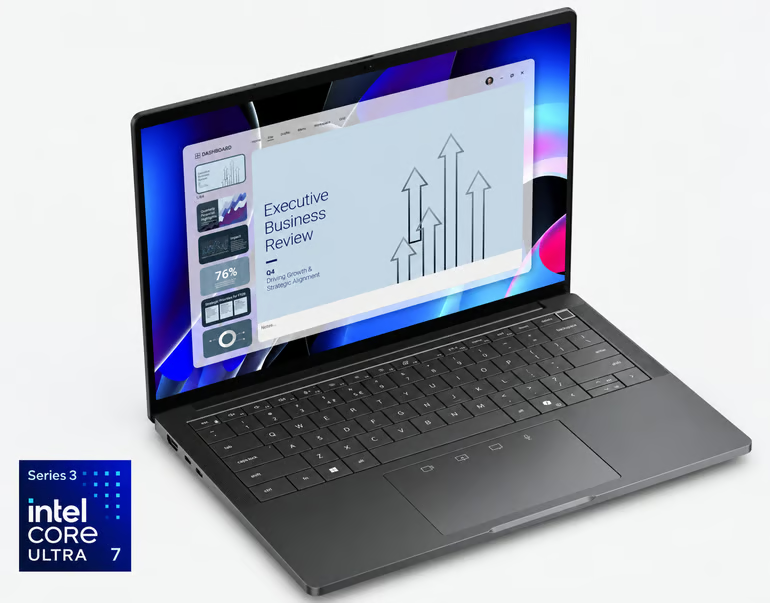
Why I chose Dell Pro 14 Premium PA14260
The Dell Pro 14 Premium PA14260 caters to IT teams that want a business laptop with documented repair procedures and enterprise support options. Dell publishes service manuals for component replacement, and ProSupport can add remote diagnosis plus on-site service to reduce downtime.
Dell also supports serviceability with Intel vPro for remote administration and published reimaging guidance for standardized deployments. Optional cellular connectivity gives remote employees another connection option, while the lightweight magnesium chassis suits users who move between offices and client sites.
One limitation is the onboard memory, which cannot be upgraded after purchase. IT teams that want more flexibility over a longer replacement cycle should consider the ASUS ExpertBook P5 G2, which supports memory expansion through two SO-DIMM slots and can be configured with up to 64 GB of RAM.
| Pros | Cons |
|---|---|
| Dell publishes extensive hardware replacement documentation | Onboard memory cannot be upgraded |
| Dedicated reimaging guide supports standardized deployments | No native Ethernet port |
| Optional cellular connectivity supports remote employees | Standard display covers a narrower color range |
Specifications
| Processor: Up to Intel® Core™ Ultra 7 366H vPro | Manageability: Intel vPro; Dell ProSupport |
| NPU: Up to 50 TOPS | Display: 14-inch WUXGA, 1920 x 1200, non-touch, 500 nits, 100% sRGB, anti-glare, ComfortView+, low-power |
| Graphics: Integrated Intel Graphics | Weight: 2.88 lb |
| Memory & storage: Up to 64 GB RAM; 2 TB SSD | Battery life: 60 Wh, 3-cell |
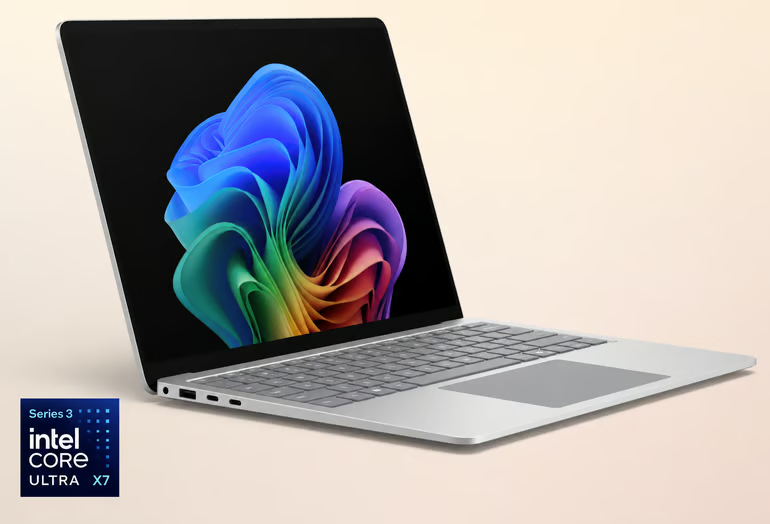
5. Microsoft Surface Laptop for Business, 8th Edition: Best for Microsoft-managed environments
My rating: 3.64 out of 5
Starting price: $2,149.99
Why I chose Microsoft Surface Laptop for Business
Organizations that already use Microsoft Intune and Windows Autopilot can manage the Surface Laptop for Business within the same Microsoft environment. DFCI handles cloud-based firmware controls, while Surface Management Portal gives IT teams visibility into device status and Surface-specific settings across the fleet.
The laptop includes a removable SSD, Secured-core PC protections, and Microsoft Pluton security, giving organizations hardware and software controls from the same vendor. Both the 13.8-inch and 15-inch models support displays up to 120 Hz. On Intel Core Ultra Series 3 configurations, the NPU delivers up to 50 TOPS for supported local AI features.
Pricing can be a concern when businesses need to equip a large workforce, especially if they don’t rely heavily on Microsoft’s device-management ecosystem. The HP EliteBook 8 G2i is a better alternative for IT teams that want a larger set of vendor management tools. It includes the HP Image Assistant and HP Connect for Microsoft Endpoint Manager, while still supporting centralized Windows administration.
| Pros | Cons |
|---|---|
| DFCI enables cloud-based firmware administration | Battery life trails some competitors |
| Windows Autopilot supports pre-registered enterprise deployment | No 5G option on initial Intel models |
| Optional privacy screen protects sensitive information | Port selection lacks native Ethernet |
Specifications
| Processor: Up to Intel® Core™ Ultra X7 368H | Manageability: Windows 11 Pro; enhanced IT management and device controls |
| NPU: Up to 50 TOPS | Display: 13.8-inch or 15-inch PixelSense Flow, up to 120 Hz, 600 nits |
| Graphics: Intel Arc Graphics | Weight: From 2.97 lb |
| Memory & storage: Up to 64 GB RAM; 1 TB SSD | Battery life: Up to 23 hours |
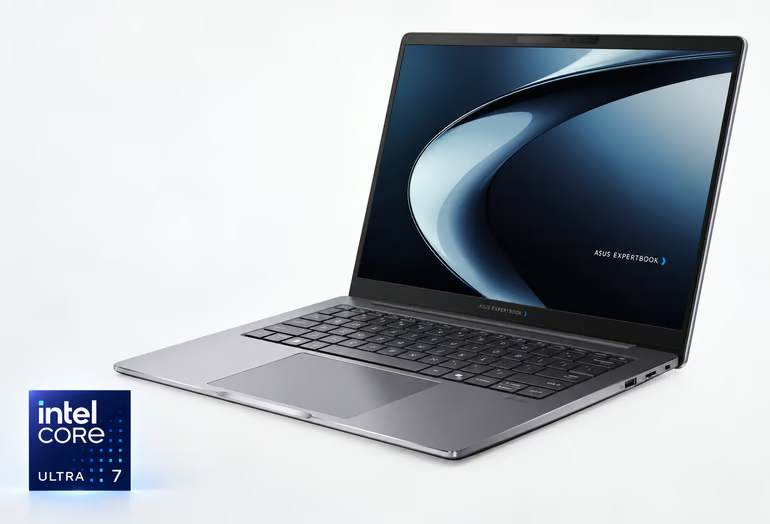
6. ASUS ExpertBook P5 G2: Best for memory expansion and wired office setups
My rating: 3.14 out of 5
Starting price: $2,979.99
Why I chose ASUS ExpertBook P5 G2
The ASUS ExpertBook P5 G2 supports up to 64 GB of RAM through two SO-DIMM slots, giving more flexibility to extend its service life than laptops with soldered memory. Built-in Gigabit Ethernet also suits offices that depend on wired networks, while dual Thunderbolt 4 ports support docks and external displays at fixed workstations.
The model also includes Intel Core Ultra Series 3 processors, a 50-TOPS NPU, and ExpertGuardian security features that cover BIOS protection plus Secured-core PC capabilities. For organizations that want standardized configurations, ASUS also offers business deployment services such as BIOS customization and corporate image setup.
The ExpertBook P5 G2 carries fewer vendor-specific enterprise management tools than some HP or Microsoft options, so organizations with complex fleet admin requirements may prefer a platform with a broader device-management ecosystem. The HP EliteBook 8 G2i is a suitable alternative because it adds tools such as HP Connect, HP Image Assistant, and HP Manageability Integration Kit for centralized deployment and maintenance.
| Pros | Cons |
|---|---|
| Two SO-DIMM slots allow memory upgrades | No touchscreen option on 14-inch model |
| Built-in Ethernet simplifies wired office deployments | Integrated graphics limit graphics-intensive workloads |
| ExpertGuardian adds business-focused security controls | No higher-tier Core Ultra X processor option |
Specifications
| Processor: Up to Intel® Core™ Ultra 7 | Manageability: ASUS business IT management tools |
| NPU: Up to 50 TOPS | Display: 14-inch 2.5K, up to 144 Hz |
| Graphics: Integrated Intel Graphics | Weight: From 3.04 lb |
| Memory & storage: Up to 64 GB RAM; 2 TB SSD | Battery life: Not specified |
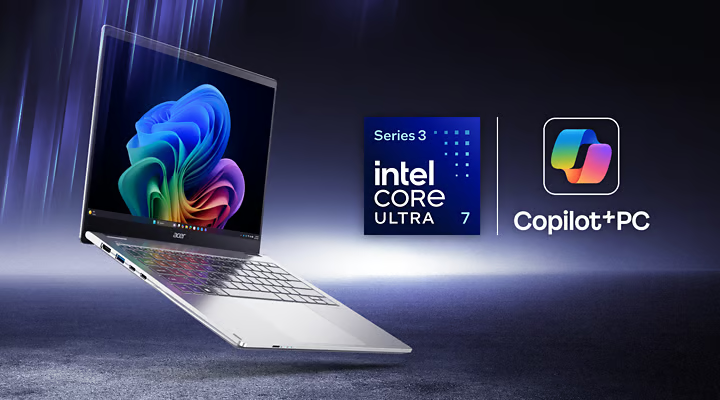
7. Acer TravelMate P4 14 AI: Best for cost-conscious managed business fleets
My rating: 3.03 out of 5
Starting price: $1,799.99
Why I chose Acer TravelMate P4 14 AI
Acer positions the TravelMate P4 14 AI as a lower-cost business laptop with the core management features for Windows fleets. Intel vPro support gives administrators remote management capabilities, while Acer Office Manager and TravelMateSense add vendor tools for device monitoring and maintenance across smaller or midmarket deployments.
The hardware also covers current enterprise requirements with Intel Core Ultra Series 3 processors, Wi-Fi 7, Thunderbolt 4, and up to a 3K display. Acer adds MIL-STD-810H testing for durability, and selected configurations include a 49-TOPS NPU for supported local AI workloads.
The tradeoff is that Acer offers fewer proprietary fleet-management tools than some enterprise-focused vendors. Organizations that want broader service documentation and more mature enterprise support options could consider the Dell Pro 14 Premium PA14260 instead.
| Pros | Cons |
|---|---|
| Up to 3K display offers ample workspace | NPU performance is slightly lower than 50-TOPS competitors |
| MIL-STD-810H testing supports fleet durability | Integrated graphics limit GPU-heavy local workloads |
| Wi-Fi 7 supports newer enterprise networks | Acer's management ecosystem is comparatively smaller |
Specifications
| Processor: Up to Intel® Core™ Ultra 7 | Manageability: Intel vPro, Acer Office Manager, TravelMateSense |
| NPU: Up to 49 TOPS | Display: 14-inch IPS, up to 3K, 100% sRGB |
| Graphics: Integrated Intel Graphics | Weight: From 2.62 lb |
| Memory & storage: Up to 64 GB RAM; 1 TB SSD | Battery life: Up to 27 hours |
Key features of enterprise laptops
Enterprise laptops should be easy to secure, manage remotely, repair, and support across their service life. Below are the main features IT teams should check when comparing devices for business fleets.
- Hardware security: Look for TPM 2.0, Secure Boot, BIOS protection, and hardware-backed sign-in. These features protect the device at startup and support tools such as BitLocker and Windows Hello.
- Remote management: Intel vPro, Windows Autopilot, and vendor management tools support centralized device configuration and support. For hybrid teams, remote BIOS updates, diagnostics, and recovery let IT resolve issues without physical access to the device.
- Repair and upgrade options: Replaceable batteries, SSDs, and memory reduce repair costs and extend device life. Service manuals and access to replacement parts make maintenance easier to schedule and carry out.
- Connectivity: Wi-Fi 7, Thunderbolt 4, docking support, and optional 4G or 5G enable connection from various locations. IT teams should also check whether Ethernet is built in or requires a dock or adapter.
- AI hardware: An NPU handles supported AI tasks locally and reduces reliance on the CPU or GPU. Buyers should check whether their business apps can use the NPU before paying for higher TOPS.
- Battery life and weight: Employees who travel or work away from a desk need a laptop that can last through the workday and is easy to carry. Compare battery test results alongside weight because both affect remote use.
- Enterprise support: Warranty coverage, onsite repair, replacement parts, and response times affect device downtime and the laptop’s total lifecycle cost.
What should businesses consider when refreshing employee devices?
Businesses should base device refresh decisions on hardware condition, employee workloads, security requirements, and the cost of keeping each device in service. Below are the main factors to consider before replacing laptops across a fleet.
- Device condition and Windows 11 readiness: Review battery health, repair history, device age, and Windows 11 compatibility before deciding what to replace. Older systems may still be usable, but constant failures or limited hardware support increase maintenance work.
- Employee workload requirements: Match device configurations to the applications and workloads each employee group uses. Some roles may need more memory, graphics capability, or local AI processing, while general office users can often work with lower-spec systems.
- Security and manageability: Check for TPM 2.0, Secure Boot, BIOS protection, remote administration, and centralized provisioning. Remote controls support IT teams that manage employees across multiple offices or home locations.
- Repairability and lifecycle cost: Consider whether batteries, SSDs, and memory are replaceable over the expected service life. Easier repairs, longer warranties, and on-site support can reduce downtime and delay full-device replacement.
- Mobility and connectivity: Compare battery life, weight, Wi-Fi, docking support, Ethernet access, and optional cellular connectivity. Employees who travel frequently may need lighter devices and longer runtime, while office-based users may rely on wired connections and docks.
- Fleet standardization: Limit device configurations where possible while keeping separate tiers for different workload groups. Fewer configurations can simplify imaging, driver maintenance, accessory purchasing, and support procedures.
When does an AI PC make sense for an enterprise fleet?
An AI PC makes sense when employees use software that benefits from local AI processing. It can also keep sensitive data on the device and reduce reliance on cloud processing for supported tasks. IT teams should base the purchase on actual applications and workload requirements, since higher NPU performance alone does not justify replacing every device.
- Employees use local AI features: An NPU can process supported tasks such as transcription, image effects, or local assistants. Applications designed for NPU acceleration can shift some work away from the CPU and GPU.
- Some data should stay on the device: Local AI can process documents, audio, or other business data on the endpoint when the application supports on-device processing. Organizations with stricter data-handling rules may prefer this approach for workloads that involve sensitive information.
- Users need AI features with limited connectivity: Some local models can continue working when internet access is unavailable. Employees who travel frequently or work at customer sites can still use supported AI features when cloud access is limited.
- Cloud AI use is becoming expensive: Local processing may reduce the number of requests sent to cloud AI services for supported tasks. Any cost savings will depend on how often employees use those features and how much processing the software can move to the NPU.
- The company plans to keep devices for several years: A capable NPU can support more local AI features as business software adds NPU acceleration over time. IT teams should still consider current application requirements before paying more for AI hardware that employees may not use during the device lifecycle.
- Many users may not need an AI PC: Employees who mainly use browser-based apps, Microsoft 365, or cloud-hosted AI services may see limited benefits from higher NPU performance. Memory, battery life, security, and remote management may have a greater effect on their tasks and IT support requirements.
How should companies protect AI-enabled endpoints?
Companies should protect AI-enabled endpoints with hardware security, endpoint controls, remote management, and rules for how AI apps handle business data. Security should protect the device throughout its lifecycle because local AI features may store or process sensitive business data on the endpoint.
Start with hardware-backed security
TPM 2.0, Secure Boot, BIOS protection, and hardware-based authentication protect the device before the operating system loads. Disk encryption also limits exposure if a laptop is lost or stolen, especially when local AI applications store business data on the endpoint.
Control how AI applications access data
IT teams should review which applications can use local AI features and what files, credentials, or corporate systems they can access. Application control and endpoint detection tools can help block unauthorized software and identify suspicious behavior.
Manage devices remotely
Hybrid work increases the need for centralized firmware updates, security policies, access controls, and recovery tools. Intel vPro, Microsoft Intune, Windows Autopilot, and vendor management platforms help maintain these controls when employees work remotely.
Set policies for local and cloud AI use
On-device AI can keep some data off external servers, but it still needs rules for data classification and access. Organizations should define which information can be processed locally, which AI services are approved, and when cloud processing is allowed.
Include security in refresh and retirement plans
Security requirements should remain part of the device lifecycle rather than end after deployment. IT should track firmware support, operating system updates, vendor security coverage, and recovery options so devices are replaced before they become difficult to secure.
Protecting AI-enabled endpoints requires more than choosing laptops with newer processors or higher NPU performance. IT teams should evaluate hardware protections alongside application controls and remote administration so they can secure both local AI use and cloud-connected workloads.
As organizations plan device refreshes, they should also compare management tools and support policies to keep each endpoint secure after deployment.
FAQs
How can IT simplify device lifecycle management?
IT can simplify device lifecycle management by standardizing how laptops are purchased, provisioned, monitored, repaired, and retired. Establishing a clear process lets IT track warranty status, battery health, repair history, and replacement timing across the fleet.
What is an enterprise laptop?
An enterprise laptop is a business device designed for centralized management, security, support, and long-term deployment. Enterprise laptops often include features such as TPM 2.0, Intel vPro, business-grade warranties, remote management tools, and service documentation for IT teams.
What is the difference between enterprise laptops and business laptops?
Enterprise laptops usually include more advanced fleet management, security, and support options than standard business laptops. They are built for larger deployments where IT needs centralized control over provisioning, firmware updates, repairs, and device replacement.