
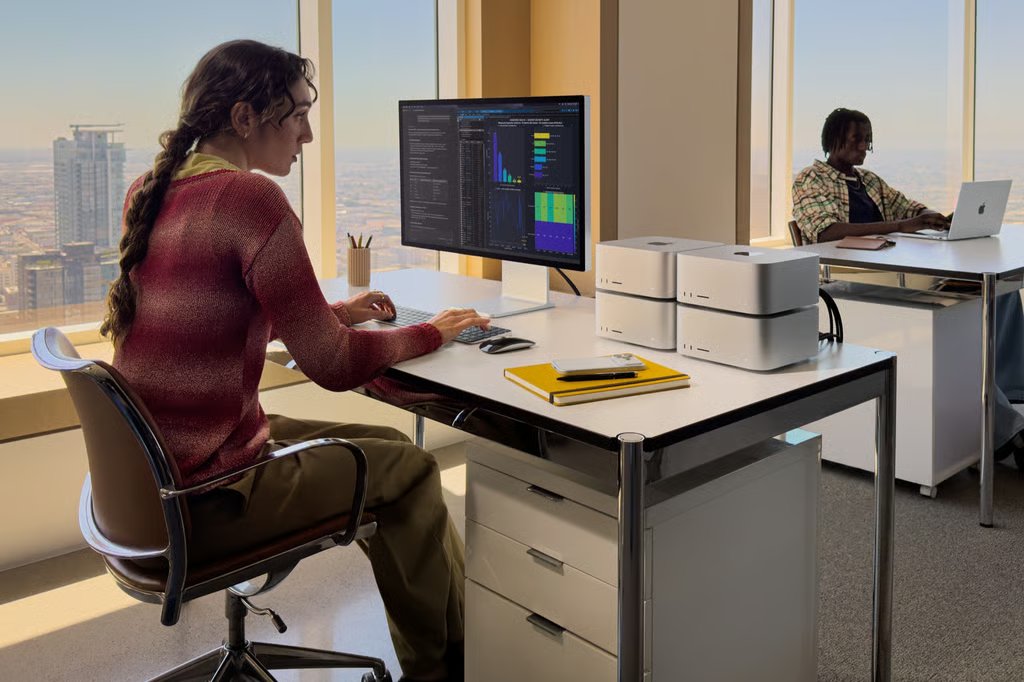


Apple’s fastest Mac is now on sale, but getting its most powerful chip requires a $5,499 starting price.
The new Mac Studio is available starting Sept. 22, with buyers choosing between the M5 Max and M5 Ultra. The M5 Max model starts at $2,499, while stepping up to M5 Ultra adds $3,000 before any additional upgrades.
For most buyers, that makes the decision less about which Mac Studio is fastest and more about whether their workloads can actually take advantage of what M5 Ultra provides.
What does an extra $3,000 get you?
The differences between Apple’s two Mac Studio tiers are substantial.
The M5 Max configuration starts with an 18-core CPU and 32-core GPU and can be configured with up to a 40-core GPU and 128GB of unified memory.
M5 Ultra starts with a 30-core CPU and 64-core GPU and can scale to a 36-core CPU and 80-core GPU. Its biggest differentiator may be memory: the M5 Ultra supports up to 512GB of unified memory with 1.2 TB/s of bandwidth.
Apple says the M5 Ultra delivers up to 4.3 times the peak AI compute performance of the M3 Ultra, while the new Mac Studio can deliver up to 1.8 times faster graphics performance, depending on the workload and comparison.
An early benchmark offers another point of comparison. An unverified Geekbench 7 result for the high-end 36-core M5 Ultra indicated roughly 30% higher single-core and 35% higher multi-core CPU performance than the average for the high-end 32-core M3 Ultra.
Because the result has not been verified, it should be treated as an early indication rather than a definitive measure of M5 Ultra performance.
Those potential gains are substantial, but they don’t automatically make the M5 Ultra the better purchase.
M5 Ultra makes the most sense for massive local AI workloads
One of the clearest reasons to consider M5 Ultra is local AI.
Apple’s unified-memory architecture gives the CPU and GPU access to a common pool of high-bandwidth memory, while the Neural Engine provides dedicated acceleration for machine-learning workloads. With up to 512GB of unified memory, the M5 Ultra Mac Studio can run extremely large AI models directly on the machine rather than relying entirely on cloud infrastructure.
That is a specialized advantage.
Developers, AI researchers, and organizations experimenting with large models locally may be able to use memory configurations that aren’t practical on many conventional high-end desktops with discrete GPUs.
It’s also consistent with where Apple has been taking the Mac Studio. TechRepublic previously reported on Apple’s push to turn the Mac Studio into a powerful local AI machine, particularly for workloads where large amounts of unified memory matter.
For someone running ordinary productivity software, browser-based AI tools, or smaller local models, however, 512GB of unified memory would be difficult to justify.
There is another caveat for anyone who actually needs that maximum capacity: Apple says the 512GB unified-memory configuration won’t become available until late October. The 512GB option also requires the higher-end M5 Ultra configuration with a 36-core CPU and 80-core GPU.
Creative professionals could benefit, but not all of them
M5 Ultra isn’t solely about AI.
The additional CPU and GPU resources are designed for demanding creative and technical workloads, including 3D rendering, visual effects, high-resolution video production, scientific computing, and software development.
The M5 Ultra Mac Studio supports up to 8 external displays, while the M5 Max version supports up to 5. Both also gain Wi-Fi 7, Bluetooth 6, and Thunderbolt 5 connectivity.
Storage received a significant upgrade as well. Apple advertises SSD performance up to twice that of the previous generation, and early independent testing suggests some configurations can go even further.
In testing highlighted by MacRumors, Macworld ran Blackmagic’s Disk Speed Test on an M5 Max Mac Studio with 128GB of unified memory and a 4TB SSD. It recorded roughly 2.6 times faster read speeds and 2.1 times faster write speeds than the previous-generation M4 Max Mac Studio used for comparison.
Those figures come from one benchmark and configuration, so buyers shouldn’t assume they’ll see identical gains. But the results are notable because faster storage isn’t exclusive to M5 Ultra.
Someone editing large video projects or regularly moving massive files could therefore see a significant improvement from an M5 Max Mac Studio without spending another $3,000 for Apple’s top chip.
Four Mac Studios can work together on AI
M5 Ultra also becomes more interesting when the Mac Studio is treated as infrastructure rather than a single workstation.
Thunderbolt 5 and built-in support for Remote Direct Memory Access, or RDMA, allow multiple Mac Studio systems to be clustered for distributed AI inference. Apple says the setup creates a shared memory pool across the connected systems, allowing them to handle particularly large open-weight models.
According to Apple, a cluster of four Mac Studio systems can deliver up to three times faster AI inference than a single Mac Studio.
That potentially gives developers and research teams another way to expand local AI capacity without immediately moving workloads into the cloud.
There is already evidence that Mac desktops are finding a place in large-scale AI development. TechRepublic recently reported that OpenAI purchased tens of thousands of Mac mini and Mac Studio systems for work involving reinforcement learning and computer-use agents.
Still, buying multiple $5,499-plus computers changes the economics considerably. Organizations considering Mac Studio clusters would need to compare the upfront hardware cost, power requirements, software compatibility, and management overhead against cloud GPU services and other AI workstations.
Who should actually buy the M5 Ultra Mac Studio?
For most Mac Studio buyers, the $3,000 gap between the M5 Max and the M5 Ultra should make workload the deciding factor.
M5 Ultra makes the most sense for:
- AI developers and researchers who need enough unified memory to run very large models locally.
- 3D, VFX, and rendering professionals whose applications can leverage additional GPU cores.
- Video professionals working with particularly demanding high-resolution or multi-stream projects.
- Scientific and engineering users running heavily parallel workloads.
- Organizations exploring multiple Mac Studios for distributed local AI inference.
M5 Max is likely sufficient for:
- Software developers who don’t require hundreds of gigabytes of unified memory.
- Many photographers and video editors.
- Professionals working with smaller local AI models.
- Users primarily interested in the Mac Studio’s faster storage and connectivity.
- Anyone whose applications don’t consistently push CPU, GPU, or memory limits.
TechRepublic previously examined whether prospective Mac Studio buyers should upgrade or wait, and the arrival of M5 Ultra makes that decision considerably more concrete.
The $5,499 Mac Studio isn’t simply a faster version of the $2,499 machine. Its strongest advantages emerge when a workload needs enormous unified memory, substantially more GPU capacity, or enough local AI performance to reduce reliance on external compute.
If those aren’t existing bottlenecks, the M5 Max may provide the more consequential upgrades, including Apple’s faster SSD architecture, without requiring buyers to spend another $3,000 for performance they may rarely use.
Also read: Apple’s M5 chip is built to accelerate on-device AI, with Neural Accelerators in every GPU core and a focus on faster local AI workloads.