


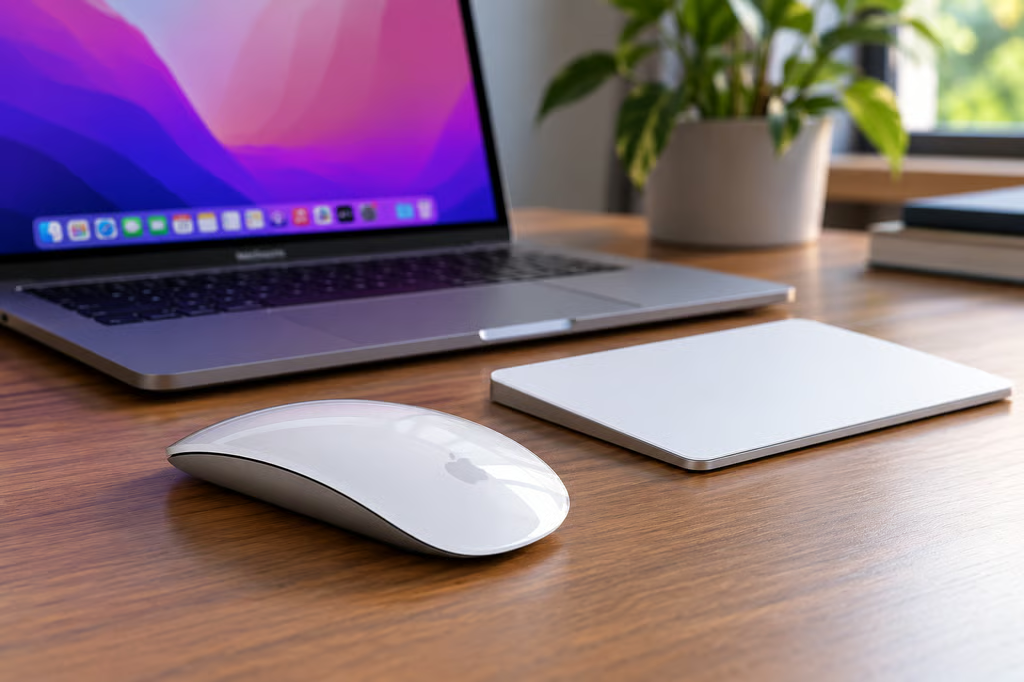
Apple has removed Intel-based Macs from its US compatibility lists for the USB-C Magic Mouse and Magic Trackpad, raising questions for owners still using older Mac hardware. The change affects Apple’s published compatibility guidance, but there is no evidence that the accessories have stopped working with Intel Macs.
Apple reportedly revised the accessories’ product pages around Aug. 25 and updated related technical specifications in early October. The US lists now identify Apple-silicon Macs and the MacBook Neo, without naming Intel Mac models.
For businesses managing mixed Mac fleets, the immediate concern is purchasing and support documentation rather than lost functionality. Existing accessories reportedly continue working, but Apple’s US listings no longer explicitly confirm Intel compatibility.
Do Magic Mouse and Magic Trackpad still work with Intel Macs?
According to MacRumors, both accessories remain functional on Intel-based Macs despite the changes. Apple has not explained the revised lists or confirmed that it intends to end support.
Apple’s current Magic Mouse specifications and Magic Trackpad specifications still require macOS 15.1 or later. Both accessories connect wirelessly through Bluetooth and use USB-C for charging and pairing.
Several Intel Macs support macOS 15.1, so the published software requirement does not explain why those models disappeared from the US compatibility lists.
Apple’s documentation is also inconsistent across regions. Its Philippine Magic Mouse specifications continue to list Intel models, including the 2019 Mac Pro, 2018 Mac mini, and 2020 Intel MacBook Air.
The discrepancy leaves Apple’s intended compatibility policy unclear. Neither the revised US lists nor the regional differences establish that the accessories can no longer function with Intel hardware.
For existing users, there is no reason to replace a working Magic Mouse or Magic Trackpad solely because their Mac model has disappeared from Apple’s US documentation.
If an accessory stops responding, owners should first investigate ordinary connection problems. TechRepublic’s guide to Mac Bluetooth troubleshooting covers common pairing and connectivity issues.
What Intel Mac owners and IT teams should check
The change concerns the USB-C Magic Mouse and Magic Trackpad introduced in 2024. It does not establish that Apple has made equivalent compatibility changes to earlier Lightning-equipped accessories.
Before buying replacements for Intel Macs, organizations should identify the exact computer model, its installed macOS version, and the accessory generation.
Three checks can reduce uncertainty:
- Verify the software requirement. Confirm that the Mac runs macOS 15.1 or later, the published minimum for both USB-C accessories.
- Test before purchasing. Pair the accessory with a representative Intel Mac before placing a bulk order.
- Document the configuration. Record the Mac model, operating system, accessory generation, and successful pairing results for future support requests.
Meeting the macOS requirement does not guarantee that Apple formally supports every Intel Mac configuration. Successful pairing also does not establish whether Apple will provide assistance for a particular combination of hardware.
For procurement teams, the distinction is between a device that works in practice and one explicitly covered by the manufacturer’s compatibility documentation.
The uncertainty comes as Apple continues moving away from Intel hardware.
The latest macOS release, Golden Gate, excludes Intel Macs. Apple’s transition also includes newer computers such as the MacBook Neo, which uses an A18 Pro chip rather than an Intel processor.
Apple is also changing support for legacy Intel applications through its Rosetta 2 transition. That affects software compatibility on Apple-silicon Macs, not Bluetooth accessory pairing.
These developments provide context for Apple’s move away from Intel hardware, but they do not establish a technical cutoff for the Magic Mouse or Magic Trackpad.
Until Apple clarifies the compatibility lists, organizations should test the accessories on their own Intel systems and avoid interpreting the documentation change as proof of incompatibility.
Also read: Apple’s macOS 27 cheat sheet details supported Mac models, the end of Intel Mac compatibility, and the latest operating system features.