


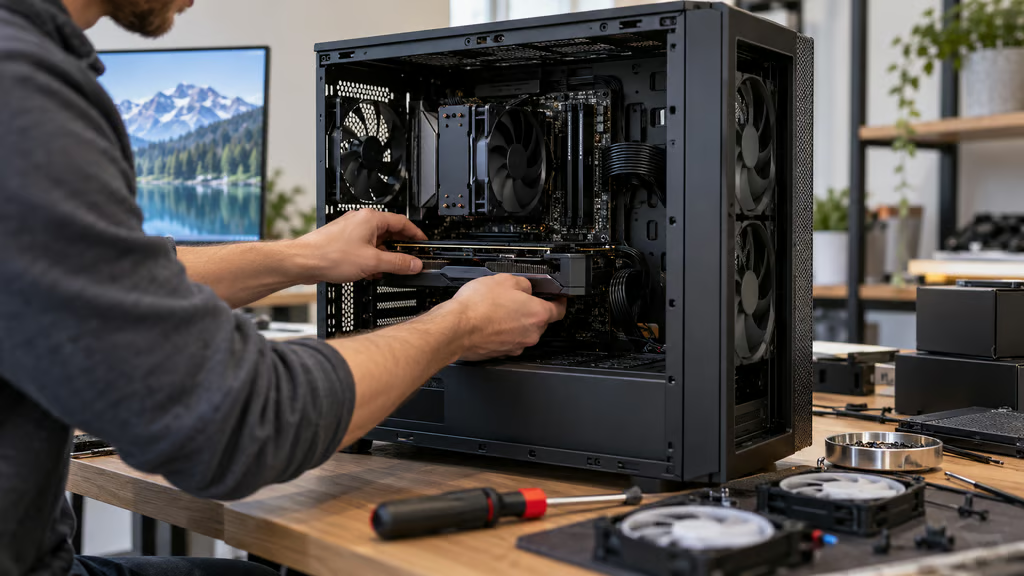
A good PC case should make the rest of the build easier. You need enough room for the graphics card and cooler you actually plan to use, sensible cable routing, enough included fans to get started, and airflow that does not force you to rebuild the cooling system later.
The Lian Li Lancool 217 is our best overall pick because it arrives with five fans, strong cooling, generous motherboard support, and a layout that works well for high-end gaming builds. Fractal, Corsair, NZXT, and Montech each offer a stronger fit for buyers who care more about design, modularity, radiator space, or price.
Large modern graphics cards make case dimensions especially important. Published GPU clearance is only a starting point. Front radiators and fans can reduce card-length clearance, while power-connector bends and side-panel space can limit very wide cards.
- Best PC cases at a glance
- How we compared
- 1. Lian Li Lancool 217: Best overall
- 2. Fractal Design Summit: Best design
- 3. Corsair FRAME 4000D RS ARGB: Best modular case
- 4. NZXT H7 Flow: Best for liquid cooling
- 5. Montech AIR 903 MAX: Best budget pick
- What should you check before buying a PC case?
- Which PC case should you buy?
Best PC cases at a glance
| Pick | Case | Price | GPU clearance | Largest radiator | Included fans |
|---|---|---|---|---|---|
| Best overall | Lian Li Lancool 217 | $119.99 | 380 mm | 360 mm | 5 |
| Best design | Fractal Design Summit | $169.99 | 425 mm | 360 mm | 3 |
| Best modular case | Corsair FRAME 4000D RS ARGB | $124.99 | 405 mm with stock front fans | 360 mm | 3 |
| Best for liquid cooling | NZXT H7 Flow | $129.99 | 410 mm | 420 mm | 3 |
| Best budget pick | Montech AIR 903 MAX | $79.99 | 400 mm | 360 mm | 4 |
Prices use manufacturer MSRP or list pricing where available. Montech reflects current US retail pricing. Retailer prices may differ.
How we compared
We focused on the factors that have the biggest effect on building and using a PC:
- Cooling: airflow layout, radiator support, included fans, and independent thermal and acoustic testing.
- Component fit: GPU length, CPU cooler height, motherboard support, and PSU clearance.
- Build experience: cable routing, removable panels and brackets, fan mounting, and access to components.
- Included hardware: the number and type of stock fans, fan hubs, GPU supports, and other useful extras.
- Expandability: storage, cooling, reverse-connector motherboard support, and room for future upgrades.
- Price and value: current pricing for the exact case variant compared here.
Official manufacturer specifications were used for dimensions, clearances, fan counts, radiator support, and compatibility. Independent testing from GamersNexus and Tom’s Hardware was used for thermal, acoustic, and build-quality claims.
Thermal results from different reviews are not directly interchangeable because test benches, fan settings, and ambient conditions differ. We used those reviews to judge each case on its own strengths and weaknesses rather than ranking unrelated temperature numbers against one another.
1. Lian Li Lancool 217: Best overall
The Lian Li Lancool 217 gives you more cooling hardware out of the box than most cases in this class.
Two 170 mm fans handle front intake, two 120 mm fans sit above the PSU shroud to feed the graphics card, and a 140 mm rear fan handles exhaust. Lian Li also includes a PWM and ARGB hub even though the standard case itself does not rely on RGB lighting.
GPU clearance reaches 380 mm, while CPU air coolers can be up to 180 mm tall. The case supports ATX, Micro-ATX, Mini-ITX, E-ATX, and SSI-EEB boards, plus rear-connector ATX and Micro-ATX motherboards.
The removable top bracket supports radiators up to 360 mm. That is the main liquid-cooling location because the oversized front fans occupy the front of the chassis.
Lian Li also lets you reposition the two 170 mm fans to favor CPU or GPU cooling. GamersNexus found strong GPU temperatures and praised the included fans and overall feature set. At maximum fan speed, however, the Lancool 217 was one of the louder cases in its test group.
A tuned fan curve can retain much of that cooling performance while reducing noise.
The PSU can be mounted in two orientations. Standard mode supports units up to 220 mm long, while the rotated layout reduces that to 180 mm. Builders using oversized power supplies should also leave enough room for cable bends.
Choose the Lancool 217 if: You want strong out-of-box cooling, plenty of included fans, and enough room for a high-end gaming or workstation build.
2. Fractal Design Summit: Best design
The Fractal Design Summit combines a large, practical interior with the wood detailing that has become a Fractal signature.
It supports GPUs up to 425 mm long and CPU air coolers up to 173 mm tall. Three 140 mm Momentum fans come preinstalled at the front.
Both the front and top support radiators up to 360 mm, while a rear 120 mm radiator can also be installed. Fractal includes an adjustable GPU support bracket and an air guide designed to direct intake toward the graphics card.
The case also supports E-ATX and reverse-connector ATX and Micro-ATX motherboards.
A front radiator reduces the available GPU length. Fractal specifies 425 mm with the standard front-fan setup, while a 30 mm front radiator reduces maximum GPU length to 393 mm.
Buyers using a front radiator should therefore calculate GPU fit from the installed radiator thickness rather than relying only on the chassis maximum.
In Tom’s Hardware testing, the Summit was easy to build in and handled powerful components well. Its noise-normalized thermal results were less impressive, so buyers prioritizing the lowest temperatures at low noise have stronger options.
The Summit is easier to recommend for its combination of space, practical features, and appearance. The white and standard black versions make the real wood accents particularly visible, while the darker variants are more understated.
Choose the Fractal Summit if: You want a roomy high-end case that looks less like a conventional gaming tower without giving up modern cooling and component support.
3. Corsair FRAME 4000D RS ARGB: Best modular case
The Corsair FRAME 4000D RS ARGB is the most flexible chassis here if you expect to change the build over time.
Corsair’s FRAME design uses removable and replaceable internal sections, including the motherboard tray and PSU shroud. Its InfiniRail fan mounts also let you reposition different fan sizes instead of working only with fixed screw holes.
The RS ARGB version includes three 120 mm fans.
With those stock front fans installed, GPU clearance reaches 405 mm. The chassis maximum rises to 430 mm without a front fan occupying that space. CPU air coolers can be up to 170 mm tall, and ATX power supplies up to 220 mm are supported.
Cooling support is extensive. The top, front, and side can each take radiators up to 360 mm. The case also supports reverse-connector motherboards from ecosystems including ASUS BTF, MSI Project Zero, and Gigabyte Project Stealth.
GamersNexus found the FRAME 4000D’s modular features genuinely useful and recorded solid thermal performance. Its testing also found that some competing airflow cases could deliver similar or better temperatures with less noise.
Corsair’s open front panel and flexible fan rails make the chassis particularly easy to adapt, but most builders will not need to fill every available fan position. Start with the included fans and add cooling only if temperatures or noise give you a reason.
Front USB-C is also useful if you regularly connect fast portable SSDs without reaching behind the system.
Choose the Corsair FRAME 4000D RS ARGB if: You value modular parts, flexible cooling layouts, and generous GPU clearance in a mid-tower.
4. NZXT H7 Flow: Best for liquid cooling
The NZXT H7 Flow is the easiest pick here for a build centered around a large front radiator.
It supports radiators up to 420 mm in the front and 360 mm at the top. Three 120 mm F120Q fans come installed at the front, while the case can hold up to 10 fans in total.
GPU clearance is 410 mm, and CPU cooler clearance reaches 185 mm. The case supports E-ATX boards up to 277 mm wide, alongside standard ATX, Micro-ATX, and Mini-ITX boards.
NZXT uses a vertical PSU layout to create room for three 120 mm bottom fans aimed directly toward the GPU. Those fans are optional rather than included.
Tom’s Hardware found the H7 Flow easy to build in, with plenty of cable-management space and solid overall performance. The stock configuration leaves much of its cooling capacity unused, giving builders room to add fans or larger liquid-cooling hardware later.
There is still some measuring to do before ordering a large radiator and GPU together. NZXT states that the 410 mm GPU limit can be reduced by a front-mounted radiator.
The H7 Flow also lacks the reverse-connector motherboard support offered by several newer cases here, so builders using those boards should choose another chassis.
Choose the NZXT H7 Flow if: Your build needs a 420 mm front radiator, lots of fan positions, or generous room around large components.
5. Montech AIR 903 MAX: Best budget pick
The Montech AIR 903 MAX keeps the formula simple: a large mesh front, four included 140 mm PWM fans, and lots of room for hardware.
Three of those fans are ARGB front intakes, while the fourth sits at the rear without lighting.
GPU clearance reaches 400 mm, CPU cooler clearance is 180 mm, and PSU length can reach 240 mm. The case supports E-ATX, ATX, Micro-ATX, and Mini-ITX motherboards.
Both the front and top support radiators up to 360 mm.
That combination makes the AIR 903 MAX particularly useful for a lower-cost build where buying several additional fans would erase some of the savings from choosing a cheaper chassis.
Tom’s Hardware recorded strong thermal performance and praised the amount of airflow and hardware support available. Its main acoustic complaint was an oscillating noise at some mid-range PWM settings, something a custom fan curve may help avoid.
The design is less elaborate than Fractal or Corsair, and the case does not offer the same modular features. For a straightforward airflow build, that simplicity is part of the appeal.
It also leaves more of the system budget available for components where spending extra can have a larger effect, such as DDR5 RAM.
Choose the Montech AIR 903 MAX if: You want strong airflow, four included 140 mm fans, and space for large components without paying for premium case features.
What should you check before buying a PC case?
Start with the exact graphics card, not just the GPU model. Board-partner cards can differ significantly in length and width.
Then check whether a front radiator changes the case’s published GPU clearance. Fractal and NZXT, for example, explicitly document reduced clearance when cooling hardware occupies the front of the chassis.
Do the same for the power supply. A case may support a very long PSU on paper but leave less room for cables, drive cages, or other hardware once the system is assembled.
Large air coolers also deserve their own clearance check, especially when tall memory modules are involved.
Finally, count the fans that actually come in the box. A case that looks inexpensive can become less competitive if you immediately need to buy three or four additional fans.
Which PC case should you buy?
The Lian Li Lancool 217 is the best overall choice. Five included fans, excellent component support, and strong independent cooling results give it the fewest compromises for a typical high-performance build.
Choose the Fractal Summit if design matters as much as cooling and you want more GPU room than the smaller Fractal North family provides.
The Corsair FRAME 4000D RS ARGB is the better choice if modularity, reverse-connector motherboard support, and flexible fan placement matter most.
Pick the NZXT H7 Flow for a cooling-heavy build that can use a 420 mm front radiator or additional bottom fans.
The Montech AIR 903 MAX is the budget choice, with four large included fans and plenty of room for modern hardware.
Before ordering any case, check the dimensions of the exact GPU, cooler, radiator, and power supply going into it. A few minutes with the current spec sheets is much easier than discovering the side panel cannot close after the entire system is assembled.
Also read: A desktop setup often needs more connectivity than the motherboard provides, so compare our best USB-C docking stations for 2026 for additional displays, storage, networking, and peripherals.