


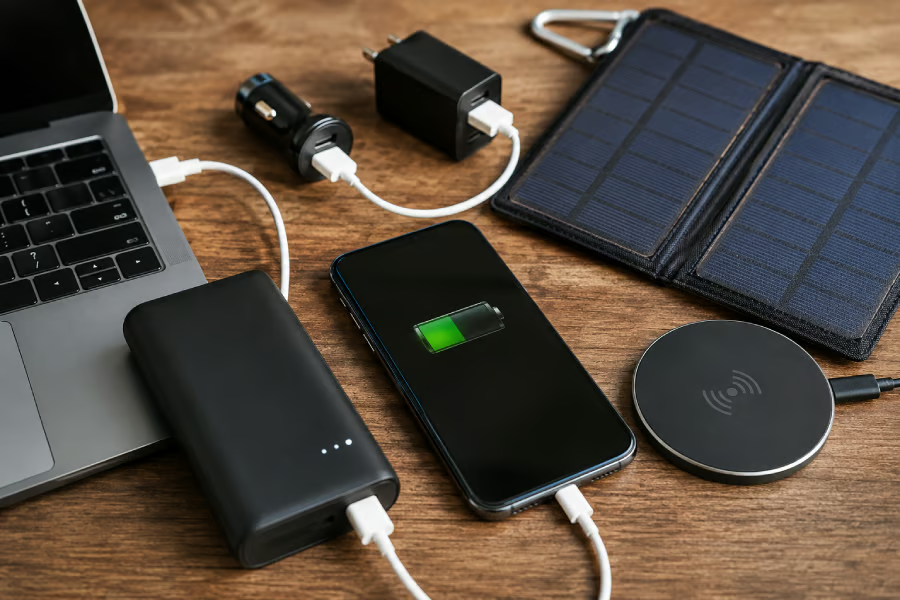
The scenario is universal: battery in the single digits, no outlet within reach, and a growing sense of dread about missing a call, a map, or a boarding announcement.
The fix isn’t luck. It’s knowing how to charge your phone without a charger by having the right power source on hand and understanding which fallback actually works when the usual one isn’t available, according to Engadget.
Carry stored power if you can. That’s most of the strategy right there. If you can’t, hunt for the most reliable USB source within reach, whether that’s a laptop, a car, or a wall adapter someone else has. Wireless charging, public USB stations, and solar panels are worth knowing about, but they belong in the situational-backup column, not the primary plan.
Power banks deserve credit for getting out of their own way. The brick-sized batteries that used to weigh down a bag are largely gone, replaced by units small enough to disappear into a pocket (Engadget). A 5,000–10,000 mAh bank covers most emergency phone charging needs, while larger capacities are built for laptops or multiday trips away from a wall outlet (Engadget).
The sections below cover choosing a bank that matches your habits, using one without one, handling outdoor trips, and flying with batteries without getting flagged at security.
Choosing a power bank: what the numbers on the box actually mean
Capacity is a starting point, not the whole decision. A 5,000–10,000 mAh bank is plenty for giving a dying phone an emergency boost, while banks north of 20,000 mAh tend to suit multiday trips or keeping a second device alive rather than daily carry, according to Engadget.
The mAh number on the box is easy to misread. It isn’t a direct count of full phone charges. Conversion losses within the bank and your phone’s battery capacity both chip away at the rated figure, which means a 10,000 mAh bank won’t reliably deliver two full charges to a high-capacity phone.
Two real tests illustrate the range. The 5,000 mAh Anker Nano, small enough to plug straight into a phone with no cable required, brought a drained Galaxy S23 Ultra to 65% in an hour (Engadget). At the other end, the 20,000 mAh Belkin BoostCharge 20K fully charged a Galaxy S24 Ultra in 75 minutes and repeated that feat twice before running dry (Engadget). Neither result crowns a winner; they show the trade-off between everyday-carry convenience and travel-grade capacity.
Two other variables matter just as much as capacity: output speed and connector type. Apple’s own charging guidance shows how much this can vary even within a single lineup. The iPhone 17, iPhone 17 Pro, and iPhone 17 Pro Max reach 50% battery in about 20 minutes, but only with a 40W or higher adapter, according to Apple Support.
The iPhone 17e and iPhone Air need just a 20W adapter to hit that same 50% mark, though it takes closer to 30 minutes. Apple notes that actual charging time still varies with the adapter, cable, and conditions, so treat these figures as a baseline rather than a guarantee. A power bank with generous capacity but the wrong output standard won’t charge quickly no matter what number is printed on the side.
Before buying, run through a short checklist:
- Match rated capacity to how often you actually need a rescue charge, not to the biggest number available.
- Confirm the bank supports your phone’s specific fast-charging standard, whether that’s USB Power Delivery or a proprietary protocol.
- Look for a built-in or foldable cable. Some Anker models include one, which means there’s one less thing to forget on the way out the door (Engadget).
Having the right bank solves most of these moments before they happen. The next question is what to do when the bank itself gets left behind.
No power bank? How to charge a phone without an outlet using just a cable
The right fallback depends less on a fixed hierarchy and more on what’s actually in your bag or pocket at that moment. Start with what you have, not with a universal list.
If you only have a cable, a dead phone can draw power directly from a laptop’s USB port, per Engadget. Staying in a hotel or an Airbnb with no accessible outlet? Check the TV. Some models deliver power through a USB port, though not all do, and the charge will be slow, but it can save the day in a pinch.
If you have a vehicle, a charger that plugs into the accessory socket can both charge the phone and mount it for navigation, which is especially useful when the car itself lacks built-in USB ports.
At a public charging station, like those found in airports and cafes, the option works, but it comes with a caveat. The FBI has warned that public USB ports can be exploited to infect connected devices with malware, a tactic known as juice jacking. Engadget notes this rarely happens in practice, so treat it as a precaution rather than a reason for alarm.
Decline any “Trust this device” prompt, since agreeing gives the connected device access to your data. A charge-only cable, sometimes sold as a “data blocker,” prevents USB data transfer entirely, since it’s not wired to carry data.
Speed differences between wired and wireless charging are worth knowing. In TechChick’s test of the BLAVOR Solar Power Bank, wired charging ran 35–45% faster than the device’s own wireless output, which topped out at around 5–10W. The exact gap won’t carry over to every phone, cable, and power source, but that test illustrates why a wired connection is usually the better first choice when speed matters. A cable is enough if you can find a laptop, television USB port, or vehicle charger.
Outdoor and off-grid charging: why solar is a backup, not a rescue plan
Solar-equipped power banks are, first and foremost, stored battery capacity with a slow solar top-up feature layered on top. Treating one as a same-day substitute for a wall outlet leads to disappointment.
In TechChick’s test of the BLAVOR Solar Power Bank, the integrated panel generated only 0.2–0.5W in direct sunlight, meaning a full recharge from solar alone can take several days, according to TechChick. That same unit recharged fully in 4.5–6 hours when plugged into an 18W wall adapter. Days versus hours is a wide enough gap to suggest a general pattern for solar-equipped banks: expect the panel to work as an emergency reserve, not a fast top-up method.
Solar earns its keep during extended outdoor trips or power outages, especially when no wall adapter is available and time isn’t the limiting factor. Campers, hikers, and people who deal with frequent outages get real value from that flexibility. Anyone charging at home or in an office is better off with a standard power bank, which charges faster and costs less.
Charging the phone is one problem. Getting a power bank through airport security with the right battery in the right bag is a separate one, and the rules are more specific than most travelers assume.
Mobility must-reads
- Big Apple OS Makeover: Here’s What to Expect & When
- MWC 2025: Nothing Shows Off (3A) Phones With AI Organization Tool
- Bad News for App Developers: Most Apps Fail to Hit $1,000 Monthly Revenue Within Two Years
- Mobile Device Computing Policy
Flying with a power bank: what the rules actually require
The core FAA rule is straightforward: spare lithium-ion batteries and power banks belong only in carry-on baggage. If a carry-on bag is gate-checked, its batteries must be removed and remain with the passenger in the cabin (FAA PackSafe, updated last week).
The math that actually matters here isn’t mAh; it’s watt-hours. Wh is calculated by multiplying voltage by amp-hours, and newer batteries print this rating directly on the device. Checking that number before a trip matters because mAh alone doesn’t determine whether a bank is flight-legal.
The federal caps break down like this:
- Lithium-ion batteries up to 100 Wh are permitted without advance airline approval.
- Batteries over 100 Wh and up to 160 Wh require airline approval, with no more than two spare batteries permitted per passenger.
- Batteries over 160 Wh are not permitted as ordinary passenger baggage.
- Individual airlines may impose stricter quantity and watt-hour limits than the federal rules (FAA PackSafe).
Check your carrier’s rules before departure, because some airlines set stricter limits than the federal floor allows.
Beyond the rulebook, a few safety habits are worth adopting regardless of what any airline requires. Protect battery terminals from short circuit, since damage, overheating, water exposure, overcharging, or a manufacturing defect can trigger thermal runaway without warning (FAA PackSafe). Never fly with a battery that’s swollen, visibly damaged, or subject to a recall (FAA PackSafe).
Conclusion
Get in the habit of checking the bank itself before you need it, not after. A power bank stored fully discharged for long stretches can degrade, so check it periodically and recharge it to around 50% if needed; Battery University recommends that level for extended periods of disuse — a detail worth applying to whatever’s sitting untouched in a junk drawer (TechChick). Charge it the night before a trip, not the morning of.
Before flying, check two things: the Wh rating printed on the bank and the specific airline’s power bank policy, since carriers can and do set limits stricter than the FAA’s own thresholds (FAA PackSafe). Aviation authorities and airlines have tightened guidance following onboard smoke and fire incidents earlier this year, according to AP News, so a rule that applied to last year’s trip might not apply to the next one.
Five minutes reading the airline’s baggage page beats finding out at the gate.
Editor’s note: This article originally appeared on our sister publication, GadgetHacks.