


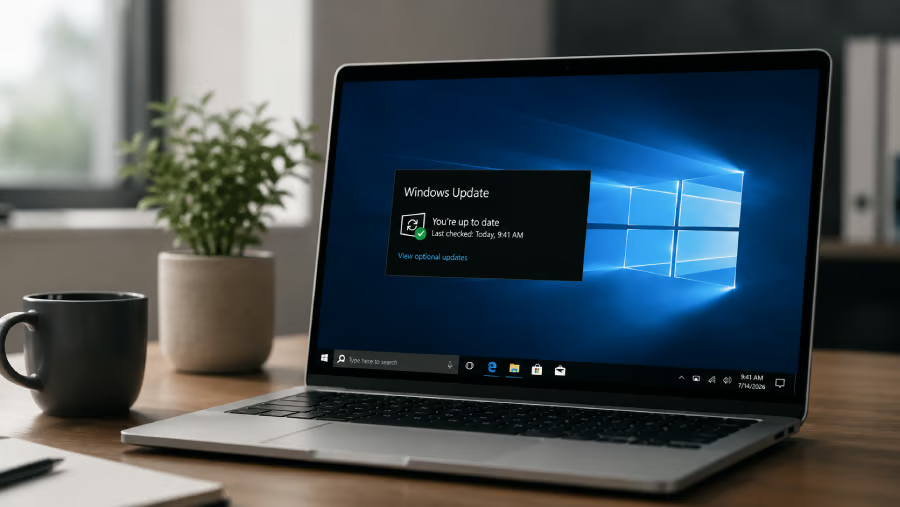
Windows 10 has been out of regular support since October 2025, but Microsoft has given consumers considerably more time before its security-update lifeline disappears.
Microsoft extended its Windows 10 Extended Security Updates, or ESU, program for personal-use devices through Oct. 12, 2027, giving people with unsupported PCs another year of security coverage. Existing participants automatically roll into the additional year. Meanwhile, Microsoft is still actively patching enrolled Windows 10 systems, including through its July 14, 2026 cumulative security update.
For users keeping an older PC alive, the extension changes the calculation. Here is what Windows 10 ESU costs, who qualifies, what coverage includes, and how the consumer program differs from Microsoft’s longer commercial offering.
How Windows 10 ESU works
Microsoft’s July 14 update, KB5099539, shows the program in action. The cumulative security update applies to Windows 10 ESU systems and includes security fixes and quality improvements. Microsoft also noted that Windows 10 version 22H2 reached end of support on October 14, 2025, and directs users who want to continue receiving critical security updates to ESU.
ESU primarily extends the security-update window. Microsoft says the program does not include new features, customer-requested nonsecurity updates, or design changes.
Consumer ESU now runs through 2027
The biggest 2026 change is the deadline.
Microsoft’s current support guidance says consumer ESU can protect Windows 10 devices through October 12, 2027. Tom’s Hardware reported on June 26, 2026, that previously enrolled users would receive the extra year automatically.
Enrollment options remained unchanged after the extension, according to Tom’s Hardware. Consumers can sync their PC settings to a Microsoft account through Windows Backup at no additional cost, redeem 1,000 Microsoft Rewards points, or make a one-time $30 payment. One ESU license can cover up to 10 devices tied to the same account.
| Sync settings through Windows Backup | No additional cost |
| Microsoft Rewards | 1,000 points |
| One-time payment | $30 |
Users in the European Economic Area have different conditions and can enroll at no additional cost by signing in with a Microsoft account. Enrollment rules can therefore vary by market.
Consumer ESU eligibility and enrollment
The consumer program is intended for personal Windows 10 devices. Microsoft’s July 2026 ESU release identifies Windows 10 version 22H2 as the applicable consumer servicing release.
Before enrolling, consumers should check three basics:
- Confirm the PC is running Windows 10 version 22H2.
- Install the latest available Windows updates.
- Check Windows Update for the ESU enrollment option.
Microsoft’s consumer requirements distinguish personal devices from commercially managed PCs. Tom’s Hardware reported in June 2026 that machines joined to Active Directory or Microsoft Entra, or managed through mobile device management, are not eligible for the consumer program. Entra-registered personal devices can still qualify.
Commercially managed PCs follow Microsoft’s separate business licensing and deployment process.
More Microsoft news
- Inside Microsoft’s Real-Time War Against Cybersecurity Threats
- Project Ire: Microsoft Tests AI That Autonomously Detects Malware
- Microsoft Targets ‘Critical AI Talent’ from Meta to Dominate Next AI Breakthroughs
- Windows 10 Support Ends Soon, Though Extended Security Updates Offers Are Available
Business ESU pricing rises each year
Organizations get a longer Windows 10 runway, but the extra time becomes more expensive each year.
Microsoft lists commercial ESU at $61 per device for Year 1, with the price doubling each consecutive year for up to 3 years. Microsoft’s lifecycle schedule runs commercial Windows 10 ESU through Oct, 13, 2026 for Year 1, Oct. 12, 2027 for Year 2, and Oct. 10, 2028 for Year 3.
| Year 1 | $61 |
| Year 2 | $122 |
| Year 3 | $244 |
Microsoft does not allow commercial customers to purchase only part of an ESU year. Coverage is also cumulative, meaning an organization that first purchases ESU during Year 2 must pay for Year 1 as well.
The pricing makes ESU useful for buying migration time but increasingly costly as a long-term strategy for keeping Windows 10 fleets in place.
What ESU covers and what it leaves out
Security remains the central purpose of ESU.
Microsoft’s July 2026 update describes KB5099539 as a cumulative security update containing security fixes and quality improvements. The release also addresses Windows Secure Boot certificates that began expiring in June 2026 and says Microsoft will continue distributing newer certificates through Windows Update.
ESU does not restart normal Windows 10 development. Microsoft’s program guidance excludes new features, customer-requested nonsecurity updates, and design changes.
General technical support also does not return, although Microsoft provides limited support for ESU activation, installation, and possible ESU-related regressions.
For users, the distinction matters. ESU can reduce the security risk of remaining on Windows 10, but it does not turn the operating system back into an actively developed platform.
ESU buys time for the next move
For consumers with a functional PC that cannot move to Windows 11, Microsoft’s 2026 extension provides substantially more breathing room. Current Microsoft guidance says consumer ESU can protect an eligible Windows 10 device through October 2027.
Businesses face a different calculation. Commercial ESU can keep legacy systems patched through 2028, but rising annual costs give IT teams a financial reason to treat the program as breathing room for migration rather than a substitute for modernization.
What happens after ESU
A Windows 10 PC will not suddenly stop working when its ESU coverage ends. Microsoft’s current support guidance says Windows 10 continues to function after the end of support, although systems without applicable ESU coverage no longer receive Microsoft’s security-update protection.
For consumers, Oct. 12, 2027 is now the date to watch. Businesses have additional runway through Microsoft’s three-year commercial program, but each year costs more.
Microsoft’s 2026 extension gives consumers more time than originally expected. ESU can postpone the Windows 10 migration decision, but its main value is creating a safer window to decide what comes next.
Editor’s note: This article originally appeared on our sister publication, eWeek.