


- Best overall: SiteGround
- Best for Security & Compliance: Atlantic.Net
- Best month-to-month pricing: DreamHost
- Best flexible, Linux-based hosting: Hostinger
- Best full-service hosting: GoDaddy
- Best dedicated server hosting: Bluehost
These days, there’s no shortage of options for brands looking to build their online presence. And, to be frank, just about any of them will meet your most basic needs, especially if all you’re looking for is a few drag-and-drop assets and a decent template. Anything more complex than that, however, and you’ll need to search beyond your most recent YouTube ads to find the best web hosting for small business from the ever-growing sea of companies offering their services.
And that goes double if you’re a small or growing business in a position to shop for a web host specifically instead of just a site builder. This is why we put together this article — let’s see if we can make that search a little easier.
Best web hosting for small business comparison
| Our rating (out of 5) | Best for | Starting price | Hosting formats (shared/VPS/dedicated/cloud) | Minimum contract requirement | Backup frequency | Site builder | |
|---|---|---|---|---|---|---|---|
| SiteGround | 4.17 | Best overall | $3.99/month | Shared, cloud | 12-month prepaid | Daily | Yes; AI-enabled |
| Atlantic.Net | 4.06 | Security & Compliance | $16.50/month | VPS, dedicated, cloud | None to 36 months | Daily | No |
| DreamHost | 4.02 | Month-to-month hosting | $4.95/month | Shared, VPS, dedicated, cloud | None; month-to-month | Daily | Yes; AI-enabled |
| Hostinger | 4.02 | Linux-based hosting | $11.99/month | Shared, VPS, Cloud | None; month-to-month | Weekly/daily | Yes; AI-enabled |
| GoDaddy | 3.72 | Full-service hosting | $5.99/month | Shared, VPS | 3-year prepaid | Weekly | Optional; AI-enabled |
| Bluehost | 3.46 | Dedicated hosting | $2.95/month | Shared, VPS, dedicated, cloud | 12-month | Daily | Optional; AI-enabled |
SiteGround: Best overall

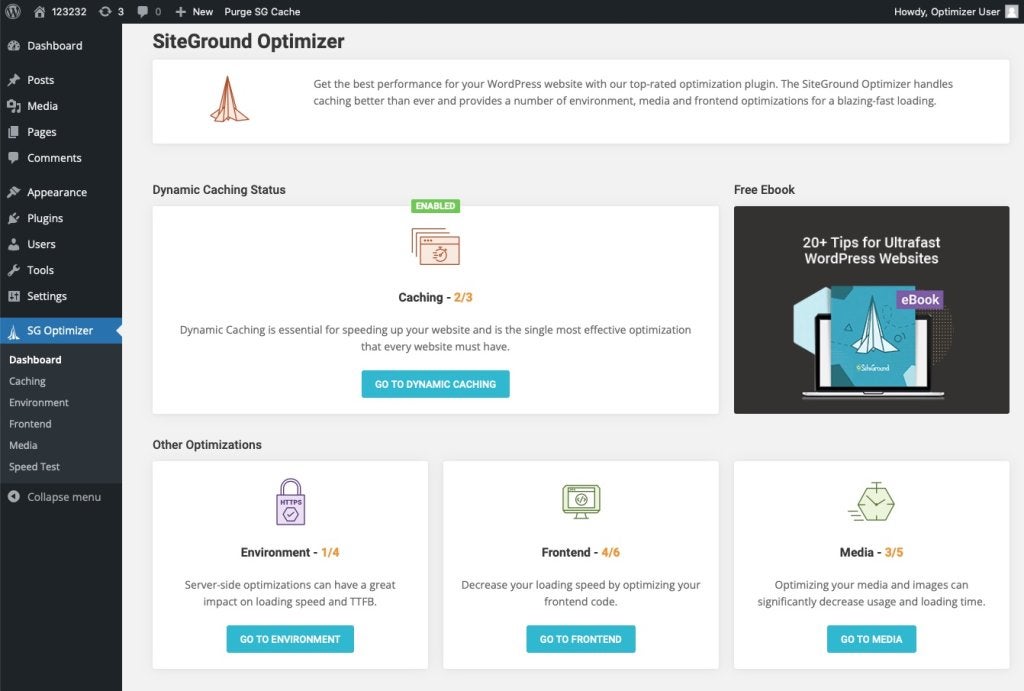
SiteGround is our pick for the best overall web host option. A popular WordPress web host with included website builder and free SSL included with all subscriptions, and with your choice of server locations across four different continents, SiteGround is fast, reliable, secure, and easy to use.
It’s not the least expensive or most robust of the bunch, but its well-rounded market appeal makes it a solid fit for a wide range of use cases.
Why I chose SiteGround
Every list needs its leading generalist — a balanced solution that meets the greatest variety of needs at a reasonable price. In the case of web hosts for small businesses, SiteGround is our pick. You’ll certainly find more specialized solutions for different purposes, but you’ll be hard-pressed to find one as broadly applicable as this one.
Pricing
- Web hosting (shared): Promotional pricing includes free domain and site transfer at time of writing.
- StartUp: $3.99/month to start, $17.99/month after renewal (plan prepaid in 12-month term).
- GrowBig: $6.69/month to start, $29.99/month after renewal (plan prepaid in 12-month term).
- GoGeek: $10.69/month to start, $44.99/month after renewal (plan prepaid in 12-month term).
- Cloud hosting
- Jump Start: $100/month
- Business: $200/month
- Business Plus: $300/month
- Super Power: $400/month
- Reseller hosting: Promotional pricing includes free domain and site transfer at time of writing.
- GrowBig: $6.69/month to start, $29.99/month after renewal (plan prepaid in 12-month term).
- GoGeek: $10.69/month to start, $44.99/month after renewal (plan prepaid in 12-month term).
- Cloud: prices starting at $100/month
Visit SiteGround
Standout features
- Reseller hosting: You can white label SiteGround and manage web hosting for multiple clients.
- Speed demon: One of the fastest web host providers available, thanks to some careful optimization on their end.
- Freebies: SiteGround includes several bonuses that others leave as add-ons, such as a site builder, unique domain, SSL certification, daily backup, and more.
- Managed WordPress: Go “hands-free,” even with a more complex website.
Pros and cons
| Pros | Cons |
|---|---|
|
|
Web dev pro tip #1: Check for renewal pricesPromotional prices are great, but always check what your cost will be after the first term ends. Usually, first-year and new customer rates are way cheaper than the renewal rates. |
Atlantic.Net: Best for Security & Compliance

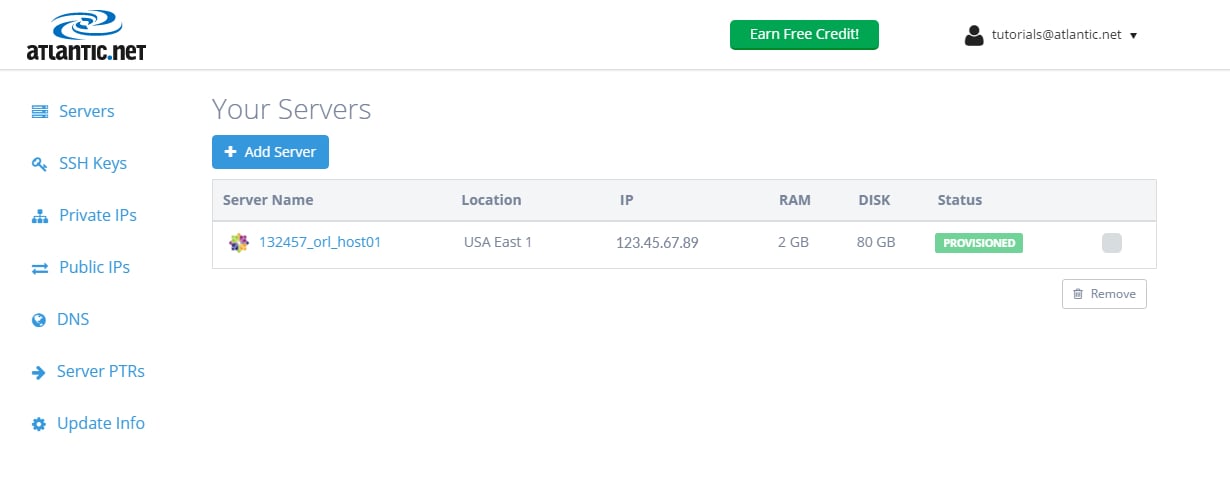
Atlantic.Net specializes in secure, high-availability hosting making it a strong choice for small businesses that handle sensitive data or operate in regulated industries. With HIPAA- and HITECH-compliant plans, SOC 2 and SOC 3 certifications, and a 100% uptime SLA, it’s built for businesses that can’t afford downtime or data breaches.
Why I chose Atlantic.Net
For small businesses, security concerns aren’t just for the enterprise level, a single breach can be devastating. Atlantic.Net’s infrastructure is designed with compliance and privacy at its core, while still offering competitive VPS pricing that starts at just $4/month on long-term plans. It’s not the most beginner-friendly option due to its more advanced management tools, but for businesses that prioritize data protection, it’s hard to beat.
Pricing
VPS Hosting:
-
1 vCPU / 1GB RAM: $4/month (36-month) or $8/month (monthly)
-
2 vCPU / 4GB RAM: $12/month (36-month) or $16/month (monthly)
Dedicated Hosting:
-
Custom-configured; call for quote
Cloud Hosting:
-
Hourly or monthly billing available
| Pros | Cons |
|---|---|
|
|
Visit Atlantic.Net
Standout Features
-
HIPAA, HITECH, SOC 2, and SOC 3 compliance
-
100% uptime SLA with redundant infrastructure
-
Daily backups and rapid restore
-
VPS, cloud, and dedicated hosting options
-
Seven global data centers for optimized performance
-
Flexible billing: hourly, monthly, or multi-year
DreamHost: Best month-to-month pricing

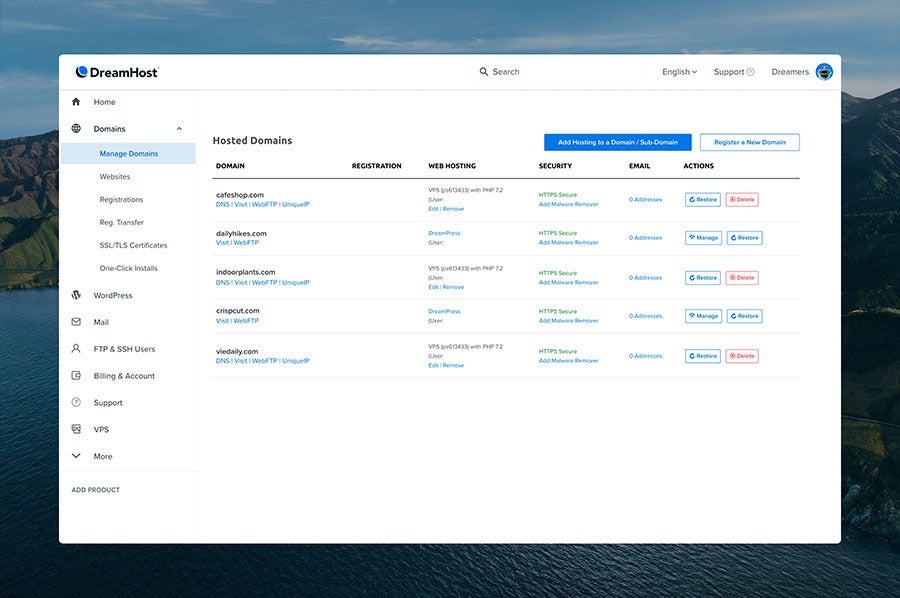
DreamHost has a lot going for it. Daily automatic backups. Free WordPress install, migration, and integrations. AI-powered website builder and business advisor. Options for VPS, dedicated, cloud, and managed hosting services. All excellent offerings.
What makes DreamHost stand out most in this list, though, is its less rigid pricing structure. Subscribers can pay for services in one, twelve, and 36-month increments. Long-term signups get discounted rates, but the option to pay month-to-month without contract or commitment is critical. Even once the promotional pricing ends, paying just $8 a month is a lot easier to handle than several hundred upfront.
Why I chose DreamHost
Small businesses are often working with small budgets. That doesn’t make them any less deserving of quality service, but it does mean they have to be more careful about purchasing more than they need, whether that’s overstocking on inventory, or paying too far ahead for subscription services.
We picked DreamHost because, in addition to its other respectable value propositions, it’s one of only two providers in this list that allows for no-contract subscriptions, and it offers the lower monthly price of the two. If you need a reliable web host that you can pay for as you use it, DreamHost is your best bet.
Pricing
Pricing listed below reflects month-to-month subscriptions; additional per-month savings available for subscribers that prepay in one-year and three-year increments.
- Shared hosting:
- Shared Starter: $4.95/month for three months, and $7.99/month after that.
- Shared Unlimited: $8.95/month for three months, and $13.99/month after that.
- VPS hosting:
- VPS Business: $15/month for the first month, and $37.99/month after that.
- VPS Professional: $30/month for the first month, and $69.99/month after that.
- VPS Enterprise: $60/month for the first month, and $137.99/month after that.
- VPS Premier: $90/month for the first month, and $169.99/month after that.
- Dedicated server hosting: Starting at $199/month
- Cloud hosting: Call for quote
- Managed WordPress hosting:
- DreamPress: $19.95/month for three months, and $23.99/month after that.
- DreamPress Plus: $29.95/month for three months, and $34.99/month after that.
- DreamPress Pro: $79.95/month for three months, and $89.99/month after that.
Visit DreamHost
Standout features
- Semi-customizable pricing: choose monthly, yearly, or three-year plans, and select from a variety of subscription tiers to fit your needs and budget.
- AI-powered tools to help you get your website up and running quickly.
- “Green Hosting”: DreamHost prioritizes environmentally friendly practices, such as remote-first work culture, high-efficiency cooling, and renewable energy for their systems.
- Virtually “goof-proof” setup: Simplicity for site builder users and WordPress migrations.
Pros and cons
| Pros | Cons |
|---|---|
|
|
Hostinger: Best flexible, Linux-based hosting

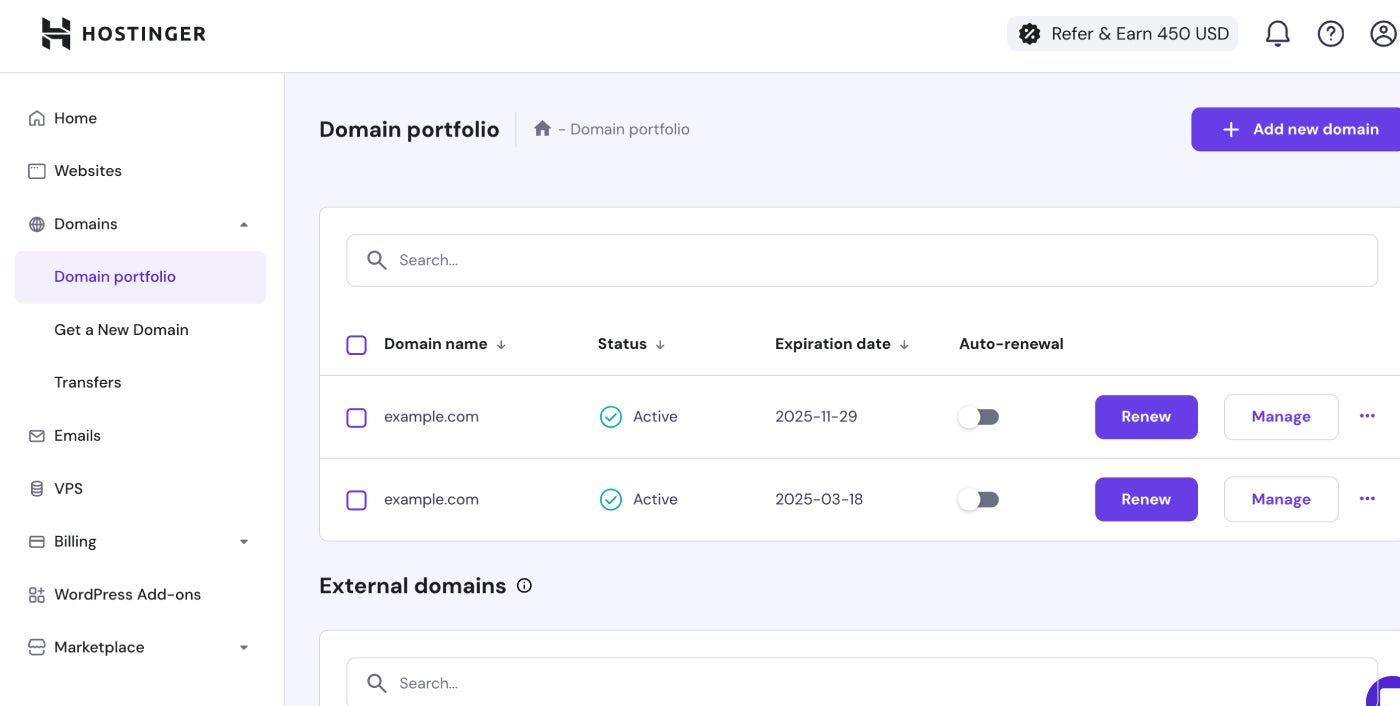
Hostinger is the other pick in this list that prioritizes billing flexibility. Offering month-to-month plans like DreamHost, Hostinger is slightly more expensive. But it makes up for this with a wealth of Linux-based hosting options to choose from, each with a laundry list of valuable features.
In many ways, Hostinger is the most customizable and versatile of the providers here. They offer monthly subscriptions but also offer contracts in one-, two-, and four-year increments (the longest of any we mention in this article). They even provide hosting for VPS gaming — perfect for those teams that would prefer a communal Factorio server over a company outing to the golf course.
Why I chose Hostinger
It’s hard to argue with a buffet of options, and that’s what Hostinger brings to the table. As long as Linux-based OS servers aren’t a dealbreaker for your website, Hostinger has just about every option you might need, with some of the most adaptive pricing in the industry. Beyond that, they’re incredibly user-friendly, even for the less technically inclined.
Pricing
The pricing listed below reflects monthly payments; contracts for one-, two-, and four-year commitments are also available.
- Web hosting:
- Premium: $11.99/month
- Business: $13.99/month
- Cloud Startup: $27.99/month
- Cloud hosting:
- Cloud Startup: $27.99/month
- Cloud Professional: $47.99/month
- Cloud Enterprise: $69.99/month
- VPS hosting:
- KVM 1: $13.99/month
- KVM 2: $17.99/month
- KVM 4: $29.99/month
- KVM 8: $59.99/month
- Hosting for WordPress:
- Premium: $11.99/month
- Business: $13.99/month
- Cloud Startup: $27.99/month
- Cloud Professional: $47.99/month
Visit Hostinger
Standout features
- Hostinger boasts some of the most impressive WordPress support, automation, and acceleration in the business, including “smart auto updates.”
- All plans include free email for the first year.
- Flexible and customizable pricing allows you to pick your price point.
- AI troubleshooter helps minimize the need to call in to support for help.
Pros and cons
| Pros | Cons |
|---|---|
|
|
Read more: Hostinger Review: Is It Worth It in 2025?
Web dev pro tip #2: Check server locationsHosting closer to your primary audience can speed up load times and improve SEO. |
GoDaddy: Best full-service hosting

A brand as famous for its history of irreverent advertising as for its actual product offerings, GoDaddy has been one of the most popular choice for the best web hosting for small business for a relative eternity (in internet years, at least). These days, GoDaddy isn’t just a prominent web host — they’ve gone full AI-forward with their site builder, GoDaddy Airo™.
With a full suite of AI-powered text and image generation tools, GoDaddy offers a more full-service experience, helping small teams and sole proprietors go quickly from website idea to website launch.
Why I chose GoDaddy
While generative AI tools are not a “silver bullet” than anything in business, there’s something to be said for the way they can maximize speed-to-market. Especially in use cases where brands can settle for a straightforward home page and contact details, GoDaddy’s speed is every bit worth the price tag.
Pricing
- Web Hosting
- Web Hosting Economy: $9.99/month
- Web Hosting Deluxe: $13.99/month
- Web Hosting Plus Launch: $34.99
- Web Hosting Plus Enhance: $54.99
- Web Hosting Plus Grow: $79.99
- Web Hosting Plus Expand: $17.99/month
- VPS Hosting
- 1 vCPU / 2GB RAM: $14.99/month
- 2 vCPU / 4GB RAM: $29.99/month
- 4 vCPU / 8GB RAM: $59.99/month
- 4 vCPU / 16GB RAM: $74.99/month
- 8 vCPU / 16GB RAM: $104.99/month
- 8 vCPU / 32GB RAM: $149.99/month
- 16 vCPU / 64GB RAM: $249.99/month
- 32 vCPU / 128GB RAM: $339.99/month
- Managed WordPress
- Managed WordPress Basic: $95.88 upfront for the first year; renews at $155.88.
- Managed WordPress Deluxe: $131.88 upfront for the first year; renews at $203.88.
- Managed WordPress Ultimate: $179.88 upfront for the first year; renews at $275.88.
Visit GoDaddy
Standout features
- AI-fueled site builder and asset generators: GoDaddy can supercharge your website creation.
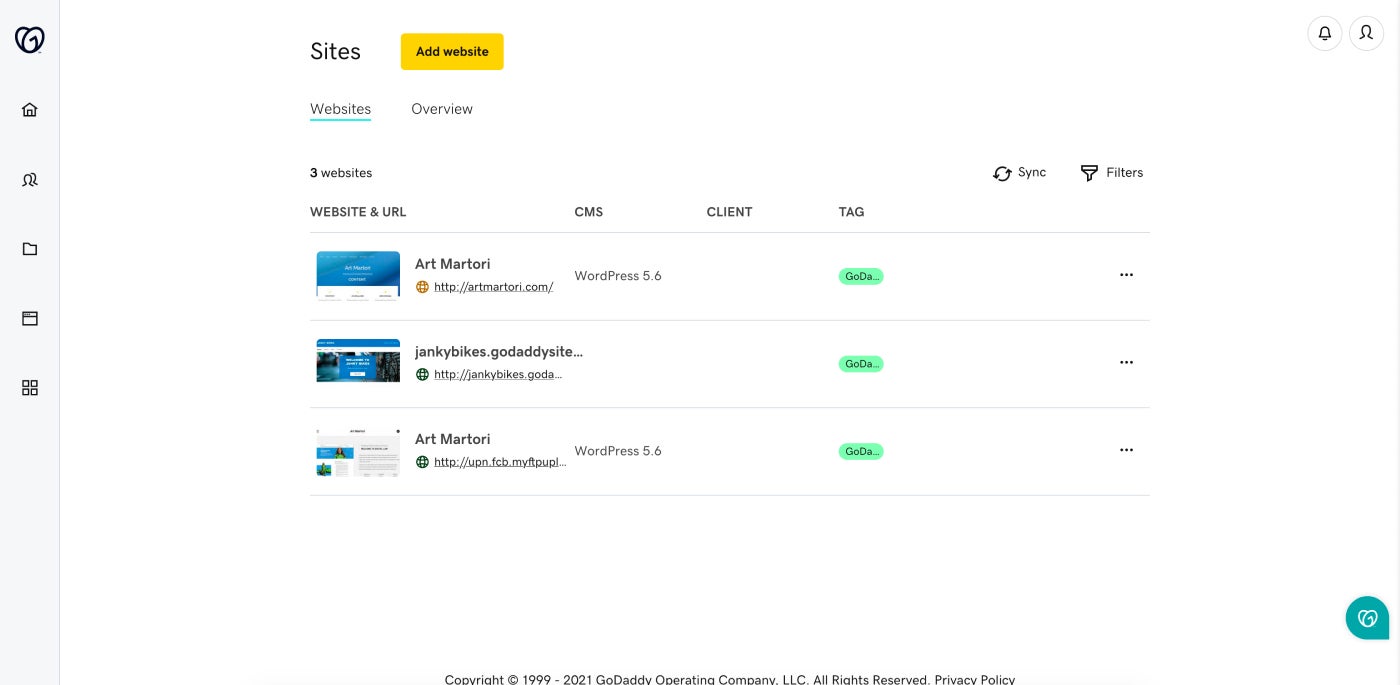
- Slick, intuitive UI: This makes it easy for just about anyone to make the most of the tools on offer.
- High storage limits: GoDaddy is nowhere near as restrictive with resource limits (like storage) as its competitors here in this list.
- Domain registration & SSL: All plans include freebies, at least for the first year.
[Image: 8 – GoDaddy Interface – Screenshot]
Pros and cons
| Pros | Cons |
|---|---|
|
|
Web dev pro tip #3: Understand the contract termsMonth-to-month plans offer flexibility, but long-term plans usually have better pricing—know what you’re signing up for. |
Bluehost: Best dedicated server hosting

We’ll close out the brand comparisons with Bluehost, the self-proclaimed “only WordPress platform you’ll ever need.” Bluehost’s pricing is extremely competitive, especially for the first year. It rivals its competitors in this list (though it doesn’t take the “best value” title due to contract requirements and post-promotional pricing).
The value proposition we really want to highlight here, though, is Bluehost’s dedicated server hosting. It only has one plan option in the category, but it’s the most affordable dedicated server offering in this list, even after promotional pricing ends.
Why I chose Bluehost
Not every business needs a dedicated server. But sometimes, even small businesses need the control and privacy that dedicated hosting can provide. The problem is, the cost is usually prohibitively expensive, like with Hostinger above. Bluehost has a lot going for it, but for our money, it’s the best pick for budget-friendly dedicated servers.
Pricing
- Web hosting (shared)
- Basic: $2.95/month to start, $11.99/month after renewal (plan prepaid in 12-month terms).
- Choice Plus: $5.45/month to start, 211.99/month after renewal (plan prepaid in 12-month terms).
- Online Store: $9.95/month to start, $26.99/month after renewal (plan prepaid in 12-month terms).
- Pro: $13.95/month to start, $28.99/month after renewal (plan prepaid in 12-month terms).
- VPS hosting
- Standard NVME 4: $46.99/month to start, $65.99/month after renewal (plan prepaid in 36-month terms).
- Enhanced NVME 8: $65.99/month to start, $95.99/month after renewal (plan prepaid in 36-month terms).
- Ultimate NVME 16: $94.99/month to start, $140.99/month after renewal (plan prepaid in 36-month terms).
- Cloud hosting
- Cloud 10: $49.99/month to start, $109.99/month after renewal (plan prepaid in 12-month terms).
- Cloud 25: $89.99/month to start, $169.99/month after renewal (plan prepaid in 12-month terms).
- Cloud 50: $109.99/month to start, $249.99/month after renewal (plan prepaid in 12-month terms).
- Custom Cloud: call for a quote
- Dedicated hosting
- Standard NVME 32: $141.19/month to start, $188.79/month after renewal (plan prepaid in 36-month terms).
Visit Bluehost
Standout features
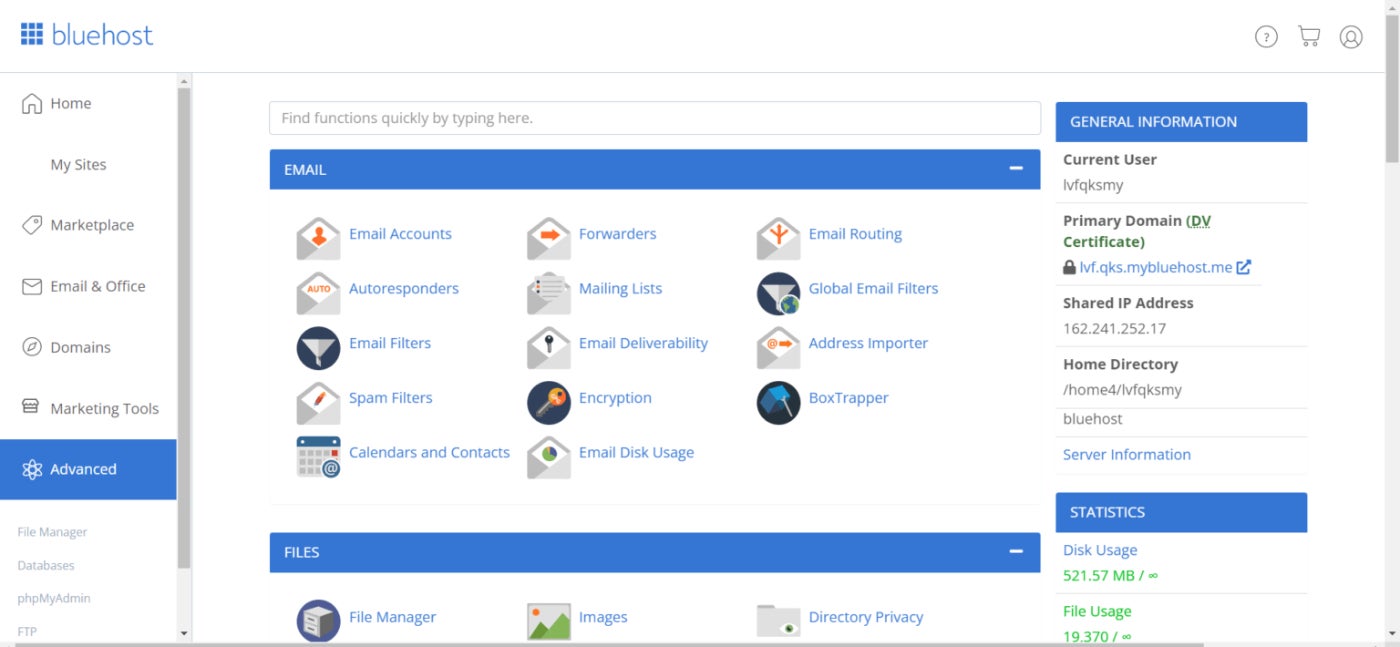
- Shared, cloud, VPS, and dedicated hosting: The dedicated options are some of the best features and most affordable prices in the space.
- Strong customer service.
- WordPress familiarity: If you’re already using WordPress or used it in the past, you’ll find Bluehost very easy to work with (and they offer free migration).
[Image: 10 – Bluehost advanced tab]
Pros and cons
| Pros | Cons |
|---|---|
|
|
Read more: Bluehost vs. GoDaddy: Which Hosting Service Wins?
Web dev pro tip #4: Beware of storage limitsMany starter plans cap storage — make sure it’s enough for your site’s needs today and six months from now. |
What's hot at TechRepublic
- Blackpoint Cyber vs. Arctic Wolf: Which MDR Solution is Right for You?
- Why AWS Sellers Choose Deepgram Over Other Voice AI Tools
- SS&C Intralinks DealCentre AI vs. Datasite: Which platform is built for the future of dealmaking?
- SS&C Intralinks FundCentre AI vs. Juniper Square: Which platform better supports modern private markets fund managers?
- Verito vs. Rightworks: Which IT Provider Is Best for Your Firm?
Web hosting: What it is and how it works
We need to start with what web hosting even is, and how it differs from some adjacent terms.
Let’s use an analogy here. Imagine you’re looking to move to a new city. Any city will do, but just for kicks, assume it’s somewhere you’ve always dreamed of living or visiting, like Venice, Tokyo, or Albuquerque.
When you arrive, your first order of business is to find a place to live. For the sake of the metaphor, let’s pretend you’re adequately prepared with the necessary capital, so all or most options are worth considering. In that case, you could do everything from buying a plot of land and building a mansion to renting a fully-furnished condo downtown.
The former of those (buying space and building from scratch) was essentially how websites came into being back in the “before times.” All those garish landing pages you remember from the late ‘90s and early ‘00s, for sure — meaning all that flashing neon was a conscious choice. People and companies would buy computers and servers, set them up, and code their websites themselves (or hire someone to do it for them). It was basically all DIY.
Then, the “city” saw some “urban development.” Whole subdivisions and neighborhoods were built en masse. This made it easier for people to find a place, but it meant that most didn’t own the structure, address, or property outright. After a few decades, most “residents” rented, often in close quarters with other occupants.
In this analogy, apartment buildings, landlords, and other equivalents you might pay rent to are the “web hosts.” They provide the facilities and structure that existed before the renter moved in and will probably still be there when they move out.
For some web hosts, the rental is totally empty before move-in, and you’re expected to bring all of your own stuff. You may even need to do some finishing and remodeling on your own to make the space work for you.
Some, however, offer “furnished” rentals or provide you with most of what you’ll need. Sure, you’ll rearrange, maybe paint, and hang a few of your things on the walls. But by and large, what you need will already be available as needed. These are how “site builders” function — they’ve done most of the difficult part for you. All you have to do is place things where you’d like them.
Finally, some locations will assign you a unit number, where you don’t have a unique street address (so you’ll have to use that second line on the address form). Others, though, will provide you with a distinct physical and mailing address, making it easier to get deliveries of both mail and pizzas. These “standalone” addresses are like domain names — www.thisismywebsite.com — as opposed to subdomains on the site builder or web host — www.thisismysite.squarewixpress.com.
Finding the best web hosting for small business
None of the web hosts we discussed above may fit your needs well enough to suit you (no tech solution is universal, after all). But that’s not necessarily what we were aiming for. Instead, our goal was to provide insight by comparing and contrasting some standout examples from the industry.
There’s no sense in making a snap judgment here if you don’t have to. To help you further in making an informed decision, we’ve laid out some core factors of value proposition and differentiation amongst web host providers.
Performance and capabilities
One of the areas that nearly all businesses will have to tackle in this search boils down to the question, “can this support my normal business operations?”
Factors in this category include the stability and reliability of the platform — “uptime” being one of the most prominent metrics in this regard. Uptime is an average, an estimate, and a guarantee, all in one. It’s an assertion of how much time the service is online and functional. If there’s a service outage, that’s “downtime,” and it lowers the stat. Most reputable providers boast uptime guarantees of 99.9% or more.
Similarly, your website will be much less helpful if it can facilitate the kinds of business you are looking to do. Just something as simple and commonplace as ecommerce is not a guaranteed feature, and may require add-ons. So if you’re looking for something a bit less standard issue, like subscriptions, loyalty programs, web host reselling, etc., don’t take the inclusion of those functions for granted.
Pricing, costs, and billing
There’s a surprising amount of variety in both fee amounts and billing structures across the best web hosting for small business. But there are a few trends worth noting:
- Free trials, free subscription tiers, and the like are far less common with web hosts than they are with site builders (though you’ll likely see “free months” included in longer-term contracts).
- A frequently used tactic involves offering lower introductory rates with a significant increase upon renewal, so read the fine print.
- Getting a domain will always cost something, but that cost may be included in your subscription, or it may be a promotional “freebie” that ends upon renewal (similar to introductory rates.)
- Some brands will offer reduced monthly rates if you commit to a long-term contract upfront (usually requiring payment upfront); others, meanwhile, will require a long-term contract just to sign up.
- When they’re available, hosting types will nearly always follow the same cost hierarchy, with shared hosting as the cheapest option and VPS, dedicated, and cloud hosting options all increasing the fees.
- You’re likely to find providers “gently encouraging” their clients to upgrade to higher tiers via certain subscription limitations — storage capacity, bandwidth, resource priority, and so forth.
Format and scalability
As with other tech solutions, paying attention to the intended target market will help you sort the options more effectively. Some providers are explicitly aimed at small-scale businesses, both in terms of headcount and website complexity.
Others will lean more toward scalability and growth (usually with prices that reflect the larger budgets they’re expecting). These will often have higher thresholds for limits on storage and similar bottlenecks or otherwise offer ways to help clients plan for heavier traffic and usage.
Nearly every host offers shared hosting options as their entry-level product. What they can provide beyond that will vary pretty significantly, though, and the way pricing and subscription tiers are listed aren’t always intuitive.
The bottom line is to be prepared to do a little digging to find out what a given brand has available.
Customer support
It’s no secret that customer support in the technology industry is a bit of a crapshoot. Some brands bend over backward to make themselves available when clients have technical issues. Others are…less accommodating.
Things to consider here include:
- Average response times
- Available communication channels (phone, email, live chat, etc.)
- Subscription-based benefits (priority service, dedicated agent, etc.)
- Common user feedback (compliments, complaints, etc.)
In a few extreme cases, some providers are nearly inaccessible via real-time communication, leaving you at the mercy of their asynchronous communication and delayed response times. When email lag directly affects your website’s functionality, it can lead to significant problems.
Keep in mind that no business has a perfect record. Even filtering out all the “they did everything they could, it wasn’t their fault, but I’m still mad about it” reviews, there will still be a black mark somewhere. Instead, like so much in business, you’re looking for trends and comparing them against your expectations or needs.
Disaster response
It’s not a common consideration for people with minimal experience running and maintaining computer systems, but sometimes devices crap out on you. This is bad enough on a small scale — losing a single document or file to a random power surge. But the stakes escalate rapidly once entire websites or databases are on the line.
We strongly recommend against trusting this to chance, but how much “digital doomsday prepping” is worth doing will depend on how you work, what you do, and where your assets are.
Regular, automated backups are the most straightforward and visible examples of disaster response. Many web host solutions on the market include this in their offerings, but how often they run backups (and what kinds of backups they do) will vary. Generally, the more use your site gets (changes, transactions, traffic, etc.), the more frequently you want backups performed.
Don’t stop there, though. Other factors will also prove critical, such as how quickly backups can be pulled and deployed “right of boom,” how difficult deployment will be, and so forth.
Challenges of finding the best web hosting for small business
You’re not just looking for green flags, you’re also on the hunt for red flags. Deal-breakers that, at least for you and your business, are reasons to look elsewhere. Again, your tolerance level on any of these fronts will vary, but they are all things to consider intentionally before making your decision.
Security and privacy
Those familiar with the terms will likely recognize the key advantage of a virtual private server over a shared server: privacy.
Security and privacy are important, especially when even the mighty have fallen — the previous decade saw tech giants, critical financial institutions, and otherwise “too big to fail” organizations breached, with as many as one billion user accounts compromised in some cases.
This is why looking at a web host’s security practices and policies is important. For example, Atlantic.Net offers HIPAA-compliant hosting with SOC 2 and SOC 3 certifications, making it a top choice for small businesses that put security and regulatory compliance at the forefront.
A VPS will greatly safeguard you from attacks; you’re partitioned from your “flatmates” in the server, making you inaccessible to indirect intruders. But that’s not the only way bad actors can access your data. Research your shortlist of web host options for past breaches, descriptions of their cybersecurity methodologies, and the reputation of any third-party vendors they partner with regularly (because sometimes the problems happen downstream).
If you’re in the later stages of your decision, especially if you’re investing a larger budget into web hosting, don’t be shy — ask the provider directly about their approach to implementing, monitoring, auditing, and updating their policies and protocols, as well as their process for vetting partners.
Not every brand needs a Fort Knox for their sensitive information. But everyone deserves privacy.
Ownership and copyright
In an age where large language models (LLMs) are scraping the lion’s share of the entire internet to build their data sets and train their generation engines, “ownership” is as critical a point of contention as ever.
Who owns your content, copy, assets, and publicly visible digital footprint matters. So do user agreements stipulating who can access those things and what they can be used for. Some providers will explicitly state in their agreements that they claim your stuff if they helped you build or host your site.
These are complex, difficult-to-navigate matters, and we’re not fully equipped to give nuanced advice on the subject. But we wanted you to be aware and to watch for your own sake.
Intended user demographics
A provider’s targeted market directly influences features, pricing structure, and even user interface. Some web hosts include site-building tools, making it “drag-and-drop” easy, so you don’t have to do any coding on your own. Others allow you to deploy and manage your web development, so you have greater control over how your site runs and what it looks like.
Lower prices and shorter subscription intervals favor smaller teams and tighter budgets, while more robust feature lists and included benefits tend to come with a higher price tag for big spenders.
Whether you’re expecting to grow rapidly in the short-term, or fairly stable in your business forecasts, you’ll want a provider that can either meet you where you are, or provide you with the space you’ll need in the near future (or, ideally, both).
Environmental impact
A concern rapidly moving to the forefront is that some web hosts will be forthright with information regarding their carbon footprint and their efforts to minimize or counteract it. There’s not much to say (here at least) except that collectively greener business practices benefit everyone, and partnering with brands that prioritize this helps incentivize these initiatives.
Infrastructure and operations
Who installs and sets up your website? Who updates and manages it? Who maintains it and fixes it when things go down? What kind of guaranteed uptime does the provider promise? What’s their estimated turnaround for disaster recovery? Where are the server farms located, and will that impact the speed or functionality of your site?
These are fairly technical questions in some cases, and many small businesses are not equipped to answer or address them personally (IT and web dev expertise don’t exactly come cheap). So, if managed web hosting is a better fit for you, that’s a service you’ll want to be looking for.
Business functionality
If a site host can’t provide something foundational, like e-commerce transactions, and that’s something you need to do business, then there’s really no use looking at the provider further.
Most providers will have either native tools or available third-party integrations to help with most major functions. However, you’ll occasionally find something mission-critical for you but an afterthought for the web host. Subscription functionality is a common one, especially if you deal with e-commerce subscriptions. Surprisingly, recurring and automated payment collection is not as standard of a feature as you might think.
Problems with commitment
Speaking of signing up, some brands make it easier than others. Especially when looking at the needs of small businesses, lengthy contracts can be costly and risky. Despite this, some web hosts either offer or require commitments anywhere from 12 months to 48 months in length.
While a larger organization might be able to afford that kind of upfront expense with little issue, smaller outfits can’t always justify paying for a service that far in advance. A no-contract, month-to-month agreement often suits them better, even if the final per-month price is a little higher. Unfortunately, that subscription is less common than the more lengthy contracts.
Methodology
For this list of best web hosting for small business, we researched leading market options to create our list of candidates. Using a standardized scoring rubric and considering as much relevant information as possible (branded marketing, review aggregator sites like G2, hands-on demos, and free trials, as well as feedback and reviews from current and past users), we reviewed candidates and assigned scores. We then assembled our picks from the top-ranked vendors (with an eye toward the needs of common use case flavors) into the article found above.
Frequently Asked Questions (FAQs) for best web hosting for small business
Which hosting type is best for a small website?
Shared hosting is often the best choice for a small website with minimal traffic. It’s generally the most affordable option and great for when you’re just starting. However, if your business scales up, you should consider VPS or Cloud hosting to handle more traffic and improve reliability.
How much does hosting a website cost for a small business?
Based on our best hosting sites for small business list, the starting price ranges from $3 to $12 per month, the absolute minimum. You might have to pay more depending on your choice of hosting type, add-ons, migration fees, etc.
Which hosting is best for beginners?
Shared hosting is the best beginner-friendly option because it’s affordable, easy to set up, and requires minimal technical knowledge. Providers on our list have all been considered for user-friendly interfaces and customer support — both crucial when you’re still learning.