


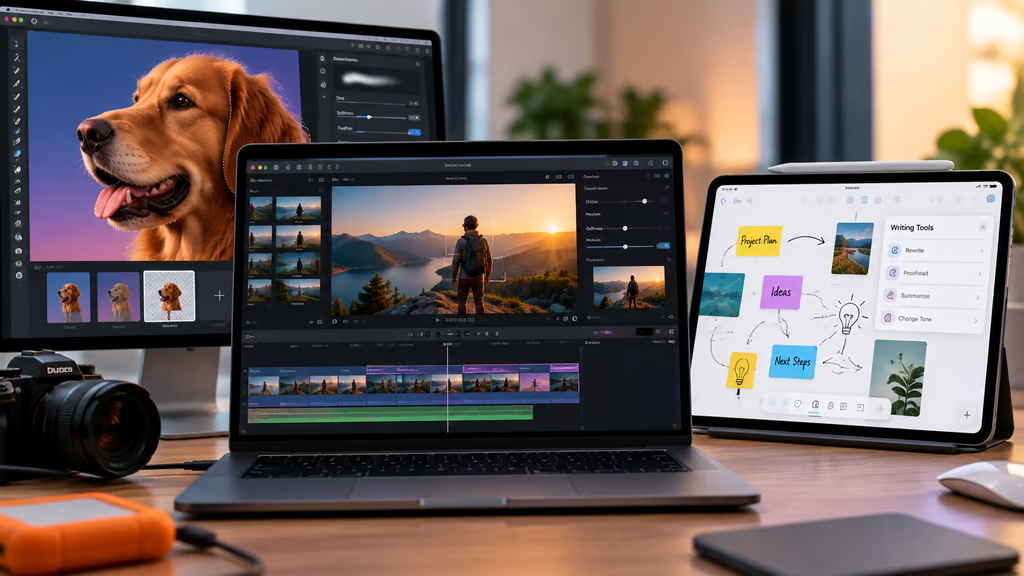
Apple has announced new features for Creator Studio, including Cinematic video editing in Final Cut Pro, improved selection tools in Pixelmator Pro, and AI-powered writing features in Freeform. The Sept. 29 update also brings new templates and productivity tools to Keynote, Pages, and Numbers.
The changes give video editors more control over iPhone footage, make detailed image editing easier on iPad, and add new ways to organize and collaborate on creative projects.
There’s also an important subscription restriction for businesses and schools. Apple Creator Studio requires a personal Apple Account, meaning organizations cannot use Managed Apple Accounts to subscribe. IT teams considering the bundle will need to account for that limitation alongside device compatibility and licensing costs.
What’s new in Apple Creator Studio?
According to Apple’s Sept. 29 announcement, the latest changes cover professional video editing, image creation, and everyday productivity apps.
Final Cut Pro adds Cinematic editing for iPhone 18 Pro
Final Cut Pro and Motion on Mac now support adding Cinematic mode effects to video captured natively on iPhone 18 Pro.
Editors can adjust focus points and depth of field directly in the Final Cut Pro timeline, giving them more flexibility over where viewers’ attention is directed.
Compressor can convert footage with the newer Cinematic effects into the previous Cinematic mode format. It also adds HEVC and MPEG-4 export presets designed for social sharing.
The additions give editors new options for working with iPhone footage without relying entirely on adjustments made while recording.
Apple has also expanded its professional editing ecosystem through its MotionVFX acquisition, although that deal is separate from these software updates.
Pixelmator Pro gets better selection tools on iPad
Pixelmator Pro for iPad now includes Select and Mask tools previously available on Mac.
These controls help users refine complex image selections, including difficult edges such as hair and fur. They can be useful when removing backgrounds, combining photos, or preparing graphics.
Apple has also added two template collections for sports and action projects, along with designs for launching products, businesses, and creative ideas.
A new podcast category includes cover-art templates sized for major podcast platforms.
The new tools expand what users can do directly on an iPad without switching to a desktop editing workflow.
Freeform adds AI writing tools and better organization
Freeform receives several changes aimed at managing projects and collaborating with others.
Users can now organize boards into folders, invite collaborators, and use automatic Dark Mode.
Apple Intelligence-powered Writing Tools can also rewrite, proofread, and summarize handwritten notes.
Freeform additionally supports requests to access shared files and Shortcuts automation for adding content.
On Apple Vision Pro, the upcoming visionOS 27 functionality lets users bring content from a Freeform board into their physical space. Supported content includes photos, videos, sticky notes, shapes, and 3D models.
Those spatial features depend on visionOS 27 and should not be confused with the Freeform changes available on other Apple devices.
Keynote, Pages, and Numbers also get updates
Apple has added several smaller productivity improvements across its presentation, document, and spreadsheet apps.
Keynote’s intelligent presentation-generation tools can create images tailored to individual slides.
Pages introduces a more focused Screen View on Mac, while Numbers adds functions covering trigonometry, statistics, and logic.
Keynote, Pages, and Numbers also make it easier to request access to shared files while working.
These features extend Creator Studio beyond professional media production into presentations, documents, and collaborative work.
Apple Creator Studio pricing, compatibility, and IT requirements
Apple Creator Studio brings Final Cut Pro, Logic Pro, Pixelmator Pro, Motion, Compressor, and MainStage together under one subscription.
It also unlocks premium content and intelligent features in Keynote, Pages, Numbers, and Freeform.
The four productivity apps remain available without a Creator Studio subscription. Users pay for the additional premium and AI capabilities, not basic access to those apps.
Managed Apple Accounts cannot subscribe
According to Apple’s Creator Studio support documentation, subscriptions require a personal Apple Account.
Managed Apple Accounts cannot be used to enroll.
For organizations that rely on managed accounts to provision employee or student devices, this limits how the subscription can be adopted.
Businesses should confirm their account policies before purchasing Creator Studio for teams, especially if employees are not permitted to use personal accounts for workplace software.
Apple also continues to offer Final Cut Pro, Pixelmator Pro, Motion, Compressor, Logic Pro, and MainStage as separate one-time Mac App Store purchases.
Users who own those versions can keep using them without switching to the subscription. Apple also allows separately purchased and subscription versions to be installed on the same Mac.
Device requirements vary by app
There isn’t one compatibility requirement that applies to every Creator Studio app.
Final Cut Pro, Pixelmator Pro, and Logic Pro have different Mac and iPad requirements, while some Apple Intelligence features require newer processors and operating-system versions.
Pixelmator Pro for iPad, for example, requires compatible iPad hardware and iPadOS 26 or later. Individual AI features may have additional requirements.
Mac users considering hardware upgrades should also account for the needs of their creative applications. TechRepublic’s Mac mini M6 guide covers memory, storage, and connectivity options for Apple’s latest compact desktop.
Before deploying the updates, organizations should check the current system requirements for each app rather than assuming that every Creator Studio feature works on the same devices.
How much does Apple Creator Studio cost?
Apple Creator Studio is offered through monthly and annual subscriptions, with pricing that varies by region and eligibility.
New subscribers can receive a one-month trial. Eligible customers purchasing a new Mac or iPad can receive three months free.
Family Sharing supports up to six people, although student and educator subscriptions are excluded from that option.
Apple also offers discounted plans for eligible college students and educators.
Users who cancel retain access to the included apps and subscription features until the end of the billing period. Afterward, they can continue using the free versions of Keynote, Pages, Numbers, and Freeform and keep their existing files, but lose the subscription-only features.
For businesses, the choice comes down to which apps employees need, whether their devices support the required features, and whether personal Apple Account subscriptions comply with company policy.
Teams already using one-time-purchase versions of Apple’s professional apps may not need to change licensing arrangements to take advantage of the latest software improvements.
Also read: Apple’s macOS 27 cheat sheet covers compatible Macs, operating-system features, and changes that businesses should consider before upgrading.