

B2B sales teams today don’t just need content and training. They need everything working in sync: onboarding, messaging, analytics, and AI-powered coaching. That’s where sales enablement tools step in. Unlike CRMs or LMS platforms, they’re built to support how modern go-to-market (GTM) teams operate.
This guide ranks the best sales enablement tools using hands-on analysis and real criteria, giving you an expert-led shortlist and practical context for each pick.
- Best overall sales enablement software: Zoho
- Best for growing teams that need built-in sales coaching: HubSpot Sales Hub
- Best for outbound teams using AI to scale: Apollo.io
- Best for visual pipeline management and simplicity: Pipedrive
- Best for sales-marketing collaboration in one workspace: monday CRM
- Best for high-touch, multichannel outreach: Outreach
- Best for enterprise‑grade automation and customization: Creatio
- Best for live demo enablement and buyer engagement: Demodesk
Top sales enablement tools: Quick comparison
| My rating | Starting monthly price | Sales enablement focus | Mobile app | |
|---|---|---|---|---|
| Zoho | 4.63/5 | $14/user, billed annually | Built-in content library, in-app learning, AI coaching | Yes |
| HubSpot Sales Hub | 4.61/5 | $90/user, billed annually | Guided playbooks, rep feedback tools, smart analytics | Yes |
| Apollo.io | 4.33/5 | $49/user, billed annually | Automated outbound workflows, rep-facing intel | Yes |
| Pipedrive | 4.13/5 | $14/user, billed annually | Visual rep tools, pipeline-based enablement triggers | Yes |
| monday CRM | 4.07/5 | $12/user (3-user minimum), billed annually | Content-tracking boards, enablement dashboards | Yes |
| Outreach | 3.93/5 | Custom pricing | Sales coaching AI, guided sequences, seller guidance | Yes |
| Creatio | 3.89/5 | $25/user (5-user minimum), billed annually | Customizable playbooks, training workflows, scoring | Yes |
| Demodesk | 3.57/5 | $49 (up to 30 users), billed annually | Live call prep, demo coaching, battle card integration | No |
Zoho: Best overall sales enablement software
My rating: 4.63 out of 5
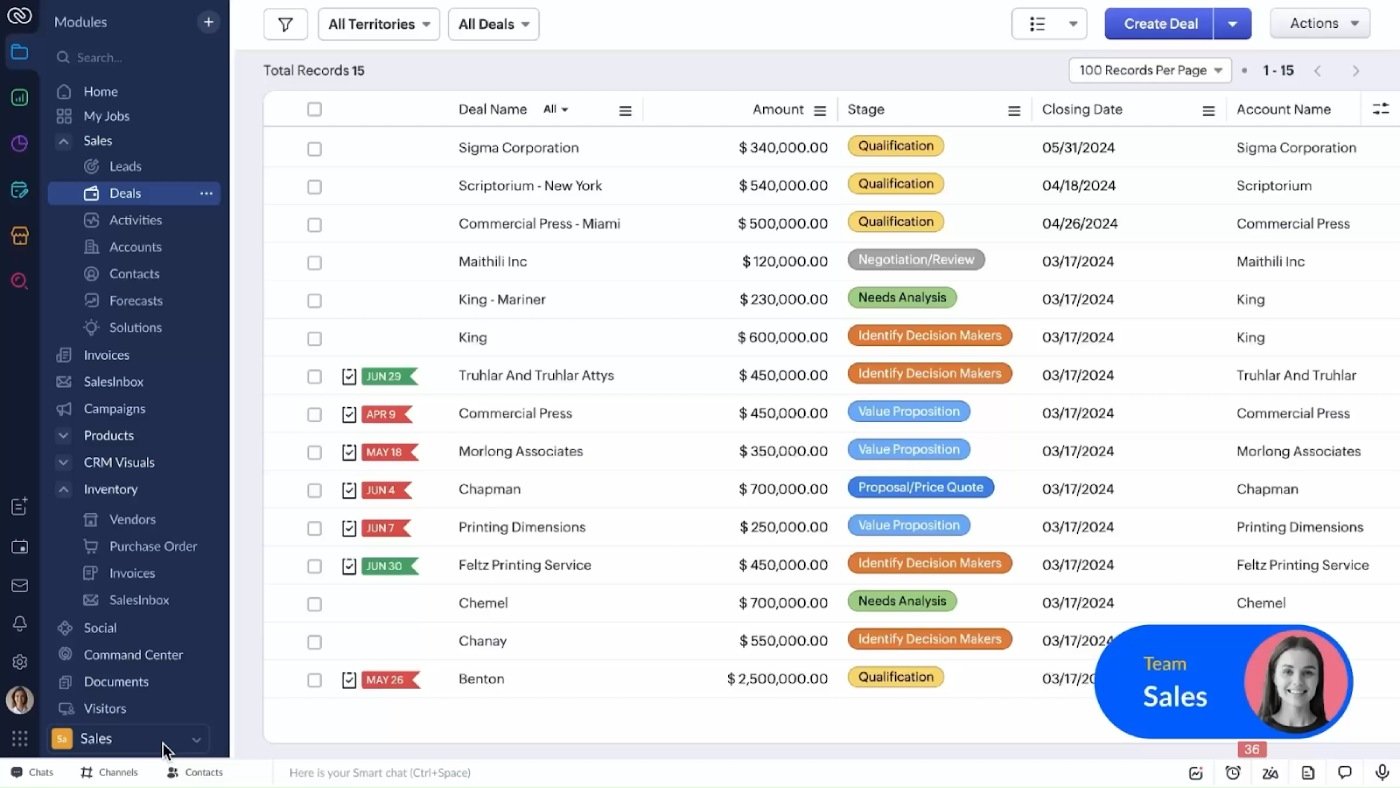
Zoho stands out as a well-rounded sales enablement tool built into a broader suite of business applications. Its SalesIQ, CRM Plus, and Zoho Learn modules offer centralized content delivery, in-app coaching, and AI-powered insights — all within a single interface. Zoho is best for growing businesses that want an all-in-one platform without a heavy IT lift.
My expert opinion on Zoho
Zoho isn’t just one of the best CRM software with enablement features tacked on, it’s one of the few platforms that makes content, training, and insights part of the core experience. My analysis shows it leads in ease of integration, intuitive user experiences, and mobile access. Zoho also offers centralized content delivery and strong training workflows with quizzes and microlearning.
| Pros | Cons |
|---|---|
| Seamless connection across CRM, chat, content, and LMS tools | UI can feel clunky for new users |
| Zia AI assistant adds contextual intelligence to sales workflows | Can get complex to configure across modules |
| Excellent for onboarding and internal training with Zoho Learn | Not all features are available on mobile |
How Zoho fits in GTM strategies
Zoho’s strength lies in its comprehensive alignment, enabling marketing to centralize content, sales to access it with analytics, and enablement to build training. Its AI, Zia, proactively supports sales with performance flagging and learning recommendations, making Zoho ideal for organizations seeking to unify content, coaching, and outreach functions.
Pricing
- Free: $0 (basic CRM functionality like leads, contacts, and mobile apps)
- Standard Plan: $14/user/month (sales forecasting, scoring rules, custom fields, and web forms)
- Professional Plan: $23/user/month (adds email integration, social CRM, sales signals, macros, process management, and inventory management)
- Enterprise Plan: $40/user/month (Zia Voice, multi-user portals, target meters, anomaly detectors, predictive AI, and custom modules)
- Ultimate Plan: $52/user/month (Enterprise plan plus multiple currencies, advanced analytics with Zia notifications, and increased data enrichment)
- CRM Plus: $57/user/month (a bundled solution that includes features from the Ultimate tier plus additional communication tools like live chat, social media integrations, and website chatbots)
Visit Zoho
HubSpot Sales Hub: Best for growing teams that need built-in sales coaching
My rating: 4.61 out of 5
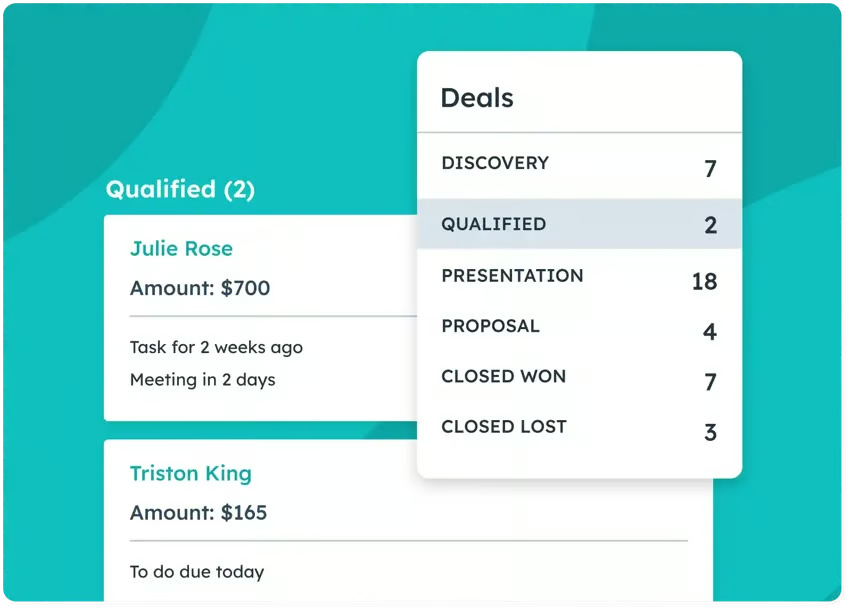
HubSpot Sales Hub is a full-fledged sales enablement tool inside the broader HubSpot ecosystem. Teams get guided onboarding, playbooks, and performance dashboards all in one place.
Reps access content fast, follow consistent coaching, and use built-in analytics — no tool-hopping needed. HubSpot is a smart bet for scaling businesses that want AI-driven enablement and GTM alignment in a single stack.
My expert opinion on HubSpot Sales Hub
HubSpot ranks high for onboarding, predictive analytics, and content governance (it’s also a top AI CRM). Built-in coaching tools and playbooks cut ramp time and standardize success. The interface is clean, deployment is easy, and AI deal forecasting keeps teams ahead. Its one weak spot is that custom workflows aren’t as flexible as some competitors.
| Pros | Cons |
|---|---|
| Seamless HubSpot ecosystem and workflow alignment | Less customizable than open platforms |
| Built-in coaching, playbooks, and onboarding | Predictive AI requires higher-tier plans |
| Strong engagement dashboards and content tracking | Fewer automation options outside the HubSpot suite |
How HubSpot fits in GTM strategies
With version control, marketing pushes content to sales, and reps follow playbooks across calls and emails. Managers see pipeline and performance live, so coaching sticks. GTM teams move fast by linking marketing workflows to sales sequences. AI forecasts deal with risks early, triggering follow-ups or new content. Sales Hub is a substantial, integrated upgrade if you’re already on HubSpot CRM.
Pricing
- Free: $0/month (basic features for up to two users; doesn’t include coaching playlists or playbooks)
- Starter: $9/month/seat billed annually (basic CRM with email templates)
- Professional: $90/month/seat billed annually (advanced sequence building, forecasting, coaching playlists, up to five playbooks)
- Enterprise: $150/month/seat billed annually (full coaching tools, AI, and team analytics)
Visit HubSpot Sales Hub
Apollo.io: Best for outbound teams using AI to scale
My rating: 4.33 out of 5

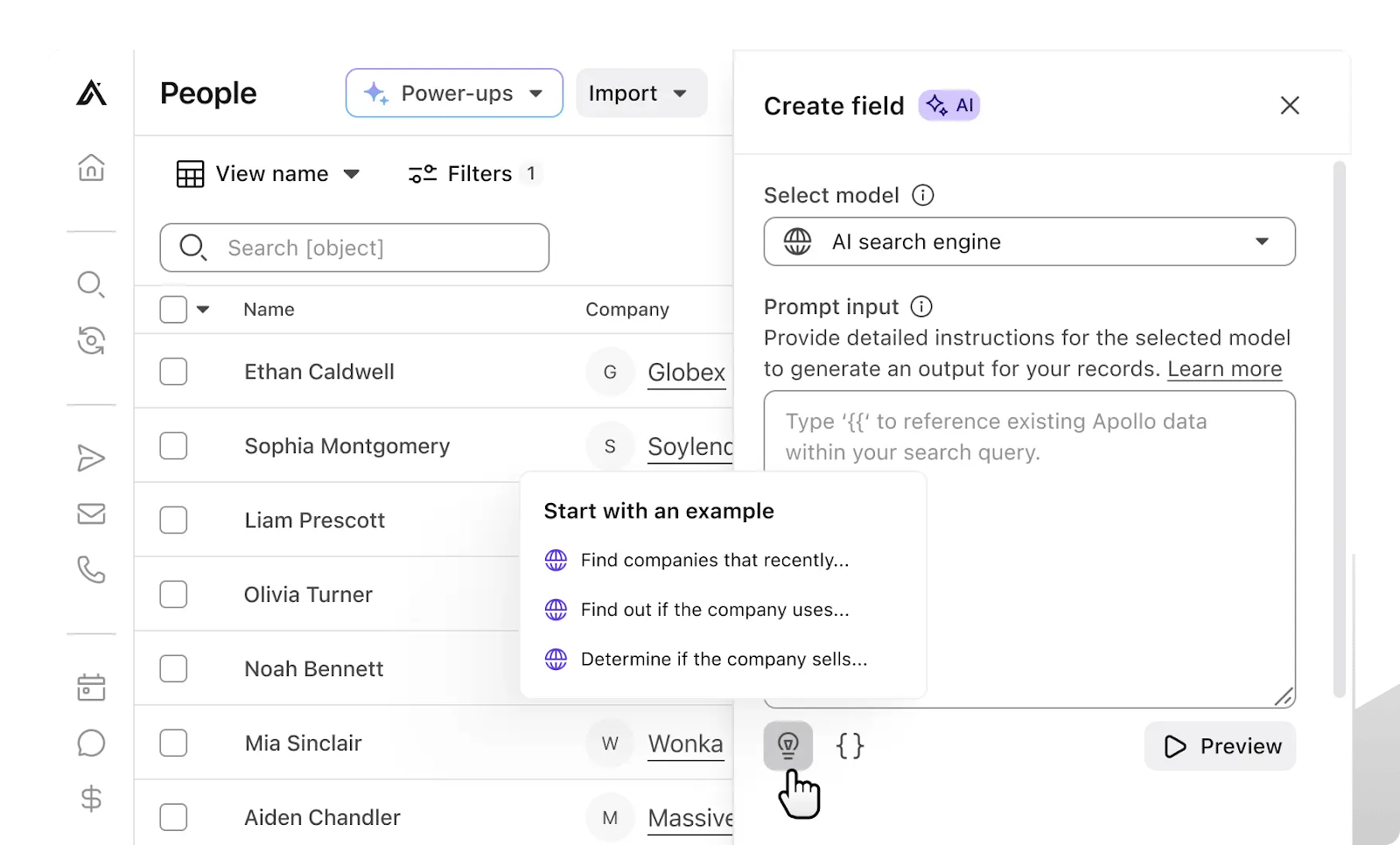
Apollo.io combines outreach and analytics into true AI CRM software and a sales enablement tool — perfect for teams driving cold outreach and campaign velocity without extra setup. It bridges prospect data, multichannel touches, and actionable insights in one platform.
My expert opinion on Apollo.io
Apollo.io excelled in my analysis on AI workflows, data-enriched outreach, and task automation. Its Intelligent Sequences and built-in dialer simplify high-volume prospecting. The dashboard tightens feedback loops with real-time activity tracking. It isn’t as deep in formal content training or coaching modules, but its strength lies in speed and scale for AI-optimized outreach.
| Pros | Cons |
|---|---|
| AI-powered task automation and sequences | Limited structured coaching or playbooks |
| Integrated dialing and lead intelligence | UI can feel crowded in high-volume mode |
| Fast onboarding and high ROI potential | Minimal training workflows are built in |
How Apollo.io fits in GTM strategies
Apollo.io empowers GTM teams to align sales and marketing by tying campaign lists to performance dashboards. Marketing builds segmented contact lists, sales launches AI-driven cold sequences, and leadership tracks engagement and cadence breakdowns. As sequences run, Apollo flags low-engagement contacts, arming enablement teams to refine messaging and content. It’s ideal for outbound-heavy B2B teams wanting faster scale with built‑in automation.
Pricing
- Free Plan: $0 (Limited mobile credits, unlimited email credits, basic filtering, and Chrome Extension access)
- Basic: $59/user/month (More mobile credits, advanced filtering, buying intent data, and job change alerts
- Professional: $99/user/month (AI-assisted email writing, dialer functionality, call recording, A/B testing for email sequences, and advanced reporting)
- Organization: $149/user/month (permission profiles, call transcripts, and customizable reports)
Visit Apollo.io
Pipedrive: Best for visual pipeline management and simplicity
My rating: 4.13/5

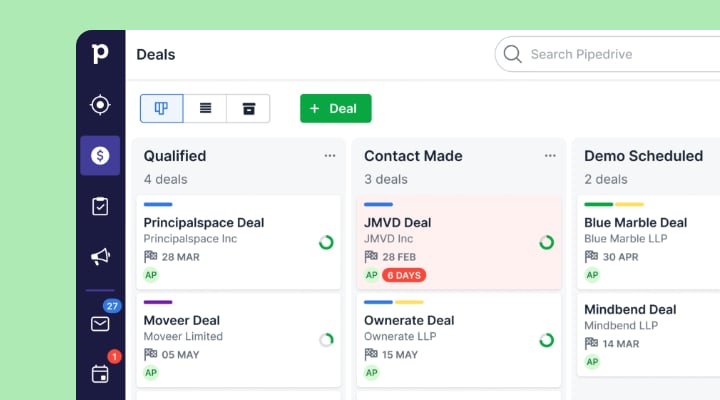
Pipedrive is a clean, visual-first sales enablement tool built around pipeline clarity. It’s ideal for teams that want less hustle and more action. It’s not overloaded with features, but gives you smart tracking, intuitive boards, and straightforward workflows.
My expert opinion on Pipedrive
Pipedrive scored well for pipeline visualization, user friendliness, and mobility. It supports content sharing, basic playbook structures, and AI-powered assistants for deal follow-ups. Its simplicity helps teams execute GTM campaigns without confusion, though it lacks deeper training modules and enterprise-grade AI analytics.
| Pros | Cons |
|---|---|
| Simple, visual pipeline interface | Not a full-featured enablement platform |
| Built-in automation and smart docs | Limited coaching and training features |
| Fast to set up and adopt | Minimal AI insights beyond follow-ups |
How Pipedrive fits in GTM strategies
Pipedrive supports GTM execution by making deal stages visible to sales, marketing, and revenue ops. Teams can sync content and email templates to deal stages, reps know exactly which assets to present, and managers track conversions in real time. AI reminders automate next steps, so teams stay aligned without the overhead.
Pricing
- Free trial: 14 days
- Lite: $14/seat/month, billed annually (lead, calendar, and pipeline management, AI-powered report creation)
- Growth: $39/seat/month, billed annually (full email sync with tracking, automations, forecast reports)
- Premium: $49/seat/month, billed annually (lead generation and routing, custom scoring and company data enrichment, AI-powered multi-email tools)
- Ultimate: $79/seat/month, billed annually (fortified account security with rules and alerts, phone and email data enrichment, Sandbox testing account)
Visit Pipedrive
monday CRM: Best for sales-marketing collaboration in one workspace
My rating: 4.07 / 5

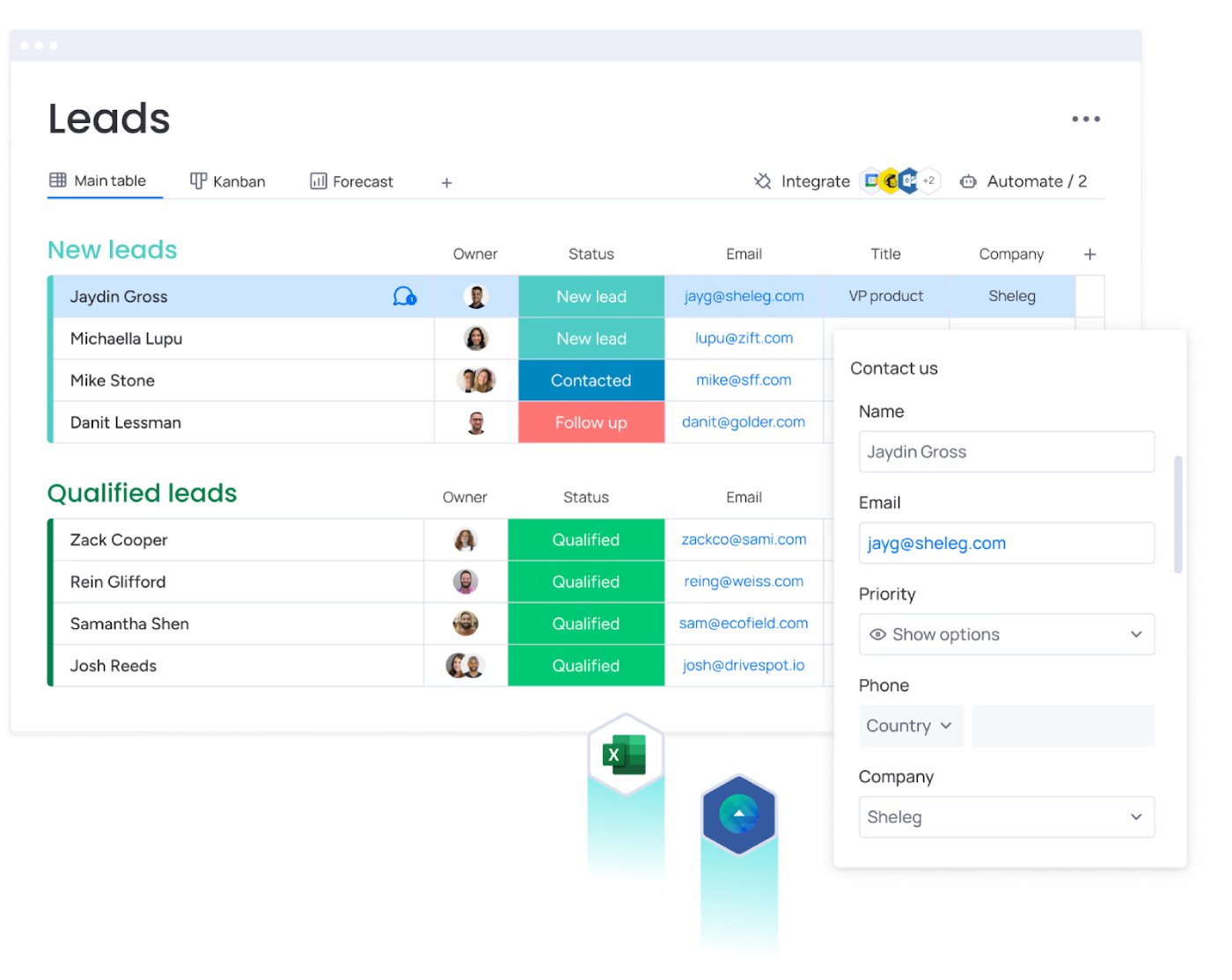
monday CRM integrates sales and marketing workflows in a unified, customizable workspace, making it a powerful sales enablement tool for teams focused on campaign coordination and content alignment.
Built for flexibility, it allows teams to track deal stages, share marketing assets, and automate GTM tasks without switching tools.
My expert opinion on monday CRM
My analysis gave Monday CRM high marks in customization, content tracking, and collaboration ease. Its visual boards let teams build playbooks, track content usage, and update deals in real time. While it lacks native AI coaching, it’s flexible: reps, marketers, and ops can build dashboards that reflect real GTM flows without coding.
| Pros | Cons |
|---|---|
| Highly customizable workflows and content pipelines | Lacks built-in AI-powered coaching/training |
| Unified workspace for sales, marketing, and ops teams | Less depth in enablement features vs platforms like Outreach |
| Fast collaboration and real-time updates | Templates require configuration at the start |
How monday CRM fits in GTM strategies
monday CRM lets marketing publish campaign collateral directly to shared boards, while sales reps follow stage-based pipelines tied to content and outreach workflows. As deals progress, dashboards update in real time, and team visibility remains clear. GTM leaders can monitor content engagement and handoff performance without switching between marketing and sales systems.
Pricing (all plans have a three-user minimum)
- Free: $0/seat/month (basic CRM capabilities like organizing leads, contacts, and deals with unlimited customizable pipelines, contacts, and boards)
- Basic: $12/seat/month, billed annually (unlimited customizable pipelines, unlimited contacts and boards, Templates for lead, contact, and deal management)
- Standard: $17/seat/month, billed annually (advanced account, contact, and deal management, two-way email integration with Gmail and Outlook, custom CRM automations)
- Pro: $28/seat/month, billed annually (sales forecasting, email templates, sequences, Sales analytics)
- Enterprise: Contact sales (lead scoring, account management, enterprise-scale automations and integrations)
Visit monday CRM
Outreach: Best for high-touch, multichannel outreach
My rating: 3.93 / 5

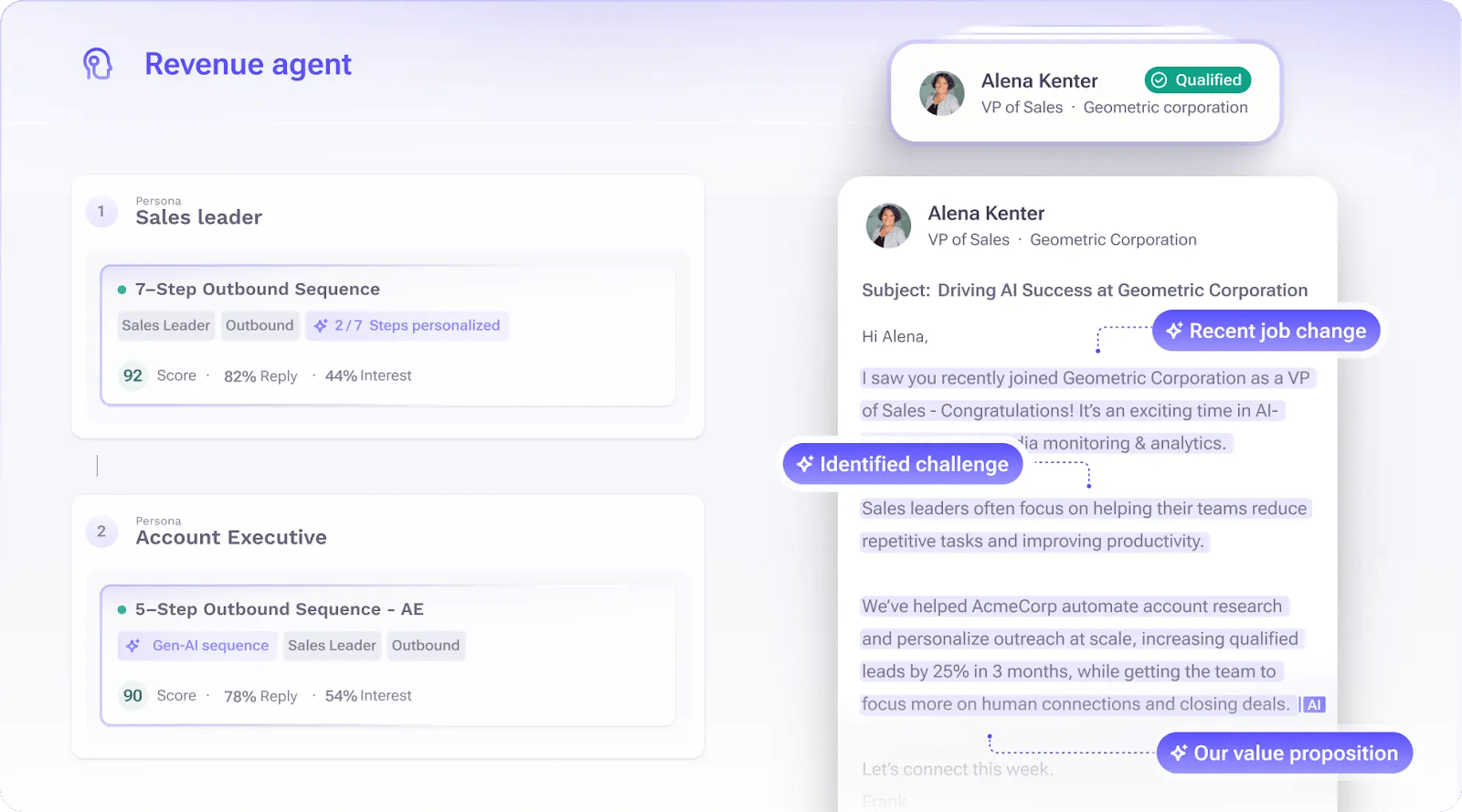
Outreach is a dedicated sales enablement tool built for teams running complex outreach campaigns across email, calls, and social. It excels in sequencing, team collaboration, and performance tracking — all while supporting GTM strategies with precision.
My expert opinion on Outreach
Outreach ranked high for its multichannel sequencing, AI-driven coaching nudges, and deal health scoring. Its strength lies in guiding reps through repeatable processes with automation that adapts to prospect behavior. While it’s less focused on centralized content libraries or training modules, Outreach wins where cadence matters: helping teams maintain consistent messaging and execution across touchpoints.
| Pros | Cons |
|---|---|
| Customizable sequences across channels | Lacks deep content training features |
| AI-led playbooks and reps coaching prompts | Higher cost, especially for smaller teams |
| Deal health scores surface stalled opportunities | Limited native onboarding tools |
How Outreach fits in GTM strategies
Outreach helps GTM teams align sales and marketing into coordinated touch campaigns. Marketing builds messaging templates and sequences; sales reps follow structured stages with real-time coaching; and ops monitors engagement dashboards to refine messaging. AI suggestions prompt reps when prospects go quiet, prompting content adjustments or follow-up tasks.
Pricing
- Contact the vendor for customized pricing
Visit Outreach
Creatio: Best for enterprise‑grade automation and customization
My rating: 3.89/5

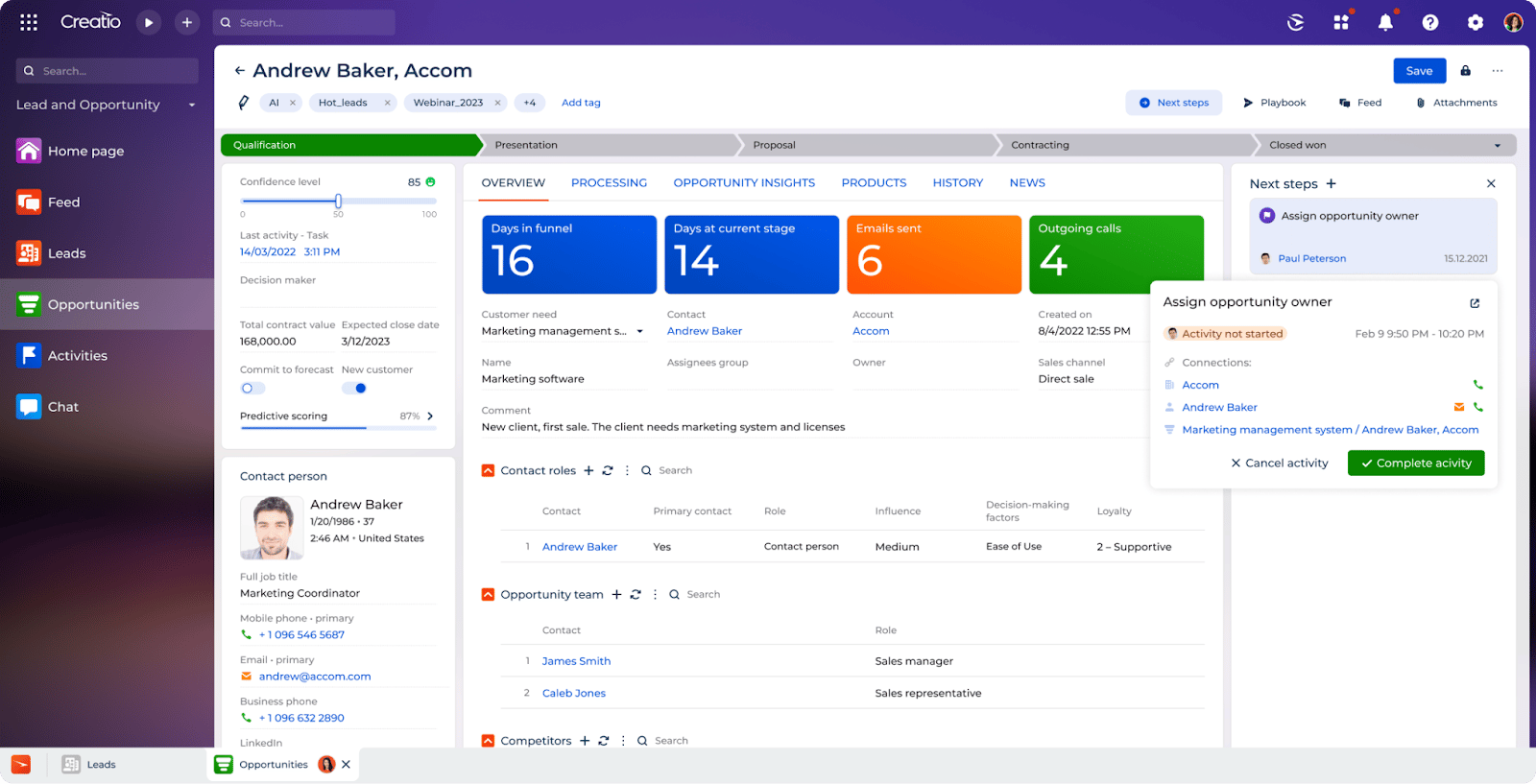
Creatio provides deep automation and no‑code capabilities, positioning it as a top-tier sales enablement tool ideal for enterprise teams needing bespoke workflows and process control without developers.
Its unified platform combines CRM, marketing automation, and sales enablement software into a single interface, making it easier to scale complex GTM operations.
My expert opinion on Creatio
Creatio stands out in my analysis for scoring high in customization, multichannel orchestration, and integrations. With visual process builders, you can map GTM sequences, training flows, and buyer journeys tailored to your business. Its automation powers proactive coaching nudges and dynamic playbooks.
| Pros | Cons |
|---|---|
| No-code workflow builder with deep process control | Steep learning curve for first-time users |
| Strong integration across CRM, marketing, and training | Less intuitive UI than simpler platforms |
| Adaptive AI playbooks and triggers across channels | Higher entry cost for smaller teams |
How Creatio fits in GTM strategies
Creatio enables GTM alignment by bridging sales, marketing, and ops through visual workflows. For example, marketers trigger content drops via the same playbook that activates sales coaching alerts. When revenue operations update a pipeline forecast, Creatio dynamically adjusts training modules and outreach tasks. GTM leaders gain visibility across campaigns and content deployment in a single, customizable system.
Pricing
- Free trial: 14 days
- Growth: $25/user/month with a five-user minimum, billed annually (provides core no-code capabilities)
- Enterprise: $55/user/month (integrations and scalability across multiple departments)
- Unlimited: $85/user/month (Complex automation scenarios, offering full access to platform capabilities without restrictions)
- Sales module add-on: $15/user/month
Visit Creatio
Demodesk: Best for live demo enablement and buyer engagement
My rating: 3.57/5

Demodesk is a focused sales enablement tool built around live demos and buyer interactions. It’s tailored for teams that sell through real-time conversations, product walkthroughs, and high-stakes client meetings.
It centralizes demo assets, automates prep, and overlays coaching prompts during calls, helping reps deliver consistent, on-brand experiences that move deals forward.
My expert opinion on Demodesk
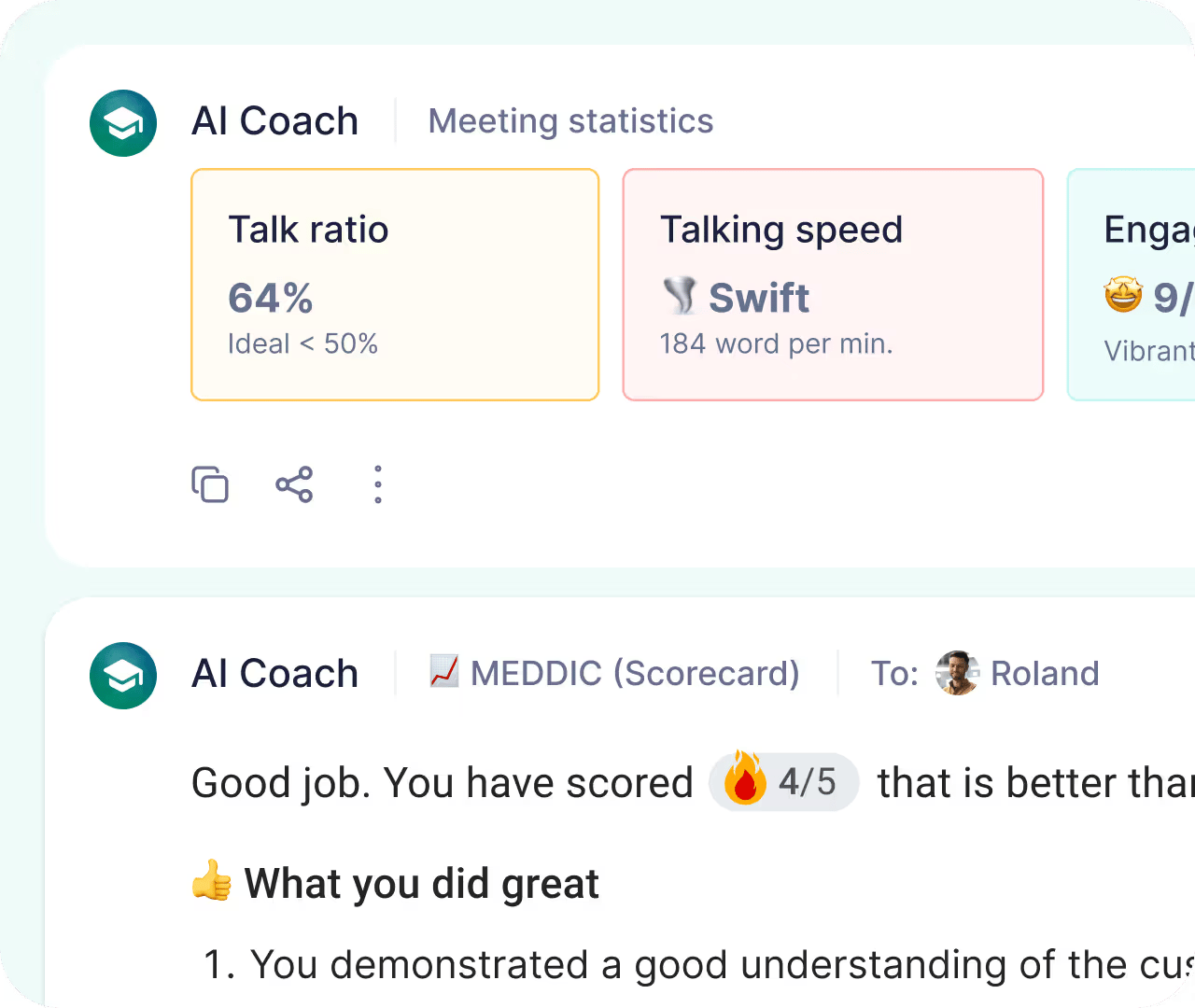
Demodesk stands out in our analysis for real-time guidance, demo content management, and seamless buyer interaction. Its rubric scores are strong in live coaching and meeting efficiency, enabling reps with dynamic meeting templates and battle cards. While it lacks complete training modules or CRM-style content libraries, Demodesk shines when sessions need structure, coaching, and instant content access.
| Pros | Cons |
|---|---|
| AI-powered demo guidance and in-session coaching | Limited CRM or content repository features |
| Real-time analytics to improve buyer engagement | Fewer automation or workflow tools overall |
| Structured meeting templates and integration support | Mobile app is limited or non-existent |
How Demodesk fits in GTM strategies
In GTM campaigns driven by live presentations, Demodesk aligns marketing, sales, and enablement through real-time playbooks. Marketers upload tailored decks and battle cards; sellers follow those during live engagements with coaching prompts; ops teams immediately track engagement metrics and feedback. This lets teams iterate on message delivery and GTM collateral with real user responses, without relying on post-meeting analysis.
Pricing
- Free trial: 14 days
- Coaching and AI: $49/month for up to 30 users, billed annually (AI assistant, AI coach, AI analyst, integrations)
- Enterprise: Custom pricing for teams with more than 30 users (custom onboarding, premium support, dedicated account manager, advanced security and control)
Visit Demodesk
What's hot at TechRepublic
- Blackpoint Cyber vs. Arctic Wolf: Which MDR Solution is Right for You?
- Why AWS Sellers Choose Deepgram Over Other Voice AI Tools
- SS&C Intralinks DealCentre AI vs. Datasite: Which platform is built for the future of dealmaking?
- SS&C Intralinks FundCentre AI vs. Juniper Square: Which platform better supports modern private markets fund managers?
- Verito vs. Rightworks: Which IT Provider Is Best for Your Firm?
Checklist: What to ask sales enablement vendors before you buy
Even the best sales enablement tools can fall flat if they’re a bad fit for your business. That’s why savvy buyers go into vendor demos and RFPs with sharp questions — focused not on features alone, but on how well the platform will support real workflows, growth goals, and adoption across teams.
Use my checklist to cut through the noise and zero in on what matters.
- Mobile accessibility: Does the sales enablement software offer a smooth mobile experience for reps on the go? Look for offline access, mobile-optimized content, and full CRM sync.
- Customization and scalability: Can the tool grow with your business? Ask if workflows, fields, roles, and dashboards can be tailored to your organization without custom dev work.
- Security and compliance: What guardrails are in place to protect customer and company data? Ask about encryption, access controls, audit logs, and compliance with industry standards like GDPR or SOC 2.
- Training and onboarding support: What does implementation look like? Will you get dedicated onboarding help, user training, and resources to speed up ramp time?
- Migration/setup time: How long does it take to get fully up and running? Check whether they offer prebuilt integrations, content import tools, and sandbox environments for testing.
This list is handy when evaluating B2B or AI sales enablement tools, where real-time coaching and predictive insights sound great, but only deliver value if the platform fits your team’s actual workflow.
Rolling out change: How winning teams drive adoption (and avoid failure)
Buying new sales enablement tools is easy. Getting people to use them right? That’s the hard part. The truth is, failed rollouts don’t happen because the tool was bad. They happen because there wasn’t a clear adoption strategy.
For B2B sales enablement tools to improve GTM performance, your onboarding has to go beyond training videos and email blasts. You need a game plan that builds habits, earns buy-in, and connects features to outcomes.
Here’s what high-performing teams do differently:
- Start with clear use cases. Before rollout, define exactly how the sales enablement software will help each team, from marketing sharing content, to sales coaching, to revenue ops tracking metrics.
- Make the onboarding role-specific. Avoid one-size-fits-all onboarding. Tailor setup and training materials by role. SDRs, account execs, managers, and content creators all have different workflows.
- Assign internal champions. Identify early adopters across sales and marketing who can act as in-house experts. They drive usage, share wins, and pull others along.
- Integrate into daily tools. If the platform doesn’t work seamlessly with your CRM, email, or call tools, reps will default to old habits. Integration is adoption fuel.
- Measure and reinforce. Set usage goals. Track ramp-up metrics. Celebrate wins. Reinforce how enablement impacts real KPIs like deal velocity and win rate.
- Create cross-team rituals. GTM alignment lives in the daily syncs, not the software alone. Use the sales enablement platform to anchor regular reviews of content performance, training gaps, and playbook updates.
How to measure ROI from sales enablement tools
You can’t defend the budget without showing the payoff. That’s why every sales enablement software rollout needs a measurement plan baked in from day one.
- Ramp time: Track how long it takes new reps to hit quota. Shorter ramp = better onboarding = direct impact from your sales enablement tools.
- Win rates: Measure deal conversions before and after tool adoption. A steady increase shows better execution and content alignment across the funnel.
- Platform adoption: If people aren’t using it, you’re wasting budget. Monitor daily logins, training completion rates, and content engagement per role.
- Content usage: See what’s being used in deals. Most B2B sales enablement tools offer engagement analytics to surface top-performing assets and flag stale ones.
- Attribution to revenue: Many AI sales enablement tools can tie content and coaching touchpoints to closed-won deals. These insights are key when presenting ROI to the CFO.
💡Pro tip: Integrate your sales enablement platform with your CRM and marketing stack to unlock richer data and predictive reporting. That’s where tools like HubSpot or Zoho shine. To go deeper, see how AI analytics also shape ROI measurement in AI-driven ecommerce.
Methodology
To identify the best sales enablement tools in 2025, I conducted a structured evaluation based on real-world functionality, buyer needs, and go-to-market alignment. I focused heavily on platforms purpose-built for enablement — not just CRM or CMS tools with add-on features — and gave special weight to AI capabilities and cross-functional workflows.
- Selection process and research: I shortlisted platforms commonly used for sales enablement across B2B industries. From there, I selected eight tools that offer purpose-built enablement features, support for sales-marketing collaboration, and AI-driven insights.
- Hands-on testing and vendor analysis: I reviewed official documentation, ran product demos, analyzed customer feedback, and tested freemium or trial versions where available. My goal was to understand how each tool handles enablement use cases, not just pipeline tracking.
- Rubric-based grading: I score each tool across five weighted categories.
- Pricing (25%): Includes free plan availability, paid tiers, and total cost of ownership. For this guide, I judged starting prices based on the lowest available price for sales enablement tools.
- Core sales enablement features (30%): I scored tools based on in-app coaching, content delivery, playbooks, onboarding workflows, and analytics.
- AI and automation features (20%): I prioritized tools with intelligent recommendations, deal prediction, and generative content capabilities, all essential for evaluating modern AI sales enablement tools.
- Support (15%): I assessed onboarding help, user documentation, and live support.
- Expert score (10%): I conducted a holistic assessment based on reviewer judgment of UX, scalability, and alignment with go-to-market teams.
This approach ensures our rankings reflect what matters in practice, not just a long list of features. My evaluation aligns with broader best practices in SaaS and the cloud, focusing on usability, scalability, and long-term business impact.
FAQs
What is a sales enablement platform?
Sales enablement software centralizes content, training, and analytics for sales teams. It ensures reps have the right messaging, coaching, and collateral at every stage of their GTM process. This is what makes it distinct from a traditional CRM or LMS.
What are the best sales enablement platforms?
The best sales enablement tools blend in-app training, dynamic content delivery, and AI-driven insights. In my review, platforms like Zoho, HubSpot Sales Hub, and Outreach rise to the top for their alignment with real GTM workflows and AI-powered features.
What are the pillars of sales enablement?
Most frameworks include:
- Content management
- Training and coaching
- Analytics and insights
Some add a fourth (rep onboarding) to highlight structured ramp-up as a key pillar in B2B sales enablement tools.
What are the KPIs for sales enablement?
Key metrics include ramp time, win rate, content usage, and tool adoption. For a full performance snapshot, add cycle length and quota attainment. For AI sales enablement tools, track AI-driven task suggestions and engagement metrics, too.
How does a sales enablement platform differ from a CRM?
A CRM tracks pipeline and contact history. A sales enablement platform adds on training, real-time coaching, content recommendations, and analytics tools that drive rep performance and GTM consistency.
When should I switch to sales enablement tools?
Make the switch when CRM workflows can’t handle onboarding, content updates, coaching, and analytics in one place. If you’re automating GTM campaigns, measuring how content influences deals, or scaling with AI, it’s time to upgrade.