Discussion Locked
Unofficial Microsoft Office Stuff
0 helpful
326 replies
Closed to new repliesThis discussion is closed. It stays readable, but it takes no new replies.
This is page 3 of the discussion. Read the opening post

After Hours
This is page 3 of the discussion. Read the opening post
by dklippert
What grade are you?
Word has a built in tool to determine the level of reading difficulty of a document.
To see the statistics:
When Microsoft Word finishes checking spelling and grammar, it displays information about the reading level of the document.

Each readability score bases its rating on the average number of syllables per word and words per sentence.
Flesch Reading Ease score
Rates text on a 100-point scale; the higher the score, the easier it is to understand the document. For most standard documents, aim for a score of approximately 60 to 70.
The formula for the Flesch Reading Ease score is:
206.835 ? (1.015 x ASL) ? (84.6 x ASW)
where:
ASL = average sentence length (the number of words divided by the number of sentences)
ASW = average number of syllables per word (the number of syllables divided by the number of words)
Flesch-Kincaid Grade Level score
Rates text on a U.S. school grade level. For example, a score of 8.0 means that an eighth grader can understand the document. For most documents, aim for a score of approximately 7.0 to 8.0.
The formula for the Flesch-Kincaid Grade Level score is:
(.39 x ASL) + (11.8 x ASW) ? 15.59
Readability
Measuring the reading age of books and other reading matter.
Everything you ever wanted know about
readability tests but were afraid to ask.
Wikipedia.com:
Flesch-Kincaid Readability Test
Support.Microsoft.com:
Frequently Asked Questions About Proofing Grammar
See all Topics
by dklippert
English Excel
The UCL (University College London) site for the High Energy Physics Group of the Department of Physics & Astronomy, has an introduction to Excel e-book on this page. It's the material used in a 10 week course.
"This web page contains material for the computing and data analysis elements of the first-year PHYS1B40 Practical Skills course.
The main elements of the course are:
Analysis of data and treatment of uncertainties of measurement (Data Analysis) - discussed in lectures and illustrated by exercises using Excel
Use of spreadsheets (Excel) for
Analysis and presentation of experimental data
Mathematical modeling, simulation, analysis and problem solving
Introduction to computer programming by means of Visual Basic for Applications (VBA)
Here are some links to the topics covered topics:
See all Topics
by dklippert
Can't get enough
Demonstrations, Layouts, Menus
This site provides a wealth of examples about how to use Cascading Style Sheets.
Poke around and then come back when your project calls for something different.
"Because my site deals with experimental CSS that is exactly what you get JUST CSS, no javascript or any other programming language has been used in any of the demonstrations."
See all
Topics
by dklippert
Avoid header spaghetti
There are three parts to the Address section of an email message:
CC used to stand for Carbon Copy, but no one knows what carbon paper is anymore so it is now referred to as Complimentary Copy.
BCC is for a blind copy. Recipients will not see that stringy pasta list of names.
Here are a few links to more information.
About.com:
Sending an Email to Multiple Recipients - Cc: and Bcc:
Hamra.net:
Use BCC field when addressing mass mail
Actrix.co.nz:
Using the CC and BCC Fields in E-mail
While the recipients can't see the Bcc list, you can see the list in messages you SENT:
"To see the Bcc addresses for messages that you sent, open the message from the Sent Items folder, then choose Actions>Resend This Message. If you don't see the Bcc box, choose Find>Bcc Field to display it. Another method you can use in the Sent Items folder, is to choose View>Show Fields and add the Bcc field to the current view. You may not be able to see all Bcc recipients that way if the list was a long one.
Slipstick.com:
To view Bcc addresses for sent messages
See all Topics
by dklippert
Use the keyboard
When you are putting a database together you often want to switch between views of Access objects to see the changes.
For instance, you'll switch the view to examine a Table in Design view and then back to data view. It is can be faster to switch between views using keyboard shortcuts, rather than the View menu.
You can cycle through the views of an open object using the
Ctrl+> and Ctrl+<
shortcut keys.
These shortcuts can be used with tables, queries, forms, reports, and data access pages.
See all Topics
by dklippert
To be, or no to be
E-Prime aims to eliminate all forms of the verb "to be". (Try that with your next report.)
"E-Prime comprises standard English with all forms of the verb 'TO BE' deleted; its use prevents forms of the verb 'TO BE' creating erroneous and irrational generalizations in language and thought."
The result may appear wishy washy, but more accurate.
Also see:
[Edited entry from 2/27/2004]
See all Topics
by dklippert
Move it!
Here is a tutorial about animation.
"Need to make content appear, change or disappear out of order? Need to control the order that things appear while in front of your audience? Playing games? You need to play with PowerPoint's Triggers option for custom animations."
Trigger Happy Animations in PowerPoint
By
Kathryn Jacobs
.
(Kathryn has been a PowerPoint trainer and consultant for over 10 years. She is a Microsoft MVP for PowerPoint.)
Also:
Office.Microsoft.com:
Use triggers to create an interactive slide show in PowerPoint
"Let's get past the term, first: A trigger is nothing more than an item on your PowerPoint slide-- it could be a picture, a shape, a button, or even a paragraph or text box-- that sets off an action when you click it. The action might be a sound, a movie, or an animation, such as text becoming visible on the slide."
Presentations.com:
Combine animation techniques to create stunning PowerPoint slides
By Ellen Finkelstein
"Indeed, with the addition of motion paths, new trigger effects and the ability to add two animation behaviors to one object, PowerPoint has become capable of creating sophisticated animations that rival complex animation software."
[
Edited entry from2/28/2004
]
See all
Topics
by dklippert
Still sign on, or not
Forgetting your password can be an annoyance or a catastrophe. Here are ways to get back to work.
Note If you have not created a password reset disk, and you have also forgotten the password for all user accounts, you cannot log on to your existing Windows installation for security reasons. This information applies to starting Windows XP typically, to safe mode, and to Recovery Console. In this case, you must perform a "clean" installation of Windows XP, re-create all user accounts, and then reinstall all your programs.
Support.Microsoft.com:
How to log on to Windows XP if you forget your password or your password expires
Petri.co.il:
Forgot the administrator's password?
TechTrax:
I Forgot My Administrator Password!
ComputerHope.com:
Lost or forgotten Windows NT / 2000 / XP password
See all
Topics
by dklippert
The difference between a blog and a magazine is thin.
Here's on online mag that collects information, direction, and designs for web sites
"A List Apart Magazine (ISSN: 1534-0295) explores the design, development, and meaning of web content, with a special focus on techniques and benefits of designing with web standards.
Steal our code? Copy our content?
ALA's content is protected by copyright shared jointly by the magazine and its writers, but our source code is freely available to all."
See all
Topics
by dklippert
Lost functionality
Have you found that you cannot update linked Excel tables in Access 2003?
If you have installed Microsoft Office 2003 Service Pack 2 (SP2):
MORE INFORMATION
Because of legal issues, Microsoft has disabled the functionality in Access 2003 and in Access 2002 that let users change the data in linked tables that point to a range in an Excel workbook. However, when you make changes directly in the Excel workbook, the changes appear in the linked table in Access.
Support.Microsft.com:
You cannot change data in linked tables that are to an Excel workbook
You might try reinstalling and then only installing SP1.
Also:
VB123.com:
Guacamole dipped - Access to Excel linked table gotcha
ZDNet.com:
Patent ruling costs Microsoft $8.9 million
"A jury in U.S. federal court found that Microsoft infringed on a Guatemalan inventor's 1994 patent on technology linking the company's Access and Excel programs, and ordered the world's largest software maker to pay $8.9 million in damages.
See all
Topics
by dklippert
When the project seems overwhelming
Faced with a repetitive task, I often have to make the decision, do I do it by hand again and again? Or do I write or find a macro to do the heavy lifting?
"Have you ever had a document with ten, twenty, or even 100 images, and then as an afterthought decided you wanted to add a caption to each of those images? This is an easy task through the user interface (UI). All you have to do is select each image, one at a time, and choose Insert, then Reference, then Caption. Unfortunately doing this through an image-heavy document is a boring chore and takes up a lot of time.
Fortunately, the Word object model lets you to apply a caption to a selected object. An add-in that does this for you is only a small chunk of code away. The sample add-in accompanying this article demonstrates how to do this. It also demonstrates many other details about working with shapes and images in Word programmatically that are useful to know about."
Working with Word 2003 Images Programmatically
See all
Topics
by dklippert
Dog ear your email
With RSS entries, I average 500 or more messages a day. Here's a suggestion about how to tame the problem.
"You clear up one problem and delete the e-mail message -- and meanwhile six others pop up in your Inbox. Microsoft Office Outlook 2003 can flag messages with priorities, set reminders, and flag messages for follow-up, so that you can glance quickly at Outlook and know immediately what needs to get done first."
Office.Microsoft.com:
Demo:
Organize your e-mail more easily than ever
See all
Topics
by dklippert
How it all ties together
"Find out how to reap the benefits of data normalization in Access while ensuring that your system provides users with all the information they need. Learn to relate your application's tables to each other, so that your users can view the data in the system as a single entity. After you define relationships between tables, you can build queries, forms, reports, and data access pages that combine information from multiple tables."
Relationships: Your Key to Data Integrity in Access 2003
An article from
Informit.com
and
Sams
by
Alison Balter
.
Alison is the founder of InfoTechnology Partners, Inc., a computer consulting firm in California. She is a highly experienced trainer and consultant, specializing in Windows applications.
[
Edited entry from 2/26/2004
]
See all
Topics
by dklippert
Folder size list
You can create a list in Excel of all the folders on a drive and their sizes.
(The credit goes to Peter Beach, an Excel MVP.)
It may take a little time to complete.
BTW, if you feel geeky enough, here is a picture of some of the year 2005 MVPs from John Walkenbach's site.
[Edited entry from 2/23/2004]
See all Topics
by dklippert
Testosterone relief
Wet, rainy, cold weather activity, or just because.
"Always follow the rules! If you got hit in the head by a band but you don't want to take the 2-minute penalty (for instance), don't sit there fighting it out. Just suck it up and do the time. No one's going to have fun if all you guys end up doing is yelling at each other about rules and regulations. Take your time out, and keep in mind that, in the long run, you're going to have a much better time.
Clean up afterwards. Nobody's wife (or husband) likes to see rubber bands sitting in the chicken soup she had left simmering on the stove while she went out to buy some more carrots. ("Interesting flavor, honey...")
Ultimate Guide to Shooting Rubber Bands
Also,
Now you can build your own rubber band machine gun!

"This beauty is a fully functional machine gun with TWELVE rotating barrels and a live action trigger. Loads 12 bands per barrel for a whopping 144 rubber bands that shoot off as fast as you can turn the handle!"
See all Topics
by dklippert
Colorize without Adobe
Photoshop is a great program, but sometimes you just want to add a little pizzazz without the hassle.
Geetesh Bajaj has once again come up with a "Why didn't I think of that!" technique.
" Have you ever wanted to fill a picture with a gradient - or another picture in PowerPoint? Have you wanted to blend two pictures in PowerPoint to create a montage?

Transparent montages in PowerPoint
See all
Topics
by dklippert
Opening notice
You can write and display your own warning notice (up to 256 characters).
It takes just a little trip into the bowels of the Registry editor.
Go to the Start button.
Choose Run and type Regedit
Hit Enter:
- Registry Key:
HKEY_LOCAL_MACHINE\SOFTWARE\Microsoft\Windows NT\CurrentVersion\Winlogon- Modify or Create the Value Name
[LegalNoticeCaption]- Data Type:
REG_SZ [String Value]- Value Name:
LegalNoticeCaption- Value Data for LegalNoticeCaption:
[Type the Caption for the Dialog Box]
- Modify or Create the Value Name
[LegalNoticeText]- Data Type:
REG_SZ [String Value]- Value Name:
LegalNoticeText- Value Data for LegalNoticeText:
[Type the Data for the Legal Notice]
Exit Registry
Reboot
Support.microsoft.com:
How to Enable a Warning Logon Welcome
TheElderGeek.com:
Create Legal Notice Logon Dialog Box
Winguides.com:
Legal Notice Dialog Box
See all Topics
by dklippert
When you need more than one
You've seen them before; web forms that accept input and then take you to another page for more data entry.
Here is a step by step tutorial:
This article describes how to create a multipage form in Microsoft Office FrontPage 2003. Each page of the form contains navigation buttons to move to the previous page or the next page. Additionally, the last page of the form contains a Submit button and a Reset button.
Support.Microsoft.com:
How to create a multipage form in FrontPage 2003
See all
Topics
by dklippert
Sized and numbered
Word 2002+ has the built-in ability to print booklets with automatically numbered pages.
"If you don't want to spend money on an add-in, or use VBA; and are willing to do a bit more work yourself, here is the method I use. I've produced booklets up to 100 pages long this way, and it works quite satisfactorily for me."
Word.MVPS.org:
Booklet printing
Microsoft.com/Education:
Create Booklet
RickySpears.com:
Microsoft Word Booklet Templates
"The WordBookletTemplates.zip file contains Microsoft Word templates for 4, 8, 12, 16, 20, 24, 28, and 32 page booklets, with and without page numbers (16 templates in all). I think I developed these with Microsoft Word 97 and I've never made any changes to them. They use a series of text boxes that flow from one to the other to get the text where it is supposed to be in the booklet."
See all
Topics
by dklippert
Outlook, Excel, and VBA
Ron de Bruin
, Microsoft MVP - Excel, has put together a collection of VBA routines to make Excel e-mail friendly.
See if these topics tempt you:
Example Code for sending mail from Excel
Also
Links
to more Excel e-mail information
Also see:
John Walkenbach:
Sending Personalized Email from Excel
[
Edited entry from 3/4/2004
]
See all
Topics
by dklippert
Bean Counting Models
Data modeling can be an exhausting, time consuming process. Here are some samples that may establish a starting point.
The website has close to 100 database models for experimentation, practice and examples.
"My intention is to provide a wide range of 'Kick Start' Models that anyone can use as a starting-point, and could extend cleanly and logically, with appropriate reference to the Business Rules.
It is not my intention to provide Models that can be used off-the-shelf to meet the requirements of a large commercial organization.
After all, that is one of the things I do for a living !!!
None of the Models is the complete and final solution in its area, but any of them can be added to easily and quickly to meet a specific requirement. The logic in each Model is intended to be correct and to contain the minimum Entities for the area being modeled."
Barry Williams
- Founder and Principal Consultant.
If you're attempting a "Big Year" list of blogs, you can add
Viewpoint of a Database Analyst: A Database Design Principles Blog
[
Edited entry from 3/5/2004
]
See all
Topics
by dklippert
Wrong list
Spelling feels more like art than science. Here's a site that shows 100 (actually 250) words that are often misspelled.
It also gives you reasons and memory tricks to get it right.
Not all pens and pencils come with spellcheckers.
The "i-before-e" rule has more exceptions than words it applies to.
Dr. Language has provided a one-stop cure for all your spelling ills. Here are the 100 words most often misspelled ("misspell" is one of them). Each word has a mnemonic pill with it and, if you swallow it, it will help you to remember how to spell the word. Master the orthography of the words on this page and reduce the time you spend searching dictionaries by 50%.
Also:
Most Mispronounced
(You mean it's not "pronounciation"?
That's what happens when you have Old-timer's disease.)
See all
Topics
by dklippert
Embed directly
Flash shows, in general, are remarkably easy to create.
Rather than try to duplicate complex animation in PowerPoint, you can add a Shockwave Flash Object to your show.
Brainy Betty has a video tutorial show the way:
How to insert Flash into PowerPoint
See all
Topics
by dklippert
Mouse-less motions
Here is a collection of shortcuts for Windows:
Keyboard shortcuts for Windows
One of the shortcuts is a way to minimize all Windows from the keyboard.
 +M
Also see:
See all Topics
by dklippert
Consistent formatting
Cascading Style Sheets can be helpful in applying dependable format characteristics to web sites. Like Styles, CSS provides a reference point when a certain look is called for.
Stu Nicholls provides directions for "Fluid" borders:
"If you resize your browser window you will see that these borders are fluid and stay in shape. Resize the text and they will also stay in shape."

Even in this static shot, you can see some nice possibilities.
See all
Topics
by dklippert
No Excel needed
Here's a site that lets you design and post spreadsheets on the web.
"Keep your records, lists and spreadsheets in one place online. Easily slice, dice and share with others.
With a free account, you can...
- Access your spreadsheets from anywhere
- Share your spreadsheets easily - just email the URL
- Add spreadsheets to your weblog
- FREE storage
See all Topics
by dklippert
No Excel needed
Here's a site that lets you design and post spreadsheets on the web.
"Keep your records, lists and spreadsheets in one place online. Easily slice, dice and share with others.
With a free account, you can...
- Access your spreadsheets from anywhere
- Share your spreadsheets easily - just email the URL
- Add spreadsheets to your weblog
- FREE storage
See all Topics
by dklippert
Some more of those things I'm sure I used to know
The keyboard combination of Alt+Shift+D inserts the current date in MS Word and PowerPoint. Ctrl+; (semicolon) does it in Excel and Access.
If you do not like the date's format, select a different one with Insert>Date and Time and, if you would like to make that permanent, click on the Default button in the lower left corner of the dialog box (in PowerPoint it's in the lower right corner).
In Excel, Ctrl+Shift +# formats the entry as day-month-year. Ctrl+1 will display the "Format cells" dialog box.
BTW, the "hash, pound or number" sign # is also called an "octothorpe".
The person who named it combined Octo for the eight points and Thorpe for James Thorpe.
"Bell Labs engineer, Don Macpherson, went to instruct their first client, the Mayo Clinic, in the use of the new (touch tone phone system). He felt the need for a fresh and unambiguous name for the # symbol. His reasoning that led to the new word was roughly that it had eight points, so ought to start with octo-. He was apparently at that time active in a group that was trying to get the Olympic medals of the athlete Jim Thorpe returned from Sweden, so he decided to add thorpe to the end."
While we're at it, the "backwards P, Enter mark" ¶ is actually named a "pilcrow".
The pilcrow was used in medieval times to mark a new train of thought, before the convention of using paragraphs was commonplace.
Also see:
Geek-speak names for punctuation marks
Wikipedia:
Punctuation
[Edited entry from 3/11/2004]
See all Topics
by dklippert
It's Your Mess, Clean It Up
Previous versions of Outlook can handle PST files just this side of 2 GB (1.82) and Outlook 2003 can go up to about 20-30 gigs with the new MSUPST format. However, very few administrators are going to allow users to save anywhere near that amount of information.
Outlook 2002/2003, users do have a tool to managing the size of their mailbox from within Outlook:

This dialog includes quick links to find large items of a chosen size and items older than a selected number of days. You can view the size of folders, fine tune AutoArchive and empty the deleted items folder.
[Edited entry from 3/12/2004]
See all Topics
by dklippert
No need to reinvent
When setting up a database, you may find that there is a table structure in another database that would be appropriate. You could Import the table, but then you have to clear out the useless records.
Here's an easier way to do it:
.
To export a table definition from your current database to another:
When the Export dialog box appears, select the Definition Only option button and click OK.
See all Topics
by dklippert
When and how
Issued 2/6/06
A Proclamation by the President: Death of Coretta Scott King
A Proclamation by the President of the United States of America
As a mark of respect for the memory of Coretta Scott King, I hereby order, by the authority vested in me by the Constitution and laws of the United States of America, that on February 7, 2006, the day of her interment, the flag of the United States shall be flown at half staff at the White House and upon all public buildings and grounds, at all military posts and naval stations, and on all naval vessels of the Federal Government in the District of Columbia and throughout the United States and its Territories and possessions until sunset on such day. I also direct that the flag shall be flown at half-staff for the same period at all United States embassies, legations, consular offices, and other facilities abroad, including all military facilities and naval vessels and stations.
IN WITNESS WHEREOF, I have hereunto set my hand this sixth day of February, in the year of our Lord two thousand six, and of the Independence of the United States of America the two hundred and thirtieth.
GEORGE W. BUSH
Free notification of Official orders to fly the flag at half staff. Contact mark@petersonflags.com with: "Add to half staff mail list", in the subject line.
You will be notified when orders are released.
Also:
Veterans Administration:
Guidelines for Display of the Flag
and:
See all
Topics
by dklippert
Fit any need
You are not dependent on microsoft for PowerPoint templates. You can create your own for use on special occasions or to share with others.
What is in a Custom Template?
- Slide background
- Slide Layout- which placeholders appear and their positions
- Color Scheme
- Formatting of placeholders
- Formatting of text and bullets
- Slide transition
- Placeholder animations
Jan's Web Work & Experiments:
Custom Templates
Indezine.com:
See all Topics
by dklippert
Turn off pop-ups
There's a hard way and an easy way.
Sort of hard:
Balloon pop-ups typically appear when new programs and hardware are installed, when disk space becomes limited. If you do not want balloon pop-ups to appear, you can prevent them by setting values in the registry.
- Go to Start>Run, type Regedit
- In the Root list, select HKEY_CURRENT_USER
- Find Software\Microsoft\Windows\CurrentVersion\Explorer\Advanced
- For EnableBalloonTips, the value 2 enables balloon pop-ups and the value 0 disables them.
For Start_NotifyNewApps, the value 1 enables balloon pop-ups and the value 0 disables them.
- Click OK
Note When EnableBalloonTips is disabled,
enabling Start_NotifyNewApps has no effect.
Microsoft Developers Network:
http://www.blogger.com/
And, sort of easy:

Vic Laurie, Windows Tips and Tricks:
by dklippert
Test the wind electronically
Surveys can be used to appraise the sentiments of your audience, or just to gather data.
Here is a tutorial about how to use the FrontPage tools.
"Designing surveys is an art unto itself, requiring careful analysis, skill, and an absolute attention to detail. On the other hand, coding or developing a Web page that contains an electronic form that collects the data from a willing participant is often just as arduous.
FrontPage makes developing and publishing a Web form or survey a breeze. Moreover, it doesn't require that you know any programming or scripting languages that interactively collect and dynamically display results from a database as you will see in this tutorial."
Creating Online Surveys Using Microsoft FrontPage
by William C. Jeansonne
Also see:
Survey Forms
See all
Topics
by dklippert
A very useful Excel feature
Excel does not have "relational" tables like database applications such as Access.
You, however, can make use of database functions including the ability to look up values in a table based on a value.
You could, for instance look up a salesperson's records based on an employee ID.
All 'Bout Computers
has an article describing "Lookups".
Using VLOOKUP, HLOOKUP, INDEX, and MATCH in Excel to interrogate data tables
John Walkenbach
has a book
"Excel 2003 Formulas"
with a 24-page chapter on Lookup functions and other database/list tricks.
Chip Pearson
talks about lookups on his site as well.
Aaron Blood's
site offers
download files
explaining lookup. See numbers 36, 37, and 44.
One of the zipped Workbooks (number 35) Lookup.zip, is a study in lookup methodology.
[
Edited entry from 3/2/2004
]
See all
Topics
by dklippert
How to make truly horrendous PowerPoint Slides
Incase you needed any help, here are some suggestions about how to develop really bad presentations.
"Of course, there comes a time when the PowerPoint amateur discovers two very dangerous tools indeed. Custom animations and slide transitions have recently been classified by the UN as 'weapons of mass destruction' and cited at the War Crimes tribunal in The Hague on more than one occasion. As far as both of these tools are concerned, my advice is the same: pick a style and stick to it.
Potentially there is boredom if every slide element skates in from the right or fades in from the background. It might be tiring for each slide to segue into the next using a diagonal wipe. But if the alternative is a dizzying combination of mismatched zooms, shrinks, checkerboard wipes and pirouettes then boredom is a very small price to pay."
by Ray Blake
From a fascinating "e-zine" called
Indezine
published by Geetesh Bajaj.
Also see:
PlasticSurgeryDr.com:
Bad PowerPoint Presentations
[Edited entry from3/7/2004]
See all
Topics
by dklippert
Fit people into the right peg hole
Go to View>Arrange by>Current View and select by Category.
You can create a new Category and then just select Contacts and drag them into the right slot.
This technique works with any Outlook item for many Outlook fields, including Private and Company but won't work on fields that aren't editable. You can use it to add Categories but not remove them.
- Make sure at least one item has the new field value.
- Create a new view or edit one of the existing group by views to group by the field you want to change
- Apply the view.
- Select one or more items from the other groups and drag them to the new group and drop.
Slipstick.com:
Group By
See all Topics
by dklippert
Multi-Field Keys
To quickly create a multi-field primary key, while in the table's Design View:
Access creates the composite primary key for you.
University of Texas at Austin:
Primary and Foreign Keys
See all Topics
by dklippert
Get back at your pet for . . .

You know those animals are plotting to get you. Why not take the first offensive.
"Cat Attack, the remote control cat exerciser featuring the world's first Chaos wand, will keep you and your cat entertained for hours on end! The mouse-shaped toy randomly shakes and twirls the Chaos wand, driving your cat wild with a bobbing tassel.
This movement alone will captivate your favorite feline, but there's one more surprise in store. You hold a wireless remote control that controls the base of the toy. Getting bored? Drive the Cat Attack across the room and watch your cat chase after and pounce on it. Your remote features forward and spin buttons that allow you to drive anywhere you want with a little practice."
And let's not forget that conniving dog!
"It's not necessary for your dog to put the balls back in the bucket to enjoy his GoDogGo ball launcher - you can always reload the bucket yourself. In fact, most Go Dog Go-addicted dogs have never been trained to do it and still love playing with GoDogGo. However, with just a little training (helpful tips are included with each Go Dog Go,) your dog can learn to put the balls back in the bucket for continuous play with GoDogGo."
Thanks to BookofJoe.com for the ideas.See all Topics
by dklippert
Change your company
Ever work at a computer that had been assigned to someone else in the past and be bothered by seeing their name pop up all the time?
You can take charge of your own life!
Another way is to:
See all Topics
by dklippert
What the other guy says has weight
There are sites that give you
Bartleby Quotations
.
Gar Reynold has put together a list of some other sites that can help bolster any argument, no mater how specious.
"In my presentations, I may have several slides which feature a quote from a famous (sometimes not so famous) individual in the field. The quote may be a springboard into the topic or serve as support or reinforcement for the particular point I'm making. A typical Tom Peters presentation at one of his seminars, for example, may include dozens of slides with quotes. "I say that my conclusions are much more credible when I back them up with great sources," Tom says."
PresentationZen.blogs.com:
Where to get quotations
"Computers are useless. They can only give you answers.
Pablo Picasso"
See all
Topics
by dklippert
Surfboard - Keyboard
People ask you how to increase the font size in Internet Explorer?
"Oh, well, go to View>Text size and pick one between Largest and Smallest."
Here's another way:
Resize Text Size IE
Hold down CTRL key and move the wheel on the mouse.
The page text will enlarge or shrink.
Here are some others from Penn State University
Quick jump to Web Site IE
Type just the Internet domain name in the URL Address field and hold down CTRL+ENTER keys.
This will fill in www as the machine name and add .com
Presentation Mode IE
Select the F11 function key to enter Presentation mode (full screen).
Select the F11 function key to toggle back.
Page forward and back IE
Hold down SHIFT key and move the wheel on the mouse.
This will page forward or backward through the pages selected.
Page scroll using mouse wheel button IE
Push down on the mouse wheel button and slide the whole mouse up and down.
This will page up and down the screen.
Open a New IE Window with One Click
Hold down SHIFT and click on the link.
A new IE browser window will appear.
Page forward and back using arrow keys IE
Hold ALT button and use the arrow keys to page forward and back.
Get to Your Favorites with Keyboard Shortcut IE
Enter CTRL+I will bring up your left pane favorites.
Enter CTRL+I will make it disappear
Enter CTRL+B to organize your favorites
Duke Paoa Kahanamoku (1890-1968) is called the Father of Modern Surfing. There were others before him, such as George Freeth, who died in 1919, but Duke is the most widely known.
[Edited entry from 3/1/2004]
See all Topics
by dklippert
Old trick
This trick has been around for awhile, but it might be forgotten as new information in the right ear shoves old knowledge out the left.*
If you hold down the ALT key while selecting in a Word document, you can select a block. This could be a vertical area, such as the prefixes of a list.

The selection can then be formatted or deleted.
*Also see Michael Feldman's "Something I Said:
"Innuendo and Out the Other"
"
See all
Topics
by dklippert
Nigerian Advance Fee Fraud
The Advance Fee Fraud (AFF) is known internationally as "4-1-9" fraud after the section of the Nigerian penal code which addresses fraud schemes.
(BTW, it is pronounced 4-1-9, not four-nineteen.)
You've most probably been approached via email to help some poor soul smuggle millions out of some war torn province in return for a generous finder's fee.
"A renowned psychiatrist from UC Irvine was duped into squandering at least $1.3 million of his family's fortune on a Nigeria Internet scam, according to a lawsuit recently filed by his son.
The son, also an Orange County doctor, said his father - Dr. Louis A. Gottschalk - gave as much as $3 million over a 10-year period in response to an Internet plea that promised the doctor a generous cut of a huge sum of cash trapped in African bank accounts in exchange for money advances.
Gottschalk - who at 89 still works at the UCI campus medical plaza that bears his name - said in court papers that the losses were caused by "some bad investments."
Guy Gottschalk is asking a judge to remove his father as administrator of the $8-million family partnership that was set up for tax purposes after the death of his mother in 1993. A hearing is set for March 14.
The suit alleges that Louis Gottschalk destroyed bank records to cover up the amount of his losses.
"While it seems unlikely, even ludicrous, that a highly educated doctor like [Gottschalk] would fall prey to such an obvious con, that is exactly what happened," wrote Guy Gottschalk's attorney in court papers."
If your willing to take the risk, here is a site that baits the scammers.
See all
Topics
by dklippert
Using Month Numbers
If you display a crosstab query as a datasheet, consider using a month's or day's number as a column heading instead of a text abbreviation (e.g., 1 instead of Jan or January, or 2 instead of Mon).
Text abbreviations are sorted alphabetically. Apr appears before Feb, Mon appears before Sun, etc. Number representations will sort in their proper order.
See all
Topics
by dklippert
Learn by example
When you realize that tattoos are only skin deep.
"Some people may look at this website, browse through the portfolios, and come to the conclusion that they want to become part of Steve's art. Some others may immediately decide that they don't like what they see. They may be offended or horrified by the subject matter, by the form that Steve's art takes, by the extreme individualism exhibited herein.
So one person's idea of body modification is going to be a pierced ear lobe, and another person's idea of body modification is to look like the el Diablo himself. Just because you don't agree doesn't make it wrong."
Here's one of Steve's clients:
"Stalking Cat"
See all
Topics
by dklippert
More than just a PPT tutorial
Garr Reynolds is currently Associate Professor of Management at Kansai Gaidai University where he teaches Marketing, Global Marketing and Multimedia Presentation Design.
His web site demonstrates more than just how many slides to show in 15 seconds.
There are tutorials and demonstrations covering:
Garr quotes Tom Peters:
". . . presentation skills are worthy of extreme obsessive study."
See all Topics
by dklippert
The latest entries on my Blog have not been posting here.
by dklippert
Linda Johnson
has put together a well laid out basic tutorial about combining text and graphics on a page.
Aligning Text and Graphics in Word
I might have added "Edit Wrap Points"; a feature that allows more control over how text wraps around a picture. Also the use of Format>Picture from the menu. The Layout tab on the dialog box has an Advanced button. The Advanced Layout section presents more precise layout choices if needed.
Linda dismisses the Drawing Canvas that pops up in Word 2002+. I think she is correct, in most situations.
For more information on the "DC" see:
Drawing Canvas - More than I want
[
Edited entry from 3/20/2004
]
See all
Topics
by dklippert
A company needs to implement etiquette rules for the following three reasons:
If you need to formulate a policy for your company, here are some suggestions:
32 of the most important email etiquette tips
E-mail Etiquette (Netiquette) — Chris Pirillo
[Edited entry from 3/28/2006]
See all Topics
by dklippert
When you're creating a new database that will link to data that isn't in an Access format, you can speed up the setup process.
Rather than creating a new database and then using the File>Get External Data>Link Tables,
Access will automatically create an MDB file with the same name as the data source you selected and will set up links to the data.
See all Topics
by dklippert
You know you've wanted to play with Google maps on your own. It's not super easy, but here's a description about how to do it.
"One of the great things about Google maps is it has its roots in XML. To translate for the non-web developers out there, it basically means Google maps are user hackable.
This how-to will show you how to make your own annotated Google map from your own GPS data. Plus, you'll be able to tie in images and video to create an interactive multimedia map.
We'll walk you through the steps we took to generate an annotated map of a walk we took recently through our hometown, now that it's actually starting to get warm enough to want to walk about!"
Make your own annotated multimedia Google map
Also:
gmaptrack.com
"gmaptrack allows you to create and place your own information onto Google Maps, and share with others."
See all
Topics
by dklippert
These two applications have presentation as a common core. Both use content and form to communicate information.
Cynthia D. Hollingsworth is the Coordinator of Instructional Design for the IU School of Nursing located in Indianapolis, Indiana, on the campus of Indiana University-Purdue University Indianapolis. She has put together a couple of first stage tutorials that can help as startup material, or as a refresher course.
See all
Topics
by dklippert
John Barnett has a nice site with over 100 good WinXP solutions.
"The Windows XP frequently asked questions section contains some of the more popular tips/tweaks. Obviously, this section will be updated pretty regularly so do keep visiting to check what new FAQ's have been added. All FAQ replies are supplied 'as is' I am unable to accept any responsibility resulting from the use of any of the FAQ replies. You use them at your own risk!'
Here's a sample:
See all Topics
by dklippert
Daniel Will-Harris is a designer and author. He has put together a web site with step-by-step instructions about how to set up your own web site.
" Everyone and their dog needs to build a web site these days. But even with the best software there's all sorts of stuff a mammal has to understand before it can create a truly useful site.
eFuse.com offers information, inspiration, and assistance written in plain English by professional writers and designers so it's easy to understand and use. eFuse.com is for everyone who wants to build a more attractive and effective web site. Learn what you need, painlessly. No experience necessary. You'll be web-savvy in no time.
Take a look at the site map.
eFuse.com:
Site Map
Learn how to Plan, Design, Build and Grow your web site
See all
Topics
by dklippert
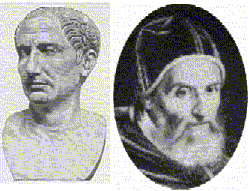
Julian dates refer to the number of days from the first of the year and the number of days until the end of the year.
The year -45 has been called the "year of confusion," because in that year Julius Caesar inserted 90 days to bring the months of the Roman calendar back to their traditional place with respect to the seasons. This was Caesar's first step in replacing a calendar that had gone badly awry. Caesar created a solar calendar with twelve months of fixed lengths and a provision for an intercalary day to be added every fourth year. As a result, the average length of the Julian calendar year was 365.25 days.
The Gregorian (Pope Gregory XIII) calendar is based on a cycle of 400 years, which comprises 146,097 days. Since 146,097 is evenly divisible by 7. Dividing 146,097 by 400 yields an average length of 365.2425 days per calendar year, which is a close approximation to the length of the tropical year. The Gregorian calendar accumulates an error of one day in about 2500 years.
From Chip Pearson's site CPearson.com:
"Many applications (especially mainframe systems) store dates in the Julian format, which is a 5-digit number, consisting of a 2-digit year and a 3-digit day-of-year number. For example, 24-August-1999 is stored as 99236, since 24-August is the 236th day of the year. Excel does not support Julian dates directly, but you can use them with only a few fairly simple formulas.
Converting A Standard Date To A Julian Date
The formula below will convert a standard Excel date in A1 to a Julian Date.
=RIGHT(YEAR(A1),2)&TEXT(A1-DATE(YEAR(A1),1,0),"000")This formula takes the 2 right-most characters of the YEAR of the date in A1, and then appends the number of days between the date in A1 and the 0th day of that year. The TEXT function formats the day-of-year number as three digits, with leading zeros if necessary.
Converting A Julian Date To A Standard Date
The formula below will convert a Julian date to a standard Excel date.
=DATE(IF(0+(LEFT(A1,2))<30,2000,1900)+LEFT(A1,2),1,RIGHT(A1,3))If the year digits of the Julian date are less than 30 (i.e., 00 to 29), the date is assumed to be a 2000 century year. If the year digits of the Julian date are greater than or equal to 30 (i.e., 30 to 99), the date is assumed to be a 1900 century year. This formula works by taking advantage of the fact that the DATE function can handle days beyond the "normal" days in a month. For example, DATE correctly computes 100-Jan-1999 to be 10-April-1999.
These Julian dates must have the leading zero or zeros for years between 2000 and 2009. For example the 123rd day of 2000 must be entered as 00123. Format the cell as TEXT before entering the data, or enter an apostrophe before the Julian date -- e.g., '00123. This will prevent Excel from treating the Julian date as a number and suppressing the leading zeros."
US Naval Observatory has this definition (and a calculator):
Julian dates (abbreviated JD) are simply a continuous count of days and fractions since noon Universal Time on January 1, 4713 BCE (on the Julian calendar). Almost 2.5 million days have transpired since this date.
April 29, 2004 at 6:00 AM would be 2453854.75
[Edited entry from 3/27/2004]
See all Topics
by dklippert
When you open a Word 2003 mail merge main document that is linked to a data source, you may receive the following message:
Opening this will run the following SQL command:
SELECT * FROM C:\file_name.logData from your database will be placed in the document. Do you want to continue?

This message helps protect you from unintentionally sending data to a malicious user.
To suppress this message, you must first create the following registry key:
HKEY_CURRENT_USER\Software\Microsoft\Office\11.0\Word\Options
SQLSecurityCheck
00000000
Installing Office XP SP3 appears to cause the same problem.
For Word 2002 (XP also known as 10.0) you need to place the registry key in:
HKEY_CURRENT_USER\Software\Microsoft\Office\10.0\Word\Options
(Thanks to Brian Livingston at WindowsSecrets.com for pointing the way to a solution)
[Edited entry from 3/29/2004]
See all Topics
by dklippert
Let's say you get a message that you would like to forward, but you don't necessarily want to take "ownership."
The message will be from you, "on behalf of" the original sender.
IMPORTANT:
If the recipient clicks the Reply button, his message will go to the original sender, not to you.

Thanks to Ed Bott for pointing this out,
EdBott.com
See all Topics
by dklippert
It's good practice to always use the Option Explicit statement in the beginning of your code modules to ensure that all variables are unambiguously declared in your procedures.
With this process in place, you'll receive a "Variable not defined" error if you try to execute code containing undeclared variables. Without this statement, it's possible to mistype variable names, which would be interpreted as new Variant type variables.
This could severely impact the results of your code, and you might not ever know it. If you do find a problem, tracking down where the error is can be a chore.
Although you can manually type the statement into your modules, changing a setting in Access can ensure that the statement is always added to new modules.

See all Topics
by dklippert
Let me guess. The odds are that you are less than 77.6 years old.
The longevity figures have increased as medical science finds ways to hold off sending a final bill.
The Centers for Disease Control and Prevention, and the National Center for Health Statistics have almost all the data you'll need between now and then:
Life Expectancy

My high school is planning a 100 year reunion September 15. 2006.
Of the 38,797 graduates, 24,176 or 62% could still be alive.
Maybe you saw the movie:
10 Things I Hate About You
See all
Topics
by dklippert
Dynamic Drive provides original DHTML & Javascripts to enhance your web site.
There is an extensive collection as evidenced by this TOC.
From DynamicDrive.com
See all Topics
by dklippert
Do you remember all of the clip art that was available locally with Office XP?
When you have an Internet connection, you have access to the Office Online collection, but if you would like more clip art installed on your machine:
A small amount of sample clip art images was included with Office 2003 and is part of the "local collection" that is searched when you do not have Internet access to the Microsoft Office Online Clip Art and Media Web site. Office 2003 no longer includes a media content CD with additional clip art. However, the Microsoft Office XP Media Content CD can still be installed locally or on a network share.
The Office XP Media Content CD contains approximately 35,000 clips that are a subset of the clips that are available on the Microsoft Office Online Clip Art and Media Web site. The Office XP Media Content CD was included with Microsoft Office XP Professional, Microsoft Office XP Standard, and Microsoft Publisher 2002 Deluxe Edition.
To install the contents of the Office XP Media Content CD on a computer, follow these steps:
- Exit all programs that are running
- Insert the Office XP Media Content CD into the CD drive or into the DVD drive
(Hold down the SHIFT key to prevent the program from automatically starting. If Microsoft Windows Installer automatically starts, click Cancel)- Click Start, click Run, type the following command, and then click OK:
msiexec.exe /i CD_drive:\CAG.MSI ADDLOCAL=ALL /qb(CD_drive is the letter of the drive that contains the Office XP Media Content CD)
Support.Microsoft.com
How to add clip art to Clip Organizer in Office 2003
See all Topics
by dklippert
Things to keep in mind as you prepare your presentation.
From Scott Hanselman's blog:
You'll find the full suggestions here:
Tips for a Successful MSFT Presentation
[Edited entry from 3/24/2004]
See all Topics
by dklippert
Brian Friesen has created a web site called Freezerware.
One of the clever pieces of free programming on the site is named ZoomIn
ZoomIn is a screen magnification program allowing you to view any area of your screen under magnification. ZoomIn allows you to control the amount of zoom, view a pixels location and color, and save it as a bitmap.
ZoomIn is a very simple program to use. Place your mouse over the main window and click and hold the mouse button then drag the "zoom" window over the area of the screen to enlarge. The scrollbar controls the zoom amount.
As an alternative to using a mouse, you can use the arrow keys to scroll the "zoomed" view, and the plus and minus keys control the zoom. Once you have selected the area of the screen, release the mouse button.
By placing your cursor over the pixel in ZoomIn you can see the pixels coordinates as well as the color (in RGB format).

Some of the other free programs on the site are:
Briscola
a very famous Italian card game. Play against the computer in this one-on-one card game. There is included help with the rules of the game, for those who have never played Briscola before.
Dropper
allows you to get the exact color of any pixel on the screen and converts it to commonly used representations.
[Edited entry from 3/25/2004]
See all Topics
by dklippert
There are other ways to do it, but you may find this little program of some use.
WordCriticalFolders.exe (not a Word macro), Automatically find certain Word folders.
This file itself is NOT a macro, but may be helpful to those installing macros at times. For instance, it will find your Startup folder and your Template folder for Word and display the full path for you.
These files can be in different locations depending upon your OS.
You are able to print the results, as well.
See all
Topics
by dklippert
There was a lot of frustration with Outlook 2003. If an Access MDB file is received, Outlook expects the worst and blocks the attachment.
The trick has been to ZIP the file or change the extension to something like .DAT.
Here's a registry trick that restores Outlook to the good old days.
Outlook 2003, Outlook 2002 and Outlook 2000 SP3 allow the user to use a registry key to open up access to blocked attachments. (Always make a backup before editing the registry.) To use this key:
- Run Regedit, and go to this key:
HKEY_CURRENT_USER\Software\Microsoft\Office\10.0\Outlook\Security(change 10.0 to 9.0 for Outlook 2000 SP3 or to 11.0 for Outlook 2003)
- Under that key, add a new string value named Level1Remove.
- For the value for Level1Remove, enter a semicolon-delimited list of file extensions. For example, entering this:
.mdb;.urlwould unblock Microsoft Access files and Internet shortcuts. Note that the use of a leading dot was not previously required, however, new security patches may require it. If you are using "mdb;url" format and extensions are blocked, add a dot to each extension.
Note also that there is not a space between extensions.
If you are using this registry entry, a glance at Help>About Microsoft Outlook will show Security Mode: User Controlled above the license information.
After applying this registry fix or using one of the above tools, the user still has to save the attached file to a system drive before opening it. In effect, the fix rolls the attachment behavior back to Outlook 2000 SR-1, with its included Attachment Security Fix.
An end-user cannot bypass this "save to disk" behavior and open the file directly from the mail message, though an Exchange administrator can.
Slipstick.com:
Opening .exe Attachments
See all Topics
by dklippert
If you're working with a replicated database, always compact it twice before you synchronize.
The first time you compact, Access marks objects that need to be deleted, but it doesn't actually remove them.
The flagged objects are removed the second time you compact the database. Although there's no harm in additional compacting, there's no added benefit.
This is particularly important to do when working with the Design Master. Each time you make design changes to the Design Master, a copy of the original object is kept in the database.
If you edit and save a Report or Form 10 times, your database actually has 9 older versions of the form in it. The same is true if you change the schema of a Table or Query If you synchronize before compacting, all of the versions are sequentially sent to the other replicas until everything is in synch, and you can't reclaim the space taken up by the older versions.
However, if you compact the database first, only the most recent form version is sent to the replica.
See all
Topics
by dklippert
This beats paper airplanes. If you order you get hard paper cards with all the pieces.

What exactly is a Micromodel? Micromodels are card or paper models that were originally sold from the 1940's through the 1960's. Most were designed by Geoffrey Heighway.
Each model was made up of several small cards illustrated with the pieces of the model, all wrapped up in a label. You could cut the pieces out and carefully assemble an intricate little three-dimensional model.
Micromodels were known for the amazing details that people would add to customize their models. There were more than 100 original Micromodels of all types.
See all
Topics
by dklippert
Kathy Jacobs, Microsoft MVP PowerPoint and OneNote, give the steps needed to make your shows a little more dramatic.
"Have you ever wanted to have a picture appear on your screen as one thing and then blow apart to separate elements? It is a great technique for explaining parts of a process, photo, or structure in detail.
We are going to step through blowing apart pictures, but this same idea can be used for expanding organization charts, process diagrams, and all kinds of other elements."
See all
Topics
by dklippert
Here's how to add a calendar to your web page.
Publishing Outlook Calendars on the Internet or an Intranet
(From THE definitive Outlook/Exchange site - Slipstick.com.)
Other methods:
Htmlgoodies.com
It's actually just a simple table with a couple of additions. (free)
Calendarserver.com
CalendarServer.com is a free service for anyone to publish event schedule information in a monthly calendar view without any tedious HTML work. (free)
HTMLCal
HTMLCAL is a Web calendar maker and editor that lets you maintain a group calendar for your Web site or intranet.
This software will let you maintain live calendars on your site that anyone can view or update from any Web browser. ($25)
Htmlcalendar.com
HTML Calendar Maker Pro was designed with ease of use in mind. Now you can type your events quickly and easily and they will be transformed into a customized and professional monthly calendar within seconds. Simply follow the on-screen tutorial to create your calendar and then place the finished web page on your site. It's perfect for planning for the weeks ahead or noting past historic events. ($26.50 +)
All about Calendars by:
[Edited entry from 3/28/2004]
See all Topics
by dklippert
Peter De Baets has some for pay and some for free downloads at
Peter's Software
.
In the past I have used his Shrinker-Stretcher
ShrinkerStretcher will automatically rescale/resize your MS Access forms, controls, and fonts to fit any screen resolution, desktop scheme, or font setting.
Using ShrinkerStretcher means you can develop applications without concern for your end user's display settings! Scale your 800x600 application down to 640x480, or to any other screen resolution!
For free includes:
ChromaForm
Let your users set their own form color schemes.
Custom Time Functions -
Perform mathematical operations on custom time values that include fractions of a second.
TableLinker
Manage linked tables from multiple databases, ODBC sources, or any combination of the two. Easily refresh table links or connect to tables in a different data environment.
[
Edited entry from3/30/2004
]
See all
Topics
by dklippert
Excel gives the user the ability to specify up to three conditions under Format>Conditional Formatting.
If that is not enough, Frank Kabel and Bob Phillips of xlDynamic.com offer a free download that extends the conditions to 30!

Extended Conditional Formatter
Also see:
Conditional Formatting
See all
Topics
by dklippert
There are fewer word processing formats to worry about than there used to be.
For those that remain, MS Word provides "translators" or converters.
The following file formats are built into Word.
- Web page
- Web page, Filtered
- Web Archive
- Plain Text
- Encoded Text
- Rich Text Format (RTF)
- XML
- Recover Text (import only)
The following text converters are set to the Run from My Computer installation state.
- Word 97-2003 & 6.0/95 RTF Converter
- Recover Text Converter
- Word 97 for Windows/Word 98 Macintosh
The following text converters are set to the Installed on First Use installation state
- WordPerfect 6.x Converter
- WordPerfect 5.x Converter
- Microsoft Works for Windows 7.0
Support.Microsoft.com
Description of the text converters that are available with Word 2003
See all Topics
by dklippert
If you use Word to edit your email, you might have stumbled on the problem of "sticky" fonts.
You change the signature font to Trebuchet - Red, but it still displays Times New Roman -Black.
When you create a signature in Microsoft Outlook, the signature does not retain the font or the color that you specified.
Here's how Microsoft suggests you fix the glitch.
- Create a new e-mail message in Outlook. The new e-mail message should open in Word.
- On the Tools menu, click Options.
- Click the General tab.
- Click Web Options.
- Click the Fonts tab.
- In the Proportional font box, click to select a font other than Times New Roman.
- Click OK to close the Web Options dialog box.
- Click OK to close the Options dialog box.
- Close the new e-mail message and exit Word.
When you create a signature in Outlook, the font and color that you specify should now be saved.
You can now set the font in the Proportional font box to Times New Roman.
Support.Microsoft.com:
A signature does not retain the font or the color
See all Topics
by dklippert
Here's the Volga Deutsch site:
See all Topics
by dklippert
There are a myriad of reasons that it is good to know alternate means to work Windows.
Alan Cantor has a booklet available, and there is a lot of practical information in his FAQ and a section on macros.
To drive Windows from the keyboard, it is more important to internalize techniques than it is to memorize hotkeys. Once these techniques have been mastered, it is possible to perform almost all tasks in Windows - perhaps 98% - without a mouse.
Some people have no choice but to learn mouseless techniques. For example:
- Individuals who are totally blind cannot see the mouse pointer, and therefore cannot use a mouse.
- People who are deaf and blind cannot use a mouse, either. Most deaf and blind individuals use a standard keyboard, but "read" the screen using a hardware device called a refreshable Braille display.
- Individuals who have low-vision may be able to discern an enlarged mouse pointer, but finding and identifying targets may be visually taxing. In many situations, pressing two or three keys is easier and more reliable than reaching for the mouse.
- Users with upper-body mobility impairments, including one-handed typists, toe-typists, and people with dystonia and cerebral palsy, may also find it awkward to point and click. The same is true for individuals who access PCs via mouthstick, headstick, or similar appliance.
- Pointing and clicking may be difficult for people with musculoskeletal injuries.
- People who have learning disabilities that affect hand-eye coordination may also find it easier to perform certain tasks by keyboard.
- When users develop temporary disabilities or are injured - for example, a broken arm, dislocated shoulder, or tennis elbow - the ability to use the mouse may be compromised, and a few keyboard techniques can be beneficial.
- Older users and children sometimes have difficulties controlling a mouse for certain tasks. Double-clicking is especially difficult for some individuals.
Finally, anyone who wants to work quickly and with fewer errors can benefit from knowing a few keyboard "tricks." Many tasks that require precise mouse movements and accurate clicking can be done by pressing one or two keys on the keyboard. For reasons of efficiency, speed, and directness, power users often prefer using the keyboard to the mouse.
See all Topics
by dklippert
Try to follow the 666 rule when developing a presentation.
(The last point was just included to make it 666)
If you find that you have too much text on a slide, you could cut and paste or fiddle around with the Outline pane; demoting or promoting items.
You could use one of the AutoFit Options.
When the text overflows the text placeholder, with AutoFit turned off, if you click inside the text, the AutoFit Options button will appear, usually on the lower left side of the text box.
The AutoFit Options button looks like two horizontal lines with an arrow above and below pointing towards the two lines.

When you click on the AutoFit Options button, you will see a sub-menu.
One of the options on this sub-menu is Split Text Between Two Slides.
Click on this option and PowerPoint will split the text you have typed into two slides automatically.
It tries to split the text evenly between the two slides so that each slide can have as large a font as possible.
It will leave the same title on the new slide.
[Edited entry from 3/31/2004]
See all Topics
by dklippert
Here is a way to have Outlook/Explorer display information from internal and outside sources.
Here are some sites that have information and some suggestions-tools-code-samples to fiddle around with in your own Dashboard setup.
Three Ways To Create a Digital Dashboard and Add a Web Part
This article introduces you to digital dashboards and Web Parts. It presents the steps necessary to create a digital dashboard by using the Digital Dashboard Resource Kit, Microsoft Office XP Developer, and Microsoft SharePoint Portal Server. This article also demonstrates how to add existing Web Parts to a digital dashboard and create a custom Web Part.
Also see:
Creating Dynamic Digital Dashboards
[
Edited entry from 4/7/2004
]
See all
Topics
by dklippert
Under the belief that more information leads to more understanding, here is a site that may help you round the corners of web design and function. Besides CSS templates there are PHP code nibblets.
In 2003 artypapers was created by R. Marie Cox as a springboard for ideas and a working space of technical implementation -- a place to test and build an extendable collection of core classes (alliteration!) that acts as an application framework for a diverse set of projects and applications.
Also:
Links and Discussion About the Best CSS Resources Available on the Web.
CSS Help Pile
See all
Topics
by dklippert
Clippy is a dying breed. He probably will not be in Office 12.
In Office 2003, if you installed him, the on/off switch is on the Help menu.
It is relatively easy to program the Office assistant to say what you want and to move the way you want.
There are only a few properties
Heading
Specifies the bold text appearing at the top of the Office Assistant balloon.
Text
Specifies the text appearing in the body of the Office Assistant balloon. This text appears after the heading but before any check boxes, labels, or buttons.
Labels
Returns the collection of labels in the balloon. The format of the labels is determined by the BalloonType property. Labels appear after the balloon text. The list of labels can be numbered or bulleted, or a list of buttons. Unlike check boxes, the user's choice is registered as soon as a button is clicked.
CheckBoxes
Returns the collection of check boxes in the balloon. The user selects the check box and clicks the appropriate button at the bottom of the balloon (for example, OK or Next) to register his or her choice.
Close
Closes and dismisses a modeless balloon, but doesn't release the object variable. The object variable assigned to the balloon is still valid - you can display it again, or you can modify it and display it later. You can use this method only on modeless balloons.
Show
Displays the balloon, and all the objects inside it, to the user. Use this method only for Balloon objects; use the Visible property for the Assistant object.
Overview of the Office Assistant
See all Topics
by dklippert
If you tried the Microsoft add-in that allowed you to edit documents like the CIA. You might have found that it didn't work as promised.
When you mark text for redaction in Microsoft Office Word 2003, the text is deleted from the document instead of being redacted.
This issue may occur if you installed the Word 2003 Redaction Add-in version 1.1 and then installed the Microsoft .NET Framework 2.0.
The latest version is 1.2:
Word Redaction v1.2
.
(5/2/2006)
Also see:
Redact That!
See all
Topics
by dklippert
The Outlook bar is handy to jump from Mail to Contacts to Calendars, but you can do more with it.
If you can locate the EXE of a program, it can be dragged to the Outlook bar to create a shortcut.
Here is a collection of more things that can be done with hyperlinks.
Slipstick.com:
Using Microsoft Outlook Links
See all
Topics
by dklippert
The shortcut menu that's displayed when you right-click your mouse provides quick access to actions that are relevant to the object you click on. But, it's often likely that the shortcut menu is lacking a selection that you feel would make working easier.
Fortunately, it's easy to customize shortcut menus to your liking. To do so, right-click on any visible toolbar and choose Customize. Then, click on the Toolbars tab and select the Shortcut Menus check box.
A toolbar that contains menus for major work environments within Access, such as Database, Query and Module. Text, Table, Draw for Word. Text, Table, Draw, Slide Show in PowerPoint.
(How to customize menus and menu bars in Excel )
Now, click on the Commands tab and scroll through the Categories and Commands list boxes to locate the command you want to add. Then, click and drag the command up to the appropriate menu and submenu on the Shortcut Menus toolbar.

For example, let's say that you want to customize the shortcut menu that appears when you right-click on a Table Cell to include a choice for Inserting the Date. To do so,
See all Topics
by dklippert
Snopes.com
is a great source for answers about urban myths, legends and computer hoaxes.
These articles appear on the Snopes site:
TRUE:
The Mississippi state legislature removed fractions and decimal points from the mathematics curriculum of public secondary schools.
FALSE:
The restaurant chain formerly known as "Kentucky Fried Chicken" changed its name to KFC to eliminate the word "fried" from its title.
TRUE:
At the moment the Titanic hit an iceberg in the north Atlantic, the silent version of the film The Poseidon Adventure was being screened aboard ship.
After you stop shaking your head, look at the bottom left corner of the page and click on "More information about this page."
False Authority Syndrome
[
Edited entry from 4/1/2004
]
See all
Topics
by dklippert
Re-color
Select a piece of clip art in WMF (Windows Meta File) format .
The Picture toolbar should appear.
(If the bar does not pop up, go to View>Toolbars and click on "Picture".)
Move the mouse pointer over the toolbar icons until you find "Recolor Picture". Click on the icon.
You can now change any of the fill or line colors in the image.
Transparent
If the graphic is in BMP (Bitmap) format, there is an icon on the Picture toolbar to "Set Transparent Color".
Click the icon then click on the color in the image that you would like to make transparent.
Also:
Indezine:
Recolor Clip Art in PowerPoint
by Geetesh Bajaj
By Glen Millar
PPTWorkbech.com
You can produce various levels of semi-transparent images for applications right within PowerPoint, save them, and keep them for reuse.
AwesomeBackgrounds.com:
Tutorial about the transparency options in PowerPoint
[
Edited entry from 4/11/2004
]
See all
Topics
by dklippert
The version of Windows being used can be seen by Right-cliking on My Computer and choosing Properties.
Also try typing into Start>Run:
winver.exe

to see the version installed.
Also:
A way to see if your installation on Windows has been activated is to use:
Oobe/msoobe /a
Just type it into Start>Run

Microsoft.com:
Internet Activation
See all
Topics
by dklippert
I don't see it mentioned very often, but Webshots.com has been expanding its offerings. They have a free screensaver/desktop background application.
They also have a spot to upload your own pictures.
Recently they started a Blog with a new shot each day.
"With 8.8 Million monthly visitors and over 360 Million photos to explore, Webshots is the world's largest photo sharing site.
Webshots provides consumers with a variety of ways to enjoy photos: on their computer desktops as wallpaper and screensavers, on their wireless phones, and in their own homes and offices as prints.
Webshots also offers a number of ways for friends and family to share photos with one another, such as Photo Messages, online photo albums, and custom prints and gifts. Through free homepages and its Favorite Members network, consumers can connect with friends, family and millions of others worldwide."

Webshots! Over 20 MILLION FREE screen saver and wallpaper photos!
See all Topics
by dklippert
I was disappointed recently when I tried to look up Eric Desart's ToolPak translator. I found his site "
niet beschikbaar
."
I won't use the boy and wet thumb story, but Ron de Bruin did spring up to save the day and make the download available.
"Ever wanted an oversight of the Analysis-ToolPak Add-In functions, their descriptions, their arguments, their VBA and Procedure names, and all of this in your LOCAL language including translations versus the corresponding English names?
This utility extracts this data from your LOCAL MS Excel edition.
As such this table can be generated for ANY LANGUAGE EDITION of MS Excel, even when this language is not yet integrated in the utility."
See all
Topics
by dklippert
Enter data in one place in a document and have it repeated elsewhere.
There comes the time when you need to enter a clients name at the beginning of a document and you know that it will be repeated again many other places.
Greg Maxey has collected a number of ways to make the task easier.
See all Topics
by dklippert
When you delete items from a Mailbox folder of another user where you have deletion privileges, the deleted items go into your Deleted Items folder rather than that of the mailbox owner.
Here are the steps to change that procedure:
Exit and Logoff Outlook
HKEY_CURRENT_USER\Software\Microsoft\Office\11.0\Outlook\Options\General
If the key is not present, use the following steps to create it:
NOTE: Make sure that the delegate user has at least Author level rights for the Deleted Items folder of the owner's mailbox.
Support.microsoft.com:
Items deleted from a shared mailbox go to the wrong folder in Outlook
See all Topics
by dklippert
Allen Browne's tips for Access users
Here is a list of the sections on this site; something for everyone.
[Edited entry from 4/9/2004]
See all Topics
by dklippert
Plain Figures is a method of transforming statistical and financial data into figures, tables and graphs that people readily understand.
Have you ever:
Then you know how important the clear display of numerical information can be.
Common problems
People have trouble using numerical information for many reasons. Most commonly, authors don't know:
Plain Figures is a partnership between Sally Bigwood, located in Wakefield, Yorkshire, UK, and Melissa Spore, who divides her time between Toronto and Saskatoon, Canada. Sally and Melissa are sisters and both have dual citizenship in the United States.
[Edited entry from 4/21/2004]
See all Topics
by dklippert
Blogger/entrepreneur Guy Kawasaki is in league with the minimalist branch of the PowerPoint society.
Tired of sitting through mind and body numbing presentations by people more interested in technique than content, he is evangelizing the 10/20/30 Rule of PowerPoint.
"A PowerPoint presentation should have ten slides, last no more than twenty minutes, and contain no font smaller than thirty points."
If "thirty points," is too dogmatic, the I offer you an algorithm: find out the age of the oldest person in your audience and divide it by two. That?s you?re optimal font size.
See all
Topics
by dklippert
I'm sure that printing problems will pop up in the future as well, but here are some suggestions for the machines we use today:
Support.microsoft.com:
How to troubleshoot general printing problems in Windows XP
"You've finished your report, presentation, or cost analysis using a Microsoft Office program. The information is rich with data and detail. Now comes the final step: printing it and showing the world your hard work on paper. This is the point at which printing can give you a headache. Right when you want to wrap up your work, project, or school assignment, questions start popping into your mind"
Troubleshoot your printing problems in Office
See all
Topics
by dklippert
To reset the original settings in Office 2003, follow these steps.
Make sure that you back up your files before you follow these steps.

See all Topics
by dklippert
XML makes data transferable between applications.
Here is a tutorial with downloadable files.
Some simple guidance of how to transfer data from Excel or Access into HTML web pages using XML data files. VBA programs can be used to export data tables from Excel or Access into simple XML files. There are several examples of using different methods to display the XML and XSL files on web pages in order to quickly share your data with others.
An introduction to Excel and XML data files
Also:
Some nice photos and calendar layout:
Monthly calendar with photos
See all
Topics
by dklippert
Sometimes a Word document does not open as well laid out as you intended.
The page numbers may be off (the numbers may be repeated).
Formatting marks may be displayed (not a big thing, but not neat).
This can happen if:
Microsoft offers these suggestions to prepare your baby for its best look.
When you send a Word document as an e-mail attachment, make sure that you save the document in normal view before you send the document.
Turn off reading layout view
Turn off all formatting marks
Manually update all the page numbers
Support.Microsoft.com
The page numbers in the TOC are incorrectly displayed
See all Topics
by dklippert
"Outlook does not provide a command to insert tables or other complex elements into HTML messages, nor does it give you a way to edit the source of an HTML message.
The View Source command that you see on the right-click context menu in an HTML message does not let you save any changes to the source back into the message.
There are several ways to compose complex HTML messages, though."
Slipstick.com lays out five methods to create formatted HTML messages:
Composing Complex HTML Mail Messages
Also:
PageResource.com:
Introduction to HTML Email
[
Edited entry from 4/16/2004
]
See all
Topics
by dklippert
Highlight a Table in the Objects Table view.
Go to the main menu bar and click on Insert.
Towards the bottom of the menu, you'll find an entry for
"
AutoForm
"
Click on it and Access will create a data entry form based on the selected table.
When you close the AutoForm, you will be asked if you want to save changes.
Click Yes.
The default name will be the name of the table. If you are using Hungarian notation, change the name from
"
tblCustomers
" to "
frmCustomers
"
and click OK.
Also see:
Hungarian Notation
[
Edited entry from 4/17/2004
]
See all
Topics
by dklippert
What is there about a well placed curse that spices a novel or a conversation?
Perhaps it's genetic or evolutionary.
"The Jacobean dramatist Ben Jonson peppered his plays with fackings and "peremptorie Asses," and Shakespeare could hardly quill a stanza without inserting profanities of the day like "zounds" or "sblood" - offensive contractions of "God's wounds" and "God's blood" - or some wondrous sexual pun.
Even the quintessential Good Book abounds in naughty passages like the men in II Kings 18:27 who, as the comparatively tame King James translation puts it, "eat their own dung, and drink their own piss."
Refered to by:
LanguageHat.com
The Antiquity Of Cursing
See all Topics
Sort by Trending


