



For busy consultants and freelancers, keeping track of your time is essential. If you don’t stay on top of it, your billing won’t be accurate and you won’t be able to back up your claims if there’s ever any dispute. The apps on this list will help you track and document all the time you put in on a project.
Note: This article is also available as a screenshot gallery.
What's hot at TechRepublic
- Blackpoint Cyber vs. Arctic Wolf: Which MDR Solution is Right for You?
- Why AWS Sellers Choose Deepgram Over Other Voice AI Tools
- SS&C Intralinks DealCentre AI vs. Datasite: Which platform is built for the future of dealmaking?
- SS&C Intralinks FundCentre AI vs. Juniper Square: Which platform better supports modern private markets fund managers?
- Verito vs. Rightworks: Which IT Provider Is Best for Your Firm?
1: Time Fencer
Time Fencer (Figure A) is a lightweight application for tracking the time spent on projects. You can enter client information, work details, and time spent, then view this information within a report. The application is simplistic, but it might be a good choice for those who need basic time tracking capabilities without the learning curve.
Figure A
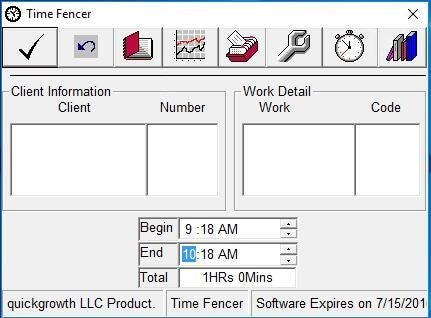
Time Fencer sells for $24.00, but a free trial version is available for download.
2: Automatic Time Tracking Software
Automatic Time Tracking Software (Figure B) is the most comprehensive and best equipped application reviewed in this article. It sports a clean interface and loads of features.
Figure B
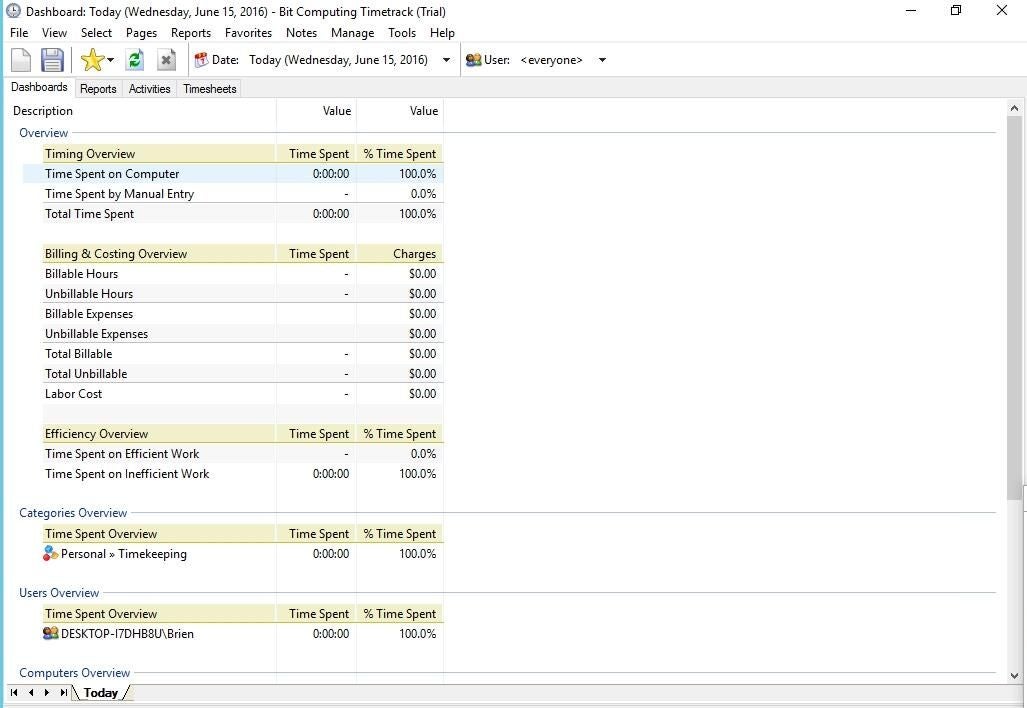
The program’s best feature has got to be its reporting engine. While any time tracking application should be able to report on billable hours, this one also tracks things like efficiency, labor costs, and non-billable charges. It’s without question the go-to app for those who want to get serious about time tracking.
Automatic Time Tracking Software sells for $65, but a free trial version is available for download.
SEE: Job description: Specialized technical consultant
3: Complete Time Tracking Professional
The best thing about Complete Time Tracking Professional (Figure C) is its simplicity. The application consumes a minimal amount of space on the desktop and features a star /stop button you can use to record the time spent on billable work. The app also features a reporting engine that can display billable hours based on employee, customer, date, or project.
Figure C
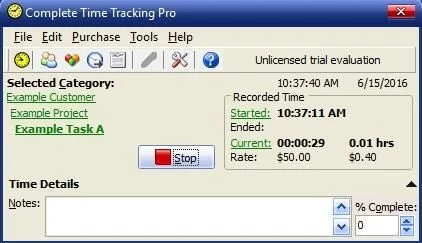
Complete Time Tracking Professional sells for $74, but a free trial version is available for download.
4: Live Time and Activity Tracking Manager
Live Time and Activity Tracking Manager (Figure D) didn’t impress me at first. The interface felt extremely cluttered and busy. As I spent more time with it, however, I began to really like this application. Its main screen consists of a color-coded dashboard that reflects time spent for various purposes. The green section lists projects or clients and breaks down tasks by things like design, implementation, phone, and admin time. The blue section lists individual users and where their time has been spent (meetings, time sheets, miscellaneous). The orange section lists nonproductive time, such as breaks and meals. And of course, the application provides a reporting engine that can report on various statistics.
Figure D
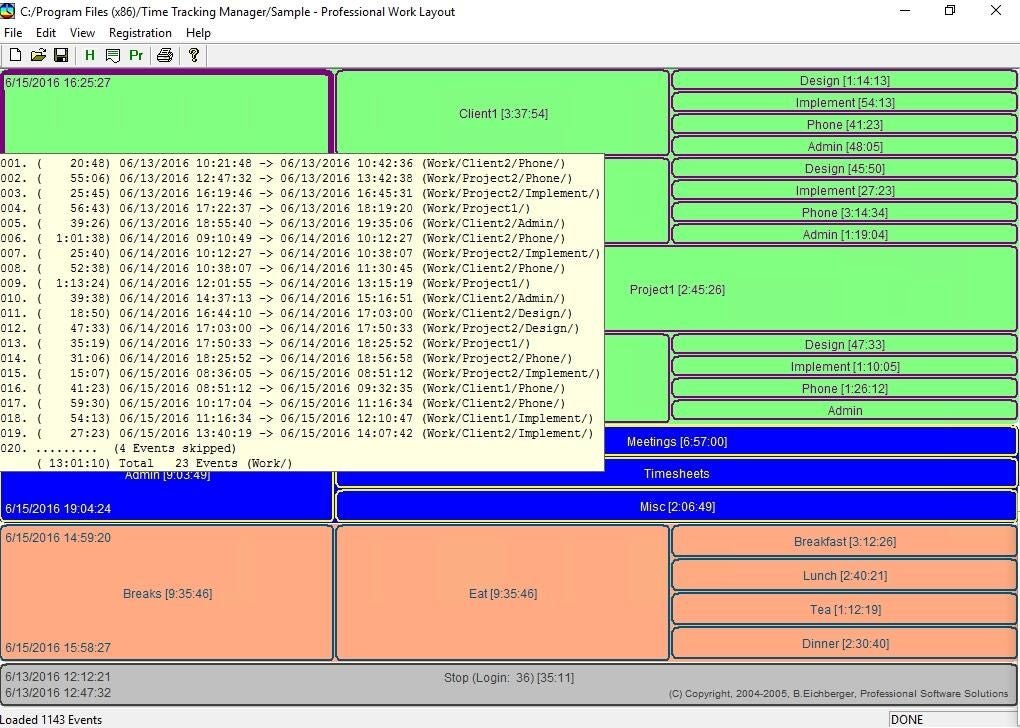
Live Time and Activity Tracking Manager sells for $32.95, but a free trial version is available for download.
5: Time Clock SBE
Time Clock SBE (Figure E) is a free tool intended for use as a small business time clock. It appears as though it could comfortably handle a few dozen employees, but some claim it will work for up to 1,000 employees.
Figure E
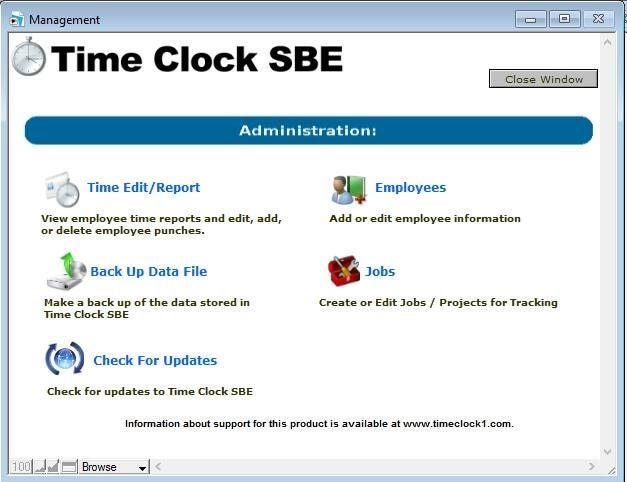
The software is simple to use. A designated manager can enter employee and job information. Once that information has been entered, employees simply clock in and clock out as needed. The software will then report on the number of hours employees have worked within a given period of time.
Get more great app recommendations delivered to your inbox every week. Sign up for TechRepublic’s Five Apps newsletter.
Also read…
- Project communications: What works, and what doesn’t
- 7 ways to disaster proof your projects
- 5 tips for managing the complex project within your IT project
- Transition between IT projects like a triathlete
Other time trackers?
Do you rely on a time tracking app that didn’t make this list? Share your recommendations with fellow TechRepublic members.