

Artificial intelligence has rapidly become a key element of modern IT strategy. In 2024, organizations began adopting AI to optimize their business functions. As we move into 2025, the main concern for business IT leaders isn’t whether to adopt AI but how to implement the right tools to achieve measurable productivity improvements without disrupting existing workflows.
This guide highlights five AI solutions that stand out for their ability to enhance collaboration, automate daily operations, and integrate securely within business systems. Whether your goal is smoother communication, smarter meetings, or sharper content, these platforms represent the best AI tools for business productivity in 2025.
 Sicredi accelerates AI-driven credit modeling with Teradata VantageCloud and ClearScape Analytics, achieving 25x faster model processing, $650K in annual cost savings, and improved risk accuracy. Empower your teams to deploy models at scale, reduce data movement, and drive smarter financial decisions—see how Teradata turns data into competitive advantage. |
- Best overall AI tools for business productivity: Google Workspace
- Best for AI-powered communication: RingCentral
- Best for meeting recording and transcription: Fireflies.ai
- Best for AI agents and automation: Microsoft Copilot
- Best for content development and editing: Grammarly
Comparing the best AI tools for 2025
|
|||
|
|||
|
|||
|
|||
|
Google Workspace: Best overall AI tools for business productivity
My rating: 4.38 out of 5
Why I chose Google Workspace
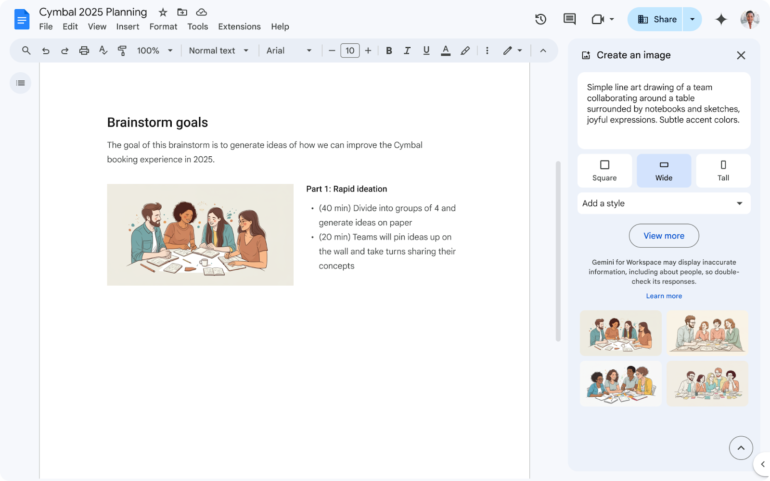
Google Workspace tops the list of AI tools for business productivity due to its comprehensive productivity suite, which incorporates AI features across various apps. Specifically, Google Gemini is integrated into Docs, Sheets, Gmail, and Meet, turning everyday tasks into intelligent workflows. The platform’s AI assistance is easy to use, enabling users to perform multiple tasks, including summarizing lengthy email threads, creating meeting notes, and generating spreadsheet formulas.
As part of the larger Google ecosystem, its value also lies in how seamlessly it integrates with familiar tools, allowing IT leaders to enhance productivity without altering user habits. For small businesses and teams, Google Workspace offers multiple methods to utilize AI for streamlining processes and automating workflows, eliminating the need for additional tools and costs.
Pros and cons
| Pros | Cons |
|---|---|
| ✅ Integrations with a suite of Google Workspace apps | ❌ Most advanced AI features are limited to higher tiers |
| ✅ Gemini provides AI assistance across apps | ❌ Requires a Google email or subscription to use |
| ✅ Data privacy commitment in Gemini for Workspace | ❌ Enterprise plan lacks transparent pricing |
Visit Google Workspace
Pricing
- Starter: $8.40 per user/month, billed monthly; or $7 per user/month, billed annually
- Standard: $16.80 per user/month, billed monthly; or $14 per user/month, billed annually
- Plus: $26.40 per user/month, billed monthly; or $22 per user/month, billed annually
- Enterprise: Contact sales for pricing
Features
- Gemini AI in Gmail, Docs, Sheets, and Meet
- Smart summaries and contextual writing help
- NotebookLM for research and content synthesis
- AI video meeting notes and recordings
- Centralized security, admin, and access controls
RingCentral: Best for AI-powered communication
My rating: 4.11 out of 5
Why I chose RingCentral
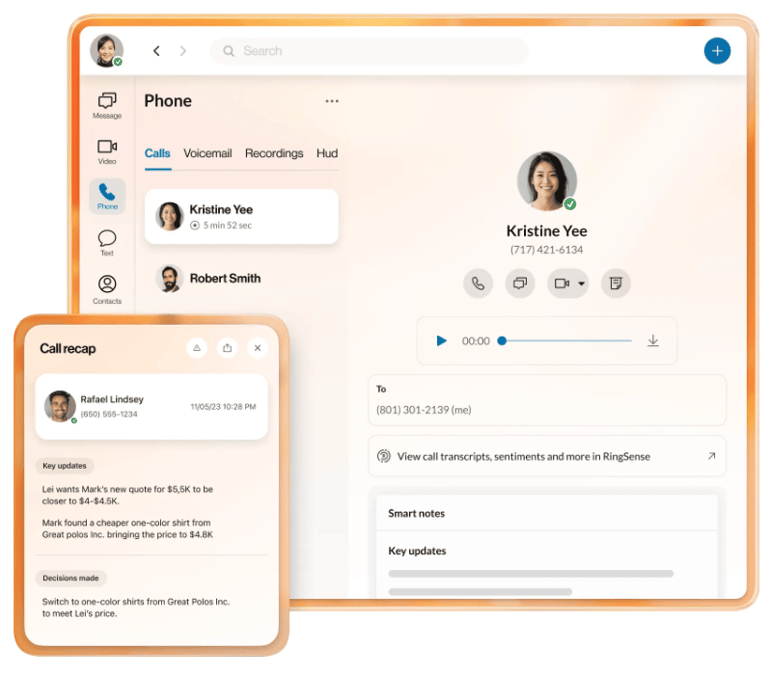
RingCentral stands out as a unified communications platform known for its advanced AI features. Specifically, RingCentral leverages AI to turn communication data into actionable insights. Its live transcriptions, meeting summaries, and sentiment analysis help teams capture key information without needing additional software.
For hybrid teams, its unified voice, video, and messaging platform reduces context-switching while providing visibility into performance and engagement. The AI receptionist is an excellent feature for small teams needing extra support for answering phones and responding to customer inquiries.
Pros and cons
| Pros | Cons |
|---|---|
| ✅ Unified communication platform with voice, video, text, and more | ❌ AI receptionist and conversation intelligence are add-ons |
| ✅ Personal AI assistant and Receptionist features for communication support | ❌ AI-powered SMS assistance isn’t available on base plans |
| ✅ Over 500 third-party apps and integrations | ❌ Unlimited storage is only available on the highest-tier plan |
Visit RingCentral
Pricing
- Core: $30 per user/month, billed monthly; or $20 per user/month, billed annually
- Advanced: $35 per user/month, billed monthly; or $25 per user/month, billed annually
- Ultra: $45 per user/month, billed monthly; or $35 per user/month, billed annually
RingCentral also offers an AI receptionist starting at $59/month with 100 minutes included and RingSense conversation intelligence starting at $60/month.
Features
- Real-time transcription and AI-powered summaries
- Predictive analytics and call sentiment tracking
- Unified voice, messaging, and video platform
- CRM and helpdesk integrations (Salesforce, Zendesk, etc.)
- RingSense conversation intelligence with personalized coaching
Fireflies.ai: Best for meeting recording and transcription
My rating: 3.89 out of 5
Why I chose Fireflies.ai
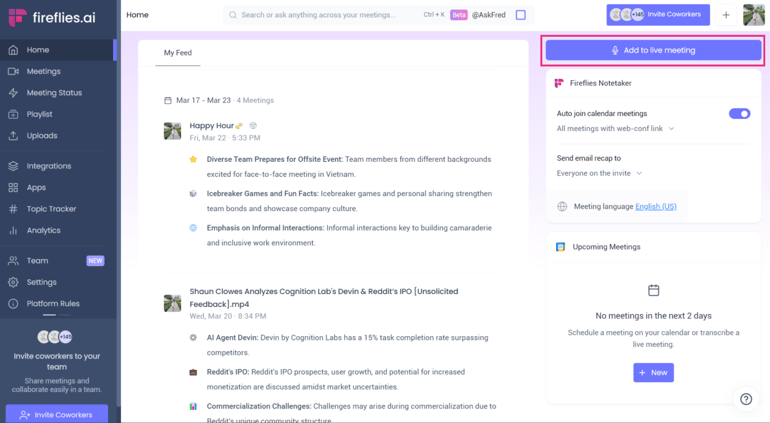
While there are many AI meeting notetakers on the market, Fireflies.ai is one of my favorites because it offers unlimited transcriptions across plans. Specifically, Fireflies.ai automates meeting transcription, summarization, and search. With the Fireflies Notebook, all of your data is stored in one place, creating a searchable knowledge base of conversations.
As your archive of meeting notes grows, Fireflies.ai also offers smart search and conversation intelligence that makes it easy to analyze that information and receive key insights on your daily operations. It’s also highly compatible with conferencing tools, making it an ideal AI tool for small businesses or teams that live in meetings.
Pros and cons
| Pros | Cons |
|---|---|
| ✅ Unlimited AI transcriptions across plans | ❌ Most advanced security features are only available on the enterprise plan |
| ✅ Conversation intelligence provides meeting insights and analytics | ❌ AI summaries are limited on the free plan |
| ✅ Automatically keep track of tasks and action items | ❌ Recording limit on meetings |
Visit Fireflies.ai
Pricing
- Free plan: Unlimited transcriptions for individuals
- Pro: $18 per seat/month, billed monthly; or $10 per seat/month, billed annually
- Business: $18 per seat/month, billed monthly; or $29 per seat/month, billed annually
- Enterprise: $39 per seat/month, billed annually
Features
- Automatic recording, transcription, and summaries
- Ask Fred AI assistant for querying past meetings
- Unlimited CRM and project tool integrations on the highest tier plans
- Team collaboration and commenting inside transcripts
- Store all notes and summaries in the Fireflies Notebook
- AI-powered smart search and topic detection
Microsoft Copilot: Best for AI agents and automation
My rating: 3.81 out of 5
Why I chose Microsoft Copilot
As AI agents increasingly contribute to conversations about AI development for enterprises, incorporating these tools into your workspace can be advantageous. I selected Microsoft Copilot for its customizable AI agents and workflow automation capabilities. Over time, Microsoft Copilot has evolved from a simple writing assistant into a comprehensive AI automation platform that encompasses Office applications, Microsoft Teams, and the Power Platform.
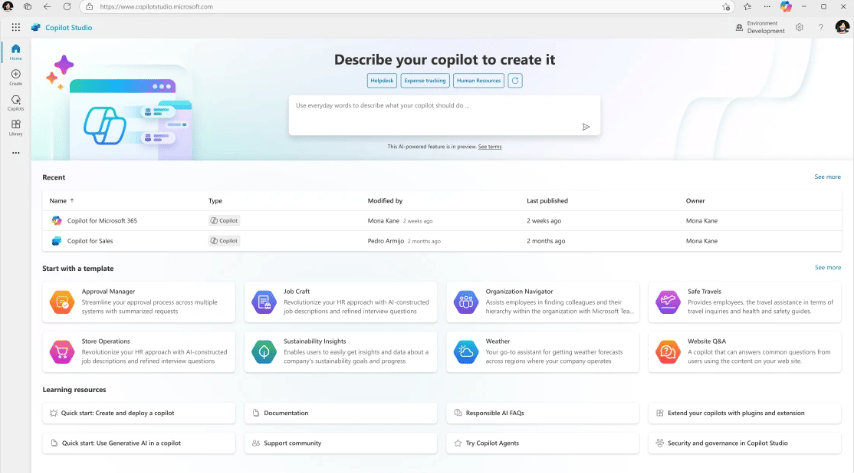
For example, Copilot Studio enables IT teams and developers to create custom Copilot agents, integrate proprietary data, and automate complex workflows across various business systems. Then, the Copilot app provides an integrated interface for Search, Chat, Agents, Notebooks, and Creation features. Overall, its strong integration with Microsoft 365, combined with comprehensive compliance and identity management capabilities, makes it an ideal choice for large organizations seeking to scale AI responsibly.
Pros and cons
| Pros | Cons |
|---|---|
| ✅ Build custom agents to automate company workflows | ❌ Less useful for teams that don’t use Microsoft |
| ✅ Access an expansive AI ecosystem beyond Microsoft Office and 365 apps | ❌ Limits features to specific regions |
| ✅ Enterprise-grade security and compliance |
Visit Microsoft Copilot
Pricing
Microsoft 365 Copilot Chat is included for no extra cost to all Microsoft 365 users.
- Microsoft 365 Copilot: $30 per user/month, billed annually
- Microsoft 365 Business Basic and Microsoft 365 Copilot: $30 per user/month, billed annually
Features
- Access generative AI in Word, Excel, PowerPoint, and Teams
- Automated data summaries and visualizations
- Copilot Studio for building custom AI agents and chatbots
- Access to Microsoft Graph and Power Platform automation
- Enterprise security, governance, and identity integration
Grammarly: Best for content development and editing
My rating: 3.77 out of 5
Why I chose Grammarly
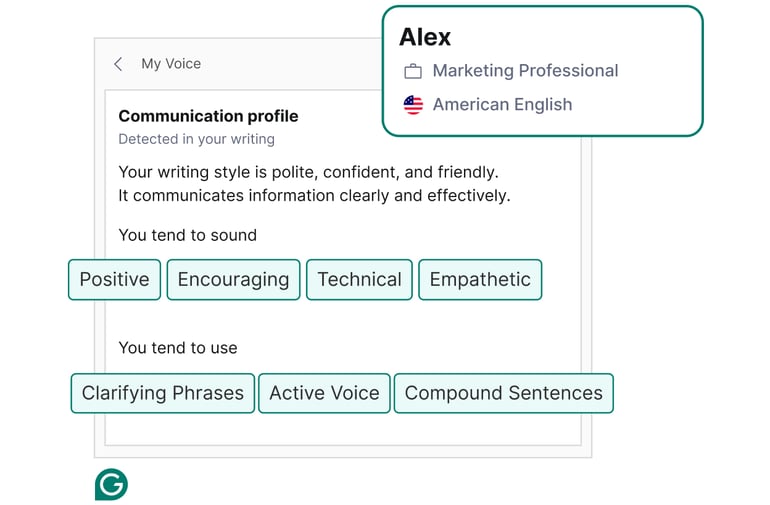
Grammarly is one of my top choices for business leaders who want to incorporate more AI tools into their daily workflow. While many view Grammarly as a tool for writers, everyone engages in some form of writing at work, whether it’s emails, Slack messages, or presentations and reports. So, Grammarly is the easiest way to ensure professional, consistent communication across a company.
Beyond grammar, it provides tone detection, rewrite suggestions, and brand voice enforcement, making it valuable for teams across industries. Additionally, the company has recently introduced Marketing HQ, offering more customizable AI tools for sales and marketing teams. This makes it an excellent option for content development and consolidating multiple tools into a unified platform.
Pros and cons
| Pros | Cons |
|---|---|
| ✅ Generates text with AI prompts and analyzes writing tone and content | ❌ Less scalable for small teams |
| ✅ Works across browsers, email, and document tools | ❌ Limited AI prompts on the base plans |
| ✅ Integrates with productivity tools to complete workflows | ❌ Advanced security features are only available on the enterprise plan |
Visit Grammarly
Pricing
- Free: Basic plan is best for solopreneurs
- Pro: Starts at $30 per member/month, billed monthly; or $12 per member/month, billed annually
- Enterprise: Contact sales for custom pricing.
Features
- Real-time grammar, spelling, and tone checks
- Generative rewrite and clarity suggestions
- Team style guides and brand voice controls
- Plagiarism detection and analytics dashboard
- Marketing HQ for sales and marketing teams
- AI prompts to improve email replies and other forms of communication
More must-read AI coverage
- SS&C Intralinks DealCentre AI vs. Datasite: Which platform is built for the future of dealmaking?
- SS&C Intralinks FundCentre AI vs. Juniper Square: Which platform better supports modern private markets fund managers?
- Why Data, Not Models, Determines AI Success
- The Rise of the AI-Native Factory: How Physical AI Is Transforming Manufacturing
How do I choose the best AI tool for business productivity?
Selecting the best AI platform requires evaluating your organization’s software ecosystem, long-term objectives, and financial resources. This means assessing how the platform will integrate with your existing technologies and workflows. Then, clearly defining your goals, such as whether they involve improving operational efficiency, enhancing customer experience, or driving innovation, will help in selecting a solution tailored to your needs.
Finally, consider your budget carefully, ensuring the platform you choose offers both immediate benefits and long-term value. While you may be interested in a specific tool, a hybrid approach is often the most effective strategy, and using multiple tools can add up in terms of cost. However, by combining a suite of productivity apps (such as Workspace or Copilot) with specialized AI tools to handle communication, meetings, and writing, you can reap the benefits of multiple solutions.
- Also read, How to Use AI in Business, for more information on how to choose the best AI tools.
Understanding the ethical concerns behind adopting AI tools
Although the AI era has led many IT leaders and team members to adopt AI tools, it’s also crucial to remember the safety and security risks associated with using these tools. For example, Gartner’s 2025 Top Emerging Risk Trend Report highlights the use of Shadow AI as one of the top concerns for businesses.
Specifically, Shadow AI refers to the risk that employees may use unregulated AI tools or use AI in ways that could expose the company to data breaches, compliance issues, or other problems. Therefore, if you plan to use AI tools—or allow employees to use them—it’s vital to put guardrails in place to guide their proper use.
While the safest choice is a provider with published governance documentation and opt-out options for data sharing, there are additional factors to consider when selecting more ethical AI tools. The following list highlights key aspects to evaluate for each provider, including transparency around data collection, model training, and privacy compliance.
Red flag checklist:
- No clear data-retention or deletion policy: If you’re unsure about how your data is collected or stored, it’s either a sign that you need to do more research or that the data retention procedures behind the tool aren’t as secure as they should be. Don’t hesitate to contact the company or choose another option in these cases.
- AI models trained on customer data without consent: One reason shadow AI is such a problem is that many people only have access to free or basic subscriptions to AI tools, which are often not protected from being used in model training. Therefore, it’s important to offer tools with enterprise-level subscriptions and security measures that prevent proprietary data from being included in a model training dataset.
- Lack of SOC 2, GDPR, or ISO 27001 compliance: For those in regulated industries or when handling sensitive data, it is essential to use AI tools with security certifications to protect the data being handled. If not, you not only risk data breaches, but also the violation of regulatory requirements.
- Missing audit logs or role-based access controls: Without a system for tracking who has access to specific data sources, it becomes much harder to uphold compliance standards; therefore, avoid using tools that lack these systems in place.
Methodology
In response to the rise of AI in business, I compiled a list of the best AI Tools for Business and IT leaders, focused on a mix of product documentation, pricing pages, user reviews, and first-hand testing where available. I evaluated each tool based on its ability to support productivity and automation across core business functions, including collaboration, communication, analytics, and workflow integration.
I also considered practical factors that matter most to IT buyers, including cost transparency, scalability for small to mid-sized teams, data security and compliance standards, and the quality of vendor support. Overall, I selected tools that strike a balance between innovation and reliability, enabling business leaders to choose AI solutions that seamlessly integrate into their daily operations and deliver measurable efficiency gains.
Frequently asked questions (FAQs)
What are AI productivity tools?
AI tools for business productivity incorporate automation, natural language processing (NLP), and generative features into workflows, such as automatic drafting, meeting summarization, content refinement, and intelligent routing.
What are the benefits of using AI productivity tools?
The primary benefits of utilizing AI tools in business include reducing repetitive tasks, expediting decision-making, improving communication quality, and enabling your teams to focus on higher-value work. Especially as many companies face the challenge of using outdated tools, AI productivity tools can help update your offerings.
Can I use multiple AI tools together?
Yes, many AI tools connect through APIs or built-in connectors. For example, you can use Google Workspace to host a meeting, Fireflies to record transcripts, and then edit your notes with Grammarly.
Are AI productivity tools safe to use for business?
The best AI tools for business include encryption, compliance standards, data governance, and administrative controls. However, you should still verify vendor policies, review audit logs, and establish opt-out boundaries.