


Quick answer: Square is the best free credit card reader for iPhone because new users can get a free magstripe reader and use Square’s free POS app. However, the free reader only accepts swipe payments. For chip, tap, Apple Pay, and contactless payments, use Square Tap to Pay on iPhone or upgrade to a paid reader. Vagaro is better for service-based businesses, PayPal Point of Sale (formerly Zettle) is better for solopreneurs, and SumUp is a low-cost reader for basic in-person payments.
In this guide, I list the best free credit card readers for iPhones and affordable iPhone card readers and give you alternative methods for accepting payments on your iPhone without a card reader.
- Best free and cheap credit card readers for iPhones
- Best credit card reader for iPhones compared
- Methodology
- Why you can trust my advice
- How to get a free card reader for iPhone
- How to accept payments on your iPhone without a card reader
- Cheapest card readers
- How to choose the best free card reader for your iPhone
- Frequently asked questions
Best free and cheap credit card readers for iPhones
| Provider | Best for | Monthly fee |
|---|---|---|
| Square | Best overall free reader | $0 |
| Vagaro | Service-based businesses | $30+ |
| Payment Depot | High volume sales | $0 |
| PayPal Zettle | Solopreneurs and seasonal businesses | $0 |
| Shopify | Ecommerce businesses | $0 to $89, plus Shopify plan |
| SumUp | Businesses on a budget | $0 |
iPhone credit card readers can process swipe, chip, and contactless payments for a reasonable transaction fee. Some payment service providers offer free credit card readers when you sign up for their service. You can also convert your mobile device into a payment terminal to save you the cost of getting a card reader.
Best credit card reader for iPhones compared
| Provider | Is the reader free? | Reader type | In-person fee | Tap to Pay on iPhone | Key limitation |
|---|---|---|---|---|---|
| Square | Yes, first magstripe reader | Swipe only free; paid tap/dip reader | 2.6% + 15 cents | Yes | Free reader does not accept chip or contactless |
| Vagaro | Yes | Tap, dip, swipe | Starts at 2.75% | Yes | Free reader may require processor terms |
| Payment Depot | Sometimes, depends on account | Tap, dip, swipe | Custom interchange-plus | No clear Tap to Pay fit | Approval required |
| PayPal Zettle | No, discounted first reader | Tap and dip | 2.29% + 9 cents | Yes | No offline mode |
| Shopify | No | Tap and dip | 2.4% to 2.7% | Yes | Requires Shopify ecosystem |
| SumUp | No | Tap, dip, swipe | 2.6% + 10 cents | Yes | Basic POS features |
Methodology
I looked at the top payment providers and merchant services that have mobile apps and provide absolutely free iPhone card readers. Moreover, I looked at cheap alternatives or those that offer card readers for less than $50 (the usual price for card readers is $50-$100). From there, I ranked them based on their popularity and ratings on the App Store.
From my initial list, I compared providers according to the payment methods they accept, corresponding transaction fees, and any standout features they have compared to others. Finally, I also factored in my own experience handling these card readers (as a payee and a payor) and took into consideration feedback from real-world users.
Why you can trust my advice
I have more than seven years of experience evaluating payment processors, POS systems, mobile card readers, and retail software for small businesses. My background includes hands-on testing and demos of credit card readers, mobile payment apps, Tap to Pay tools, POS hardware, online checkout flows, and in-person payment workflows.
I regularly evaluate POS and payment platforms, speak with product teams, review app store feedback, and check user-reported issues to understand how these tools perform in real-world selling environments. My recommendations focus on which iPhone card readers are genuinely useful for small businesses, not just which ones have the lowest upfront cost.
How to get a free card reader for iPhone
There are generally two ways to get a free card reader for your iPhone: signing up with a payment services provider that offers one or turning your iPhone into a payment terminal (which I explain in detail in the next section).
Getting a free card reader usually happens when you sign up for payment processing services through a payment provider or a point-of-sale (POS) solution. They typically offer the first mobile card reader for free.
The caveat to getting a free card reader is that you are most likely locked into some kind of contract, rate, or agreement and may have to deal with cancellation fees if you terminate your contract within the agreed-upon period.
| Free magstripe reader | $0 | Basic swipe payments | Usually does not accept chip or contactless payments |
| Free reader with processor signup | $0 upfront | Businesses willing to use one processor | May require processing agreement or terms |
| Tap to Pay on iPhone | $0 hardware cost | Contactless cards and mobile wallets | Requires compatible iPhone and supported provider app |
| Cheap card reader | $29 to $59+ | Chip and contactless payments | Higher upfront cost, but better payment acceptance |
How to accept payments on your iPhone without a card reader
Alternatively, you can accept payments on your smartphone without a card reader. Each method below has its pros and cons, but it does the job of securely accepting payments.
Tap to Pay
Tap to Pay is a wireless payment method made by tapping (or bringing close) a payment device (either a smartphone or smartwatch) or a credit or debit card near a contactless-enabled payment terminal. Contactless payments use near-field communication (NFC) technology to securely transfer data between the terminal and the card or device.
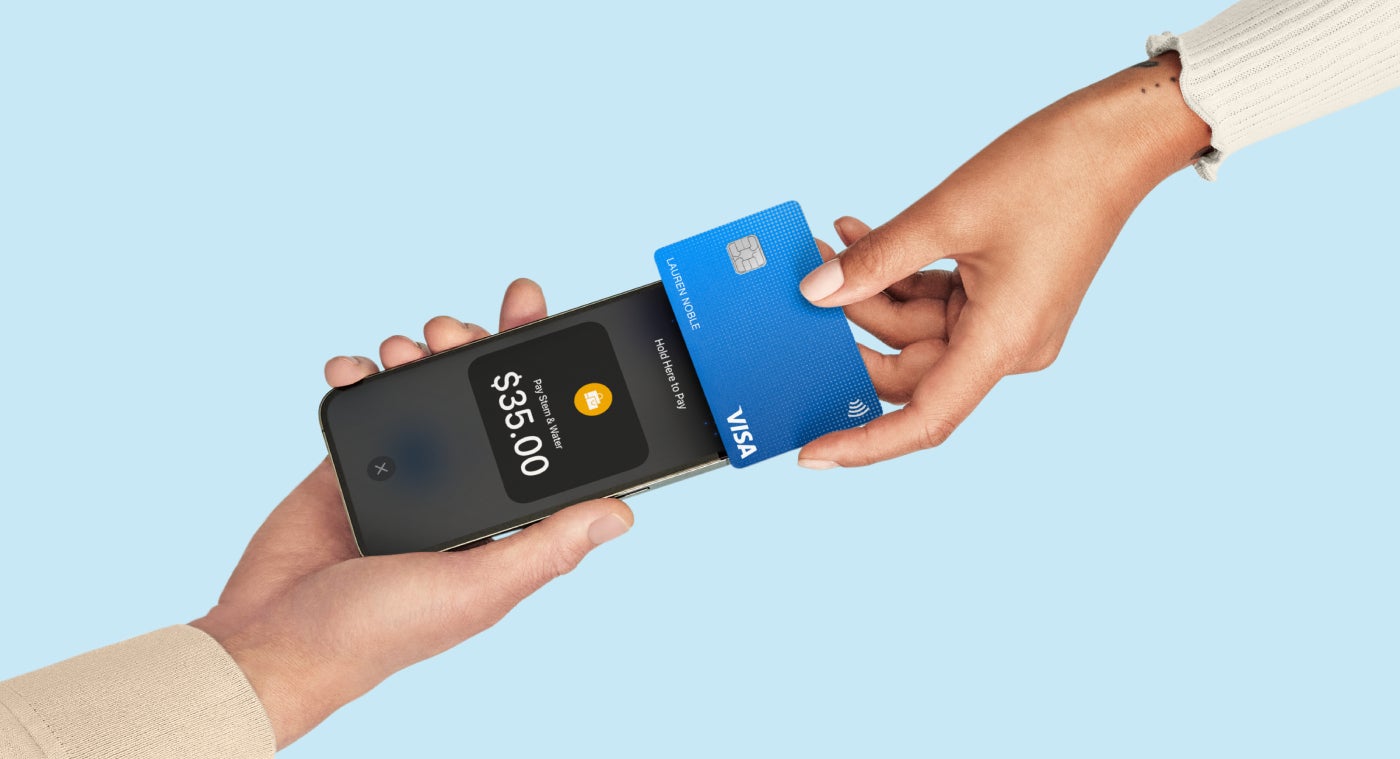
When you enable tap-to-pay on mobile, you do not need a credit card reader; a smartphone is enough. Your smartphone would function as the payment terminal through the payment provider’s mobile app. However, your mobile device should be NFC-capable (has an NFC chip and antenna), and your payment service provider (PSP) must offer the Tap-to-Pay feature.
All providers in this guide offer the Tap to Pay feature except for Payment Depot, but the device and iOS requirements vary per provider. Among the ones in this list, Square and Shopify have excellent user reviews for the feature.
QR codes
A QR (quick response) code is a graphic containing information that directs customers to pay by scanning the code using a mobile app.
QR code payments are also contactless. Customers scan the QR code with their mobile devices, which leads them to an online payment terminal and allows them to perform an online checkout. Once they have completed the payment, they will receive an alert if it went through.
QR codes cost nothing, but you will need to take extra steps. You need to generate a code, create a checkout page, and display your QR code (or have one ready for scanning on your device).
Similarly, it might be cumbersome for your customers, too, as they need to log in to their devices, scan the code, and enter their payment details before they can pay. Square, PayPal Zettle, and Clover offer QR payment solutions that are highly rated by users.
Payment links
Payment links let you request and collect payments remotely on online and remote platforms (like email and SMS). They can be included in an email or digital invoice, on your website and social media posts, and in instant messages (online chat and SMS).
Payment links can be direct (simple links) or embedded pay buttons (generally used on websites and social media posts). Once a customer clicks on a link, scans a QR code, or clicks on a payment button, they are taken to a payment page, which, similar to how QR codes work, lets them enter their payment information and make payments.
Payment links are free and do not cost additional among the providers I list in this guide. All of them have this feature included.
Cheapest card readers
There aren’t many free credit card readers for iPhone on the market. Those available usually come at another kind of price, either higher processing rates or locked-in terms. This table compares processors offering free card readers and those that give discounted rates or have one for less than $50.
I listed the factors that will play a huge role in your purchasing decision — the card reader’s accepted payment methods, other fees (such as software and transaction fees), and its corresponding mobile app rating in the App Store.
| Card reader cost | Payment method | Monthly fee (starts at) | Swipe, chip, and contactless fee | App rating in the AppStore (out of 5) | |
|---|---|---|---|---|---|
| Square | Free for 1st card reader; $49 | Swipe only for free reader; 2-in-1 (tap and dip) | $0 | 2.6% plus 15 cents | 4.8 |
| Vagaro | Free when using Vagaro as processor | 3-in-1 (tap, dip, and swipe) | $30 | 2.75%* | 4.7 |
| Payment Depot | $49 | 3-in-1 (tap, dip, and swipe) | $79 | Interchange plus 8 cents | 4.8 |
| PayPal Zettle | $29 for 1st card reader; $79 | 2-in-1 (tap and dip) | $0 | 2.29% plus 9 cents | 3.0 |
| Shopify | $49 | 2-in-1 (tap and dip) | $0-$89 | 2.4% to 2.7% | 4.5 |
| SumUp | $54 | 3-in-1 (tap, dip, and swipe) | $0 | 2.6% + 10 cents | 4.7 |
| *For small merchants (Transactions of less than $4,000 per month). **Based on Fiserv rates; fees depend on the chosen payment processor. |
|||||
Square: Best overall

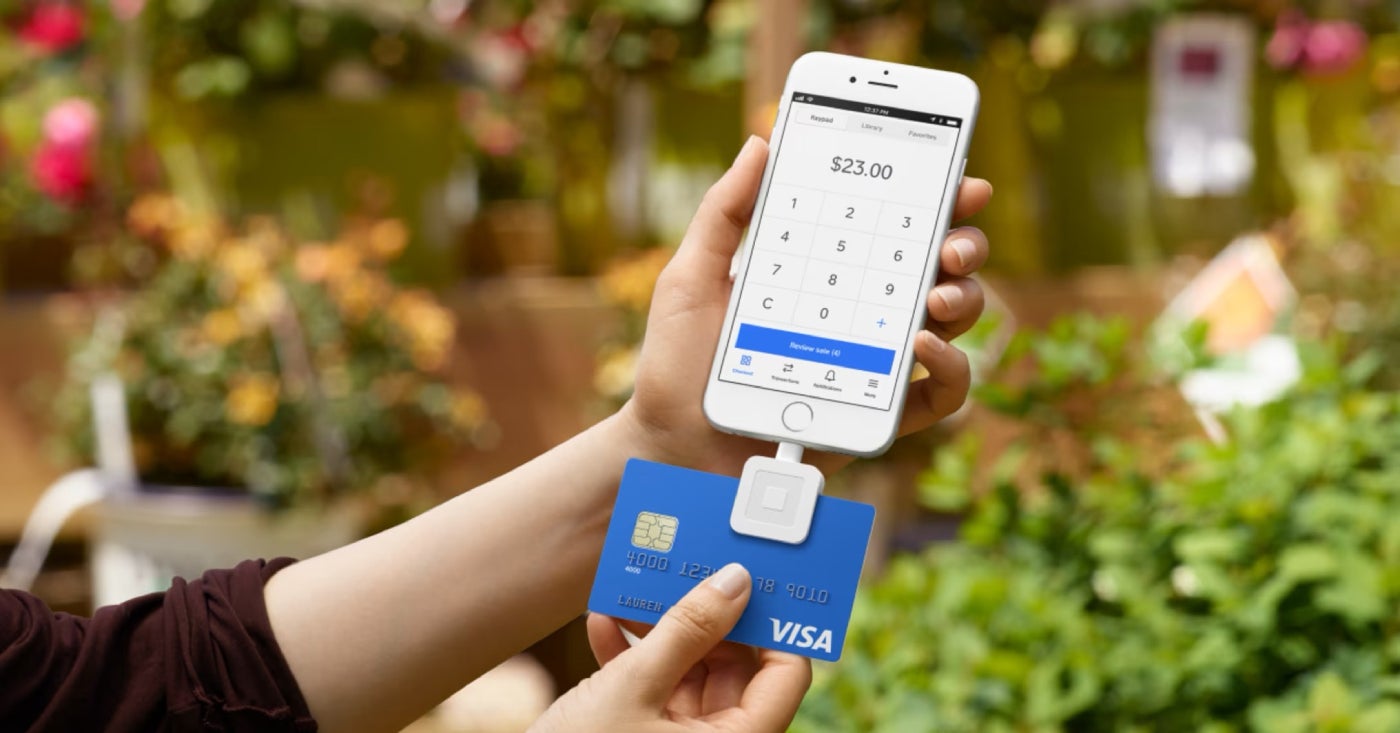
When it comes to using free card readers for iPhones, Square’s card reader is hard to beat. In addition to issuing a free card reader on your first order, Square doesn’t charge monthly fees to use its basic point-of-sale (POS) system. You can technically use its whole system for free.
Its free card reader is compact, easy to use, doesn’t need to be charged to operate, and can process offline payments (with the same processing fee rates as the usual swipe transactions). Its only downside is that it can’t process chip and contactless payments, you’d need to upgrade to a paid card reader to get that feature.
I can see Square working perfectly for small businesses because of its easy setup and straightforward payment processing rates. Its transaction rates are not the cheapest compared to others in my listed recommendations, but the powerful free point-of-sale (POS) system and inexpensive card readers make Square a favorite among small businesses.
Moreover, businesses can easily upgrade or add new features as they expand their business, as Square offers payroll, scheduling, and others.
Pricing
- Monthly fee: $0
- In-person (including contactless) processing fee: 2.6% plus 15 cents tap, dip, or swipe.
- Card readers:
- $0 for Square magstripe-only card reader ($10 for each additional reader) or if using Tap to Pay for iPhone (iPhone not included).
- $59 and up for Square Reader contactless and chip card reader.
Visit Square
Features
- 4.8 out 5 mobile app rating in the AppStore based on nearly 600,000 reviews.
- Accepts tap, dip, Apple Pay, Google Pay, and other NFC payments.
- Transparent and flat-rate processing fees.
- Offline payment processing.
- Free, powerful POS app.
- Next-day funding, same-day with fee.
Pros and cons
| Pros | Cons |
|---|---|
| Readers can work offline. | Exclusive to Square Payments. |
| Free magstripe readers don't need to be charged. | Free card reader limited to swipe transactions; must upgrade to enable contactless and chip payments. |
| Square POS software and its mobile app are completely free. | Square reader for contactless and chip payments takes around 2-3 hours to charge. |
Vagaro: Best for service-based businesses

Vagaro is specially designed for businesses in the beauty, health, and fitness industries. Its software includes a scheduling appointment feature, making it the only one on this list that offers this feature.
Vagaro lets your clients schedule and pay for appointments on your website. Once you activate card processing, you get a free card reader. You can use the card reader to accept in-person payments, which comes in handy when your clients schedule appointments in advance after a visit to your store. You can also send the checkout screen directly to your customers’ phones so they can add a tip and sign.
Pricing
- Monthly fee: Starts at $30/month per bookable calendar (plus $10 for each additional calendar).
- Processing fees:
- 2.75% per dip and tap for monthly transactions less than $4,000.
- 2.2% + 19 cents for monthly transactions more than $4,000 (plus $10 monthly).
- +5 cents per Tap to Pay transaction.
- Hardware:
- Free credit card reader if one activates credit card processing with Vagaro.
- Starts at $749 for Vagaro Pay Desk terminals
Visit Vagaro
Features
- 4.6 out of 5 mobile app rating in the AppStore based on almost 9,000 reviews.
- 30-day free trial.
- Web and mobile-accessible calendars or schedulers.
- Buy Now, Pay Later (BNPL) feature.
- SOAP notes assess and track client progress.
- Credit card save feature lets you securely store customer credit card information and protects you from no-shows or cancellations.
- Recurring billing and sales commissions payments.
Pros and cons
| Pros | Cons |
|---|---|
| Can process debit and credit cards and digital wallets. | Must use Vagaro’s credit card processing to get a free card reader. |
| POS software has a credit card save feature that protects you from no-shows or cancellations. | Cancellation and returns are not accepted. |
| BNPL feature. | If canceled within 12 months of ordering, must pay full price of the card reader. |
Payment Depot: Best for high volume sales

Payment Depot is one of the providers I have reviewed that offers the lowest credit card processing fees, making it great for high-volume sales. Payment Depot recently switched its pricing structure from subscription to interchange plus pricing, which means there are no monthly fees on top of low processing rates.
Although Payment Depot requires an application that is subject to approval, you are much less likely to experience frozen or delayed funds as it is a traditional merchant account provider.
Pricing
- Monthly fee: $0.
- In-person processing fee (including contactless payments): Custom interchange plus fee.
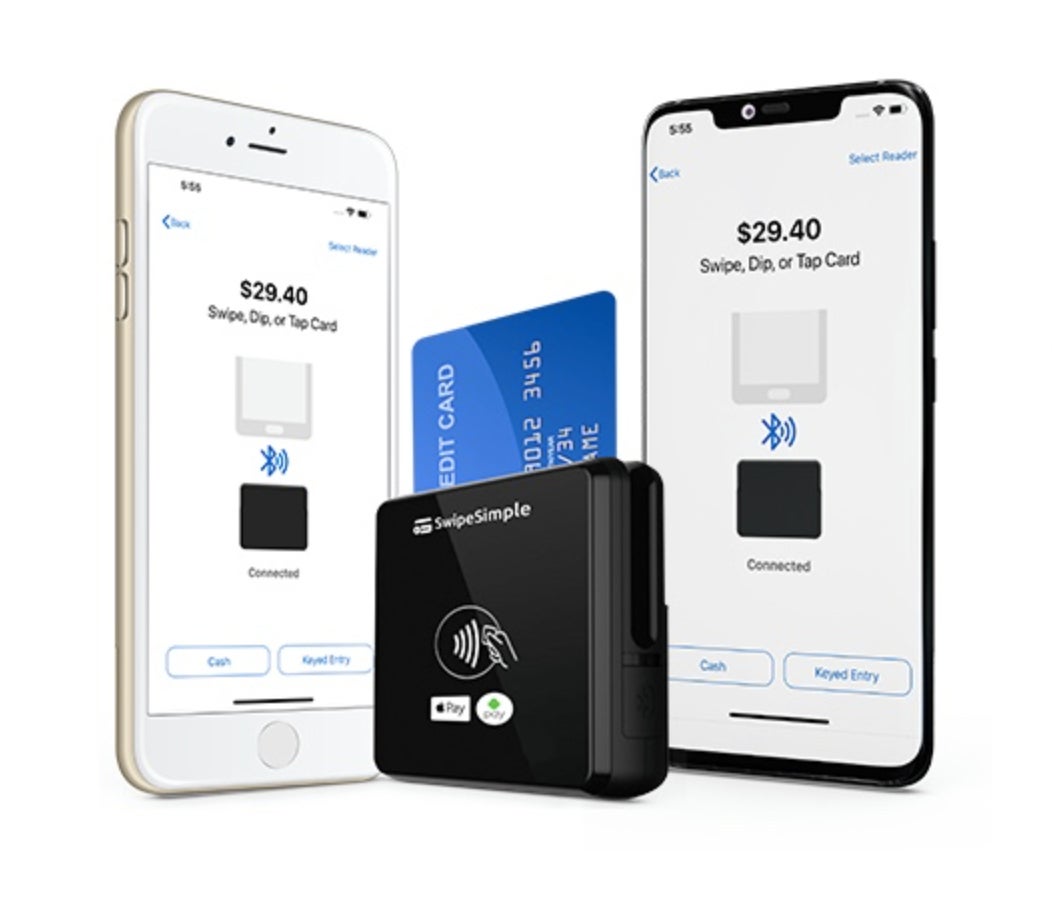
- Card reader: Starts at $49 (SwipeSimple card reader); may offer free hardware depending on contract.
Visit Payment Depot
Features
- 4.8 out of 5 mobile app rating in the AppStore based on more than 5,500 reviews (Swipe Simple)
- Can process Level 2 data for B2B.
- Free virtual terminal and payment gateway.
- 24/7 customer support.
- Invoicing and recurring billing by SwipeSimple.
- Virtual terminal.
Pros and cons
| Pros | Cons |
|---|---|
| One of the lowest payment processing rates. | Exclusive to US merchants. |
| 24/7 customer support. | Custom pricing, no published rates. |
| Free POS software including payment gateway and virtual terminal. | Application is subject to approval. |
PayPal Point of Sale: Best for solopreneurs and seasonal businesses

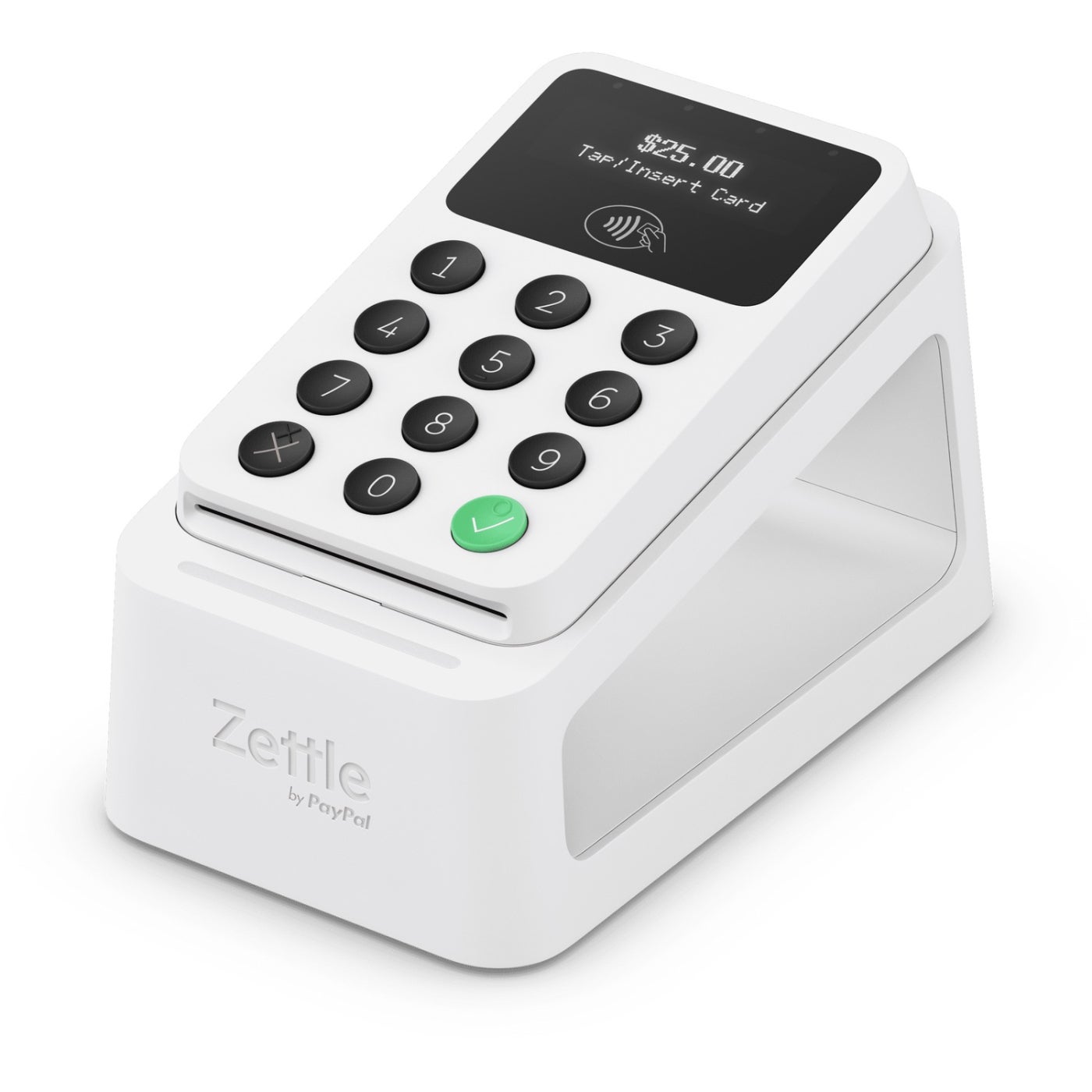
PayPal Point of Sale (formerly Zettle) is the perfect option if you just plan to accept a variety of payments and nothing more. Firstly, it doesn’t have long-term contracts or monthly minimums, and you can get your first card reader at a discounted rate. Moreover, PayPal POS has extremely reasonable flat-rate processing fees, even lower than Square.
PayPal POS accepts credit cards, Venmo, PayPal, and digital wallets. All payments go straight into your PayPal account and, from there, can be transferred to your bank. So, if you are a solopreneur or run a seasonal business, going with PayPal POS is a cost-effective solution. Consider other options if you want additional features (like loyalty programs).
Pricing
- Monthly fee: $0.
- In-person and QR code processing fee: 2.29% + 9 cents.
- Card reader: $29 for first card reader; additional readers cost $79. Price includes USB cable.
Features
- 3.2 out of 5 mobile app rating in the AppStore based on more than 1,000 reviews.
- No long-term contract or termination fees.
- Accepts a variety of payment types — chip and contactless payment methods, including Venmo and PayPal payments.
- Next-day funding, same day with fee.
Pros and cons
| Pros | Cons |
|---|---|
| Accepts Venmo payments. | Lower than average user reviews on the App Store compared to other providers on this list. |
| Immediate payouts to PayPal account. | No offline functionality. |
| Free POS with no minimums. | Doesn’t process swipe payments. |
TechRepublic Academy
- Want to Understand Machine Learning? Here's a Beginner-Friendly Way to Start
- Get 9 Top MS Office Pro Programs Plus Free Training For Just $30
- Boost your bottom line by learning how to use ChatGPT for just $20
- Master Python Coding With 12 Self-Paced Courses
Shopify: Best for ecommerce businesses

Shopify is a popular and top ecommerce platform among real world users and ecommerce experts. Aside from letting you sell on multiple online channels, it also enables in-person selling through its POS app.
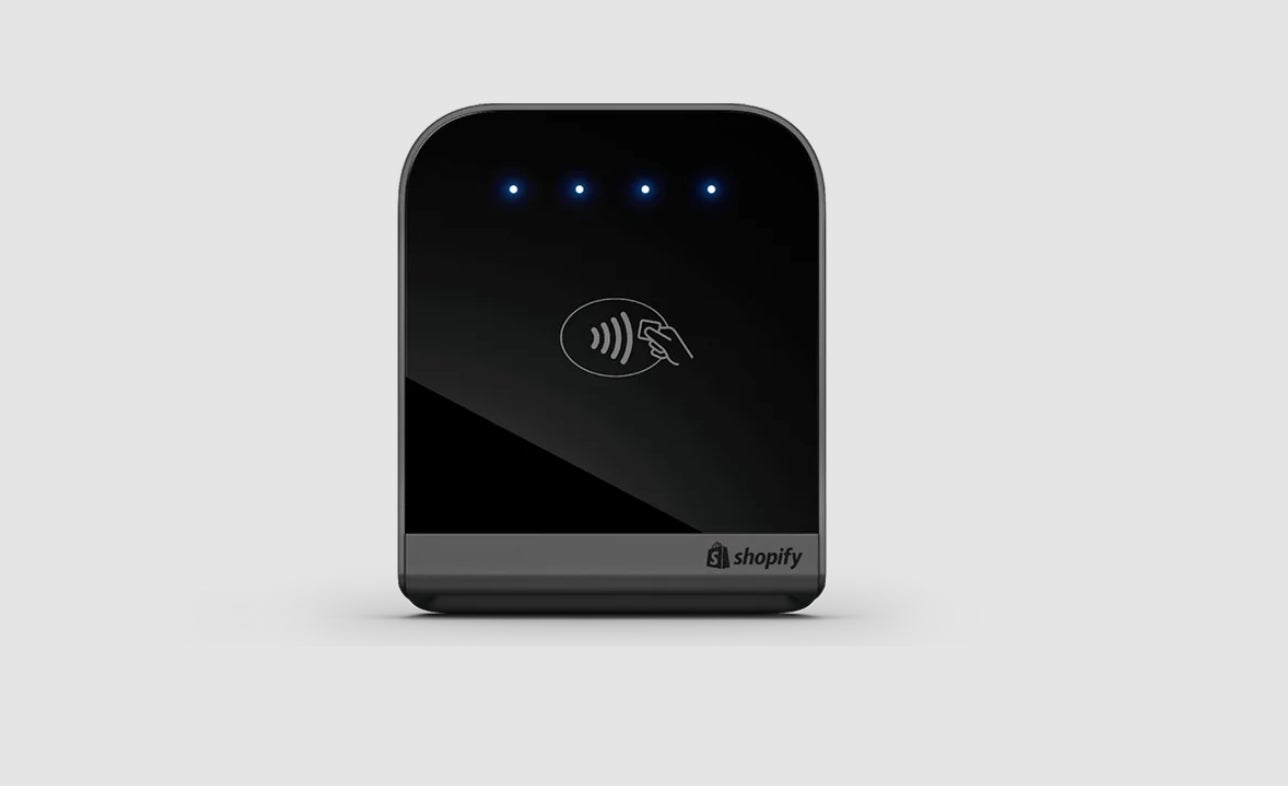
Shopify’s card reader is great for ecommerce businesses that plan to sell on pop-ups or kiosks for in-person sales. If you want to establish a physical store location, there are Shopify POS terminals you can use, too. Shopify is extremely scalable and can accommodate your business’ growing needs.
Pricing
- Monthly fee: $5 to $89 (plus $39 to $399 for a Shopify ecommerce account).
- In-person (including contactless) processing fee: 2.4% to 2.7%.
- Card reader: $49 with one-year limited warranty (two-year extended warranty under a POS Pro plan).
Visit Shopify
Features
- 4.5 out of 5 mobile app rating in the AppStore based on 7,500 reviews.
- User-friendly mobile app interface.
- Sync online and in-person sales and inventory.
- Extensive integrations for scalability.
- Multiple sales channels, including social channels and online marketplaces like Amazon and Walmart.
- 24/7 customer support.
Pros and cons
| Pros | Cons |
|---|---|
| Omnichannel selling—online and in-person. | Requires an ecommerce subscription (additional cost). |
| Multiple online sales channels, including social. | Exclusive to Shopify Payments. |
| 24/7 customer support. | Limited offline functionality. |
SumUp: Best for businesses on a budget

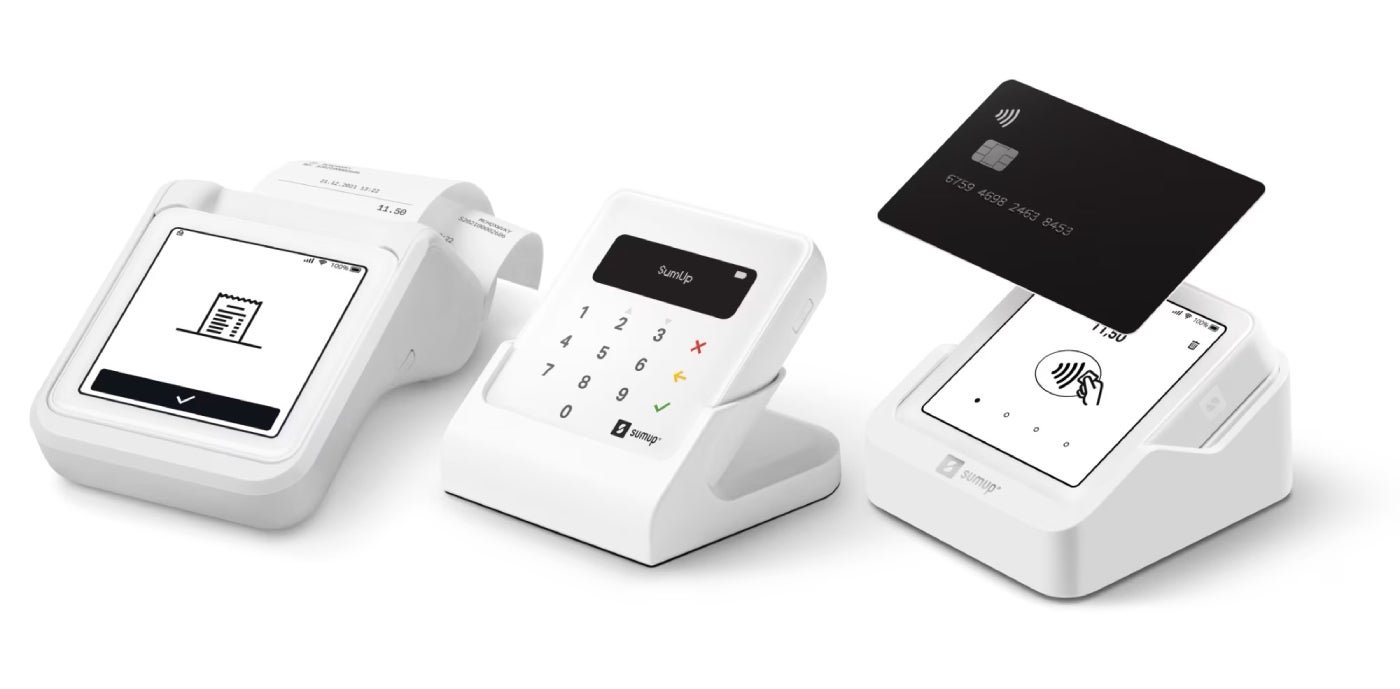
SumUp’s mobile card reader, SumUp Plus, easily rivals the aesthetics of popular payment providers like Square. At $54, the reader is also on the lower pricing end, making it a cheap and affordable option for businesses of all sizes. It has a display screen that allows you and your customer to see transactions (the only one in this list to do so other than PayPal).
Additionally, SumUp is one of the few readers I have tried that still accepts magstripe payments (swipe cards), and has a PIN feature for additional security protection.
Its basic POS features and low transaction fees (2.6% + 10 cents like Square) make it a great option for businesses on a budget and just have straightforward payment needs.
Pricing
- Monthly processing fee: $0.
- Card present transaction fees: 2.6% + 10 cents.
- $54 for SumUp Plus (Connects via Bluetooth to your smartphone or tablet).
- Accepts swipe, tap, dip, Apple Pay, Google Pay, and other NFC payments.
Visit SumUp
Features
- 4.70 out of 5 mobile app rating in AppStore based on 13,000 user reviews.
- No add-on fees for international credit cards.
- No extra cost for e-check payments with invoicing.
- No chargeback fees.
Pros and cons
| Pros | Cons |
|---|---|
| Display screen on device. | Limited ecommerce integration. |
| 500 transactions on one full charge. | Limited POS software features compared to other card readers. |
| No add-on fees for accepting international payments. | Lacks same-day funding option. |
How to choose the best free card reader for your iPhone
Choosing the best free card reader for your iPhone comes down to payment types, total cost, software compatibility, and how you plan to sell. Use these steps to narrow your options.
Step 1: Check whether the reader is truly free
Start by confirming what “free” includes. Some providers offer a free magstripe reader, while others only discount the first reader or require you to sign up for payment processing.
Look for:
- Upfront hardware cost
- Shipping fees
- Monthly software fees
- Processing requirements
- Contract terms
- Upgrade costs for chip or contactless readers
A free swipe reader can be useful, but it may not be enough if your customers mostly use chip cards, Apple Pay, or contactless payments.
Step 2: Review accepted payment types
At minimum, choose an iPhone credit card reader that accepts EMV chip cards and contactless payments. Magstripe payments are convenient, but they are less common and carry higher security risks.
Prioritize readers that accept:
- EMV chip cards
- Contactless cards
- Apple Pay
- Other mobile wallets
- Magstripe payments, if needed
- Keyed-in payments through the app
A 2-in-1 tap-and-dip reader is usually a better long-term choice than a swipe-only reader.
Step 3: Compare processing fees
Even if the card reader is free, you will still pay transaction fees. Compare the provider’s rates for in-person, keyed-in, invoice, and online payments.
Check:
- In-person processing rate
- Keyed-in payment rate
- Online payment rate
- Invoice payment rate
- Chargeback fees
- Instant deposit fees
- Refund handling
The cheapest reader is not always the cheapest option if its processing fees are higher.
Step 4: Confirm iPhone and app compatibility
Make sure the reader works with your iPhone model and the provider’s mobile payment app. Also check whether the app is regularly updated and supports the version of iOS you use.
Look for:
- iPhone model compatibility
- iOS requirements
- Bluetooth or plug-in connection type
- App Store rating and recent reviews
- Tap to Pay on iPhone support
Step 5: Check POS and software integrations
If you already use a POS system, ecommerce platform, accounting tool, or inventory software, choose a reader that connects with your existing setup.
This matters if you need to track:
- In-person sales
- Online orders
- Inventory levels
- Customer profiles
- Taxes and tips
- Staff sales
- Reports across channels
If you only need to accept occasional in-person payments, a standalone card reader and payment app may be enough.
Step 6: Consider portability and setup
A mobile credit card reader for iPhone should be easy to carry, connect, and use during sales. This matters for vendors, service providers, food trucks, market sellers, and pop-up shops.
Compare:
- Reader size and weight
- Battery life
- Bluetooth reliability
- Setup process
- Charging method
- Receipt options
- Whether it works with a stand or countertop setup
Step 7: Decide whether you need a reader at all
Some providers support Tap to Pay on iPhone, which lets you accept contactless cards and mobile wallets without a separate card reader. This can be the cheapest setup if most customers pay by tap or mobile wallet.
However, Tap to Pay does not accept magstripe swipes or chip insert payments, so a physical reader is still useful if your customers use older cards or prefer chip payments.
Frequently asked questions
What is the best free credit card reader for iPhone?
Square is the best free credit card reader for iPhone for most small businesses because new users can get a free magstripe reader and use Square’s free POS app. The main limitation is that Square’s free reader only accepts swipe payments, so businesses that need chip cards, contactless cards, or Apple Pay should use Tap to Pay on iPhone or upgrade to Square’s paid contactless and chip reader.
Can I get a free credit card reader for iPhone?
Yes, some payment processors offer a free credit card reader for iPhone when you create an account or meet certain processing requirements. Square is the most common option because it offers a free magstripe reader to eligible new users. Other providers may offer free or discounted readers with account approval, subscriptions, or processing agreements, so check the terms before signing up.
Can I accept payments on my iPhone without a card reader?
Yes, you can accept payments on your iPhone without a card reader using Tap to Pay on iPhone. This lets compatible payment apps accept contactless cards, Apple Pay, and other mobile wallets directly on an iPhone. Tap to Pay does not accept swipe or chip insert payments, so a separate reader is still useful if customers use older cards.
What is the cheapest credit card reader for iPhone?
The cheapest credit card reader for iPhone is usually Square’s free magstripe reader, since eligible new users can get one at no upfront cost. For chip and contactless payments, low-cost options typically include Square Reader, PayPal Zettle, Shopify Tap & Chip, and SumUp readers. Compare the hardware cost with processing rates because a cheap reader can cost more over time if transaction fees are higher.
Does Square give you a free card reader?
Yes, Square offers a free magstripe reader to eligible new users. It works with the Square POS app and lets businesses accept swipe payments on an iPhone. For chip cards, contactless cards, Apple Pay, and Google Pay, Square users need Tap to Pay on iPhone or a paid Square contactless and chip reader.
What fees do free iPhone card readers charge?
Free iPhone card readers usually do not have an upfront hardware cost, but you still pay payment processing fees on each transaction. Fees vary by provider and payment type, including in-person, keyed-in, invoice, and online payments. Also check for monthly software fees, chargeback fees, instant deposit fees, hardware upgrade costs, and contract terms.
Do iPhone credit card readers work offline?
Some iPhone credit card readers support offline payments, but the rules vary by provider. Offline mode may let you queue card payments or record cash sales when your internet connection drops, then sync transactions later. Before relying on offline payments, check the provider’s limits, expiration window, card type restrictions, and liability rules.