



If you use Gmail every day, you probably don’t think much about how it works. You open your inbox, check a few messages, reply to what feels urgent, and move on.
Over time, though, unread threads pile up, newsletters crowd out real work, and finding the email you need takes longer than it should.
Google is now leaning on Gemini-powered AI alongside familiar Gmail tools to make inbox management easier and more efficient. Instead of asking users to change how they use the platform, these features focus on summarizing conversations, highlighting urgent messages, and automatically reducing clutter.
Here are five Gmail features to help organize your inbox.
1. AI Overviews for faster catch-up
Imagine opening Gmail after a few days away and seeing dozens of unread messages buried in long reply chains. Instead of scrolling through every response, Gmail now summarizes the conversation for you.
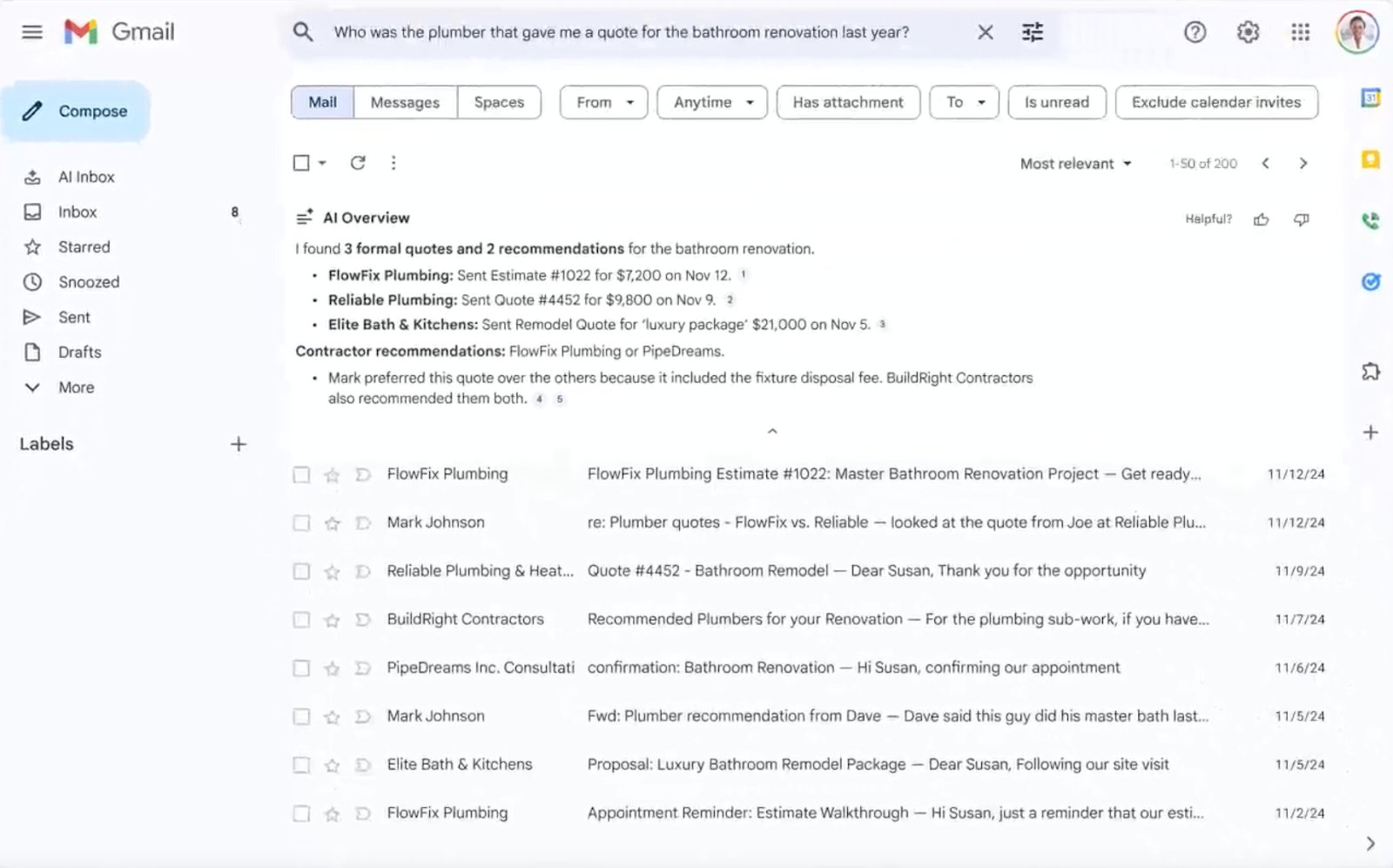
AI Overviews, now rolling out to Gmail, let you type a question or short phrase into the search bar and get a clear answer pulled from across your inbox. Gmail will first look for the most relevant emails, then pull key details together into a short overview that appears above your search results. This feature saves you time, especially when the information you’re looking for is scattered across multiple emails.
For example, you can search “What did we decide about the Q2 budget?” Instead of opening several threads, Gmail will generate a summary outlining the final decision, the approved amount, and who signed off, even if those details were spread across different messages.
2. AI Inbox prioritization for urgent messages
Picture this: your inbox fills up fast, and some emails need immediate attention. It’s easy to feel overwhelmed, but Gmail’s AI Inbox feature is designed to help you manage your inbox more efficiently.
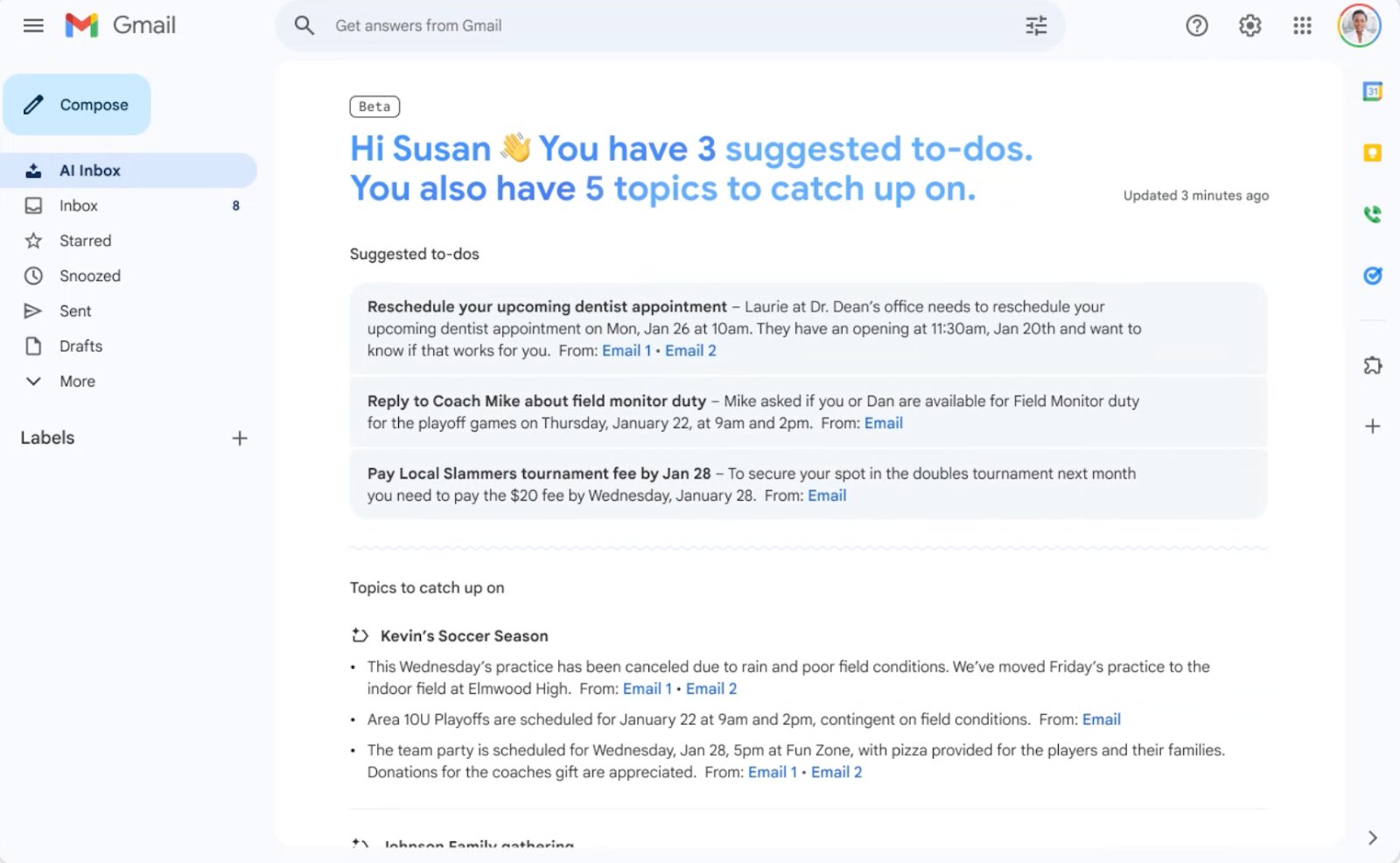
AI Inbox is a new Gmail view that highlights priority emails in two sections: Suggested to-dos and Topics to catch up on. Suggested to-dos show messages that require immediate attention, such as a bill due date, while Topics to Catch Up On summarizes important updates like travel plans or reservations.
For example, you open your AI Inbox, and you can immediately see a reminder that a utility bill is due tomorrow, followed by a summary of your upcoming flight and a restaurant reservation. Instead of manually searching your inbox, you know exactly which messages need attention. According to Google, this feature identifies priority emails using signals like frequent contacts and message context, with the same security and privacy protections as the rest of Gmail.
3. Manage subscriptions to reduce clutter
Subscription emails pile up quietly. You sign up for a discount, download a white paper, or order something once, and forget about it while the emails keep coming.
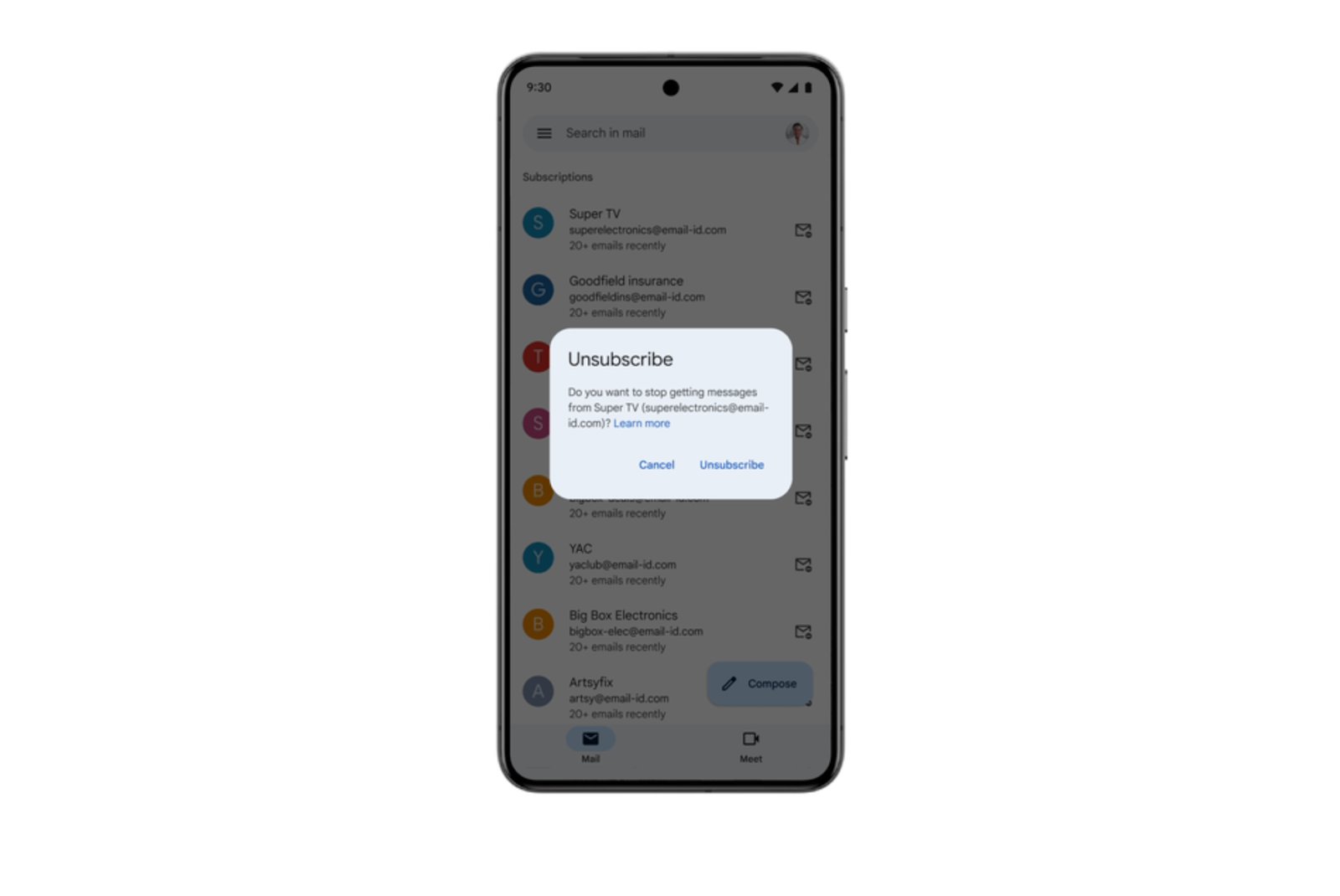
Gmail’s Manage subscriptions view is designed to make that clutter easier to deal with. From the Gmail navigation menu, you can open Manage subscriptions to see all active subscription senders, sorted by how often they email and how many messages they have sent recently.
From there, it takes one click to unsubscribe, and Gmail sends the request to the sender on your behalf. Unsubscribing removes you from all related mailing lists, though it may take a few days for messages to fully stop.
For example, you open your inbox and realize half of yesterday’s messages are from newsletters you don’t remember signing up for. In Gmail’s Manage subscriptions, those senders appear at the top of the list, making it easy to unsubscribe and move on.
More Google coverage
- New Google Search AI Mode is ‘Total Reimagining,’ Says CEO Sundar Pichai
- In Major Ruling, Judge Finds Google ‘Willfully Acquired and Maintained Monopoly Power’ Over Digital Ad Market
- Google’s Big Bet on Nuclear Energy: ‘The Race to Power AI-Driven Data Centers is Accelerating’
- Computer History Museum Releases Original AlexNet Code: Why It Matters
4. Filters and labels for automatic organization
Some inbox chaos comes from emails you expect and need, like order confirmations, shipping updates, billing alerts, and password resets. They’re useful to have on hand, but they don’t need to interrupt your day by sitting in your main inbox.
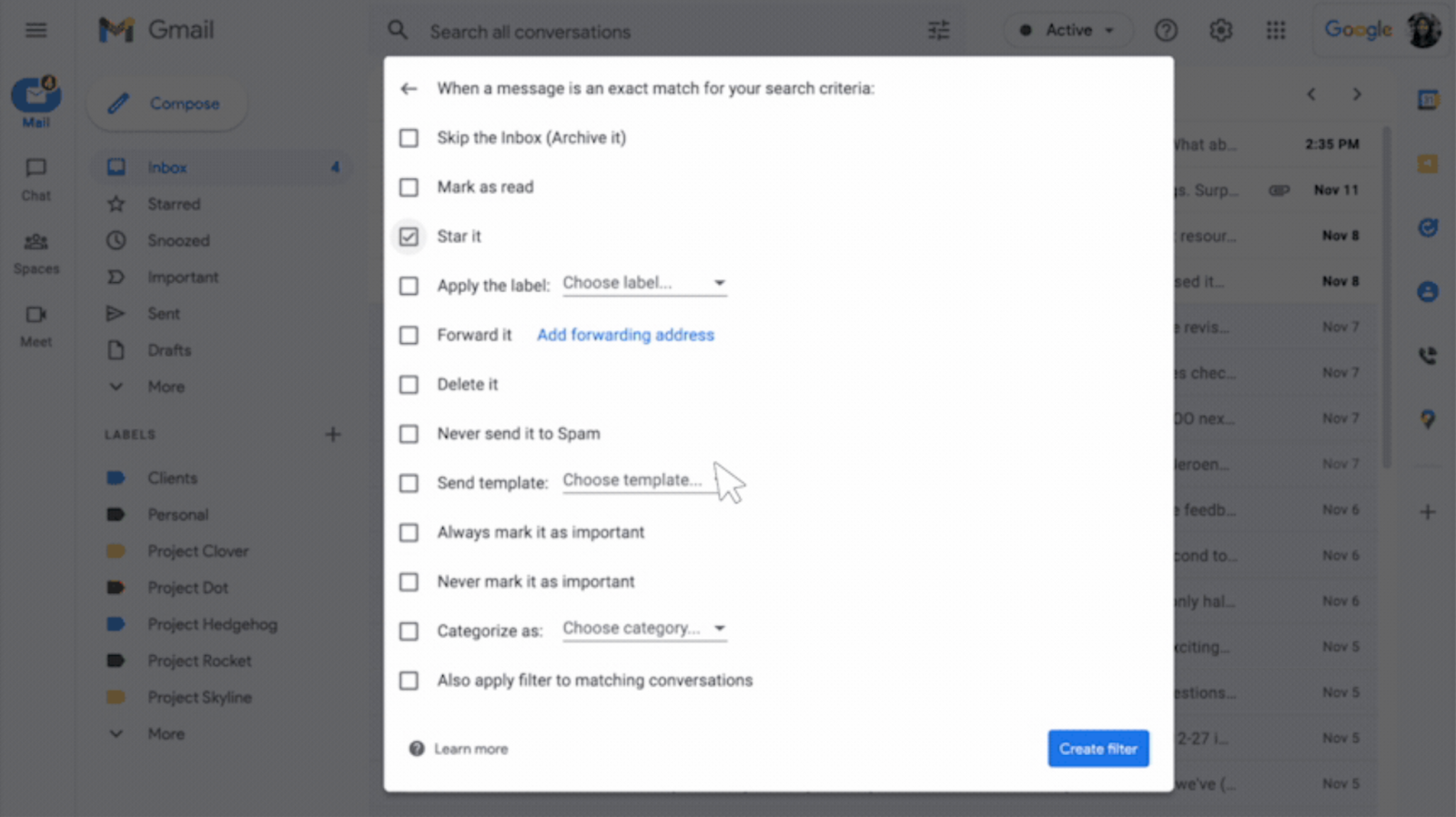
Filters and labels in Gmail allow you to automatically organize incoming emails based on criteria you choose, such as sender, keywords, or subject lines. You can use these features to label, archive, star, forward, and delete messages. This way, your email lands exactly where it belongs the moment it arrives. Labels add another layer of organization by letting emails live in multiple categories at once, rather than being stuck in a single folder.
Picture this: you get daily notifications that you want to keep but not read immediately. A filter labels those messages and archives them automatically, so they’re easy to find later without cluttering your main inbox.
5. Help Me Write to speed up replies
Replying to emails isn’t always hard, but it can be time-consuming. When the tone matters or the message needs polishing, responses can sit in your inbox longer than they should.
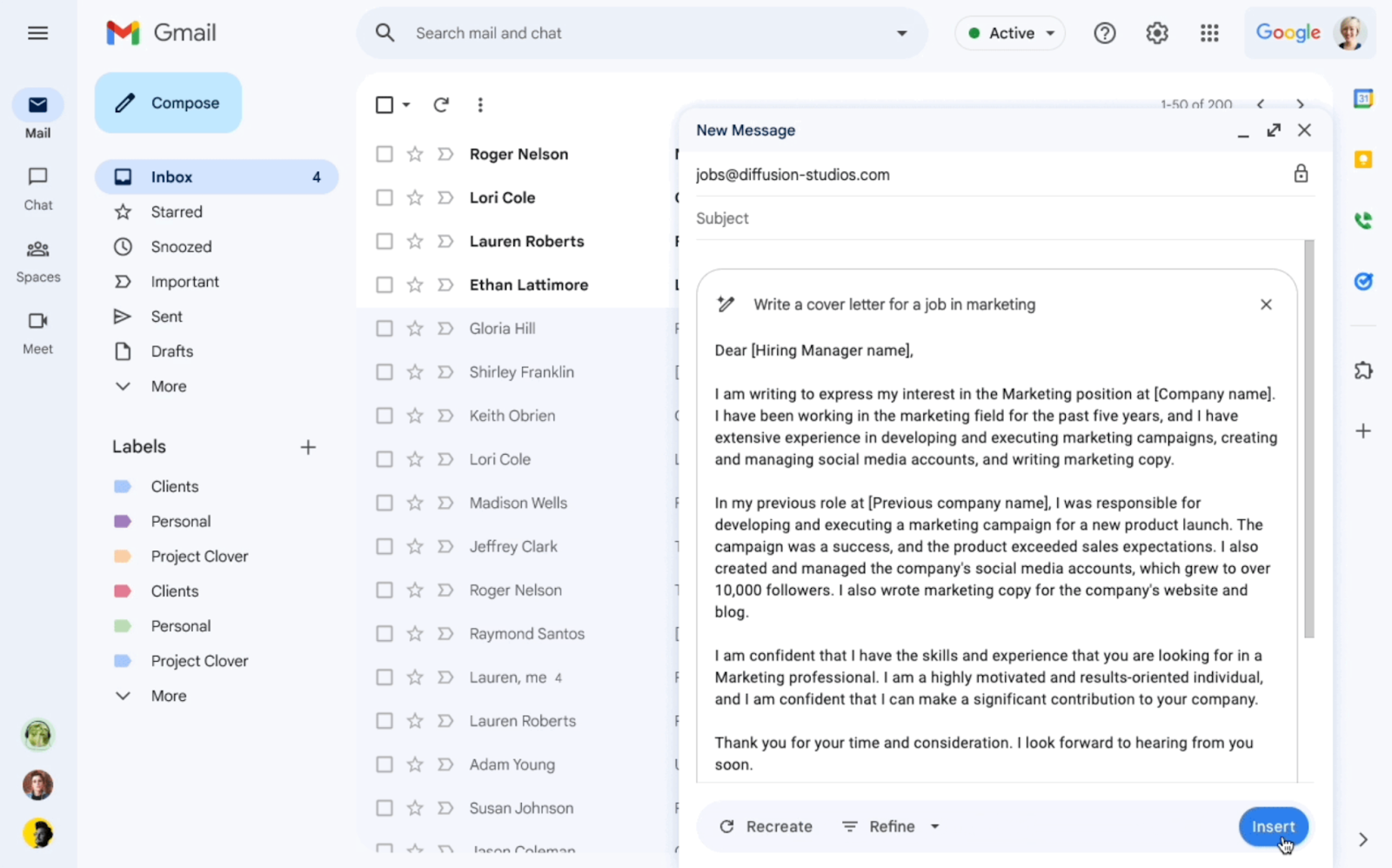
Help Me Write is an AI-powered feature in Gmail that can generate a new draft from a simple prompt or refine text you’ve already written. It understands the context of the email thread, so replies stay relevant, and it lets you adjust tone and length with options to make the language more formal, elaborate explanations, or shorten the message before hitting send.
According to Google, Help Me Write is available on the web and mobile and is expanding to more languages, including Italian, French, and German.
For instance, say you need to introduce a colleague to a new client but only have a rough outline in mind. You ask Help Me Write to draft the introduction, then tweak it into more formal language, and insert the final version before sending.
Bottom line: Gmail is doing more of the inbox work for you
Gmail’s latest features point to a shift away from manual inbox cleanup and toward built-in assistance. Instead of relying solely on folders or constant searching, Gmail now automatically summarizes conversations, identifies urgent messages, and reduces subscription clutter.
For users managing high email volume, these tools are designed to make your inbox feel less overwhelming without adding extra steps to your daily email use.
Read our coverage on how Gemini is arriving on Chromebooks and what it means for managing everyday work.