


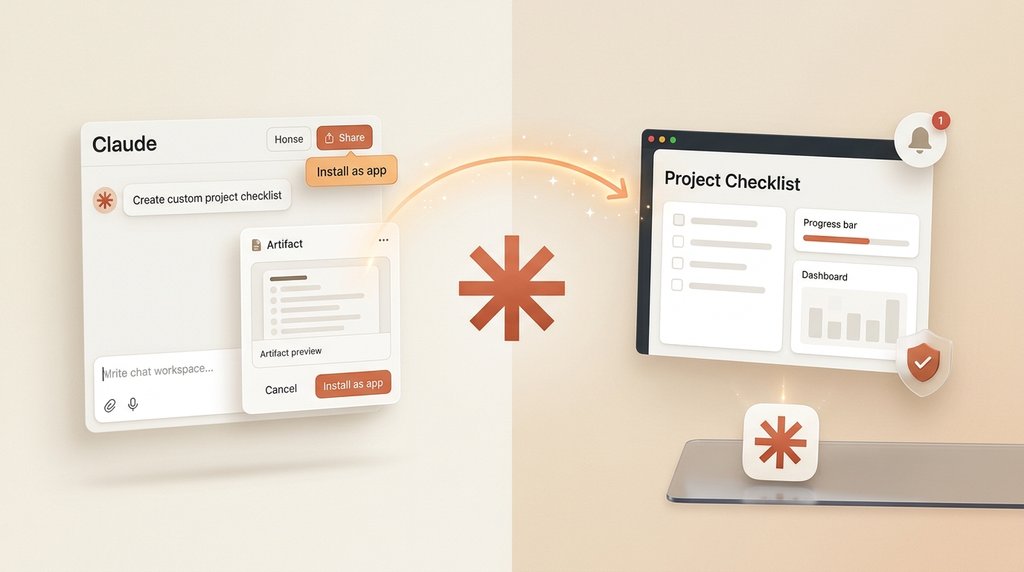
An employee can build a tool in a Claude chat on Monday and open it from a desktop icon on Tuesday. If the tool changes on Wednesday, the icon still looks the same.
Anthropic began rolling out Install as app on Nov. 24. The beta turns eligible Claude artifacts into apps with their own windows and icons on Mac and Windows. They update automatically when someone edits the underlying artifact, and they can request access to features such as notifications or local files.
For IT teams, that creates two separate decisions: whether employees should be able to install these apps, and what the apps should be allowed to do once installed. Those decisions don’t have to have the same answer.
What employees can install
An artifact is something Claude creates in a separate workspace alongside a chat, such as an interactive calculator or dashboard. To install one, open it in Claude Desktop and choose Share → Install as app. Anthropic’s installation guide requires Claude for Mac or Windows version 6.28899.0 or later. Claude Docs, Slides, and Sheets cannot be installed this way.
The beta is rolling out across Claude plans, with exclusions for HIPAA-ready organizations and hybrid deployments. The apps still need a Claude sign-in and an internet connection to open. They can use Claude and its connectors, and requests to Claude count against the user’s plan limits. That’s a separate capability from the Docs and Slides tools Anthropic brought into Claude.
What the three permission levels allow
| Permission level | What the app can do |
|---|---|
| Default | Work within browser capabilities. |
| App permissions | Ask to send notifications, use system-wide shortcuts, or float above other windows. |
| Full computer access | Ask for the ability to run programs or read, change, or delete files without prompting for each action. |
Anthropic does not review apps before installation. Full access is limited to apps users make themselves or, on Team and Enterprise, apps made within their organization. Treat that access as a separate review decision, just as you would when reviewing Mac app permissions.
Also check which connected services the app uses. An app that never touches a local file may still depend on a work account.
Where admins can enforce the rules
On standard Team configurations, installation and app permissions start on, while full computer access starts off.
On Enterprise, all three start off by default. Anthropic’s admin guide documents two places to restrict them: Claude organization settings and device management policy. The stricter policy applies. Use device policy if the restriction also needs to cover personal Claude accounts on company computers.
The audit trail has a gap. Anthropic says its Compliance API records app opens and access checks as artifact views, but not installations, permission decisions, or actions the app takes on the computer. If your policy requires a record of who approved access or what an app did locally, don’t assume Claude’s log will provide it. Audit visibility is also worth checking when comparing workplace AI agents.
How to pilot an app without giving it full access
Start with a meeting checklist built from sample notes. Don’t connect production accounts or use sensitive files. Keep full computer access off, and see whether the app does enough at the default level to justify installing it at all.
- Test one permission. If a reminder helps, have one teammate allow notifications and another decline.
- Make a small edit. Change how the checklist groups tasks and have both teammates reopen it. Anthropic says an approval applies to one version, while a denial stays in place until the user changes it. Code loaded from an external site can change without a new request.
- Give it an owner. Make sure users know who can edit the artifact and who will retire it if it breaks or is no longer needed.
The first version tells you whether the tool saves a few clicks. The next version tells you whether someone else can keep using it safely without asking its creator what changed. That’s the test I’d run before letting a Claude-built app become part of a real workflow.
Related reading: See what Gemini can access on a Mac before letting another AI tool work inside desktop apps.