


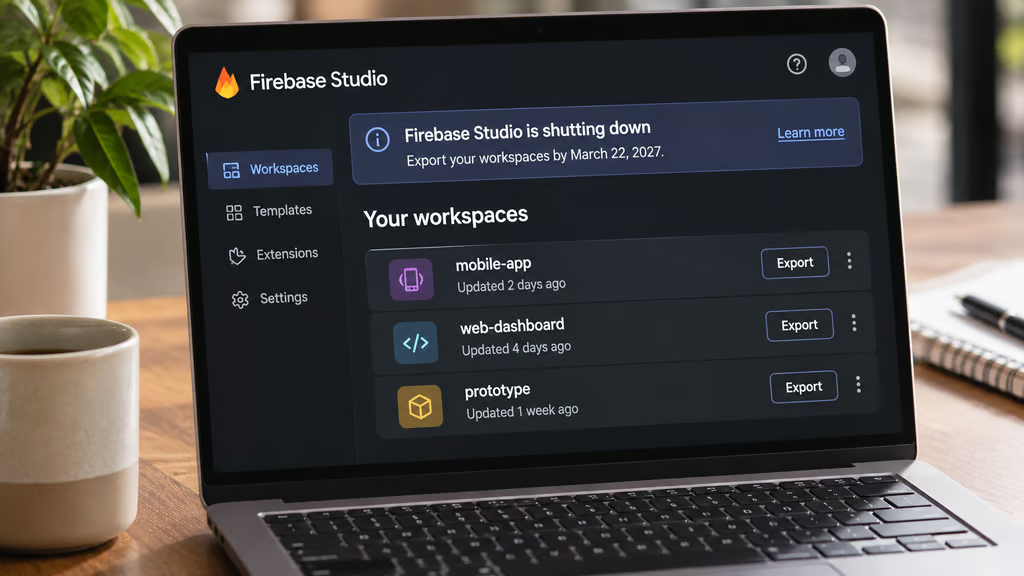
Imagine opening your development workspace next March and finding that your code, project files, and AI conversations are gone. That’s the deadline Google has set for Firebase Studio users who haven’t moved their work elsewhere.
Firebase Studio shuts down March 22, 2027, and Google says any data left in its workspaces will be permanently deleted. New sign-ups and workspace creation already ended June 22, 2026, but existing users can keep working until the shutdown.
There’s some good news: Firebase itself isn’t disappearing. Your databases, authentication services, and deployed apps can keep running. It’s the development environment that’s going away, and Google wants users to move to Google AI Studio or Google Antigravity.
How to migrate your Firebase Studio projects before March 22, 2027
Google announced the shutdown March 19, 2026, less than a year after Firebase Studio debuted as a cloud-based development environment with AI coding assistance.
The company is now concentrating its development tools around AI Studio for browser-based prototyping and Antigravity for more involved coding work.
According to Google’s migration guide, the timeline is:
- March 19, 2026: Google announces the shutdown and begins introducing migration tools.
- June 22, 2026: New sign-ups and workspace creation end.
- March 22, 2027: Firebase Studio closes, and remaining workspace data is permanently deleted.
You don’t need to rebuild every application from scratch. Google provides migration tools, although the process depends on where you want to move your project.
Moving to Google AI Studio
For developers who primarily used Firebase Studio to create applications through prompts, Google AI Studio offers the more familiar experience.
To move an existing workspace:
- Open your Firebase Studio workspace.
- Select Move now, then Prepare for AI Studio.
- Once preparation finishes, select Move to Google AI Studio.
- Accept the terms if prompted and wait for your application to open.
The transfer may take several minutes. Afterward, you’ll need to confirm that your application works and choose how to publish future changes.
There’s a potential complication if your application already uses Firebase App Hosting. Preserving its existing URL requires additional setup involving GitHub and environment variables.
Google provides separate instructions for that process. Don’t assume moving the code automatically preserves every deployment setting.
Moving to Google Antigravity
If you prefer working directly with source code, Google recommends Antigravity.
It’s a desktop development environment designed around AI agents, with access to your codebase, terminal, and development tools.
Google recommends this route for projects created from templates, imported repositories, or applications that have grown beyond simple prototypes.
You can also export your Firebase Studio project as a ZIP archive or move the code into GitHub before opening it elsewhere.
The distinction reflects a wider change in AI coding tools: developers can now start with a prompt, then move into conventional coding as their applications become more complex.
Don’t forget your AI chat history
Here’s an easy detail to miss: Firebase Studio’s standard ZIP export doesn’t include your agent chat history.
That could mean losing useful prompts, explanations, and troubleshooting conversations alongside your old workspace.
Google says those records can be found in the workspace’s /home/user/.idx/ai directory.
To preserve them, open the folder in Firebase Studio, locate .idx/ai, and use Zip and Download. Google also notes that some prototyping prompts may be available through Git history.
Shared workspaces need special attention. Only the original workspace creator can use the automatic migration button. Other collaborators must duplicate the workspace or export their code manually.
And before moving anything into a public repository, check that API keys and other secrets aren’t included.
Google AI Studio vs Antigravity: Which should you choose?
Google is replacing one development environment with two options that serve different working styles.
| Google AI Studio | Google Antigravity | |
|---|---|---|
| Best for | Rapid app prototyping | Code-first development |
| Where it runs | Web browser | Desktop |
| Main workflow | Describe and refine apps through prompts | Work directly with code and AI agents |
| Firebase integration | Cloud Firestore and Authentication | Firebase projects and development tools |
| Recommended migration | App Prototyping agent projects | Templates, imported repositories, complex projects |
For someone who built a quick prototype by describing an idea in plain English, AI Studio is the natural starting point.
Developers maintaining larger codebases may find Antigravity more practical, particularly when they need direct control over files, dependencies, and testing.
Neither choice is permanent. Google says AI Studio users can later export their projects to Antigravity.
The two tools also face competition from platforms that combine coding and deployment. For example, Cursor’s new app-building feature can generate applications, configure databases, and publish them through an AI-assisted workflow.
Will existing Firebase apps stop working?
No. Google explicitly says its core Firebase services will continue operating after Studio closes.
That includes Cloud Firestore, Authentication, and App Hosting. Apps already deployed through Firebase can continue running.
But maintaining those applications is a separate question. If you want to keep developing and deploying new versions, you’ll need another development environment.
The migration can also require additional configuration.
For example, applications using Google Sign-In may need updated authorized domains. Projects published through App Hosting may require changes to environment variables and GitHub connections.
Google’s broader Gemini development strategy increasingly centers on tools that can work across different applications and development environments, rather than a dedicated editor for each service.
What should you do before the deadline?
Start with one project rather than migrating everything at once.
Export it, open it in the replacement tool, and confirm that it builds, connects to the correct Firebase backend, and deploys successfully.
Pay particular attention to:
- Source code and Git history: Confirm that the files and revisions you need are accessible.
- Secrets and environment variables: Transfer credentials securely rather than placing them in public repositories.
- Authentication: Test sign-in flows, especially if the application’s domain changes.
- Hosting: Check whether the original URL and deployment configuration still work.
- Shared access: Confirm that collaborators retain the permissions they need.
Once that project works, repeat the process for your remaining workspaces.
Google has provided several months to make the transition, but March 22, 2027, is a hard cutoff for anything left inside Firebase Studio. The backend can survive the shutdown; an unexported workspace won’t.
Also read: A Microsoft study found that AI coding agents increased merged pull requests by 24%, offering another perspective on the tools developers are adopting.