


ChromeOS Flex returns after a quick sellout.
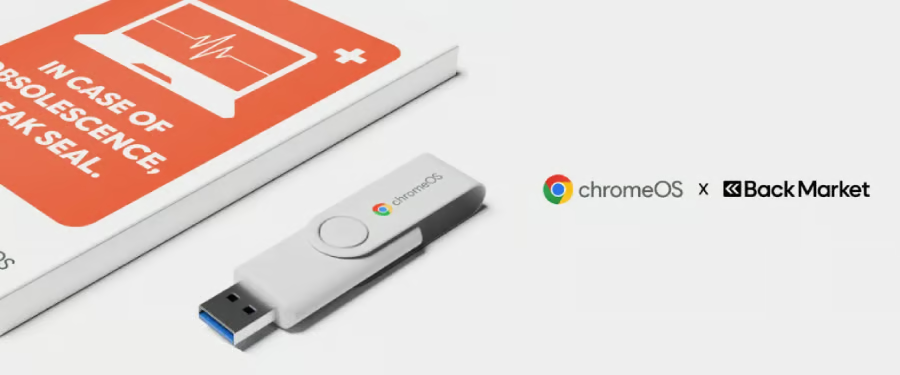
Google and refurbished-device marketplace Back Market have restocked their ChromeOS Flex USB Kit after the first batch disappeared shortly after launch earlier this year.
The kit is designed to give users a simpler way to install ChromeOS Flex on older computers that may no longer be receiving Windows support. While ChromeOS Flex has always been available as a free download, the physical kit reduces setup work by arriving preloaded and paired with installation guidance.
The return of the USB kit comes at a time when many users are still weighing their options after the end of Windows 10 support. As Google previously said, the transition “Left many people with a difficult decision: spend hundreds on a new device, or continue using an insecure, outdated one.”
Back Market’s first run sold out quickly, suggesting demand for low-cost alternatives remains strong.
Why this matters
The conversation around older PCs has grown beyond a single software update cycle.
In earlier TechRepublic reporting, I covered how users have increasingly looked beyond traditional Windows upgrades and toward alternatives that extend the life of aging hardware. Linux distributions such as Zorin OS saw growing interest from Windows users seeking a way to avoid replacing functional machines.
ChromeOS Flex targets a similar problem but approaches it differently. Instead of asking users to download files and create their own installation media, Google is trying to lower the barrier for less technical users.
“Google and Back Market are teaming up to save PCs from the landfill. Through the new ChromeOS Flex USB Kit, you can transform your aging, unsupported laptop into a fast, secure, and sustainable machine for free,” Google’s Ted Briggs wrote in April.
A cheaper option with limitations
For users who primarily use a browser for email, streaming, web apps, and productivity tools, ChromeOS Flex could provide an inexpensive path forward. But there are trade-offs.
Unlike traditional Chromebooks, ChromeOS Flex does not include Android app support through the Google Play Store. Users also lose some Chromebook-specific capabilities, including certain security features and support for Windows virtual machines through Parallels Desktop. That means the experience may not fit everyone, especially those who rely heavily on Windows-specific software or local applications.
Availability isn’t uniform, though. As of now, the kit is showing as out of stock again on Back Market’s US store, while UK shoppers can still find it listed and available to buy. Anyone in the US hoping to grab one may want to keep checking back.
More Google coverage
- New Google Search AI Mode is ‘Total Reimagining,’ Says CEO Sundar Pichai
- In Major Ruling, Judge Finds Google ‘Willfully Acquired and Maintained Monopoly Power’ Over Digital Ad Market
- Google’s Big Bet on Nuclear Energy: ‘The Race to Power AI-Driven Data Centers is Accelerating’
- Computer History Museum Releases Original AlexNet Code: Why It Matters
The free workaround still works
That US stockout doesn’t actually lock anyone out of ChromeOS Flex. The $3 kit is a convenience, not a requirement; the operating system itself remains free to download straight from Google, with or without the physical drive.
Getting there takes three basic steps. First, build a USB installer: the easiest way is via Google’s free Chromebook Recovery Utility extension for Chrome, which walks you through selecting Google ChromeOS Flex and writing the image to a USB drive.
Second, plug that USB drive into the old PC you want to convert, and boot from it, usually by hitting a startup key during power-on to reach a boot menu. Third, once ChromeOS Flex loads, you can either test it temporarily through a “live boot” that leaves your existing files untouched or install it permanently, which Google recommends for full performance and automatic updates.
One caveat: a permanent install wipes everything already on the device, so backing up files first is non-negotiable. But for anyone willing to spend 20 minutes building their own installer, the free route gets you the identical operating system, just without the $3 kit’s printed instructions and pre-made drive.
The bigger battle is over hardware lifespan
Google is not just pitching an operating system; it is pitching an argument that older hardware still has value.
The environmental angle is becoming part of that message, too. “The manufacturing process of a new laptop is responsible for a large part of its carbon footprint. ChromeOS Flex allows the already-manufactured device to be used for longer, which keeps hardware out of landfills and avoids the emissions of making a new device,” Briggs wrote.
The kit itself is unglamorous, a reusable USB stick preloaded with the ChromeOS Flex installer, plus printed guides and video tutorials aimed at people who’d rather not mess with downloading and flashing a drive themselves. One stick can be reused across multiple machines, which makes it a reasonable buy for a household with more than one neglected laptop gathering dust.
Whether users ultimately choose ChromeOS Flex, Linux, or Microsoft’s paid extended support path, the growing market response suggests many people are not ready to throw away perfectly working PCs simply because software has moved on.
Also read: Google’s Gemini-powered Home Speaker brings the company’s AI assistant deeper into smart homes with a $99 device built for voice control, search, and connected-home tasks.