


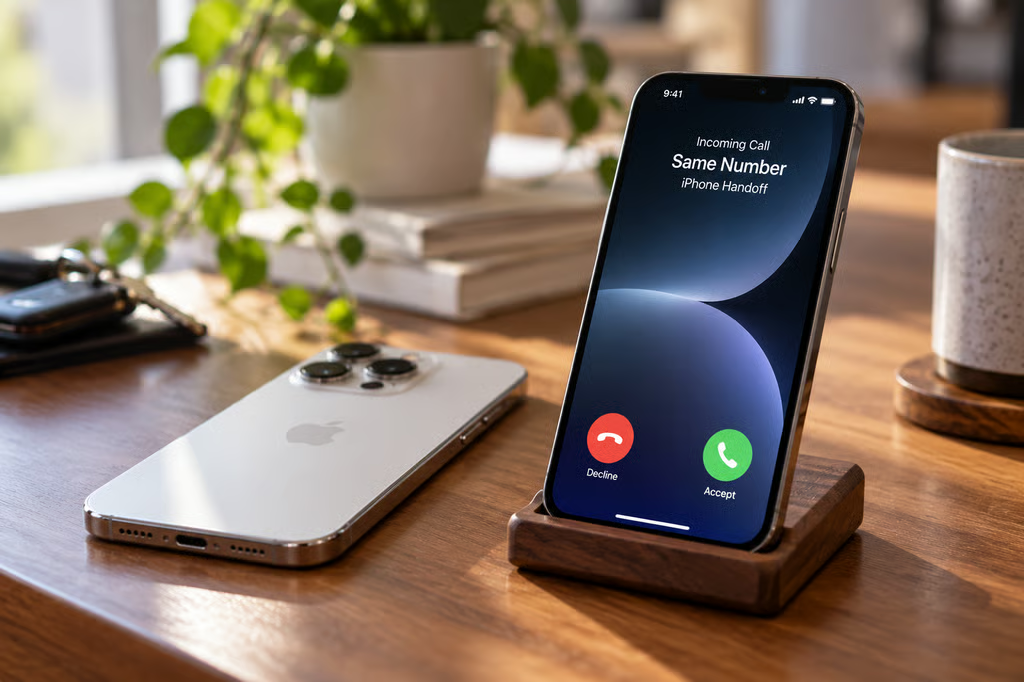
iOS 27 introduces iPhone Handoff, an eSIM feature that lets the same phone number work across two iPhones and automatically switches cellular service between them. Only one iPhone is active on the network at a time, and unlocking the other device moves the number to it.
Calls, voicemail, iMessage, RCS, SMS and MMS messages, and Find My location follow the active iPhone. For people who regularly switch between two personal iPhones, that removes the need to repeatedly transfer an eSIM.
Apple’s iPhone Handoff documentation says both devices must run iOS 27 or later, share the same Apple Account, use Messages in iCloud, and be signed into FaceTime and iMessage with the same account. Both devices also need Wi-Fi access during setup and an eSIM from a participating carrier.
The name is separate from Apple’s older Handoff feature for continuing activities across devices. iPhone Handoff works at the cellular level, using a main iPhone and a secondary iPhone that share one number.
iPhone Handoff carrier support and requirements
Carrier support remains limited. Apple currently lists T-Mobile in the US and Telekom in Germany as supported carriers.
T-Mobile says iPhone Handoff costs $5 per month and works with compatible iPhones running iOS 27. The secondary device can use calls, texts, cellular data, mobile hotspot, Scam Shield, and T-Satellite on eligible plans.
The setup differs from Apple’s normal eSIM transfer process.
With eSIM Quick Transfer, activating the cellular plan on a new iPhone deactivates the previous SIM, according to Apple’s eSIM support documentation. iPhone Handoff instead keeps both phones enrolled and changes which one is active.
One iPhone is designated as the main device, while the second receives access to the shared number. Some carrier settings remain tied to the main iPhone, including Caller ID, Call Forwarding, and carrier account management.
The feature is especially relevant for buyers who intend to use Apple’s new iPhone Duo alongside a conventional iPhone rather than carrying two separate phone numbers.
How iPhone Handoff switches between two iPhones
Users can enable Handoff while setting up a new iPhone or afterward through Settings > Cellular > Set Up Cellular or Add eSIM.
Selecting “Use Number on This iPhone and Another” starts the setup process. Users then choose which phone will serve as the main iPhone and which will become the secondary device.
After setup, switching is simple: unlock the iPhone you want to use. Apple says a “Switched to this iPhone” message appears when the number becomes active on that device.
Other iCloud data continues syncing normally across both phones. Third-party apps can work on either device, although their behavior depends on each app. Apple warns that some apps may sign users out when another device signs in, while banking apps may require additional authentication on the secondary phone.
Apple Watch does not switch automatically when the phone number moves. Apple recommends pairing the watch with whichever iPhone is used most often.
Wallet also has limits. Payment cards can work on both iPhones, and car keys can be shared across the devices, but certain transit passes, IDs, and corporate badges may work on only one device at a time.
Dual SIM is supported if both eSIMs come from carriers that support iPhone Handoff. Each number must be enrolled separately, after which both lines switch together when the other iPhone is unlocked.
Turning the feature off also requires carrier involvement. Apple warns that deleting the eSIM alone may not cancel the service or stop carrier charges.
Where iPhone Handoff fits for work and personal use
The same-Apple-Account requirement limits where Handoff fits in managed environments. It is designed around one person moving between two devices, not multiple employees sharing a phone number across a device pool.
That makes the most straightforward use case someone who wants two personal iPhones for different situations, such as an iPhone Duo for its larger folding screen and a smaller conventional iPhone for travel or everyday carry.
Organizations evaluating the feature should also account for the Apple Watch limitation, app reauthentication, Wallet credentials that may remain device-specific, and carrier controls that stay attached to the main iPhone.
Before adding a second phone specifically for Handoff, customers should confirm that their carrier supports the feature and whether an additional monthly charge applies.
Also read: The iPhone Duo’s foldable-specific iOS 27 features include Split View, dual Home Screens, and controls designed around its two displays.