


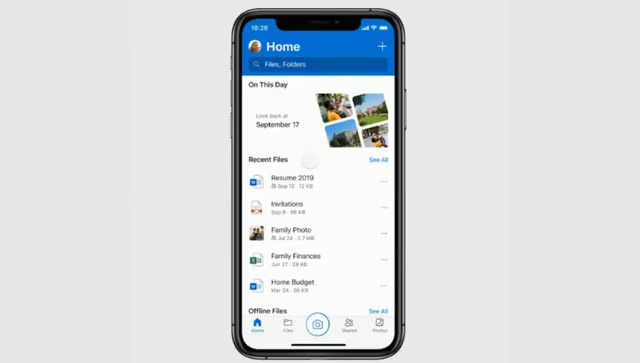
Microsoft is preparing to stop updating OneDrive on iOS 18 and iPadOS 18, potentially leaving some older iPhones and iPads without future releases of the cloud-storage app.
An App Store notice advises users to move to newer operating systems, although no cutoff date has been announced. Some Apple devices cannot install the recommended software.
People whose phones and tablets still work well may now have to consider how long they can continue relying on an older version of OneDrive.
Earlier OneDrive cutoff offers a preview
According to the OneDrive App Store release history, version 18.0.2, released April 27, was the final update installable on iOS 17 and iPadOS 17. Version 18.1.4, released May 11, then raised the minimum to iOS 18.
Users on unsupported operating systems can no longer install newer app releases. The cutoff, however, does not automatically remove OneDrive on an iPhone or iPad or delete files stored in the cloud.
Microsoft’s current system requirements still list iOS 18 as the minimum. The tech company has not specified how long existing installations will remain functional after support ends.
Four older Apple devices cannot upgrade to iOS 26
Apple’s iOS 26 compatibility list starts with the iPhone 11 family and second-generation iPhone SE. Its iPadOS 26 eligibility list includes the eighth-generation iPad and later models.
Comparing those lists with devices capable of running iOS 18 or iPadOS 18 identifies four models excluded from the newer operating systems:
- iPhone XR
- iPhone XS
- iPhone XS Max
- iPad, seventh generation
Owners of newer devices still running version 18 can move to a compatible iOS 26 update without replacing their hardware. Apple has also continued issuing security fixes for older models, including iOS 18.7.10 and iPadOS 18.7.10. Operating system security maintenance, however, does not guarantee continued support from individual apps.
More Microsoft news
- Inside Microsoft’s Real-Time War Against Cybersecurity Threats
- Project Ire: Microsoft Tests AI That Autonomously Detects Malware
- Microsoft Targets ‘Critical AI Talent’ from Meta to Dominate Next AI Breakthroughs
- Windows 10 Support Ends Soon, Though Extended Security Updates Offers Are Available
What OneDrive users should check before support ends
Despite the upcoming cutoff, Microsoft has not announced any interruption to existing OneDrive backups or file access. People who rely on the app for photos or important documents can take a few precautions now to prepare for potential compatibility problems.
Before support ends, take these steps:
- Verify recent photo backups. If you use Camera Upload, confirm that your latest photos and videos appear in OneDrive from a browser or another device before deleting local copies. Future compatibility problems could interrupt uploads without an immediate fix for unsupported versions. Consider a separate cloud backup option for photos or videos you cannot afford to lose.
- Confirm access to important documents. If you use an older iPad or iPhone to retrieve Microsoft 365 documents, test signing in via OneDrive’s browser interface and verify that essential files are accessible on another supported device. Future authentication or compatibility changes could interfere with an outdated app. Employees using company-managed devices should verify that alternative access methods comply with workplace policies.
- Check your device’s upgrade options. Open Settings > General> Software Update to check for a newer compatible operating system. Owners whose hardware cannot upgrade past version 18 should assess their alternative backup and file access options before considering a replacement. If your device is managed by an employer, consult IT before changing its software or settings.
An older iPhone or iPad may remain adequate for everyday use even after OneDrive support ends. Keeping essential files accessible via another method can reduce the risk of future problems without necessitating an immediate hardware replacement.
Build your AI skills: Spend six minutes learning how to write stronger AI prompts with our free How to Talk to AI course. The Neuron Academy also gives you seven days to explore its other AI courses for free. Check out all the lessons here →