


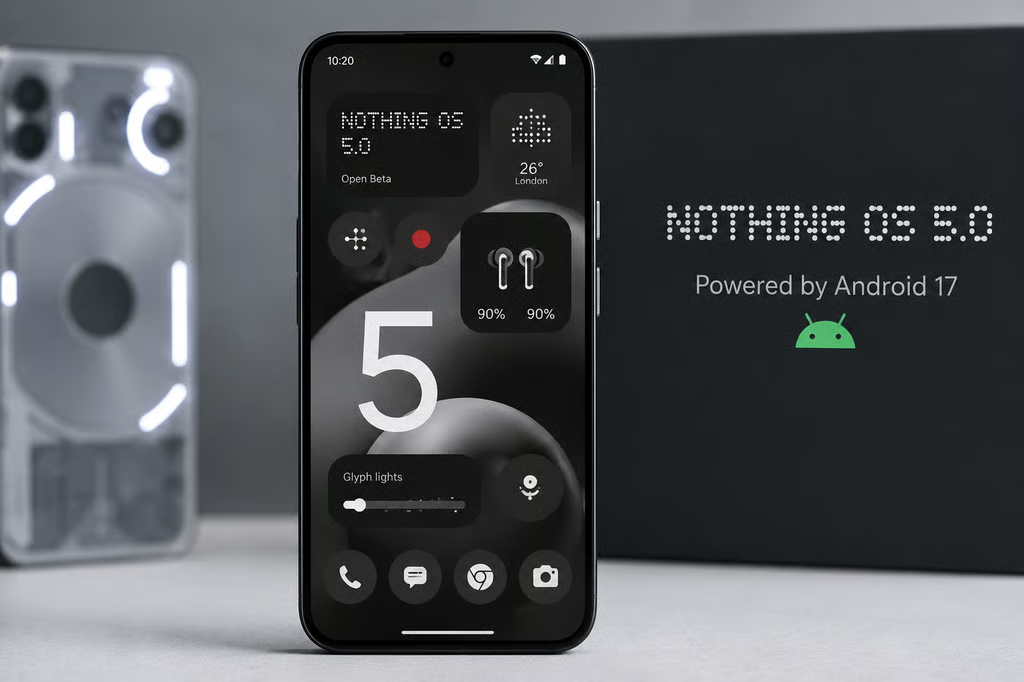
Nothing OS 5.0 is Nothing’s Android 17-based software update, and the rollout is now underway.
Phone (3) entered Open Beta on August 26, with its general release scheduled for mid-October.
The update brings a broader visual refresh, new Essential AI tools, Android 17 features, and changes to everyday controls. Nothing is staggering the rollout by model, so some phones will not receive general-release software until early 2027.
| Model | Open Beta | General release |
|---|---|---|
| Phone (3) | August 26 | Mid-October |
| Phone (4a) Pro | Early September | Early November |
| Phone (4a), Phone (3a) Pro, Phone (3a) | Late September | Early November |
| Phone (2a), Phone (2a) Plus | Mid-October | Mid-November |
| Phone (3a) Lite | ✖ | Late December |
| Phone (4b) | Mid-December | Mid-January |
| CMF Phone 2 Pro | ✖ | Mid-January |
Which phones get Nothing OS 5.0?
According to Nothing’s official OS 5.0 page, Phone (4a) Pro is planned to join the Open Beta in early September, followed by Phone (4a), Phone (3a) Pro, and Phone (3a) later in the month. Phone (2a) and Phone (2a) Plus follow in mid-October.
Phone (3a) Lite and CMF Phone 2 Pro skip Open Beta and move directly to general releases in late December and mid-January, respectively. Phone (4b) is on a later track, with Open Beta planned for mid-December and general release in mid-January.
Phone (1), Phone (2), and CMF Phone 1 will not receive Nothing OS 5.0 because they have reached the end of major software support. The cutoff is another reason to check a phone’s software support window before buying, especially if you plan to keep it for several years.
Phone (3) owners can join through Nothing Beta Hub V2.0. Installing Open Beta does not erase existing data, but Nothing warns that prerelease software can affect stability, battery life, and performance.
Returning to the stable version requires a rollback that erases all data on the phone, so a backup is essential. Nothing also says rollout timing is indicative and can vary by region and carrier.
What changes in Nothing OS 5.0?
Nothing’s feature breakdown details a refreshed interface built around the new Geist system typeface, redesigned Settings, updated status-bar icons, Camera and Gallery changes, smoother animations, and faster Bluetooth controls.
Personalization additions include new lock-screen options, wallpaper-adaptive colors, batch home-screen editing, the Away Time and Collector widgets, and a dedicated Glyph app. The redesigned Launcher and Micrographics lock screen clock face are not included in Open Beta and will arrive with the general release starting in October.
Essential Voice adds real-time transcription and improved formatting, while Essential Apps Builder lets users create small tools directly on the phone using natural-language instructions. Model Context Protocol support for Essential Space is planned for October, with a redesigned capture experience following from November. Real-time translation in Essential Voice is planned for later in 2026.
Because Nothing OS 5.0 is built on Android 17, users also get separate Notifications and Quick Settings panels, enhanced Quick Share with QR-code sharing to iPhone and other devices, Expanded Dark Theme, improved screen recording, separate assistant volume, and an updated Recents menu.
Developers have additional Android 17 changes to test, including new app memory limits and API level 37 behavior changes. Those platform requirements are separate from Nothing’s OS 5.0 feature rollout.
For most users, the main decision is whether to install Open Beta now or wait. Phone (3) owners who depend on the device every day have a mid-October general-release target close enough that waiting avoids the rollback risk. Anyone installing the beta should back up first and expect unfinished software.
Also read: ColorOS 17 is also moving Android 17 into a heavily customized interface, with new navigation, visual changes, and a wider rollout across OPPO-related devices.