


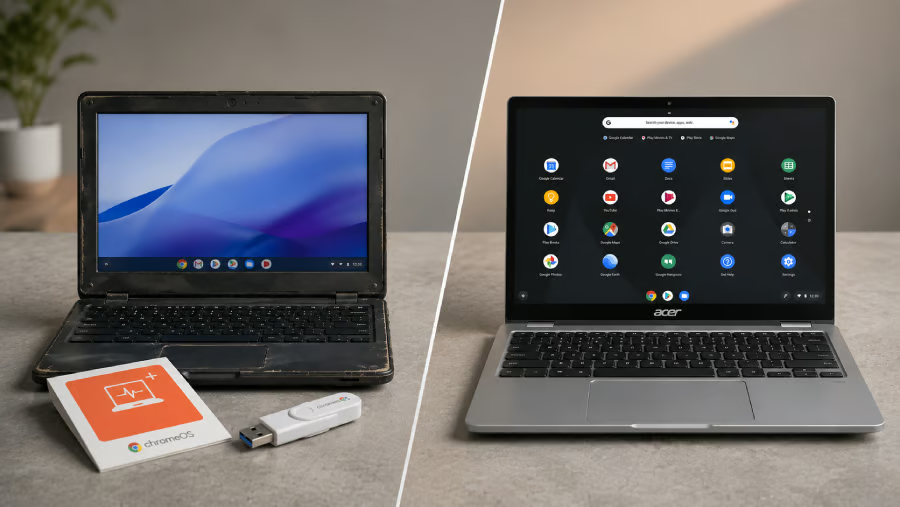
A $3 USB kit sounds like an easy way to rescue an old laptop, and plenty of buyers seem interested.
Google’s ChromeOS Flex Kit sold out after its release, returned to stock, and became unavailable again, making it hard to predict when buyers will be able to order one.
The low price only covers the software conversion, though. An aging battery, worn storage drive, limited app support, or hardware compatibility problem can make a repurposed PC less appealing than a Chromebook.
The better choice depends on the condition of the computer, the features the user needs, and whether the device will serve as a backup or a daily work machine.
What the ChromeOS Flex Kit offers
Google introduced its ChromeOS Flex Kit with refurbished-device marketplace Back Market in 2026. Priced at roughly $3, the kit includes a reusable USB drive containing ChromeOS Flex and printed instructions for installing it on a compatible Windows PC or Mac.
Google positioned the kit as a simple way to extend the life of older computers that may no longer receive updates from their original operating systems. ChromeOS Flex itself remains free to download, so the physical kit mainly saves users from creating the installer on another USB drive.
Before installing it, users should keep three limitations in mind:
- Installation can erase the existing operating system and files. Important data should be backed up first, and users should test ChromeOS Flex from the USB drive before completing a permanent installation.
- ChromeOS Flex does not include Google Play or Android app support. Users who depend on mobile apps will need a compatible Chromebook instead.
- Some hardware features may not work as expected. Fingerprint readers, styluses, docks, cameras, shortcut keys, and other components can behave differently depending on the PC model.
Security also varies between the two options.
According to Google’s support page, Chromebooks use hardware and firmware designed specifically for ChromeOS, while Flex relies on components and firmware supplied by the PC’s original manufacturer.
Firmware updates, hardware-backed security, battery performance, and power management can therefore differ from one converted computer to another.
ChromeOS Flex Kit vs Chromebook at a glance
The biggest differences come down to cost, app support, hardware reliability, and setup. The table below shows where each option has the advantage before you look at the finer details.
| Upfront cost | About $3 with a compatible PC | Requires buying a device | ChromeOS Flex |
| Setup | Requires installation and testing | Ready to use | Chromebook |
| App support | Web apps; no Google Play or standard Android apps | Web and Android apps on compatible models | Chromebook |
| Hardware and battery | Depends on the old PC’s condition | More predictable | Chromebook |
| Best use | Secondary or basic web device | Primary everyday computer | Depends on use |
Which costs less upfront?
ChromeOS Flex wins on price when the user already owns a compatible computer in good condition. The physical kit costs roughly $3, and anyone with a spare USB drive can download the operating system for free instead.
A Chromebook requires a much larger initial purchase, even when the buyer chooses an inexpensive refurbished model. Reusing a laptop already sitting at home will almost always cost less at the start.
Repairs can quickly change the calculation. A replacement battery, charger, storage drive, or Wi-Fi adapter may turn a cheap conversion into a more involved project, especially when several parts need attention.
One small repair may still leave Flex comfortably ahead. Once the computer needs multiple upgrades, however, the total cost can move surprisingly close to the price of a refurbished Chromebook while still leaving the user with older hardware.
Our pick: ChromeOS Flex, as long as the old PC does not need expensive repairs.
Which is easier to set up?
A Chromebook offers the simpler experience because buyers can turn it on, connect to Wi-Fi, sign in, and start using it within minutes.
ChromeOS Flex requires a few more steps. Users need to back up their files, boot the computer from the USB drive, test the operating system, and make sure the hardware they rely on works properly before committing to the installation.
A permanent installation removes the old operating system and stored data. Anyone who changes their mind later may need to reinstall Windows, macOS, or another operating system manually, which adds more work than returning a Chromebook to its default settings.
Creating an installer without the official kit adds another step, although users who are comfortable changing boot settings should find the process manageable.
Our pick: Chromebook if you want the easiest path from purchase to use.
Which offers better app support?
Both options work well with browser-based services, including Gmail, Google Docs, Microsoft 365 for the web, video streaming platforms, and many other everyday tools.
A Chromebook gains an important advantage through Android app support. Compatible models can access Google Play, while ChromeOS Flex does not offer the same option.
Anyone who depends on traditional Windows or macOS software may find neither device suitable without a browser-based alternative. ChromeOS Flex will not make desktop programs run inside Chrome, and a Chromebook may require users to change how they complete certain tasks.
Checking the app list before choosing either path can prevent an expensive mistake. A missing work, banking, communication, or accessibility app may matter far more than the savings offered by the Flex Kit.
Our pick: Chromebook, especially for anyone who relies on Android apps.
More Google coverage
- New Google Search AI Mode is ‘Total Reimagining,’ Says CEO Sundar Pichai
- In Major Ruling, Judge Finds Google ‘Willfully Acquired and Maintained Monopoly Power’ Over Digital Ad Market
- Google’s Big Bet on Nuclear Energy: ‘The Race to Power AI-Driven Data Centers is Accelerating’
- Computer History Museum Releases Original AlexNet Code: Why It Matters
Which has more dependable hardware and battery life?
A Chromebook uses hardware designed and tested for ChromeOS, so the keyboard, trackpad, webcam, wireless components, and power controls should work as part of the expected device experience.
ChromeOS Flex relies on hardware originally built for another operating system. A certified PC may work well, but fingerprint readers, styluses, proprietary docks, Bluetooth, shortcut keys, and other components may offer limited functionality after the conversion.
The condition of the old computer adds another layer of uncertainty. ChromeOS Flex cannot repair a worn hinge, damaged charging port, failing storage drive, or weak battery, no matter how smoothly the operating system runs.
Testing Flex from the USB drive can uncover many compatibility problems before installation, but physical wear may still shorten the computer’s useful life afterward. Battery condition matters most for school, commuting, travel, and remote work, where a laptop that lasts only an hour becomes difficult to rely on.
A newer Chromebook will usually provide more predictable mobility, although buyers should still check reviews because battery life varies by model.
Our pick: Chromebook for more predictable performance and battery life.
Which is better for everyday use?
ChromeOS Flex works best when the old computer remains healthy and only needs to handle browser-based tasks. Email, documents, streaming, online banking, and general browsing all fit comfortably within its strengths.
A converted laptop can also serve as a shared family computer, homework device, kitchen browser, or spare machine. Minor limitations become easier to accept when the device is not responsible for a full workday or an important school assignment.
A Chromebook makes more sense as a primary computer because daily use puts more pressure on the battery, webcam, microphone, keyboard, and wireless connection. Android app support, simpler setup, and more consistent hardware also make Chromebooks easier to recommend for users who do not want to troubleshoot an older PC.
The decision becomes less about which operating system looks better and more about how much responsibility the device will carry. A backup computer can tolerate a few compromises, while a primary machine needs to work reliably every day.
Our pick: ChromeOS Flex for a secondary device, but Chromebook for everyday use.
ChromeOS Flex vs Chromebook verdict
ChromeOS Flex is the better value when a certified old PC remains healthy, needs no paid repairs, and will mainly run browser-based applications. The kit offers an inexpensive way to test whether aging hardware can stay useful without committing to another computer purchase.
A Chromebook is the stronger all-around choice for most daily users, especially anyone who needs Android apps, dependable battery life, reliable hardware, or a primary device for work and school. The higher price buys a complete system rather than an operating system conversion.
ChromeOS Flex wins on upfront cost, while a Chromebook takes the lead on setup, app support, and hardware consistency. A healthy old laptop may deserve another few years of use, but a machine with a weak battery, damaged parts, and missing features may already be ready for retirement.
Considering ChromeOS Flex for your old Windows 10 PC? Check these five things before installing it.