


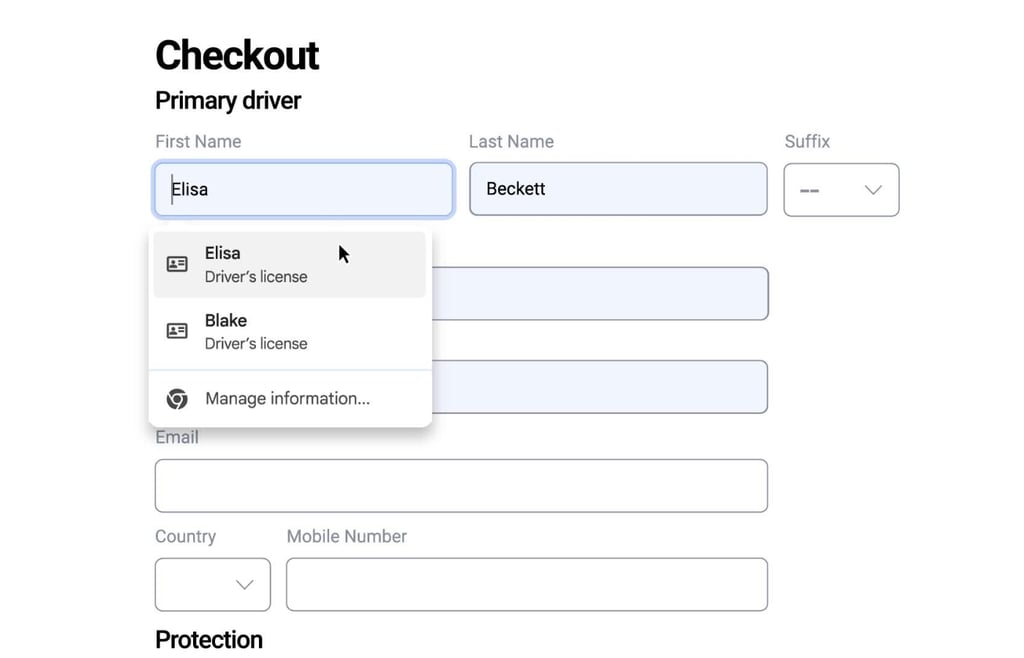
Chrome is getting an upgrade aimed at making online forms less painful. Google has rolled out a new autofill enhancement that promises to handle more than just addresses and passwords.
In an official announcement, the company said the update will make Chrome “even more helpful” while keeping user data private and secure, as part of its broader effort to simplify everyday browsing.
Smarter forms, less friction
Chrome’s latest update extends autofill to cover official IDs, including passports, drivers’ licenses, and even vehicle details such as license plates or VINs. It also enhances Chrome’s ability to read and complete messy or inconsistent web forms, so users spend less time correcting fields that don’t fit.
Google said the feature will remain off until turned on manually. Information added through the tool is protected with encryption, stored only when users choose to save it, and always requires a confirmation before being used.
The update is rolling out globally in all languages, with support for more data types expected in the coming months.
The convenience is clear, the risk less so
As Chrome takes on more personal data, it raises an important question: where does convenience end and exposure begin? Google emphasizes encryption and user control, but the past few weeks have shown how easily sensitive information can still find its way into the wrong hands.
A recent leak involving millions of Gmail-linked credentials offers a timely reminder of what’s at stake. While the incident didn’t involve Chrome’s autofill feature, it showed how easily stolen data can circulate once it’s captured and how even strong security on one platform can’t fully contain what users store or reuse across others.
Security experts such as Michael Tigges and Troy Hunt have noted that credentials harvested from malware-infected computers or reused across services often resurface in large dumps online, long after users believe them to be safe.
Google keeps building — and reaching farther
Google isn’t slowing down, Chrome’s upgrade joins a string of fresh enhancements. In the past weeks, the company has tested an ultra-minimal power-saving mode in Maps for low-battery emergencies, launched Gemini as a home assistant in the US, and added new productivity smarts, from AI-built presentations in Canvas to meeting-scheduling directly within Gmail.
Each update may seem small on its own, but together they paint a picture of a company in motion. Google is tightening the weave across its apps and devices, building tools that anticipate rather than react. The tech giant is making its ecosystem indispensable by blending automation with everyday convenience.
As Google keeps layering on updates, rivals like Microsoft are investing heavily abroad, with a sweeping plan focused on the UAE.