


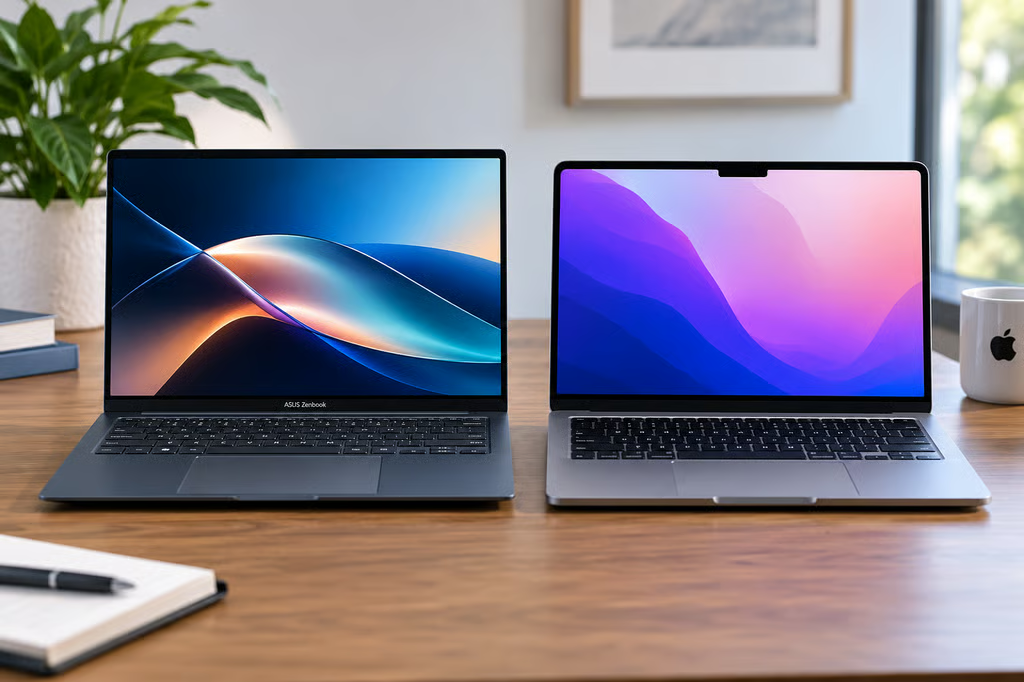
Apple’s MacBook Neo shook up the budget laptop market by putting a metal MacBook within reach of buyers who previously had to look at Windows PCs.
Now ASUS is answering with a $799 Zenbook 14 that adds an OLED display, more ports, and the option for twice as much RAM.
The MacBook Neo still starts $100 lower at $699, and its A18 Pro chip has some clear performance advantages. But the Zenbook gives Windows buyers considerably more hardware flexibility. The real choice comes down to how much you value ports, memory, display technology, operating system, and the Apple ecosystem.
| ASUS Zenbook 14 | MacBook Neo | |
|---|---|---|
| US starting price | $799 | $699 |
| Processor | Snapdragon X X1 26 100 | A18 Pro |
| RAM | 8GB or 16GB | 8GB |
| Storage | Up to 512GB | 256GB or 512GB |
| Display | 14-inch 1920 x 1200 OLED, 60Hz | 13-inch 2408 x 1506 Liquid Retina, 500 nits |
| Ports | 2 USB-C, USB-A, HDMI 2.1, headphone jack | 1 USB-C 10Gbps, 1 USB-C USB 2, headphone jack |
| Biometrics | Windows Hello face unlock | Touch ID on 512GB model |
| Operating system | Windows 11 Home | macOS |
| AI platform | Copilot+ PC | Apple Intelligence |
| Tested battery life | 13 hours, 38 minutes | 13 hours, 26 minutes |
Battery results come from Tom’s Guide testing under the same methodology. Configurations can affect performance, weight, and battery life.
How we compared the ASUS Zenbook 14 vs MacBook Neo
We compared current US pricing, manufacturer specifications, available configurations, display technology, ports, portability, AI features, and operating-system differences.
For performance and battery life, we used Tom’s Guide testing because it includes both laptops under the same benchmark methodology. One important caveat: its Zenbook 14 review unit had 16GB of RAM, while MacBook Neo has 8GB, so memory-sensitive results are not an equal-configuration test.
Recommendations focus on the tradeoffs buyers will actually notice, including everyday performance, multitasking, screen quality, connectivity, portability, and how much hardware each laptop provides for the money.
Price and configurations
MacBook Neo has the lower entry price. Apple currently sells it from $699 with 8GB of unified memory and a 256GB SSD. The 512GB configuration costs more and adds Touch ID.
That’s $100 above the $599 launch price Apple announced in March. The increase came during broader Mac and iPad price hikes earlier this year.
ASUS starts the new Zenbook 14 at $799. That base configuration pairs Snapdragon X with 8GB of RAM, while ASUS also offers up to 16GB of memory and 512GB of storage.
That extra memory flexibility is important. MacBook Neo is capped at 8GB regardless of storage, so buyers who know they regularly juggle demanding apps or large numbers of browser tabs have no RAM upgrade path.
The catch is price. Higher-memory Zenbook configurations move away from the sub-$800 value proposition, so the base-model comparison is much closer than the specification sheet initially suggests.
Performance and RAM tradeoffs
The two processors trade wins rather than producing an obvious overall champion.
In Tom’s Guide testing, MacBook Neo’s A18 Pro scored 3,535 in Geekbench single-core performance compared with 2,181 for the Snapdragon X Zenbook. ASUS reversed the result in multicore performance, scoring 10,676 against the Neo’s 8,920.
Their HandBrake results were nearly identical. Zenbook 14 converted a 4K video to 1080p in 9 minutes, 48 seconds, while MacBook Neo finished in 9 minutes, 57 seconds.
Those results favor MacBook Neo for single-threaded speed and Zenbook 14 for multicore workloads, but the Zenbook used for those benchmarks had 16GB of RAM.
Memory becomes the bigger concern at the $799 Zenbook’s 8GB baseline. Tom’s Guide manually limited its 16GB review unit to 8GB and reported stuttering once its browser workload grew, followed by a freeze when a local AI app was added.
That does not mean the 8GB Zenbook is unusable. Windows Central found the base model comfortable for lighter productivity involving browsing, music, email, Teams, and Slack. But buyers who multitask heavily should take the limitation seriously, especially as 8GB Windows PCs return to the lower end of the market.
MacBook Neo also has only 8GB, but macOS and Windows manage memory differently. For heavier workloads, the Zenbook has one major advantage: you can buy it with 16GB. Apple gives MacBook Neo buyers no equivalent option.
OLED or sharper Liquid Retina?
The display choice is less straightforward than OLED automatically beating LCD.
According to ASUS specifications, Zenbook 14 uses a 14-inch, 1920 x 1200 OLED panel with 100% DCI-P3 coverage. OLED gives it deep blacks, strong contrast, and vivid color, which is unusual at this price.
MacBook Neo uses a smaller 13-inch Liquid Retina IPS display, but its 2408 x 1506 resolution is considerably sharper, and Apple rates it at 500 nits.
So there is no automatic display winner. Zenbook is the more appealing option if OLED contrast and a slightly larger workspace matter most. MacBook Neo makes more sense if you prioritize resolution and brightness.
The physical designs are similarly close. MacBook Neo weighs 2.7 pounds. The Snapdragon Zenbook tested by Windows Central weighed 2.87 pounds, although ASUS says some Zenbook 14 configurations start around 1.1kg.
Either is easy to carry every day.
Connectivity and ports
ASUS has a much easier win when it comes to connectivity.
Zenbook 14 includes two 10Gbps USB-C ports with display and charging support, one USB-A port, HDMI 2.1, and a headphone jack.
MacBook Neo has two USB-C ports and a headphone jack, but the USB-C ports are not equal. One supports USB 3 speeds up to 10Gbps, while the other is limited to USB 2 speeds. Apple also limits MacBook Neo to one external display at up to 4K and 60Hz.
That makes the Zenbook easier to use with existing monitors, storage drives, mice, and other accessories without reaching for a hub.
The Zenbook also includes an IR camera for Windows Hello face unlock. Entry-level MacBook Neo skips Touch ID, which comes with the higher-capacity 512GB configuration.
One hardware advantage Apple retains is silence. MacBook Neo is fanless. Windows Central’s Zenbook review found its fan could become audible under heavier loads, though it wasn’t a significant issue during ordinary use.
Battery life is almost a draw
Manufacturer battery claims make the laptops look farther apart than independent testing does.
ASUS advertises more than 21 hours of video playback for some Zenbook 14 configurations, while Apple rates MacBook Neo for up to 16 hours of video streaming. Those figures use different testing methods and should not be compared directly.
Tom’s Guide put the two much closer together. Zenbook 14 lasted 13 hours, 38 minutes in its battery test, while MacBook Neo reached 13 hours, 26 minutes.
A 12-minute gap is not enough to choose one laptop over the other. Both should comfortably cover a normal day for many users, with workload, brightness, and background apps likely to make a larger difference than the test gap.
Windows and Copilot+ vs macOS and Apple Intelligence
Operating system may settle this comparison faster than any benchmark.
Zenbook 14 is a Copilot+ PC. Its Snapdragon X processor includes a Qualcomm Hexagon NPU rated at up to 45 TOPS, giving it access to Windows AI features alongside the flexibility of the broader Windows ecosystem.
MacBook Neo pairs its A18 Pro chip with a 16-core Neural Engine and Apple Intelligence. Its bigger advantage for existing Apple users is integration with iPhone, iCloud, Messages, AirDrop, and the rest of Apple’s ecosystem.
Snapdragon X also means the Zenbook is a Windows-on-Arm laptop. Mainstream software support has improved substantially, but buyers who depend on specialist Windows programs, older peripherals, or niche utilities should still confirm compatibility before choosing an Arm-based machine.
For buyers without a strong operating-system preference, hardware becomes the deciding factor. ASUS gives you OLED, more ports, and the option for 16GB of RAM. Apple gives you a lower starting price, a sharper display, silent operation, and a tightly integrated software experience.
Which should you buy: ASUS Zenbook 14 or MacBook Neo?
Choose ASUS Zenbook 14 if: You want an OLED display, need HDMI or USB-A without adapters, prefer Windows, want Windows Hello, or expect to need 16GB of RAM.
Choose MacBook Neo if: You want the lowest starting price, prefer macOS, already use an iPhone or other Apple devices, value silent fanless operation, or do not expect 8GB of RAM to become a bottleneck.
| Best choice | Why | |
|---|---|---|
| Starting price | MacBook Neo | It costs $699, $100 less than the base Zenbook. |
| Multitasking | ASUS Zenbook 14 with 16GB | ASUS offers twice the Neo’s fixed 8GB memory ceiling. |
| Display | Depends | Zenbook has OLED and a larger panel; Neo is sharper and rated brighter. |
| Ports | ASUS Zenbook 14 | USB-A and HDMI join two full-speed USB-C ports. |
| Battery | Draw | Tom’s Guide measured just 12 minutes between them. |
| Quiet operation | MacBook Neo | Its fanless design stays silent. |
| Windows flexibility | ASUS Zenbook 14 | It offers more hardware choices and Copilot+ features. |
| Apple ecosystem | MacBook Neo | It integrates directly with iPhone and Apple’s other devices. |
At its base price, the MacBook Neo is the easier recommendation for buyers with simple workloads who want a polished laptop for as little as possible. Its $699 price gives it room to absorb some compromises in ports and memory.
The Zenbook 14 is the more versatile option. The OLED display and wider port selection are meaningful upgrades, and the option for 16GB of RAM gives it more room to grow. The problem is that buyers who need that extra memory will have to spend beyond the $799 starting price.
In the end, MacBook Neo wins on straightforward value, while Zenbook 14 makes the stronger case for buyers who know exactly which extra hardware features they need.
Also read: Lenovo’s $700 IdeaPad Vibe is another Windows alternative aimed directly at MacBook Neo buyers.