


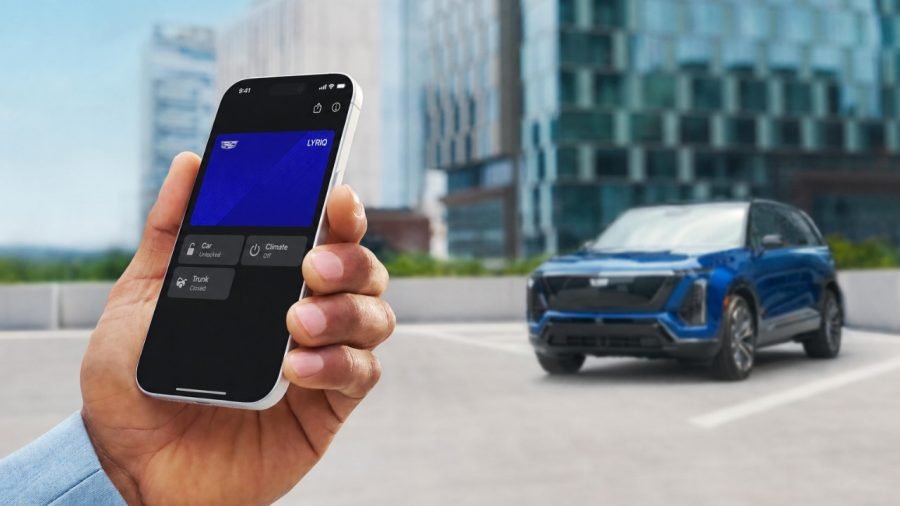
The next time you hand someone the keys to your Tahoe, you could send them a text.
General Motors said in September that it plans to bring digital car keys to eligible Chevrolet Tahoe and Suburban, GMC Yukon and Yukon XL, and additional Cadillac models in December 2026. The first phase covered select Cadillac EVs in September and October.
Which GM vehicles are getting Apple Wallet car keys?
GM’s rollout schedule lists these eligible models and model years.
| September–October 2026 | Cadillac | LYRIQ (2025–2027), OPTIQ (2026–2027), VISTIQ (2027) |
| December 2026, planned | Cadillac | Escalade, Escalade IQ/IQL, CELESTIQ (all 2027) |
| December 2026, planned | Chevrolet | Tahoe and Suburban (2026–2027) |
| December 2026, planned | GMC | Yukon and Yukon XL (2026–2027) |
GM’s rollout follows signs that Lucid and Xiaomi could also add Apple Wallet car key support.
What can drivers do with a digital key?
Apple Wallet car keys go beyond replacing a physical key fob.
On eligible vehicles, a digital key can unlock the doors as you approach and lock them as you leave when the corresponding passive settings are enabled. Where supported, you can also open the liftgate or adjust cabin temperature from Wallet within Bluetooth range.
GM says owners can share a key with up to seven additional compatible devices. Phone-based keys are already available on other vehicles, including the Ford Mustang Mach-E.
Must-read Apple coverage
- iOS 27 AI Shortcuts: What Changed and 5 Useful Things to Try
- iPhone Duo Camera Tricks: Smart Take, Kid Cue, Duo Preview, and More
- macOS 27 Cheat Sheet: Compatible Macs, Siri AI, Features and What Changed
- Common Mistakes When Using One Apple Account on Multiple iPhones
- 9 Hidden macOS Features That Feel Like Productivity Hacks
Compatibility and security requirements
GM lists Ultra Wideband–equipped iPhone 11 or newer models, Apple Watch Series 6 or newer, and Apple Watch Ultra models. Cadillac excludes SE, XR, and ‘e’ devices. To pair the key, sign in to the vehicle’s app while inside the OnStar-connected vehicle with the physical fob nearby.
There are also security protections. Owners can revoke shared digital key access, while OnStar can deactivate a key if a connected device is lost or stolen.
What to check before leaving the key fob at home
Once the app offers the option to add a digital key, set it up and test it with the physical fob out of range. That lets you confirm the phone or watch can lock, unlock, and start the vehicle on its own.
- Check what a shared key can do. Cadillac lets owners grant lock and unlock access without allowing the recipient to start the vehicle. Review the permissions before sending a key and revoke access when the driver no longer needs it.
- Keep a backup. If your vehicle came with a key card, check where to tap it before you need it. Keep the physical fob available for service visits, as Cadillac recommends.
- Know when to call the dealer. If pairing fails or the key starts the vehicle but won’t unlock it at the door, ask a Cadillac dealer about GM service bulletin PIT6566. GM traced those symptoms to an over-the-air software mismatch on affected LYRIQ, OPTIQ, and VISTIQ vehicles.
For a household that shares a car, test each driver’s access while the fob is still handy. A key that opens the door may have different permissions from one that starts the vehicle.
Read more: Before updating your iPhone to set up a digital key, check which models support iOS 27 and which features require newer hardware.