


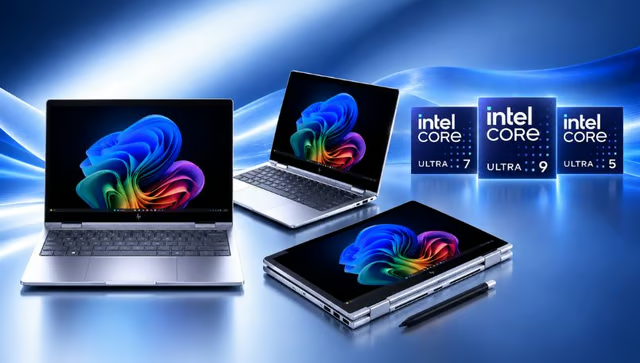
The office desk is no longer the default setting for business computing.
HP’s 2026 commercial PC lineup includes Intel-powered laptops, convertibles, and desktops built for employees moving between meeting rooms, home offices, client sites, and shared workspaces. First announced at HP Imagine 2026, the lineup includes Intel configurations across HP’s EliteBook, ProBook, and EliteDesk families, with options aimed at enterprise users, growing businesses, and fixed office deployments.
For IT teams planning a refresh, the decision goes beyond processor speed and includes form factor, local AI capability, security, connectivity, manageability, and how easily each system can be standardized across different roles.
How HP divides the lineup by workstyle
HP said the EliteBook 8 G2 Series targets knowledge workers and creators who move between focused work and collaboration. The Intel-powered EliteBook 8 Flip G2i adds a 13-inch convertible design with laptop, tablet, tent, and stand modes, plus a garaged pen for notes and annotation.
The company’s support documentation lists Intel Core Ultra 5 and Core Ultra 7 options for the Flip, along with up to 64GB of LPDDR5x memory and up to 2TB of solid-state storage. Available connectivity includes Thunderbolt 4, HDMI 2.1, Wi-Fi 7, Bluetooth 6, and optional 5G, although the final mix depends on the configuration.
The EliteBook 6 G2 Series offers flexible configurations for small businesses, enterprises, and public-sector deployments, helping IT teams standardize devices across a broader workforce.
HP positioned the ProBook 4 G2 Series for growing small and midsize businesses. The lineup includes the Intel-powered ProBook 4 Flip G2i, which adds touchscreen and tablet-style flexibility without moving into the higher-end EliteBook tier.
The EliteDesk 8 G2 Series covers fixed workplace deployments. HP said the desktops combine local AI acceleration, hardware-based protections, HP Wolf Security for Business, and multiple form factors for offices where mobility matters less than manageability or space efficiency.
HP framed the broader Imagine 2026 portfolio around reducing complexity across devices and work locations. “As we look ahead, the Future of Work is about making work simpler in a world that’s getting more complex,” Bruce Broussard, HP’s interim chief executive officer, said.
What Intel Core Ultra Series 3 adds
Intel noted that its Core Ultra Series 3 processors can combine performance, efficiency, and low-power efficiency cores with a built-in neural processing unit. Supported chips can reach up to 50 NPU TOPS, while selected models qualify for Intel vPro and include features intended for managed business environments.
Feature availability is not uniform across every system.
Intel noted that Arc graphics, Wi-Fi 7, Evo certification, and some AI functions depend on the processor, laptop design, software, and regional availability. IT teams should review each configuration carefully, since processor, graphics, connectivity, and management options can differ across the lineup.
What IT buyers should check
HP said in March that the EliteBook 8 G2, ProBook 4 G2, and EliteDesk 8 G2 families were expected to become available starting in April, followed by the EliteBook 6 G2 in June. The EliteBook 8 Flip G2i is now listed on HP’s online store, although availability, pricing, and configurations may vary by model.
IT teams should compare processor tier, memory, storage, vPro eligibility, wireless support, display options, and device-management requirements across the available configurations.
Local AI capability also depends on the specific processor and software environment. Intel noted that some AI features may require additional software, subscriptions, platform support, or configuration changes, while Wi-Fi 7 requires compatible hardware, operating systems, and network equipment.
Before standardizing a model across the workforce, buyers should match each configuration to the employee’s actual workload and review battery life, thermals, support terms, and deployment compatibility once final systems are available for independent testing.
HP’s new business PCs show one side of Intel’s AI strategy. Read how the company is also benefiting from demand for AI infrastructure beyond GPUs.