


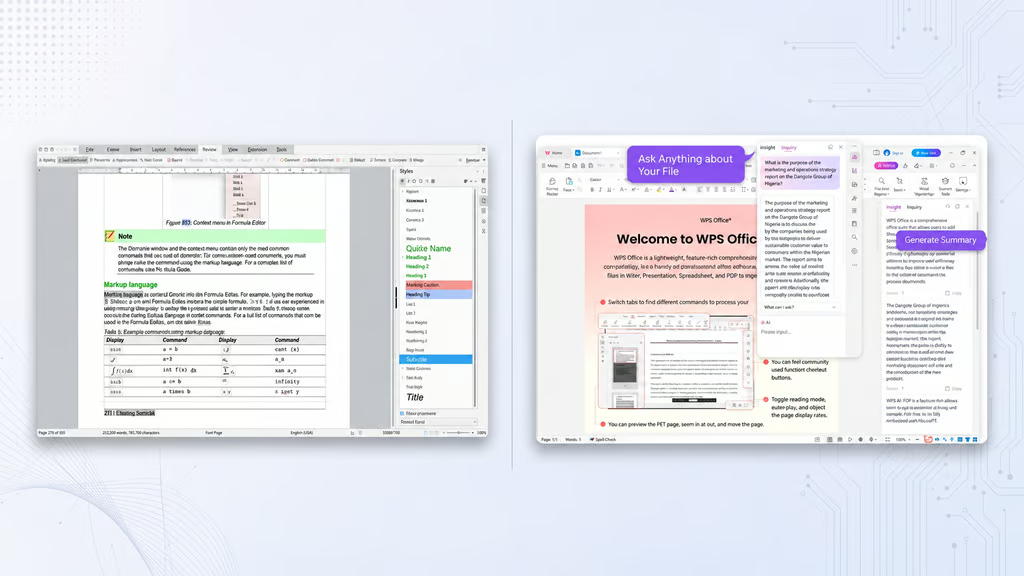
Free office software can come with a price. LibreOffice and WPS Office both handle documents, spreadsheets, and presentations, but businesses cannot use their free offerings on the same terms.
The comparison comes at a timely moment. Microsoft ended support for Office LTSC 2021 on October 13, 2026, while The Document Foundation continues refining LibreOffice. Its latest updates address stability and compatibility issues, giving users of older productivity software another reason to consider their options.
The foundation released LibreOffice 26.8.2 on October 29, followed by a November 3 maintenance update for the older 26.2 branch, which reaches end of life November 30. With Microsoft’s 2026 support deadlines adding urgency to software planning, licensing and feature restrictions deserve as much attention as the initial price.
LibreOffice vs. WPS Office: Free features compared
LibreOffice includes Writer, Calc, Impress, Draw, Base, and Math without subscription-gated features. Its licensing permits commercial use, allowing businesses to deploy the suite without per-user license fees.
WPS Standard covers the everyday essentials: word processing, spreadsheets, presentations, and basic PDF functions. Its Microsoft-style interface may feel more familiar to Office users, but advanced PDF editing and conversion require a paid plan.
| Feature | LibreOffice | WPS Standard |
|---|---|---|
| Documents, spreadsheets, slides | Free | Free |
| Commercial use | No license fees | Business license required |
| Microsoft Office formats | DOCX, XLSX, PPTX | DOCX, XLSX, PPTX |
| PDF editing | Through Draw | Advanced tools paid |
| Cloud storage | No bundled storage | 1 GB |
| Built-in AI | None | Limited, plan-dependent |
| Desktop platforms | Windows, macOS, Linux | Windows, macOS, Linux |
| Mobile access | Separate mobile options | Android and iOS apps |
The licensing difference is particularly important for workplaces. WPS’s published agreement limits the free edition it covers to personal, noncommercial use. Individuals using WPS commercially and organizations deploying it across company devices should check the applicable paid licensing terms, which may differ by region or agreement.
Beyond licensing, WPS provides 1 GB of cloud storage and collaboration tools, although availability depends on the plan. LibreOffice works offline but has no bundled cloud collaboration service. Teams requiring shared editing need separate solutions, a consideration explored in this LibreOffice and ONLYOFFICE comparison.
Where the paywalls and trade-offs begin
WPS also charges for certain advanced features, including PDF tools and expanded AI functionality. Its AI Credits FAQ explains that AI requests consume credits that can expire, while usage limits depend on the plan.
LibreOffice takes a different route. Its 26.8 release documentation confirms the suite has no built-in generative AI. That contrasts with Microsoft’s growing emphasis on Copilot-powered productivity tools, which bring AI assistance into workplace software.
Privacy is another consideration. WPS says it doesn’t use customer data to train its AI models, although information needed to deliver AI features may be shared with service partners. Organizations handling sensitive documents should review those arrangements before enabling cloud or AI services.
How we compared: We reviewed official product documentation and licensing terms available November 9, 2026, focusing on applications, file compatibility, PDF tools, cloud storage, platform support, and AI restrictions. Recommendations reflect documented capabilities.
For users who want a complete desktop suite without licensing fees, LibreOffice has the clearer advantage. WPS offers a familiar interface and integrated cloud conveniences, but businesses must account for its licensing requirements. Whichever suite they choose, organizations should test complex Office files and confirm that collaboration, security, and support needs are covered before switching.
Read more: The Dutch tax agency’s reversal of its Microsoft 365 cloud migration illustrates how data control can shape workplace software decisions.