
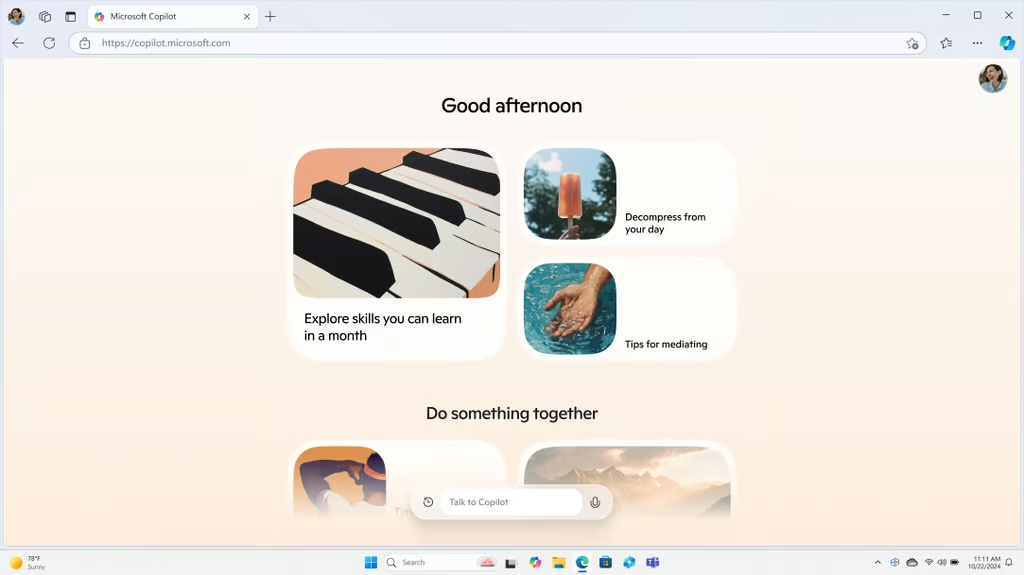


Microsoft is turning every Windows 11 PC into an AI-powered machine. The latest update weaves its Copilot assistant deeper into the operating system, bringing vision, voice, and automation tools that let PCs listen, see, and act on users’ behalf.
In a post announcing the rollout, Yusuf Mehdi, Microsoft’s Executive Vice President and Consumer Chief Marketing Officer, said the goal is to make “the most powerful AI more accessible” by putting Copilot at the center of everyday Windows experiences.
Say it, see it, do it
Microsoft’s AI assistant is getting a wake word. With the new “Hey Copilot” command, Windows 11 users can launch the AI hands-free, ask questions, and get help without touching the keyboard. A simple “Goodbye” ends the session.
Microsoft says early data shows users engage with Copilot twice as much when they use voice instead of text.
Voice isn’t the only upgrade. Copilot Vision lets the AI analyze what’s on screen to guide users through tasks. It can highlight where to click, explain a tool, or walk through a workflow in real time.
Vision’s new Highlights feature allows users to say “show me how” for a specific task and get step-by-step visual help. And soon, Vision will also support text-based chats for those who prefer typing to talking.
A refreshed taskbar experience rounds out the update. With the new “Ask Copilot” entry point, users can summon help, perform searches, or get recommendations in one click, making the assistant feel less like an app and more like a built-in teammate.
Taking work off your hands
A new experimental feature called Copilot Actions lets the assistant perform real tasks on local files, from sorting photos to pulling text from PDFs, all while keeping users in control.
The system can run tasks in the background, and users can pause, review, or take over at any time. Microsoft says this early rollout is designed to test how AI handles desktop automation safely before expanding its reach.
In File Explorer, Copilot is gaining new shortcuts that turn simple requests into instant results. A tool called Manus can build a website in minutes using images and documents stored on your PC — no uploads or code required.
Another action integrates with Filmora, allowing users to launch straight into video editing, while Click to Do will soon schedule Zoom meetings directly from an on-screen email address.
Even gaming is getting an AI assist. On handhelds like the ROG Xbox Ally, players can summon Gaming Copilot for recommendations or tips without leaving the game, positioning Microsoft’s AI as a true multitasking partner across play and productivity.
Microsoft Copilot resources from TechRepublic
- Microsoft Copilot Cheat Sheet: Price, Versions & Benefits
- Can Microsoft Copilot Write Simple SQL Commands for You?
- Copilot Cheat Sheet (Formerly Bing Chat): Complete Guide for 2024
- Microsoft’s Security Copilot Enters General Availability
One assistant, all your accounts
Copilot is learning to connect the dots. With new Copilot connectors, Windows 11 users can link services like OneDrive, Outlook, Gmail, Google Drive, Calendar, and Contacts, letting the assistant pull information across accounts with a single request.
Ask it to “find my dentist appointment,” and Copilot can surface the calendar entry. Say “what’s Mary’s email address?” and it’ll fetch the contact instantly, no digging through inboxes or folders.
Microsoft is also tightening Copilot’s ties with its Office apps. Users can now export results directly into Word, Excel, or PowerPoint, turning AI-generated content into ready-to-edit files.
And beyond productivity, Copilot can now manage system tweaks too. Ask it to “make my screen easier to read” or “help me focus,” and it will take you straight to the right Windows Settings page.
The result: one assistant that understands your work, your files, and your device, all through natural language.
Big rollout, bigger safeguards
Microsoft says every new Copilot feature comes with protection built in. Copilot Actions, the AI’s new ability to perform local tasks, is turned off by default, giving users full control over when and how it operates. Every action is visible, pausable, and requires approval for sensitive steps.
The company calls this a “responsible rollout,” aligning with its Secure Future Initiative, which sets privacy and security standards for all AI experiences across Windows. Before wider release, new tools will be tested through Copilot Labs and the Windows Insider Program, where user feedback shapes final deployment.
Most updates, including Copilot Vision, are already available globally, while others like text-in/text-out Vision and local file actions will debut first in preview. Microsoft is also directing users to upgrade from Windows 10 to Windows 11 PCs or Copilot+ devices, which ship with the new AI capabilities ready to go.
Security remains a moving target for Microsoft, which this week patched more than 170 vulnerabilities, including six zero-days.