


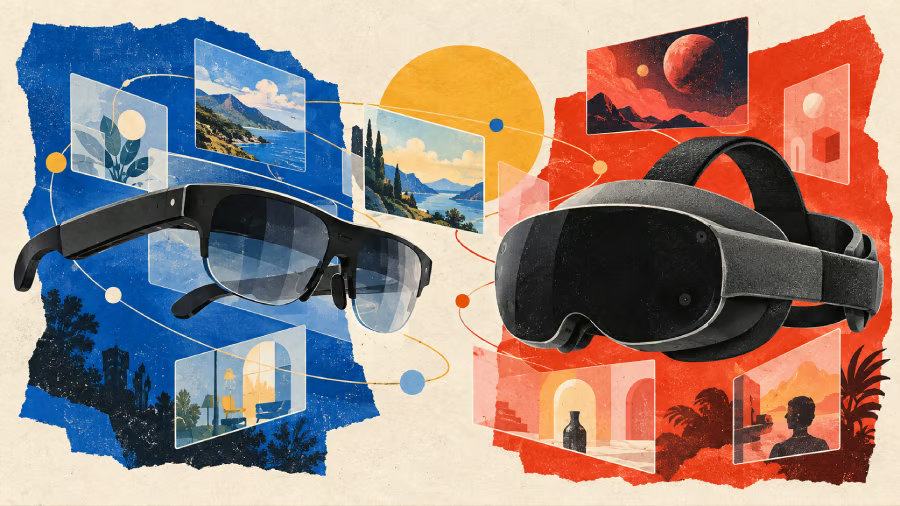
XREAL AURA and Samsung Galaxy XR both run Google’s Android XR platform and integrate Gemini AI, but they offer different approaches to spatial computing.
Launched on Oct. 28, XREAL AURA uses transparent glasses connected to a portable computing puck, allowing users to view digital content without losing sight of their surroundings. Samsung Galaxy XR is a mixed-reality headset with higher-resolution displays, eye tracking, and a wider field of view designed for more immersive experiences.
The price difference is substantial. AURA starts at $1,099 under a limited-time promotion, while Galaxy XR costs $1,799.99. But the better choice depends on whether buyers prioritize a portable virtual workspace or immersive computing.
- XREAL AURA vs Samsung Galaxy XR: Specs compared
- Display quality: Galaxy XR has the advantage for immersion
- Productivity: AURA makes a stronger case for mobile workers
- Gemini AI and Android XR: Similar software, different controls
- Battery life and portability: Samsung offers clearer estimates
- Price and value: Is Galaxy XR worth $700 more?
- What businesses should consider before adopting Android XR
- XREAL AURA vs Samsung Galaxy XR: Which should you buy?
XREAL AURA vs Samsung Galaxy XR: Specs compared
| Starting US price | $1,099 promotional; $1,279 regular | $1,799.99 |
| Operating system | Android XR | Android XR |
| Processor | Snapdragon Reality Elite (compute puck); X1S spatial co-processor (glasses) | Snapdragon XR2+ Gen 2 |
| Display | Sony Micro-OLED | Micro-OLED |
| Resolution per eye | 1,920 × 1,200 | 3,552 × 3,840 |
| Field of view | 70° | 109° horizontal, 100° vertical |
| Refresh rate | Up to 120Hz | 60Hz, 72Hz; 90Hz available upon service request |
| Weight | 95g glasses; 265g compute puck | 545g headset; 302g external battery |
| Memory and storage | 12GB/256GB or 16GB/512GB | 16GB/256GB |
| Input methods | Hand tracking, voice, puck trackpad | Eye tracking, hand tracking, voice |
| Battery | 4,455mAh rated capacity (compute puck); runtime not confirmed | Up to 2 hours general use or 2.5 hours video |
| Design | Transparent glasses with wired compute puck | Mixed-reality headset with camera passthrough |
Sources: XREAL’s official specifications, Google’s AURA announcement, and Samsung’s Galaxy XR product page. Prices are in US dollars as of Oct. 29, 2026.
The most noticeable difference is how each device presents digital content.
According to Google, AURA uses transparent lenses that let users see their physical surroundings directly while viewing virtual screens. The glasses weigh under 95 grams because the battery and primary processor are housed in a separate computing puck.
Galaxy XR takes a different approach. Its cameras capture the surrounding environment and reproduce it through the headset’s displays, allowing digital objects to appear alongside the physical world. The headset weighs 545 grams, excluding its external battery.
AURA’s lighter design could appeal to users who want virtual screens while traveling or working in shared spaces. However, its cable and separate puck introduce their own portability considerations.
Galaxy XR is bulkier, but its enclosed design is better suited to experiences that benefit from a wide, immersive visual environment.
Neither device’s weight alone establishes how comfortable it will be during extended use. Fit, balance, prescription requirements, and individual tolerance will also matter.
Display quality: Galaxy XR has the advantage for immersion
Samsung’s headset has considerably higher display resolution, with 3,552 × 3,840 pixels per eye compared with AURA’s 1,920 × 1,200.
Galaxy XR also offers a wider field of view, with Samsung specifying 109 degrees horizontally and 100 degrees vertically. XREAL lists a 70-degree field of view for AURA, although the companies do not present these measurements on an identical basis.
The difference suggests Galaxy XR is better positioned for immersive videos, 3D environments, and applications requiring a broad visual workspace.
AURA supports refresh rates up to 120Hz, compared with Galaxy XR’s maximum of 90Hz. However, refresh rate alone does not determine overall display quality, particularly because the devices use different optical systems.
For someone primarily interested in watching immersive content or exploring detailed 3D environments, Galaxy XR offers stronger display specifications.
AURA’s advantage is its ability to place digital windows within the user’s natural view of the surrounding environment. That may be more useful for activities that require frequent attention to both physical and digital objects.
Productivity: AURA makes a stronger case for mobile workers
Both devices support multitasking, but their approaches to connecting with existing computers differ.
Google says AURA users can arrange multiple Android XR applications around them, connect Bluetooth keyboards and mice, and use the computing puck as a trackpad.
Its Wired Mirroring feature also allows users to connect a compatible laptop through a USB-C connection that supports video output. The laptop display appears as a resizable virtual window alongside Android XR applications, without requiring additional software.
These capabilities make AURA particularly interesting for professionals who frequently work from hotel rooms, airplanes, or temporary desks.
Galaxy XR also supports multiple application windows and offers PC Link for compatible Galaxy Book computers. As TechRepublic reported when Samsung introduced its Android XR headset, the device combines spatial multitasking with eye, hand, and voice controls.
The practical difference is compatibility and intended use. AURA’s wired mirroring may be attractive to users with laptops from different manufacturers, provided those devices support the required video connection. Galaxy XR offers closer integration with supported Samsung hardware.
Neither should be treated as a guaranteed replacement for a physical monitor. Text readability, application behavior, and comfort during long work sessions still need real-world testing.
Gemini AI and Android XR: Similar software, different controls
Both devices use Android XR and integrate Gemini for contextual assistance, voice commands, and interaction with digital content. Google’s AI assistant supports multimodal interactions across its expanding device ecosystem, although capabilities vary by hardware and platform.
Google says Gemini on AURA can understand what users are viewing, including content displayed through laptop mirroring. Users can ask questions, receive contextual assistance, and interact with digital information through voice commands.
Galaxy XR offers similar contextual capabilities, but adds eye tracking as another method of selecting and navigating content.
The shared platform also provides access to familiar Android applications alongside software designed specifically for XR. Google’s approach, previously explored in TechRepublic’s coverage of Android XR and smart glasses, combines Gemini with spatial applications and existing Android development tools.
For buyers, the important distinction is not which device has Gemini. Both do. It is how comfortably and effectively each device allows users to interact with applications.
AURA’s transparent display and external controls may suit conventional productivity tasks, while Galaxy XR’s eye tracking and immersive interface could be more useful for spatial applications.
Actual software compatibility and feature availability should still be checked individually.
Battery life and portability: Samsung offers clearer estimates
Samsung rates Galaxy XR for up to two hours of general use or 2.5 hours of video playback. The headset can also operate while its external battery is charging.
XREAL lists a 4,455mAh battery in AURA’s computing puck but has not provided a directly comparable general-use runtime figure in the specifications reviewed.
Without equivalent battery estimates or independent testing, it is not possible to identify a clear winner.
AURA’s lightweight glasses may be easier to carry and wear, but battery endurance remains an important consideration for users planning extended work sessions.
Galaxy XR provides more predictable manufacturer-rated runtime, although users will still need access to power for longer periods.
Price and value: Is Galaxy XR worth $700 more?
According to XREAL’s launch announcement, AURA is available in two configurations:
| Configuration | Regular price | Promotional price |
|---|---|---|
| 12GB RAM / 256GB storage | $1,279 | $1,099 |
| 16GB RAM / 512GB storage | $1,499 | $1,299 |
The promotional prices run through December 2026. Shipments are expected to begin in mid-November.
Samsung Galaxy XR starts at $1,799.99 with 16GB RAM and 256GB storage.
At current promotional prices, entry-level AURA costs approximately $700 less than Galaxy XR. Even AURA’s higher-storage model is about $500 cheaper.
The difference is meaningful, but these devices are not interchangeable.
Samsung’s higher price buys a more immersive headset with substantially higher-resolution displays, eye tracking, and a wider visual field. Those features may justify the premium for developers, immersive-content enthusiasts, and organizations experimenting with specialized XR applications.
AURA offers a less expensive entry into Android XR for users who place greater value on portability, virtual monitors, and compatibility with existing computers, particularly those considering the newly launched XREAL AURA glasses as an alternative to traditional XR headsets.
What's hot at TechRepublic
- Blackpoint Cyber vs. Arctic Wolf: Which MDR Solution is Right for You?
- Why AWS Sellers Choose Deepgram Over Other Voice AI Tools
- SS&C Intralinks DealCentre AI vs. Datasite: Which platform is built for the future of dealmaking?
- SS&C Intralinks FundCentre AI vs. Juniper Square: Which platform better supports modern private markets fund managers?
- Verito vs. Rightworks: Which IT Provider Is Best for Your Firm?
What businesses should consider before adopting Android XR
Beyond individual purchases, the two devices raise different questions for IT teams.
Google’s enterprise announcement for AURA confirms support for Android Enterprise management capabilities, including managed Google Play, zero-touch enrollment, device policies, and platform security protections.
That gives organizations a defined framework for evaluating device management rather than treating AURA solely as consumer hardware.
However, support for enterprise management does not establish that every existing corporate application will work correctly in XR or that all workflows will meet organizational security requirements.
Businesses should also examine how camera access, AI assistance, screen sharing, and sensitive information are handled before deploying either device.
AURA may be particularly relevant to mobile productivity and hands-free information access, while Galaxy XR could be better suited to immersive training, visualization, or other specialized applications.
Those are potential use cases, not proven productivity advantages. Organizations will need pilot testing to establish whether either device improves on existing tools.
XREAL AURA vs Samsung Galaxy XR: Which should you buy?
Choose XREAL AURA if you want a lighter device for virtual screens, laptop connectivity, and everyday multitasking while maintaining direct visibility of your surroundings. Its lower price also makes it the more accessible option for users exploring Android XR primarily for productivity.
Choose Samsung Galaxy XR if immersive entertainment, detailed 3D content, eye-tracking controls, and a wider field of view are higher priorities. Its stronger display specifications and immersive design make a better case for specialized spatial computing experiences.
For most readers, the decision should begin with the applications they intend to use rather than the hardware specifications alone.
Someone who mainly wants additional screen space while traveling may find AURA’s approach more practical. A developer working with immersive environments may have stronger reasons to choose Galaxy XR.
Before spending more than $1,000 on either device, test the workflow that matters most. Check whether your laptop and applications are compatible, assess comfort and text readability, and determine whether the virtual workspace actually improves how you work.
For IT teams, that evaluation should also include device management, data protection, and support requirements.
Both devices demonstrate how Android XR can serve different types of users. Their real value will depend on whether the experience improves everyday tasks enough to justify the cost and compromises of wearable computing.
Want to know more about Apple’s new touchscreen MacBook Pro? Check out TechRepublic’s Apple Touchscreen MacBook Pro cheat sheet for a closer look at its features, specifications, pricing, and what the changes could mean for buyers considering an upgrade.