
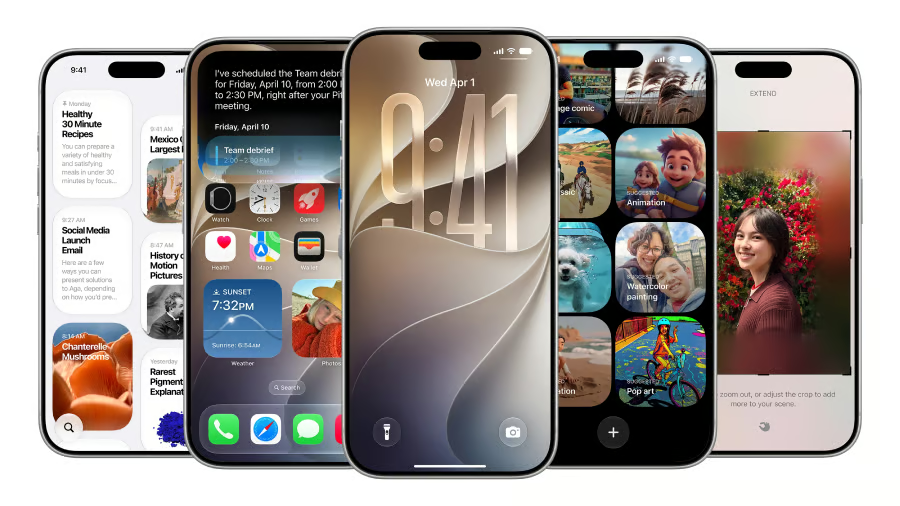


Siri is moving from the edge of the iPhone to the keyboard, where much of the real work happens.
Apple’s iOS 27 beta 2, released to developers on June 22, adds a more visible “Write with Siri” prompt, RCS message replies, Wallet updates, Home app fixes, and early signs of new backup alerts. For IT teams, the update matters because Apple’s AI writing tools, cross-platform messaging, and device workflows could affect support policies before the full launch expected this fall.
That creates a practical question before the expected fall launch: not whether employees will use Siri to write, but what company data they should be allowed to put in the prompt box.
Siri gets easier to find
Apple has made Write with Siri harder to miss in iOS 27 beta 2, which may be the point.
MacRumors noted that the beta adds a new Write with Siri button above the keyboard in apps including Notes, Mail, and Messages. In the first developer beta, the tool appeared only after a user selected text.
Apple described the broader iOS 27 feature as “Write with Siri virtually anywhere you type” on its iOS preview page. The company said Siri AI can generate a draft from scratch or provide feedback on text users have already written.
Engadget reported that similar Siri-focused updates appeared across iOS 27, iPadOS 27, and macOS 27 beta 2. That makes this look less like an isolated iPhone tweak and more like Apple trying to make Siri a normal part of writing across its devices.
For companies, that creates a practical policy question. If employees use Siri to draft emails, notes, or messages, IT and security teams may need clearer rules around sensitive data, customer information, and internal approvals.
RCS gets less awkward
The beta also improves RCS chats with Android users, which could matter more at work than Apple’s blue-bubble culture wars suggest.
According to MacRumors, iOS 27 beta 2 lets users reply to a specific message in an RCS conversation by long-pressing it, similar to how replies work in iMessage. The beta also improves how tapbacks and emoji reactions appear on images and videos in RCS chats.
In iOS 26, a reaction to a media file could appear as a text description. In iOS 27, the emoji appears directly on the image or video.
That change is small, but it could reduce confusion for teams that use a mix of iPhones and Android phones across regions, contractors, and field roles.
Cleaner RCS does not replace approved collaboration tools. It does make everyday cross-platform communication less clunky.
Must-read Apple coverage
- Nearly 7 in 10 iPhone Owners Plan iPhone 17 Upgrade
- Apple Prepares AI-Powered Siri Upgrade With Google Search Integration
- Apple’s Xcode 26 Beta Now Supports GPT-5 and Claude
- Apple’s Vision Pro Adoption Stalled As Content Released ‘Drip by Drip’
Wallet, Home, and backups get attention
iOS 27 beta 2 also includes smaller updates across Wallet, Home, Photos, Weather, and other system apps.
MacRumors added that Wallet now includes an unfinished Insights feature. A splash screen said users will eventually be able to connect accounts to Wallet to view “spending insights, recurring transactions, account balances, and more.”
The beta also includes code for a new iCloud backup alert.
The message said, “There’s a problem with our server, so you may not be able to backup or restore your device right now. Try again later.”
Apple also updated the Home app so users can remotely update Apple TV software. MacRumors noted that beta 2 fixed an issue that caused some HomeKit accessories, including Philips Hue lights, to become unresponsive after installing iOS 27 and tvOS 27.
What to test before launch
iOS 27 remains a developer beta, so businesses should avoid broad deployment on production devices.
A public beta is expected in July, with the full iOS 27 launch expected in September. Organizations managing Apple devices can use that window to test internal apps, RCS behavior, Siri writing features, and any Apple TV or Home-connected workflows used in offices or shared spaces.
For organizations with strict compliance rules, the test is not only whether Write with Siri works well, but whether employees know when business data should stay out of the prompt box.
Also read: See the full list of iPhones, iPads, Macs, and other devices that support Siri AI.