


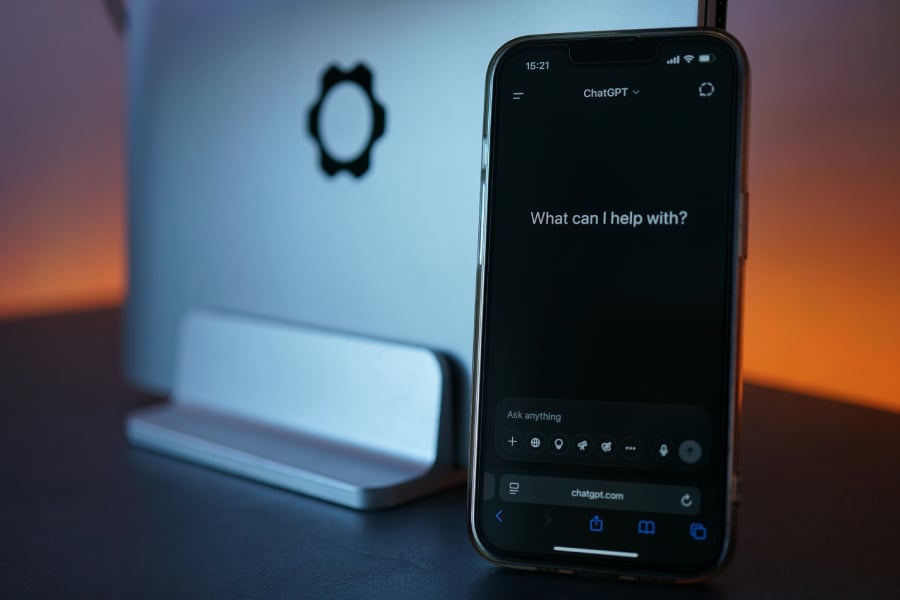
ChatGPT can help with a quick question or a much larger task, from reviewing documents to researching a topic and producing finished work. How much it can do, however, depends on the tools and models available to your account.
Some features are ready to use in a regular conversation, while others involve specialized tools or higher-tier subscriptions. Understanding those differences can help you decide what you need without paying for extras.
This cheat sheet covers its current capabilities, available models, pricing, privacy controls, and how to get started.
ChatGPT at a glance
| Developer | OpenAI |
| What it is | Generative AI assistant for conversation, research, content creation, and completing tasks |
| Current AI models | GPT-6 and other models, depending on the plan, rollout, and whether you use Chat, Work, or Codex |
| Supported inputs | Text, images, audio, and files, including PDFs, spreadsheets, and presentations |
| Research tools | Web search and Deep Research with source citations |
| Content and analysis | Writing, image generation and editing, data analysis, charts, code, and file creation |
| Advanced tools | ChatGPT Work for multistep assignments and Codex for software development |
| Personalization | Projects, Memory, plugins, and scheduled tasks |
| Platforms | Web, Windows, macOS, Linux preview, iOS, and Android |
| Pricing | Free access; US paid plans starting at $8 per month |
| Official website | chatgpt.com |
What does ChatGPT do?
ChatGPT combines everyday features with specialized tools for research, development, and ongoing work. Its capabilities include:
- Conversation and writing: Answer questions, explain unfamiliar topics, brainstorm ideas, draft text, revise documents, summarize information, translate languages, and help write or troubleshoot code.
- File and data analysis: Examine PDFs, documents, presentations, spreadsheets, and uploaded images. The tool can extract information, compare files, analyze datasets, generate charts, and transcribe supported audio recordings.
- Image creation and editing: Generate pictures from written descriptions, modify uploaded images, remove or add objects, and change visual styles using follow-up instructions.
- Voice conversations: Speak naturally with the assistant through supported apps, receive spoken responses, and use available voice controls for hands-free interaction.
- Projects and Memory: Projects keep related chats, files, and instructions organized so users can return to ongoing work with the same context. Memory draws on relevant information from earlier interactions to personalize responses when enabled.
- Plugins and scheduled tasks: Plugins combine reusable instructions, reference materials, and connections to supported external services. Scheduled tasks can deliver reminders, prepare recurring updates, or monitor for specified changes without requiring users to start each task manually.
More advanced capabilities extend the service from answering questions to conducting research and completing larger assignments.
Web search and Deep Research
ChatGPT Search retrieves current information from the web and provides source links alongside its responses. It works well for quick fact-checking, recent developments, and questions that need information beyond the model’s existing knowledge.
Deep Research is designed for more extensive investigations. It examines multiple websites, uploaded documents, and eligible connected sources to produce structured reports with citations.
Users can select particular websites, review the proposed research plan, and refine the investigation while it runs. Reports can be downloaded in PDF, Word, and Markdown formats.
ChatGPT Work and Codex
ChatGPT Work handles multistep assignments that involve more than generating a response. It can navigate supported websites, work across permitted connected services, carry out authorized actions, and create or edit documents, spreadsheets, presentations, and reports. Research can be one step in a larger workflow rather than the final output.
Users can review progress, provide additional instructions, and approve actions that require authorization. Available functions depend on the subscription, workspace permissions, and whether the task runs in the cloud or on a supported desktop.
Codex concentrates on software development. It can work with code repositories, inspect project files, implement changes, run tests, debug problems, and review code.
How does ChatGPT work?
OpenAI’s large language models interpret instructions and generate responses using the information provided in a conversation. Most processing happens on remote servers.
The current Chat experience uses the GPT-6 model family, with different options for response speed, reasoning effort, and task complexity.
- GPT-6 Sol: Powers regular conversations for eligible paid users, from quick responses to more demanding reasoning tasks. It supports multiple thinking levels without requiring users to switch to a different model for each level.
- Luna: Provides fast everyday responses for Free and Go users, including access to a Think option for harder questions. The exact version available may depend on the current rollout.
- GPT-6 Pro, powered by Astra: Uses a separate, higher-capability model for difficult reasoning, coding, and analytical work. It is available in regular Chat on eligible Pro, Business, and Enterprise plans.
- GPT-6.1 Sol and GPT-6.1 Terra: Available in Work and Codex on eligible accounts. Sol supports complex coding and professional work, while Terra focuses on writing, visual understanding, and computer use. These options are separate from the models offered in regular Chat.
Choosing a model and thinking level
Selecting a model is different from choosing how much reasoning effort it uses. OpenAI’s model picker provides several levels, depending on the subscription.
- Instant prioritizes quick responses to straightforward requests.
- Medium allows more reasoning for tasks involving several steps.
- High supports more extensive analysis.
- Extra High provides the greatest selectable reasoning effort within GPT-6 Sol.
Higher reasoning levels generally take longer and may consume more of a user’s allowance. They are useful for complicated problems, but additional processing does not guarantee a better answer.
GPT-6 also supports Intelligent UI, which can present responses as interactive charts, diagrams, comparison layouts, and adjustable tools instead of relying entirely on paragraphs.
These elements appear automatically when supported and relevant to the question, although Intelligent UI is unavailable with the Astra-powered Pro reasoning option. On the web, the Layout and visuals setting can reduce visual elements without completely disabling them.
Like other generative AI systems, the assistant can misinterpret information or produce incorrect answers, including responses that contain citations. Important facts and generated work should still be verified before consequential use.
Where is ChatGPT available?
The service is accessible across several platforms, allowing users to continue conversations and work from different devices:
- Web: The browser version provides the main experience without requiring a desktop installation.
- Mobile: Official iOS and Android apps offer text conversations, file uploads, voice interaction, and other account-supported features.
- Desktop: Dedicated Windows and macOS applications provide access to conversations, Work, and Codex where available. Supported desktop tools can also work with permitted local files and computer context.
- Linux: An official desktop preview supports Ubuntu 24.04 and 26.04 LTS, Debian 13, and Fedora 43 and 44. Browser-based actions are supported, but controlling other desktop applications is not yet available in the preview.
Older computers can generally access the AI tool through a modern browser because most processing takes place in the cloud. The newer macOS desktop application requires macOS 14 or later and supports compatible Intel and Apple Silicon Macs.
Feature availability varies by region, subscription, operating system, and application version.
How much does ChatGPT cost?
OpenAI offers several subscription levels, from free access for everyday conversations to plans designed for intensive professional use and managed organizations.
| Free | $0 | Everyday text conversations, with separate limits for images, files, research, and other tools |
| Go | $8/month | Expanded tool allowances and access to everyday conversations with the Think option |
| Plus | $20/month | GPT-6 Medium and High reasoning, expanded research tools, Work and Codex access, and higher usage limits |
| Pro 100 | $100/month | GPT-6 Pro reasoning, Extra High, and greater included usage for intensive work |
| Pro 200 | $200/month | Pro capabilities with higher included usage allowances than Pro 100 |
| Pro 500 | $500/month | Highest Pro usage allowances, plus Ultrafast access for eligible advanced models in Work and Codex |
| Business Standard | $25/user/month or $20/user/month billed annually | Managed workspace, Work and Codex access, and an included allowance of 15 Pro Chat messages monthly |
| Business Premium | $125/user/month or $100/user/month billed annually | Five times the included Work and Codex usage of Standard, no five-hour usage window, and 50 Pro Chat messages weekly |
| Enterprise | Custom pricing | Organization-level security, administration, model controls, and contractual options |
Source: OpenAI.
Business subscriptions require at least two paid seats and allow a combination of Standard and Premium users. Premium’s larger Work and Codex allowance does not automatically increase every individual Chat model limit.
For individuals, the differences between the Pro tiers are primarily how much advanced-model usage is included. Pro 500 also offers Ultrafast processing for supported models. However, choosing that speed option consumes the included allowance at a higher rate.
Usage is measured differently across features. A plan may provide one allowance for ordinary Chat, separate limits for Pro reasoning, and additional capacity for Work or Codex. Eligible accounts can purchase credits for certain tasks after their included allowance is exhausted.
API usage is billed separately and is not included in consumer subscriptions.
Ads and ad-free options
Advertisements may appear on eligible Free and Go accounts in regions where advertising is available. Plus, Pro, Business, Enterprise, and Edu plans are ad-free.
Sponsored content is clearly labeled and appears separately from responses. OpenAI states that advertisements do not influence the assistant’s answers and that advertisers cannot access private conversations.
Users can manage ad preferences, hide individual advertisements, or disable ad personalization through the available ad controls. Eligible Free users can also choose an ad-free experience without upgrading, but this reduces usage allowances and access to certain features.
How does ChatGPT handle your data?
OpenAI provides several settings for controlling conversation history, personalization, and how information is used.
On personal accounts, users can prevent new conversations from being used for model training. Open Settings > Data controls and turn off Improve the model for everyone. Conversations will remain in chat history unless deleted separately.
Memory is managed separately from model-training preferences. Under Settings > Personalization, users can review their memory summary, request changes, or disable the feature.
For conversations that should not appear in normal history, Temporary Chat provides an alternative. Temporary conversations do not create new memories or contribute to model training while they remain temporary. OpenAI may retain copies for up to 30 days for safety purposes. Existing personalization may still be available when the user explicitly chooses a personalized temporary experience. Saving a Temporary Chat converts it into a regular conversation, which then follows the account’s personalization and model-training settings.
Eligible accounts also offer locked chats, which protect selected saved conversations using a PIN or supported device authentication. Locking hides conversations from ordinary history access but does not change their retention or training settings, add end-to-end encryption, or override organizational data-access policies.
For workplace use, Business, Enterprise, and Edu accounts provide additional administrative and security controls. OpenAI does not use data from these workspaces to train its models by default.
How do I get started with ChatGPT?
Getting started takes only a few steps, and there is no separate activation process.
- Open the service. Visit chatgpt.com or install the official application. Basic browser conversations are available without an account in supported regions.
- Create an account or sign in. Signing in allows you to save conversations, return to previous work, and use available personalization features.
- Start a conversation. Enter a question or instruction in the message box. You can also attach supported files, choose available tools, or select a model when your account provides those options.
If you need higher limits or additional capabilities later, subscription upgrades are available through account settings.
What are the alternatives to ChatGPT?
Several AI assistants provide similar conversational and productivity features, but they differ in their software integrations and specialized tools.
- Google Gemini: Integrates with Google’s ecosystem, including Android and Google Workspace, making it particularly relevant to users who rely on Google’s services for communication, documents, and productivity.
- Anthropic Claude: Supports writing, coding, and detailed document analysis. Its Artifacts feature allows users to create and interact with outputs such as applications and visual previews.
- Microsoft Copilot: Integrates AI assistance into Microsoft products, including Microsoft 365 applications. Its workplace capabilities can draw on organizational information when the appropriate licenses and permissions are available.
The most useful choice depends on the applications you already use, the tasks you need to complete, and the features included in each subscription.
Want to learn more AI tips, tricks, and prompting techniques? TechRepublic readers get free 7-day access to The Neuron Academy, our practical learning platform designed to help professionals use AI more confidently at work. Browse all lessons →
Let us teach you How to Talk to AI for free! Try our six-minute course at The Neuron Academy and learn a few simple ways to write better prompts and get more useful results from AI, or browse our other AI course for free for seven days. Check out all the lessons here →