


A $900 laptop can handle invoices and email. Buying one for every employee raises a different question: Can you set it up and manage it the same way as the rest of your computers?
I compared five laptops for small businesses, from an affordable model for browser-based work to picks for bookkeeping, video calls, and light creative work. Start with the software each employee needs and how you’ll support their laptop. Those two checks can narrow the list before you compare processors or screens.
- Best laptops for small businesses at a glance
- Why you can trust TechRepublic
- How I evaluated the best laptops for small businesses
- Dell Pro 14 Essential: Best overall
- Acer Aspire 16: Best budget laptop
- Lenovo ThinkPad E16 Gen 4: Best for accounting and spreadsheets
- HP ProBook 4 G2i 14: Best for customer service and video calls
- Apple MacBook Air 13-inch M5: Best for light creative work
- How to choose the best laptop for your small business
- Frequently asked questions (FAQs)
- What to check before buying laptops for your team
Best laptops for small businesses at a glance
| Laptop | Best for | Key Features | Official US price | |
|---|---|---|---|---|
| Dell Pro 14 Essential | Best overall | From $1,122 | ||
| Acer Aspire 16 | Budget-conscious businesses | $899.99 | ||
| Lenovo ThinkPad E16 Gen 4 | Accounting and spreadsheets | $1,659 | ||
| HP ProBook 4 G2i 14 | Customer service and video calls | $2,325 | ||
| Apple MacBook Air 13-inch M5 | Light creative work | From $1,299 |
Note: Prices are from manufacturers’ official US stores and are accurate as of writing.
Why you can trust TechRepublic
TechRepublic applies consistent evaluation criteria to the laptops in this guide, focusing on features, pricing, everyday usability, ease of ownership, and customer support. Each recommendation reflects how well the laptop meets common small-business needs and the tasks for which it is best suited.
How I evaluated the best laptops for small businesses
I compared these laptops with a typical small-business workday in mind. Each product needed to offer enough performance for everyday tasks at a reasonable price, while the more specialized models had to provide clear advantages for accounting, customer service, or creative work.
I also considered how practical each laptop would be to own over time, including software compatibility, maintenance, and support.
My best overall choice prioritizes a balance of affordability, versatility, and long-term value.
Dell Pro 14 Essential: Best overall
Why I chose Dell
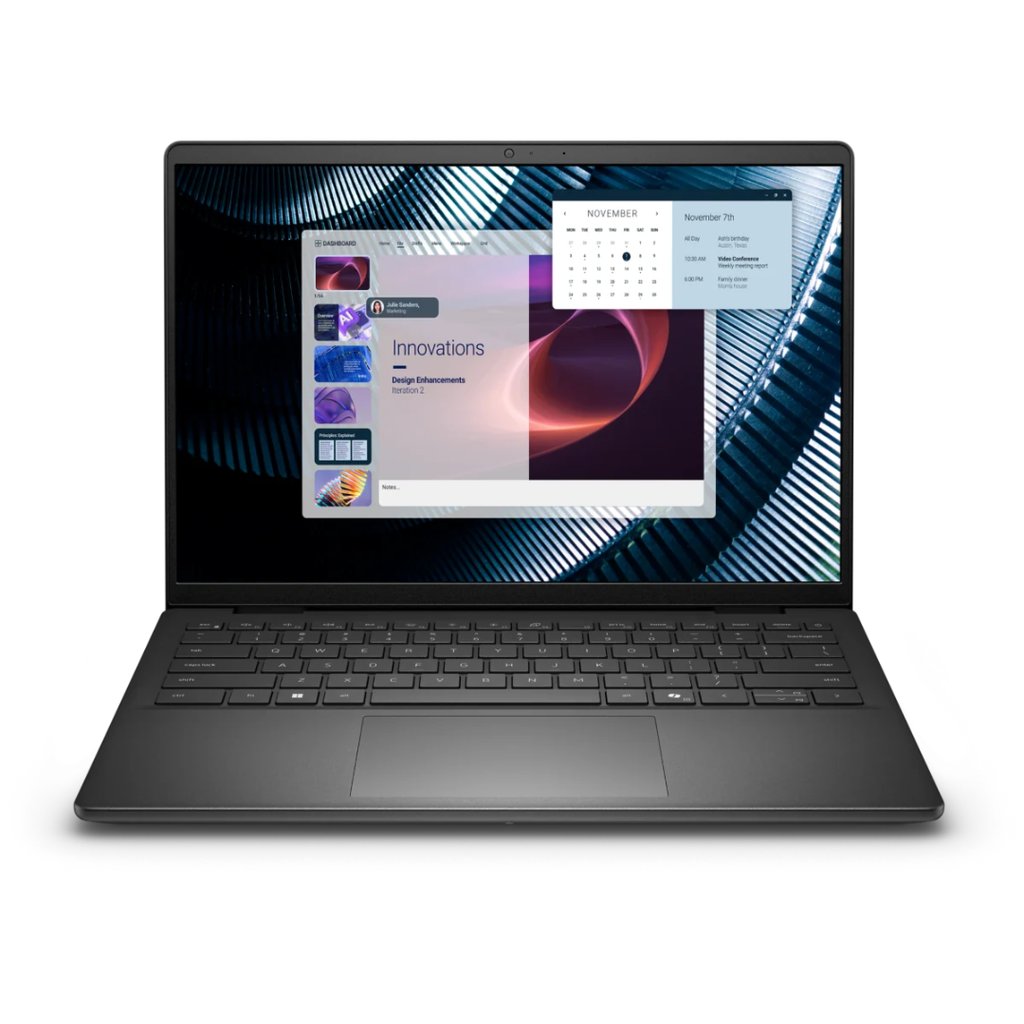
The Dell Pro 14 Essential is my best overall pick because it covers the needs of a typical small business without the higher prices of premium commercial laptops.
Its Intel Core 5 processor and available 16GB memory configuration suit owners who regularly move between spreadsheets, customer records, accounting applications, and email. Windows 11 Pro also provides useful controls for protecting company information as a business adds employees or manages more devices.
A 14-inch design is convenient for owners splitting their time between a desk, customer visits, and working from home. The bright antiglare display also makes documents easier to view in well-lit spaces.
Dell provides customer-replaceable memory and storage, giving businesses more flexibility when their needs change. Although its webcam and HDMI capabilities are modest, the combination of everyday productivity, manageable costs, and serviceability makes it the most versatile choice here.
Pros and cons
| Pros | Cons |
|---|---|
| Windows 11 Pro supports business security and device management needs. | Basic 720p webcam. |
| Customer-replaceable memory and SSD. | HDMI output is limited to 1080p. |
| Bright display, practical ports, and business support options. | No built-in Ethernet port. |
Pricing
The Dell Pro 14 Essential starts at $1,122 with 8GB RAM and 512GB storage. Upgrading to 16GB RAM adds $200, bringing the recommended configuration to approximately $1,322.
Standout features
- Business-ready software: Windows 11 Pro provides additional security and device management capabilities for growing companies.
- Repair and upgrade options: Dell documents customer replacement procedures for memory, storage, wireless card, and system fan. Choosing a single 16GB memory module also leaves a slot available for future expansion.
- Bright, portable display: The 14-inch, 1920 × 1200 antiglare screen offers 400-nit brightness and a 16:10 aspect ratio for working with documents and spreadsheets.
Acer Aspire 16: Best budget laptop
Why I chose Acer
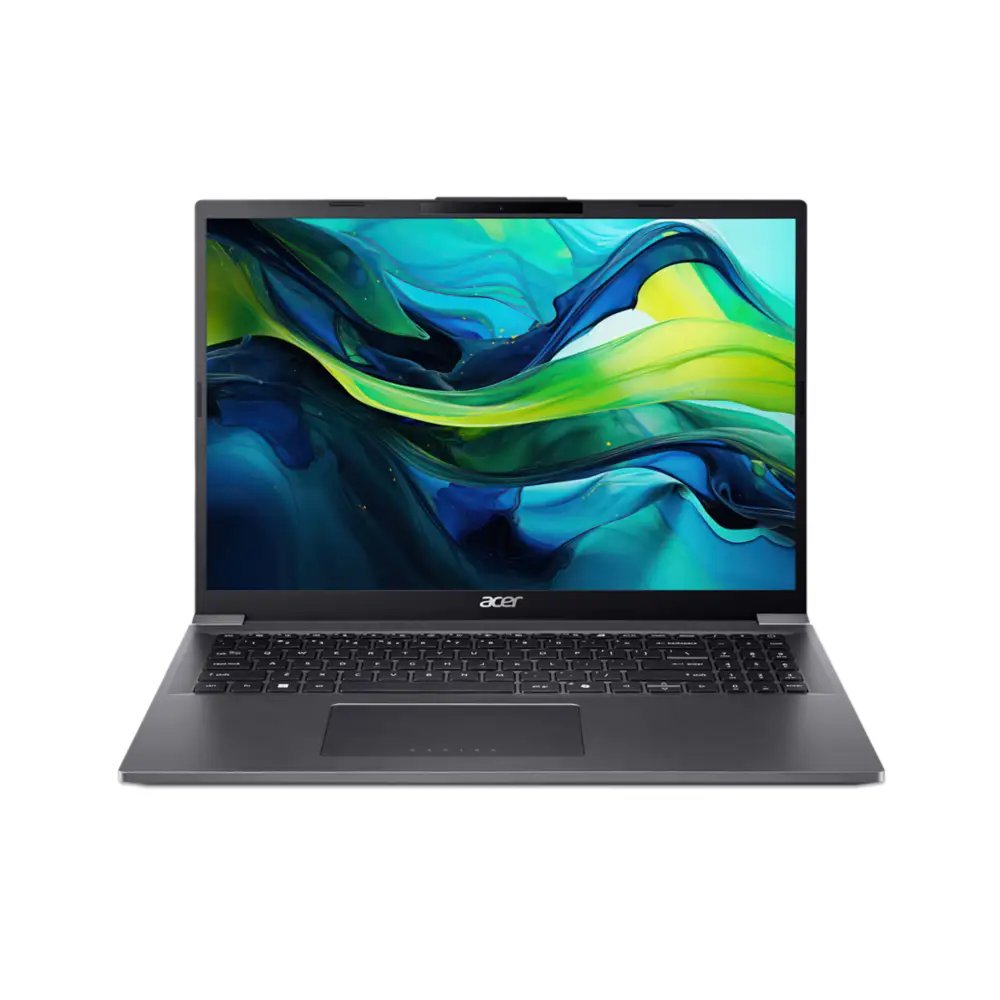
The Acer Aspire 16 is a good choice for owners who would prefer to spend less on hardware and keep more of their budget available for running the business.
At under $900, it includes enough memory and storage for everyday tasks such as processing orders, preparing invoices, and managing customer information. Businesses that rely mainly on cloud-based collaboration tools can get plenty of practical use from this configuration.
Its larger touchscreen is convenient for reviewing long documents, navigating inventory lists, or working with multiple browser windows. That extra space comes with a less portable design, though, making Acer more appealing for a fixed desk than frequent travel.
Windows 11 Home is also a consideration for companies planning to centrally manage employee devices, but owners with straightforward computing needs may find little reason to spend more.
Pros and cons
| Pros | Cons |
|---|---|
| Affordable price with 16GB RAM and 512GB storage. | Windows 11 Home lacks some business management capabilities. |
| Spacious 16-inch touchscreen. | Larger chassis is less convenient for frequent travel. |
| Backlit keyboard and useful everyday connections. | Consumer-oriented warranty and support options. |
Pricing
The Acer Aspire 16 costs $899.99 with 16GB RAM and a 512GB SSD.
Standout features
- Large touchscreen: A 16-inch, 1920 × 1200 IPS display provides room for documents, browser windows, and business applications.
- Useful everyday hardware: An Intel Core Ultra 5 115U processor, 16GB RAM, and 512GB SSD support typical office workloads.
- Practical office setup: A backlit keyboard, four USB ports, and HDMI connectivity accommodate everyday work and common accessories.
Lenovo ThinkPad E16 Gen 4: Best for accounting and spreadsheets
Why I chose Lenovo
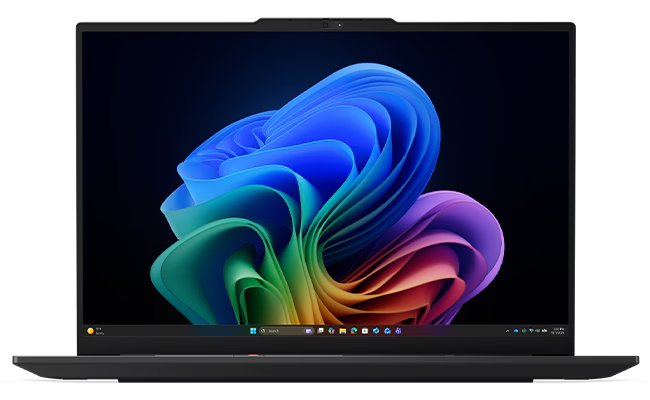
Accounting involves more than opening a spreadsheet. Business owners and bookkeepers often need to compare invoices, review transactions, enter figures, and keep several financial records visible at once.
The Lenovo ThinkPad E16 Gen 4 makes those tasks more comfortable with its larger workspace and dedicated number-entry keys. It’s useful for people spending much of their day in Excel or small-business accounting software.
Its extensive connections also suit a permanent office setup, where an external monitor, wired internet, and other peripherals may stay connected throughout the workday. Memory and storage expansion options provide flexibility as workloads grow.
The tradeoff is a bulkier machine with a higher published reference price, which may not be suitable for owners who only handle occasional bookkeeping or frequently carry their laptop between locations.
Pros and cons
| Pros | Cons |
|---|---|
| Large display and numeric keypad are useful for financial work. | Heavier and bulkier than smaller business laptops. |
| Extensive ports, including Ethernet and Thunderbolt 4. | Higher published reference price than Dell and Acer. |
| Expandable memory and storage. | Standard display has limited color coverage for creative work. |
Pricing
Lenovo lists an Estimated Value of $1,659 for the ThinkPad E16 Gen 4 on its official US store.
Standout features
- Accounting-friendly keyboard: A dedicated numeric keypad makes entering financial figures more convenient.
- Spacious workspace: A 16-inch, 1920 × 1200 antiglare display with 400-nit brightness accommodates spreadsheets, invoices, and side-by-side documents.
- Flexible office setup: Two Thunderbolt 4 ports, HDMI, USB-A, Ethernet, and internal expansion options support a workstation with multiple peripherals.
HP ProBook 4 G2i 14: Best for customer service and video calls
Why I chose HP
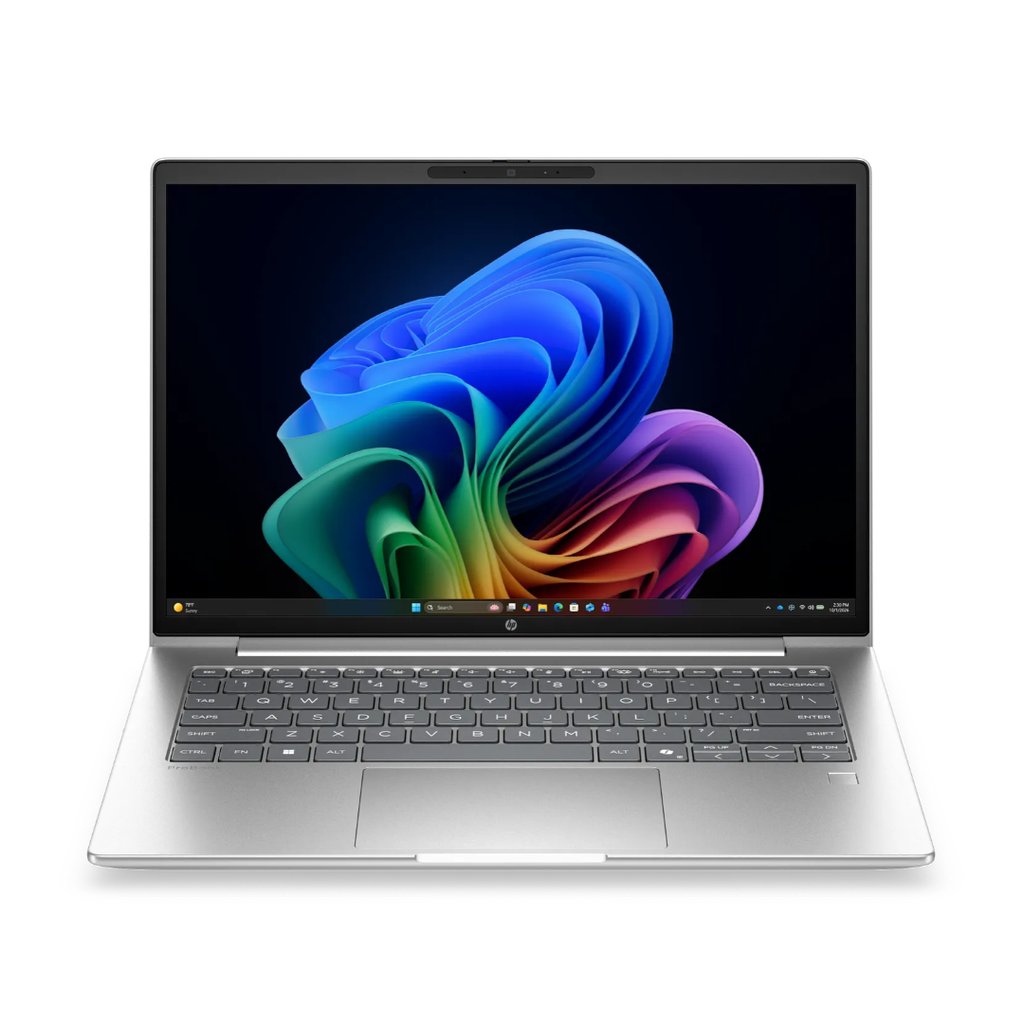
A customer service representative may spend much of the day explaining orders, answering questions, or walking clients through a problem over video. For those conversations, being clearly seen and heard can be more valuable than having the fastest processor. The HP ProBook 4 G2i 14 is well suited to that work, with a 5MP camera and noise-reducing microphones that can help when calls happen in busy office environments.
The laptop also offers useful flexibility for employees moving between a reception desk and home office. Wired and wireless networking options support different workspaces, and Windows 11 Pro and HP’s security software cater to company-managed devices.
Its high MSRP is the biggest drawback, especially when buying for an entire team. Owners whose customer interactions mainly happen through email or chat may be better served by a cheaper model, while frequent callers should also consider which video conferencing platform suits their workflow.
Pros and cons
| Pros | Cons |
|---|---|
| 5MP camera and noise-reducing microphones support customer calls. | High published MSRP. |
| Wi-Fi 7, Ethernet, and multiple USB connections. | Standard display has limited color coverage for the price. |
| Windows 11 Pro and included HP Wolf Pro Security software license. | Standard hardware warranty is one year. |
Pricing
HP lists an MSRP of approximately $2,325 for the ProBook 4 G2i 14 configuration with 16GB RAM and 512GB SSD.
Standout features
- Video conferencing: A 5MP infrared camera supports clearer customer-facing video communication.
- Professional audio: Poly Studio speakers and dual microphones with AI noise reduction help keep conversations understandable.
- Business connectivity: Wi-Fi 7, Ethernet, HDMI 2.1, and USB-C ports support different office setups.
Apple MacBook Air 13-inch M5: Best for light creative work
Why I chose Apple
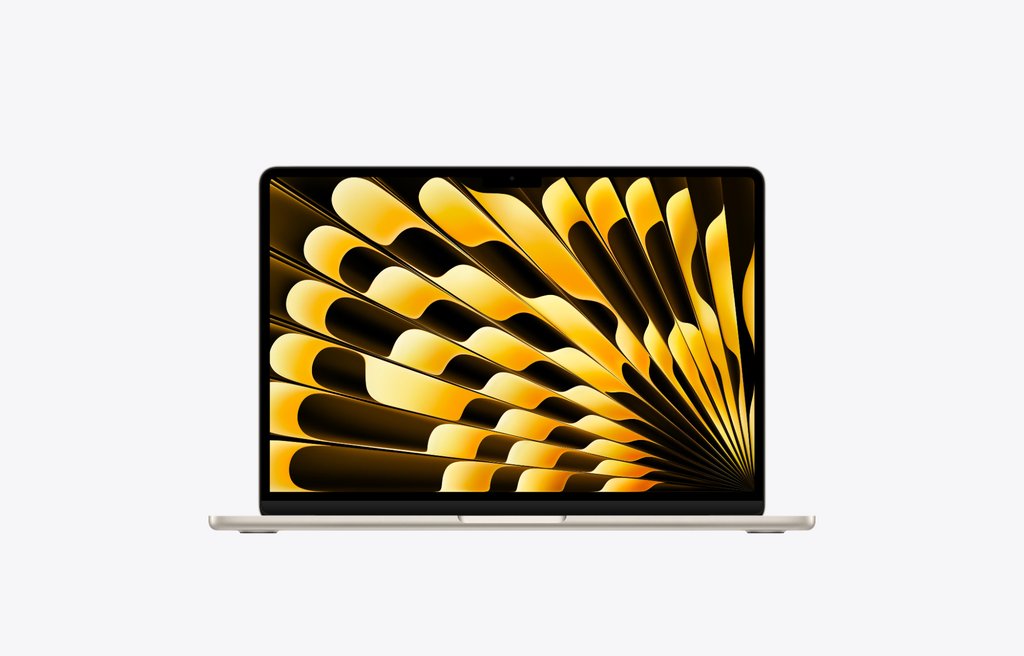
Small-business owners often create their own marketing materials, such as editing product photos and preparing social media graphics and promotional videos. The 13-inch MacBook Air with Apple’s M5 chip is a great choice for these projects, particularly when visual quality is important. Its sharp Liquid Retina display provides accurate colors for visual work, while the built-in media processing capabilities support common video-editing tasks.
The fanless design is also a welcome feature for people who work in shared offices or customer-facing spaces. Mac users can choose from creative applications such as Final Cut Pro and Adobe Premiere Pro, depending on their editing needs.
That said, owners relying on Windows-specific accounting programs or older office peripherals should consider compatibility and adapter costs before making the switch.
Pros and cons
| Pros | Cons |
|---|---|
| High-resolution, wide-color display suited to creative tasks. | Some Windows business applications are incompatible. |
| M5 chip with built-in hardware media processing. | Limited built-in ports for older accessories. |
| Lightweight, quiet fanless design with 16GB memory and 512GB storage in the base configuration. | Memory and internal storage cannot be upgraded after purchase. |
Pricing
The 13-inch MacBook Air with M5 starts at $1,299 with 16GB unified memory and a 512GB SSD.
Standout features
- Creative-friendly display: A 13.6-inch Liquid Retina screen with 2560 × 1664 resolution, 500-nit brightness, and P3 wide color.
- Built-in media processing: The M5 chip includes hardware acceleration for several common video formats.
- Quiet design: Fanless construction eliminates fan noise during everyday office and creative tasks.
How to choose the best laptop for your small business
- Start with the work you do most: Accounting benefits from a larger screen and numeric keypad, while customer-facing jobs may need a better webcam and microphone. For general administration, a portable 14-inch laptop may be enough.
- Choose enough memory and storage: Look for at least 16GB RAM and 512GB SSD storage if you regularly use multiple business applications. A lower specification may be sufficient for basic email and browser-based work, but it leaves less room for growing workloads.
- Check software and connection requirements: Confirm that your accounting, point-of-sale, inventory, and other essential applications work with Windows or macOS. Consider whether you’ll need Ethernet, external monitors, USB-A accessories, or a docking station.
- Consider the cost of ownership: Look at the complete configuration price, warranty coverage, repair options, and available support services. Protecting business files is equally important, so establish reliable backup practices from the beginning.
Frequently asked questions (FAQs)
How much should a small business spend on a laptop?
For everyday office work, a budget of around $900 to $1,400 can cover many of the features a small business needs, including 16GB RAM and SSD storage. More specialized business laptops can cost considerably more, especially when they include advanced conferencing, security, or management features.
Start with your essential applications and the type of work employees perform. Spending extra on capabilities you rarely use may provide less value than purchasing a suitable laptop with better warranty coverage or the peripherals your team needs.
Is 16GB RAM enough for a small-business laptop?
For most routine business work, 16GB RAM is a sensible starting point. It provides room for common tasks such as email, spreadsheets, accounting applications, video meetings, and multiple browser tabs.
Businesses working with unusually large financial datasets, virtual machines, or demanding creative applications may benefit from 32GB or more. Check whether your chosen laptop supports memory upgrades, since some models have permanently installed memory.
Do small businesses need Windows 11 Pro?
Not every small business needs Windows 11 Pro. Owners who mainly use web-based applications, email, and office software may find Windows 11 Home sufficient.
Windows 11 Pro becomes more useful when a business needs features such as BitLocker Drive Encryption, Remote Desktop hosting, or centralized device management. For example, setting up Remote Desktop in Windows 11 Pro can help authorized users access an office computer from another location. Companies buying laptops for multiple employees should also consider whether their software and IT arrangements require a particular Windows edition.
What to check before buying laptops for your team
Put one laptop through a typical workday before placing a bulk order. Open your largest spreadsheet, connect the office printer or scanner, and join a customer call from the desk where the laptop will be used. If you’re considering a Mac, check that your accounting software and any required Excel add-ins work on macOS.
Confirm the Windows edition before you order. Choose Windows 11 Pro if your business needs to join its PCs to Microsoft Entra ID or use them to host Windows Remote Desktop connections.
Finally, work out the cost of a complete setup for each employee. Add the USB-C dock, headset or webcam, and warranty coverage each role needs. Check that the laptop works with your existing monitors and accessories so you can catch any extra costs before you buy for the whole team.
Related reading: Our 2026 budget laptop guide compares five affordable models from Apple, Dell, ASUS, Acer, and Lenovo, covering performance, battery life, and value.