
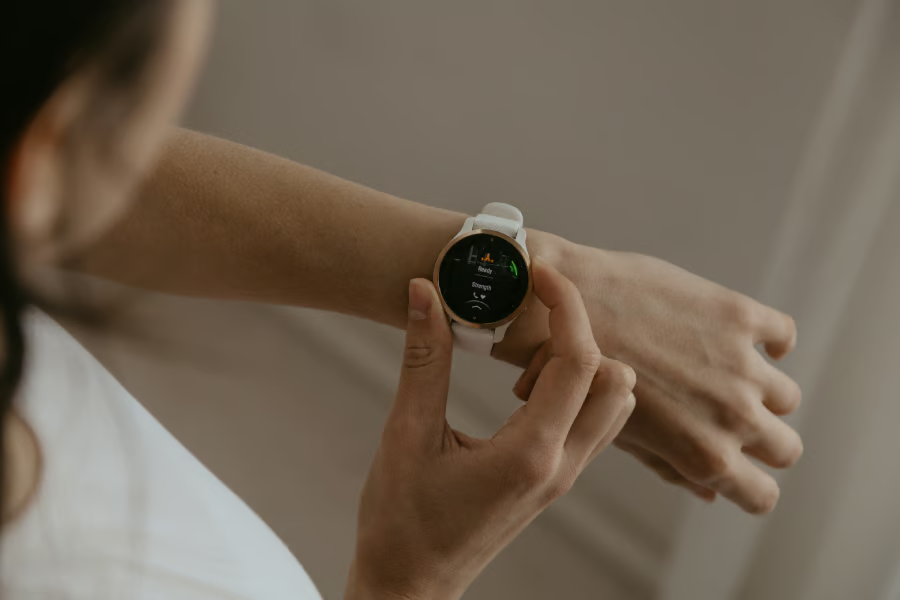


If you track blood sugar, the most useful smartwatch makes your numbers easier to notice in real life. You need alerts you can see, a screen you can read quickly, battery life that fits your routine, and health data that helps you look back at what changed.
I compared Apple Watch, Samsung Galaxy Watch, and Pixel Watch around the features that matter when blood sugar tracking is part of your day. I focused on CGM app support, wrist alerts, phone dependence, sleep and activity data, safety tools, and where each company appears to be headed next.
Apple Watch vs. Samsung Galaxy Watch vs. Pixel Watch
| Phone-free Dexcom G7 checks | Glucose plus routine tracking | Glucose alerts plus Fitbit trends | |
| Series 6+; Series 11, SE 3, Ultra 3 | Watch4+; Watch8, Classic, Ultra | Pixel Watch with Wear OS support; Pixel Watch 4 | |
| Dexcom G7, Libre, Eversense | Dexcom, Gluroo, Libre tools, xDrip+ | Dexcom, Gluroo, Libre tools | |
| Series 11 up to 24 hours; Ultra 3 up to 42 hours | Watch8 up to 30 hours with AOD; Ultra up to 100 hours in Power Saving Mode | Pixel Watch 4 up to 30 hours on 41mm; up to 40 hours on 45mm | |
| Sleep, activity, heart data, meds | Food, meds, sleep, stress, body data | Sleep, stress, activity, readiness | |
| SOS, fall detection, Medical ID | SOS, fall detection, heart alerts | SOS, fall detection, Safety Check | |
| Research reported, no feature yet | Publicly discussed, no feature yet | No clear public roadmap |
Apple Watch: Best for phone-free Dexcom G7 checks
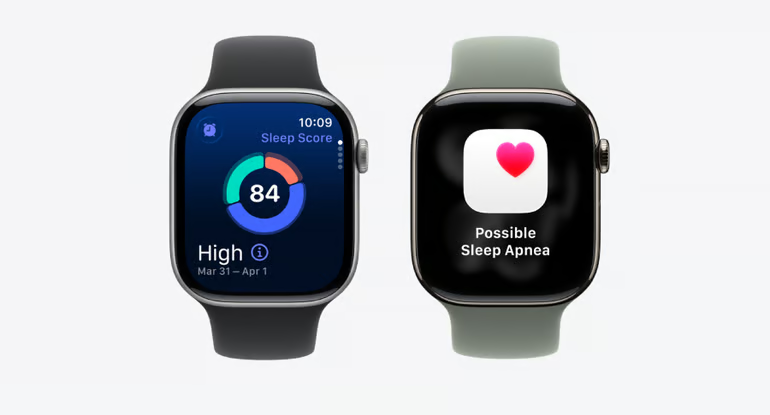
For people who want glucose alerts on the wrist with less reliance on the iPhone, the Apple Watch has a unique advantage. Dexcom G7 Direct to Apple Watch connects the sensor to the smartwatch through Bluetooth after setup, so Apple users can see glucose readings and alerts even when their phone is not nearby.
Dexcom says it is the first and only CGM system to send glucose data directly to a smartwatch.
Blood sugar alerts and CGM support
Supported CGM apps for Apple Watch include:
- Dexcom G7
- FreeStyle Libre
- Eversense
The most important watch details are the current glucose reading, trend direction, and high- or low-glucose alerts. Complications or widgets can also keep readings visible without opening the full app.
Health features that add context
Apple Watch adds useful context through sleep, activity, heart data, medication logs, and Apple Health trends. When a glucose reading looks different from expected, those records can show what changed that day or overnight.
Battery, display, and safety
Apple Watch keeps glucose checks, safety tools and everyday health tracking close to the iPhone, with the Ultra model adding more room for longer wear.
- Battery: Apple Watch Series 11 is rated up to 24 hours, SE 3 up to 18 hours and Ultra 3 up to 42 hours. Sleep tracking works better if charging is part of the daily routine.
- Display: Series 11 and Ultra 3 give quick access to alerts and glucose checks. Ultra 3 is the better fit if battery life matters more than size.
- LTE: Cellular models support calls and safety tools away from the phone, though CGM behavior still depends on the app and sensor setup.
- Safety: Emergency SOS, fall detection, Medical ID, heart rate alerts, and irregular rhythm notifications provide useful backup.
Apple is still working on non-invasive glucose monitoring, but the Apple Watch does not offer built-in blood glucose monitoring yet.
Samsung Galaxy Watch: Best for glucose plus routine tracking
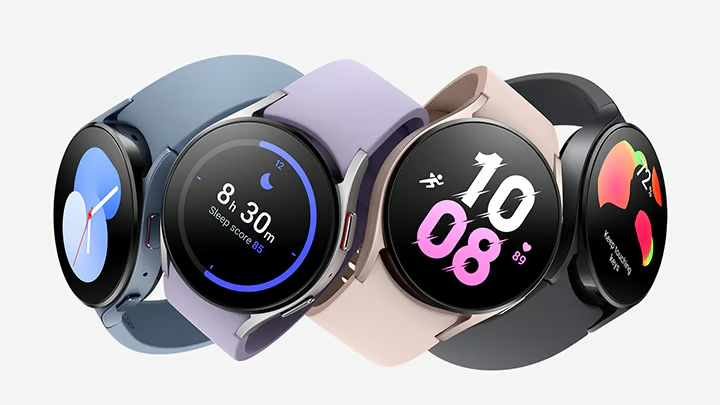
Samsung Galaxy Watch puts glucose data closer to the daily habits that may affect it. Samsung Health brings food, medication, sleep, stress, activity, heart data and body composition into the same health picture.
This smartwatch also has blood pressure monitoring on supported models, giving people watching blood sugar another diabetes-relevant metric to review in Samsung Health.
Johns Hopkins Medicine says diabetes and high blood pressure often occur together because diabetes can damage arteries over time. To use the feature, Galaxy Watch users need Samsung Health Monitor and calibration with an upper-arm cuff.
Blood sugar alerts and CGM support
For Samsung Galaxy Watch, you can start with the following CGM or Wear OS options:
- Dexcom
- Gluroo
- xDrip+
Galaxy Watch support depends on the app. Check whether alerts reach the watch, whether glucose appears on the watch face or tile, and whether the phone needs to stay nearby.
Health features that add context
Food logs, medication timing, sleep, stress, and activity records can help explain why readings vary from day to day. Body composition adds another wellness marker for people watching broader metabolic health.
Battery, display, and safety
Galaxy Watch gives glucose alerts and routine health tracking a bright, phone-optional wrist setup, especially if you choose an LTE or Ultra model.
- Battery: Galaxy Watch8 is rated up to 30 hours with Always On Display on. Galaxy Watch Ultra lasts longer, with up to 100 hours in Power Saving Mode.
- Display: Galaxy Watch8 has a 3000-nit display for outdoor alerts and quick checks.
- LTE: LTE models keep users reachable without a phone, though CGM alerts still depend on app support.
- Safety: Emergency SOS, fall detection, and heart rate alerts support daily wear.
Samsung has discussed non-invasive glucose monitoring and CGM-linked nutrition coaching, but built-in glucose monitoring is not available on Galaxy Watch today.
Must-read Apple coverage
- Nearly 7 in 10 iPhone Owners Plan iPhone 17 Upgrade
- Apple Prepares AI-Powered Siri Upgrade With Google Search Integration
- Apple’s Xcode 26 Beta Now Supports GPT-5 and Claude
- Apple’s Vision Pro Adoption Stalled As Content Released ‘Drip by Drip’
Google Pixel Watch: Best for glucose alerts with Fitbit trends
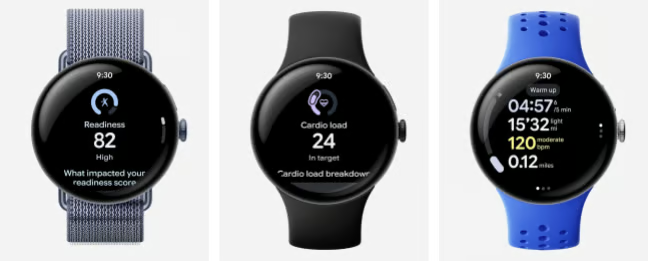
Pixel Watch works best for people who want glucose alerts alongside Fitbit’s broader health trends. Compatible CGM or Wear OS apps handle the glucose side, while Fitbit adds sleep, activity, heart data, and stress-related insights on supported models.
Exercise tools like Cardio Load and Target Load can also help you review movement and recovery in relation to blood sugar changes. Paired with compatible CGM apps, Pixel Watch can be more useful when you want to look beyond the numbers.
Blood sugar alerts and CGM support
Supported CGM apps and tools for Pixel Watch include:
- Dexcom
- Gluroo/GotCGM
- FreeStyle Libre tools
- Nightscout-based apps
Pixel Watch relies on Wear OS app support rather than a separate Pixel-only CGM system. Some options are official app paths, while others are third-party or community tools, so check your sensor, phone and app setup before relying on wrist alerts.
Health features that add context
Fitbit trends can show whether glucose changes line up with sleep, exercise, stress, or recovery patterns. Body response data and readiness-style scores provide additional context for days when readings look different from usual.
Battery, display, and safety
Pixel Watch 4 is built for daily health tracking, so battery size and charging routine are worth checking if you plan to use it for glucose alerts and sleep.
- Battery: Pixel Watch 4 is rated for up to 30 hours on the 41mm model and up to 40 hours on the 45mm model with always-on display. Battery Saver extends those claims to up to 48 hours and 72 hours, respectively.
- Display: Pixel Watch 4 has a 3000-nit Actua 360 display for brighter alerts and notifications.
- LTE: LTE models support calls and some safety features away from the phone.
- Safety: Emergency SOS, fall detection, Safety Check, Emergency Sharing, and heart alerts add value for daily wear.
Google has not shown the same public non-invasive glucose-monitoring push as Apple or Samsung, so Pixel Watch works best today as a Fitbit-backed health tracker with compatible glucose alerts.
The right smartwatch depends on your CGM setup
The best smartwatch for blood sugar tracking is not the one with the longest spec sheet. It is the one that fits your phone, your CGM app, and the way you want to check your blood sugar.
Choose Apple Watch if Dexcom G7 Direct to Apple Watch is the feature you care about most. Pick Samsung Galaxy Watch if you want glucose alerts near food, medication, sleep, stress, and body data in Samsung Health. Go with Pixel Watch if you want compatible glucose alerts alongside Fitbit’s sleep, activity, stress, and readiness trends.
The important limit is the same across all three. Apple Watch, Samsung Galaxy Watch and Pixel Watch do not measure blood glucose directly. They are useful because they can put compatible CGM alerts, quick wrist checks, and related health patterns in a place you are likely to see them.
Read our guide to see how Apple Watch, Garmin, Oura, Samsung, Withings, Huawei, and Evie Ring compare in the blood sugar tracking race.