


Your next photo storage upgrade could be a server you already own.
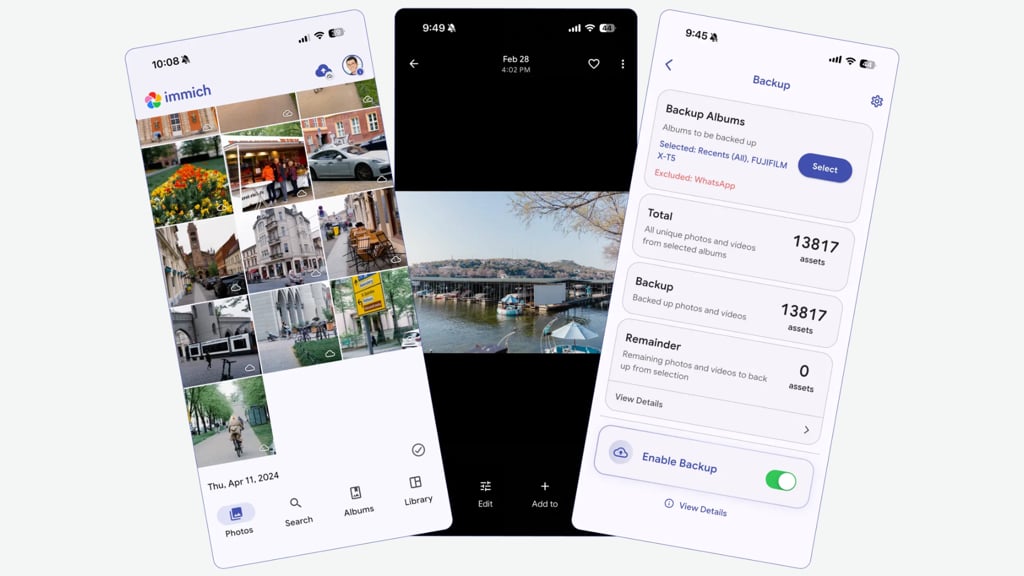
Immich, an open-source Google Photos alternative, released version 3.4.0 on Nov. 10, adding mobile photo tagging, JPEG XL support, and security fixes. The software lets users store photos and videos on compatible hardware they control, with access through mobile apps and a browser.
Running a personal photo cloud takes more than creating an account, however. Users need suitable hardware and must maintain the system that keeps their pictures accessible.
A compatible computer or NAS can host the photo library
Immich runs on compatible computers, home servers, and certain network-attached storage (NAS) devices. Photos and videos uploaded from connected phones are saved to the selected machine, where users can access their collections through a mobile app or browser. Available storage capacity determines how much the server can hold.
Immich recommends installing its services using Docker Compose. Follow its official installation instructions and check the system requirements before choosing hardware.
| Component | Minimum | Recommended |
|---|---|---|
| RAM | 6GB | 8GB |
| Processor | 2 CPU cores | 4 CPU cores |
Immich recommends a 64-bit Linux or Unix-like operating system and supports amd64 and arm64 processors. On amd64 systems, its version 3 machine-learning container requires x86-64-v2 instructions or newer, so check older computers and NAS devices carefully.
Once everything is running, users can connect their phones and choose which pictures to upload. Accessing the library away from home requires additional configuration, such as a VPN or an HTTPS reverse proxy, as explained in the project’s remote access guide. Immich warns against forwarding its default port directly to the internet without additional configuration.
Familiar photo features make self-hosted storage more practical
Immich includes automatic uploads, facial recognition, smart search, and albums, giving users several conveniences associated with Google Photos. Similar self-hosted photo galleries also provide ways to organize personal collections without conventional cloud hosting.
- Automatic mobile uploads back up pictures and videos from Android and iOS devices to the user’s server.
- Facial recognition and smart search help group photos by people and find images using descriptions.
- Albums and sharing tools let users organize pictures into collections and provide access to selected photos.
Version 3.4.0 adds mobile photo tagging and support for JPEG XL images. New automation options also allow users to organize images based on text detected within them, such as automatically grouping receipts containing particular words into an album. Several security fixes are included in the release.
What to check before replacing cloud photo storage
Immich has no paywalled features, but running it still carries costs. Compare the cloud subscription you could avoid with the cost of hardware, electricity, backup storage, and the time needed to maintain the server.
Before moving a photo collection, check these four things:
- Hardware compatibility: Confirm that the computer or NAS meets Immich’s requirements and can run its services alongside any existing workloads.
- Storage headroom: Allow room for more than original files. Immich says thumbnails and transcoded videos typically add 10–20% to library size. Its PostgreSQL database must not be stored on a network share.
- Remote access and maintenance: Choose how you will connect away from home and who will handle software updates, access settings, and troubleshooting.
- Recovery: Keep separate copies of both the original media and the database, and test that you can restore them before relying on the system.
Automatic database backups contain metadata, not the original photos and videos, according to Immich’s backup documentation. A comprehensive backup needs both. Keeping those copies in different locations also follows established backup best practices.
People who already own compatible hardware and are comfortable maintaining it have a stronger starting point. Those buying equipment solely to avoid a cloud subscription should calculate the total cost first.
Start with a small selection of photos and videos. Check uploads, search, playback, remote access, and recovery before moving the full collection or deleting existing copies. That trial will show whether the extra control is worth the ongoing work.
Read more: For another way to keep photos on hardware you own, explore Google’s Android-to-Windows photo backup feature and its compatibility limits.