

Bad data does more than clutter a spreadsheet. It slows down sales teams, weakens marketing campaigns, skews analytics, and makes it harder for leaders to trust the reports they use to make decisions. For B2B teams in particular, outdated contacts, duplicate company records, incomplete firmographic data, and inconsistent CRM fields can create problems across the entire revenue cycle.
The best data cleaning software helps teams identify, correct, standardize, deduplicate, validate, and enrich business data. Some tools focus on customer relationship management (CRM) hygiene and go-to-market data. Others are built for enterprise data quality, data governance, analytics pipelines, or one-time cleanup projects.
To keep this comparison focused, I selected five data cleaning software options that represent the most common buyer paths: B2B data enrichment, enterprise data quality, integrated data management, AI-assisted cleansing, and free open-source cleanup.
|
||
|
||
|
||
|
||
|
- ZoomInfo OperationsOS: Best for B2B sales and marketing data enrichment
- Informatica Cloud Data Quality: Best for enterprise data quality management
- Qlik Talend Cloud: Best for data integration and cleansing workflows
- Ataccama ONE: Best for AI-assisted enterprise data quality
- OpenRefine: Best free and open-source data cleanup tool
- What is data cleaning software?
- How do I choose the best data cleaning software?
- Methodology: How I evaluated the best data cleaning software
- Frequently asked questions (FAQs)
ZoomInfo OperationsOS: Best for B2B sales and marketing data enrichment
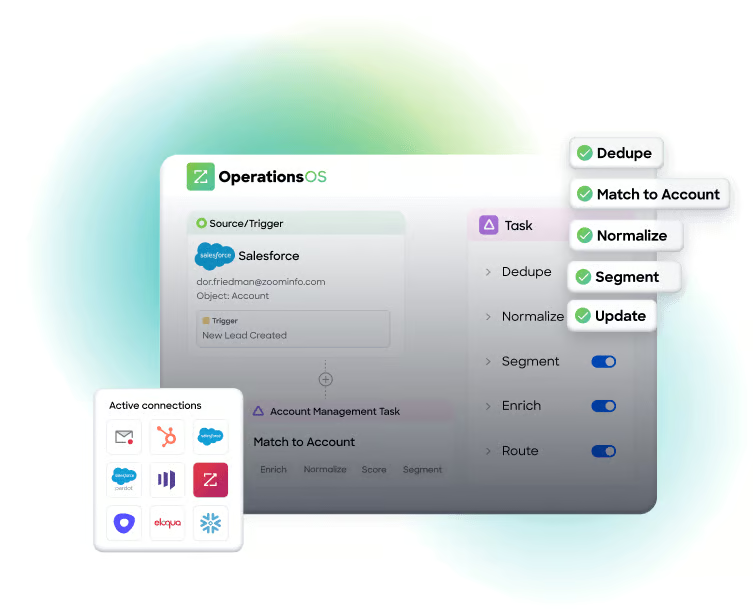
ZoomInfo OperationsOS is the best fit for B2B teams that need cleaner, more complete contact and company data inside their CRM and go-to-market systems. It is especially useful for sales, marketing, and revenue operations teams dealing with duplicate accounts, outdated contacts, missing firmographics, and inconsistent routing fields.
I’d recommend ZoomInfo for teams that want data cleaning software tied directly to pipeline activity. Instead of only correcting data errors, it helps enrich records, improve segmentation, support routing, and keep revenue teams working from more reliable account and contact data.
Why I chose ZoomInfo OperationsOS
I chose ZoomInfo because it is one of the clearest fits for B2B data cleansing software. Many data cleaning tools are built for broad enterprise data quality, but ZoomInfo is more directly aligned with CRM hygiene, contact enrichment, company data, and sales and marketing execution.
In my experience, that focus matters. A revenue team does not just need clean data in theory; it needs cleaner records that improve outreach, campaign targeting, lead routing, and reporting. ZoomInfo is the strongest option here for that specific use case.
Pricing
Contact sales for pricing.
Features
- Contact and company data cleansing
- CRM enrichment and hygiene
- Duplicate management
- Data standardization
- Lead-to-account matching
- Routing support
- Go-to-market data management
- Sales and marketing data enrichment
Pros and cons
| Strong fit for B2B sales, marketing, and revenue operations teams | Not designed as a broad enterprise data engineering platform |
| Focuses on contact and company data, not just generic datasets | May be more than smaller teams need for one-time spreadsheet cleanup |
| Supports ongoing data enrichment and CRM hygiene | Best value depends on how central B2B data is to your revenue process |
Informatica Cloud Data Quality: Best for enterprise data quality management
Informatica Cloud Data Quality is best for large organizations that need a scalable data cleansing platform as part of a broader enterprise data management strategy. It is a strong option for data, IT, analytics, and governance teams that need to manage quality across multiple systems and departments.
I’d recommend Informatica for organizations where data cleaning is not just a tactical cleanup project, but part of a larger governance, compliance, analytics, or master data management initiative. It is more complex than lightweight tools, but that depth is useful for enterprises with serious data quality requirements.
Why I chose Informatica Cloud Data Quality
I chose Informatica because it represents the enterprise end of the data cleansing software market. It supports data profiling, standardization, validation, monitoring, governance, and scalable data quality workflows that smaller point solutions usually cannot match.
In my view, Informatica is a strong fit when data quality needs to be operationalized across an organization. If multiple teams rely on the same data for reporting, compliance, customer experience, or operational decision-making, Informatica gives buyers a more mature platform for managing quality at scale.
Pricing
Contact sales for pricing.
Features
- Data profiling
- Data standardization
- Data validation
- Data quality monitoring
- Matching and deduplication
- Data governance support
- Cloud and hybrid data quality workflows
- Enterprise data management integrations
Pros and cons
| Strong enterprise data quality capabilities | Can be complex for smaller teams |
| Good fit for governance-heavy and regulated environments | May require technical implementation resources |
| Supports profiling, validation, monitoring, and standardization |
Qlik Talend Cloud: Best for data integration and cleansing workflows
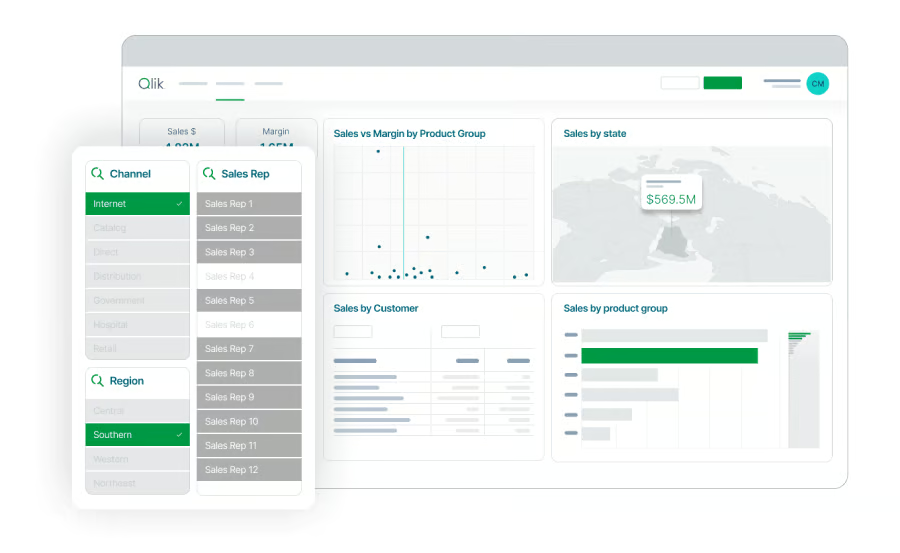
Qlik Talend Cloud is best for teams that want data cleaning capabilities inside a broader data integration and data management environment. It is especially useful for organizations that need to move, transform, clean, govern, and deliver data across many systems.
I’d recommend Qlik Talend Cloud for teams that see data quality as part of the data pipeline. If your data problems occur when data moves between applications, databases, warehouses, and analytics tools, a platform that combines integration and cleansing can be more useful than a standalone cleanup tool.
Why I chose Qlik Talend Cloud
I chose Qlik Talend Cloud because it connects data quality with integration, transformation, governance, and analytics readiness. That makes it a strong option for teams that need trusted data across multiple business systems rather than a tool that only cleans individual files.
In my experience, data quality issues often start upstream. If records are inconsistent before they enter a warehouse, dashboard, CRM, or AI workflow, cleaning them later becomes harder. Qlik Talend Cloud is a good fit for buyers who want to improve quality as data moves through the organization.
Pricing
Contact sales for pricing.
Features
- Data integration
- Data preparation
- Data transformation
- Data quality rules
- Pipeline management
- Data governance support
- Connectivity across multiple systems
- AI-ready data workflows
Pros and cons
| Combines data integration and data quality | May be too broad for teams that only need CRM cleanup |
| Good fit for analytics, AI, and operational data pipelines | Requires data operations or IT involvement |
| Supports transformation, governance, and quality workflows | Not the simplest option for nontechnical users |
Ataccama ONE: Best for AI-assisted enterprise data quality
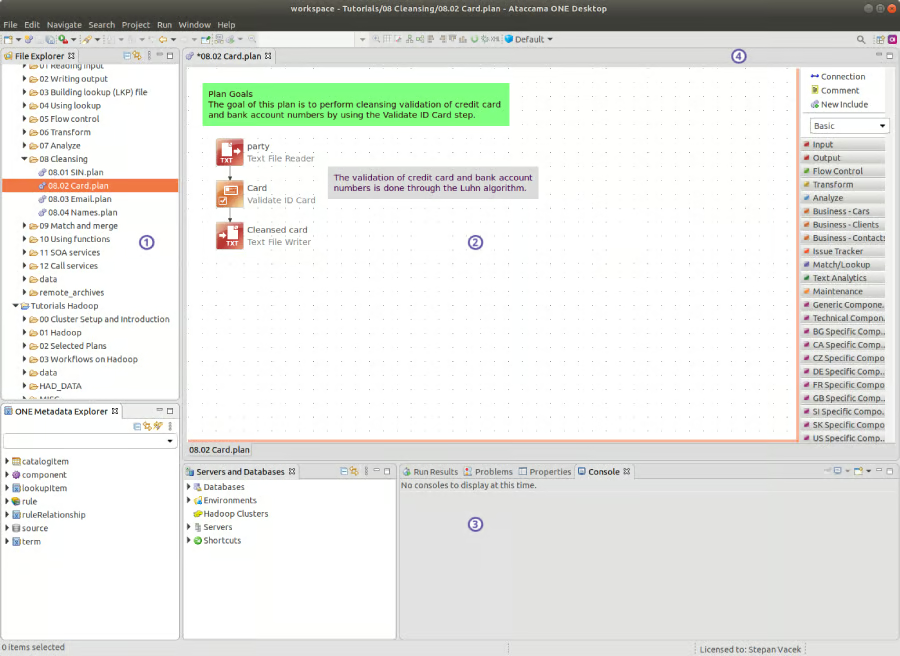
Ataccama ONE is best for enterprise teams that want AI-assisted data quality management. It is a strong fit for organizations that need ongoing monitoring, rule creation, validation, cleansing, remediation, and governance across complex datasets.
I’d recommend Ataccama for teams that already have a data governance or data stewardship function and want to automate more of the quality management process. It is not the simplest option on this list, but it is well-suited for organizations that want to modernize enterprise data quality with AI-assisted workflows.
Why I chose Ataccama ONE
I chose Ataccama ONE because AI-assisted data quality is becoming more important as businesses prepare data for analytics, automation, and AI use cases. The platform is designed to help teams identify data quality issues, monitor them over time, and support remediation workflows.
In my view, Ataccama is best suited for mature data teams looking to reduce manual rule management and improve ongoing quality control. It is especially useful when data quality needs to connect with governance, stewardship, master data management, and enterprise reporting.
Pricing
Contact sales for pricing.
Features
- AI-assisted data quality management
- Data quality monitoring
- Rule creation and validation
- Data cleansing and remediation
- Anomaly detection
- Master data management support
- Data governance workflows
- Data stewardship tools
Pros and cons
| Strong AI-assisted data quality capabilities | May be too advanced for smaller teams |
| Useful for monitoring, remediation, and governance | Best suited for enterprise data environments |
| Supports data stewardship and master data management workflows | Requires clear governance processes to get the most value |
OpenRefine: Best free and open-source data cleanup tool
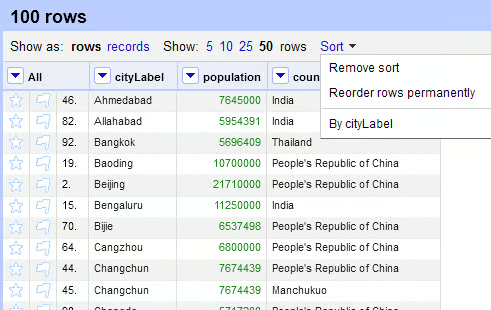
OpenRefine is the best option for users who need a free, open-source tool for cleaning messy datasets. It is not a full enterprise data cleansing platform, but it is useful for one-time cleanup, transformation, clustering, and standardization work.
I’d recommend OpenRefine for analysts, researchers, operations teams, journalists, and small businesses that need to clean CSVs, spreadsheets, or tabular data without paying for enterprise software. It is a practical, hands-on tool for fixing messy files before analysis, reporting, or importing into another system.
Why I chose OpenRefine
I chose OpenRefine because every data-cleaning software list should include an accessible, free option. Not every team needs enterprise automation, CRM enrichment, or data governance workflows. Sometimes, the immediate need is simply to clean a messy spreadsheet.
In my experience, OpenRefine is especially helpful when users need to cluster similar values, standardize inconsistent fields, remove duplicate records, or manually transform data. It is not a replacement for continuous data quality software, but it is a strong option for focused cleanup projects.
Pricing
Free and open source.
Features
- Data cleanup
- Duplicate detection
- Clustering similar values
- Data transformation
- Field standardization
- Tabular data preparation
- CSV and spreadsheet cleanup
- Data enrichment through external services
Pros and cons
| Free and open source | Not built for continuous CRM hygiene |
| Good for messy spreadsheets and tabular datasets | No native B2B enrichment database |
| Useful clustering and transformation capabilities | Requires manual work and user judgment |
What's hot at TechRepublic
- Blackpoint Cyber vs. Arctic Wolf: Which MDR Solution is Right for You?
- Why AWS Sellers Choose Deepgram Over Other Voice AI Tools
- SS&C Intralinks DealCentre AI vs. Datasite: Which platform is built for the future of dealmaking?
- SS&C Intralinks FundCentre AI vs. Juniper Square: Which platform better supports modern private markets fund managers?
- Verito vs. Rightworks: Which IT Provider Is Best for Your Firm?
What is data cleaning software?
Data cleaning software identifies and corrects inaccurate, incomplete, duplicate, outdated, or inconsistent data. Depending on the platform, it may clean data in spreadsheets, CRMs, data warehouses, customer databases, marketing platforms, analytics tools, or enterprise applications.
Common data cleaning tasks include:
- Removing duplicate records
- Standardizing names, dates, phone numbers, and addresses
- Validating email addresses and phone numbers
- Filling in missing company or contact details
- Correcting formatting errors
- Merging conflicting records
- Monitoring data quality over time
- Enriching records with third-party data
- Preparing datasets for analytics, AI, or reporting
The best data cleaning software should reduce manual cleanup, increase trust in business data, and improve the reliability of downstream systems.
How do I choose the best data cleaning software?
I recommend starting with the type of data you need to clean. The best platform for CRM hygiene may not be the best platform for analytics preparation, and the best tool for address verification may not be the best fit for enterprise governance.
Before choosing a data cleansing platform, ask:
- What systems contain the data we need to clean?
- Are we cleaning customer, contact, company, product, financial, or operational data?
- Do we need one-time cleanup or continuous monitoring?
- Do we need enrichment, validation, deduplication, or all three?
- Who will manage the tool: sales ops, marketing ops, IT, data engineering, or analysts?
- Does the platform integrate with our CRM, data warehouse, or marketing tools?
- How will we measure improvement in data quality?
- Do we need governance, audit trails, compliance controls, or MDM support?
If you are a B2B revenue team, I’d start with CRM enrichment and deduplication tools like ZoomInfo. If you are an analyst cleaning files, OpenRefine may be enough. If you are an enterprise data team, consider platforms like Informatica, Qlik Talend Cloud, or Ataccama ONE.
Methodology: How I evaluated the best data cleaning software
I reviewed data cleaning software based on the needs of business users, revenue teams, analysts, and enterprise data teams. Then, I prioritized tools that support common data quality workflows, including deduplication, standardization, validation, enrichment, integration, automation, and scalability.
Specifically, my evaluation considered the following:
- Core data cleaning features: Deduplication, validation, standardization, matching, and enrichment.
- Use case fit: Whether the tool is best for CRM hygiene, analytics prep, address validation, open-source cleanup, or enterprise data quality.
- Integrations: CRM, data warehouse, database, API, and business application connectivity.
- Ease of use: Whether the platform is accessible to business users, analysts, or technical teams.
- Scalability: Whether the tool supports one-time projects, continuous monitoring, or enterprise-wide programs.
- Buyer value: How clearly each platform solves a specific data quality problem.
Frequently asked questions (FAQs)
What is the difference between data cleaning and data cleansing?
Data cleaning and data cleansing are often used interchangeably. Both refer to the process of correcting, standardizing, validating, and improving data quality. Some vendors use “data cleansing” more often in enterprise and CRM contexts, while “data cleaning” is common in analytics and spreadsheet workflows.
What is the best data cleansing software for B2B teams?
For B2B sales and marketing teams, ZoomInfo is a strong choice because it focuses on contact and company data, CRM hygiene, enrichment, and go-to-market workflows.
What is the best free data cleaning software?
OpenRefine is one of the best free tools for cleaning, transforming, and standardizing messy tabular data.