


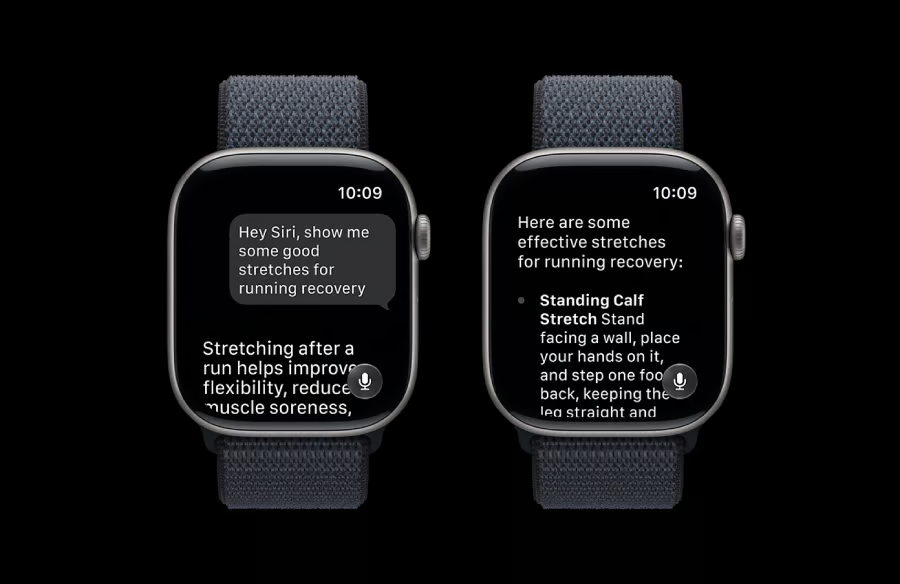
Your Apple Watch may soon reduce how often you need your iPhone.
Apple released the watchOS 27 public beta, bringing new gestures, health features, and workout tools to eligible watches. Meanwhile, Siri AI is due in English later this year, ahead of the full software release this fall.
More questions, tasks, and workout feedback could stay on the wrist. Full access, however, depends on both the watch and its paired iPhone.
Siri and one-handed controls cover more everyday tasks
According to Apple, once released, Siri AI will support follow-up questions and longer conversations. Someone could check a ferry schedule on an iPhone, then pick up the exchange from an Apple Watch.
- Find saved details: Siri can retrieve information, such as a rental door code stored in Notes, avoiding a manual search on the phone.
- Act inside apps: A spoken request could change an Activity ring goal or play a song recommended by a trainer.
- Return to earlier chats: A dedicated Siri app stores past conversations and lets people pin exchanges they expect to revisit.
- Control the watch with one hand: Users can tap their index finger and thumb together once to select a Smart Stack widget, which can surface details such as a parked car’s location.
- Open common items faster: Find My brings people, devices, and items into one map view. Wallet also supports custom passes created from QR codes or barcodes.
The new controls could save Apple Watch users from digging through menus. If proven reliable, they could become part of everyday smartwatch use instead of features people try once and forget.
Workout help follows you when your phone stays behind
Workout Buddy is getting a better memory of how you train. It will compare a current session with past performance, using pace, distance, and workout duration to tailor its feedback.
During a run, coaching can continue even if the iPhone is left behind, though Bluetooth headphones and a paired Apple Intelligence-enabled mobile device are still required. Spanish support is coming as well.
Indoor runners and walkers should get more accurate treadmill distance estimates from updated motion tracking.
Cycle Tracking gets a separate update for users aged 40 and older. Logged patterns that may suggest perimenopause can prompt a notification, with symptom tracking and educational resources available in the Health app.
Must-read Apple coverage
- Nearly 7 in 10 iPhone Owners Plan iPhone 17 Upgrade
- Apple Prepares AI-Powered Siri Upgrade With Google Search Integration
- Apple’s Xcode 26 Beta Now Supports GPT-5 and Claude
- Apple’s Vision Pro Adoption Stalled As Content Released ‘Drip by Drip’
Your watch may qualify even if your iPhone does not
Before installing the beta, check both devices. A supported Apple Watch can run watchOS 27 even when the paired iPhone cannot unlock every new feature.
- watchOS 27 works with Apple Watch Series 9 and newer, Apple Watch Ultra 2 and newer, or Apple Watch SE 3, paired with an iPhone 11 or newer running iOS 27.
- Siri AI needs an iPhone 15 Pro or Pro Max, any iPhone 16 model, or a newer supported iPhone.
A Series 9 paired with an iPhone 11 can receive the new gestures and health features, but Siri AI will not appear. If that is your setup, you will receive the update without its new Siri experience.
EU users will also have to wait because Siri AI will not be available there at launch. Beta testers should know that an Apple Watch cannot return to an earlier watchOS version after installation.
Also read: Apple is reportedly trying to improve the iPhone Air 2’s endurance without giving up its slim profile.